You can create a professional activity book and publish it on Amazon KDP in a single weekend — no design degree required. The right activity book creator handles the hard parts (puzzle generation, page layout, KDP formatting) so you focus on picking a profitable niche and hitting publish.
In this guide, you’ll learn:
- The best activity book creator tools for KDP in 2026 (and what each one does best)
- How to plan, design, and format activity book pages that meet Amazon’s specs
- The step-by-step publishing process from first page to live listing
- How to price your activity book for maximum royalties
Here’s everything you need to go from idea to published activity book.
What Is an Activity Book Creator for KDP?
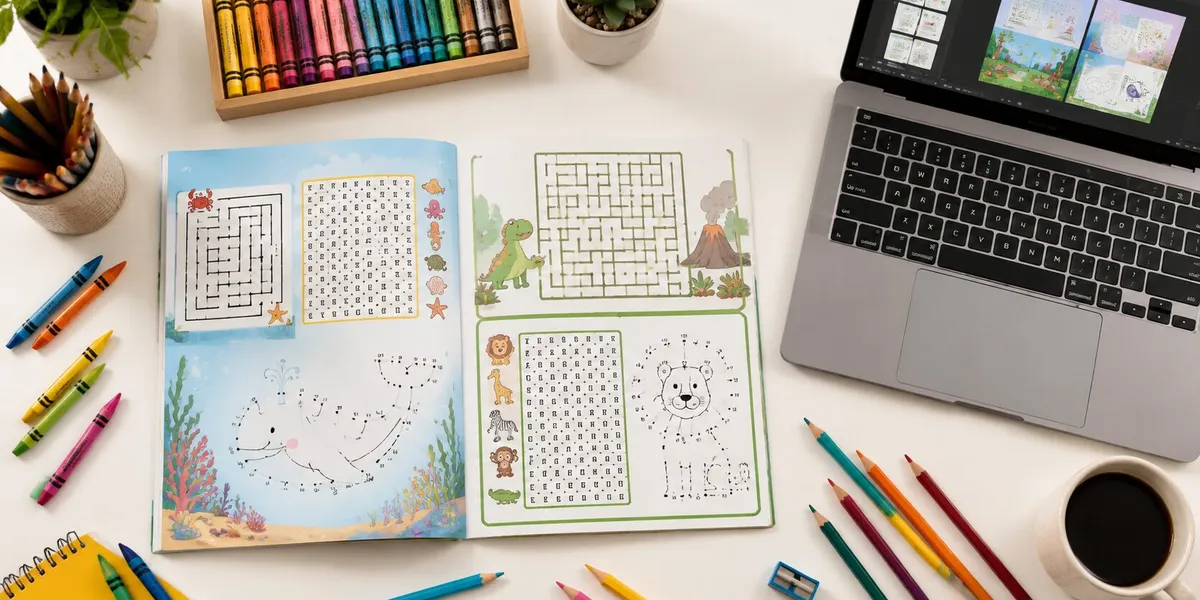
An activity book creator for KDP is software that helps you design interactive book pages — mazes, word searches, crosswords, coloring pages, dot-to-dots — and format them as print-ready PDFs that meet Amazon KDP’s publishing requirements. These tools replace the need for manual design skills or expensive graphic design software.
Activity books are one of the most profitable categories in KDP low content publishing. Unlike traditional books, you don’t write tens of thousands of words. You create interactive pages that readers (usually kids, but adults too) engage with using pencils, crayons, and their brains.
The market is real. A well-targeted kids’ activity book can earn $50 to $240 per month in passive royalties. Build a five-book series around a popular theme, and you’re looking at $480 to $960 per month within your first year.
Best Activity Book Creator Tools for KDP
Not every tool does the same thing. Some generate puzzles. Some handle full page layout. Others manage the entire workflow from research to publish-ready PDF. Here’s what actually works in 2026.
Our Pick — Chapter
Chapter uses AI to help you plan, outline, and create book content faster than any manual workflow. While it’s built primarily for full-length nonfiction and fiction, its AI writing and structuring tools are perfect for activity book text elements — instructions, educational content, story-based activity sequences, and themed introductions that make your book stand out from competitors who ship blank puzzle pages.
Best for: Activity books that include educational text, themed narratives, or instructional content alongside puzzles and games Pricing: $97 one-time (nonfiction) Why we built it: Most activity book creators handle puzzle generation but ignore the written content that differentiates a $4.99 book from a $12.99 one.
BookGenie
BookGenie generates word searches, Sudoku puzzles, word scrambles, and crosswords in bulk. You pick your puzzle types, enter your word lists or themes, and it outputs print-ready pages.
Best for: Puzzle-heavy activity books (word search collections, Sudoku books, crossword compilations) Pricing: Starts at $19/month Limitation: Focused on puzzle generation only — you’ll need a separate tool for coloring pages, mazes, or custom illustrations.
Book Bolt
Book Bolt combines niche research with a built-in Creator Studio. You can research what’s selling on Amazon, then design your book interior without leaving the platform. Their template library covers common activity book page layouts.
Best for: Publishers who want market research and design in one tool Pricing: $9.99/month (Newbie) to $19.99/month (Pro) Limitation: The design tools are functional but not as specialized as dedicated puzzle generators.
Canva
Canva isn’t built specifically for KDP activity books, but its free templates, drag-and-drop editor, and export-to-PDF workflow make it a solid option for coloring book pages and simple activity layouts.
Best for: Coloring pages, connect-the-dots, simple tracing activities, and visual-heavy books Pricing: Free tier available; Pro is $12.99/month Limitation: No puzzle auto-generation. You’ll create each page manually.
Puzzle Maker Pro (by PuzzlePublisher)
A desktop application that generates crosswords, word searches, mazes, Sudoku, number puzzles, and cryptograms. It exports high-resolution PDFs sized for KDP.
Best for: Creators focused on adult puzzle books and complex puzzle types Pricing: One-time purchase, modules priced individually ($17-$47 each) Limitation: Each puzzle type is a separate module purchase. The interface is functional but dated.
Quick Comparison Table
| Tool | Best For | Puzzle Generation | Page Design | KDP Formatting | Price |
|---|---|---|---|---|---|
| Chapter (Our Pick) | Text + educational content | Via AI prompts | — | — | $97 one-time |
| BookGenie | Bulk puzzle books | Yes (6+ types) | Basic | Yes | $19/mo |
| Book Bolt | Research + design | Limited | Yes | Yes | $9.99/mo |
| Canva | Visual activity pages | No | Yes | Manual export | Free/$12.99 |
| Puzzle Maker Pro | Adult puzzle books | Yes (10+ types) | Basic | Yes | $17-$47/module |
How to Choose the Right Activity Book Creator
Your ideal tool depends on what kind of activity book you’re making. Ask yourself three questions:
What age group are you targeting? Kids’ activity books (ages 3-8) lean heavily on coloring, tracing, and simple mazes — Canva and Book Bolt handle these well. Older kids (8-12) and adults want word searches, crosswords, and logic puzzles — BookGenie and Puzzle Maker Pro are better fits.
How much written content will your book include? If your book has educational text, themed instructions, or story elements woven between activities, Chapter gives you a massive advantage. If it’s pure puzzles with minimal text, a dedicated puzzle generator is more efficient.
What’s your budget? If you’re testing the market with your first book, Canva’s free tier plus a one-time Puzzle Maker Pro module gets you started under $50. If you’re building a catalog of activity books, BookGenie’s or Book Bolt’s monthly subscriptions pay for themselves after a few sales.
How to Create an Activity Book for KDP (Step by Step)
Step 1: Pick a Profitable Niche and Age Group
The most common mistake is creating a generic “Activity Book for Kids” and hoping it sells. It won’t. Amazon’s search algorithm rewards specificity.
Profitable niche formulas that work:
- [Age group] + [theme] + [activity type]: “Dinosaur Activity Book for Kids Ages 4-8”
- [Holiday/season] + [age group]: “Christmas Activity Book for Toddlers”
- [Educational focus] + [age group]: “Sight Words Activity Book for Kindergarten”
Check what’s already selling by searching Amazon for activity books in your target niche. Look at the Best Sellers Rank (BSR) — anything under 100,000 in the Books category means consistent daily sales.
Step 2: Plan Your Activity Types and Page Count
A strong activity book mixes multiple activity types. The biggest mistake new publishers make is filling 100 pages with the same puzzle type. Readers (and their parents) want variety.
Activity types by age group:
| Age Group | Best Activity Types | Pages |
|---|---|---|
| Toddlers (2-4) | Coloring, tracing, matching, simple mazes | 40-60 |
| Kids (4-8) | Mazes, dot-to-dot, word searches, spot the difference, coloring | 80-120 |
| Tweens (8-12) | Crosswords, word scrambles, logic puzzles, trivia, Sudoku | 80-150 |
| Adults | Crosswords, Sudoku, word searches, brain teasers, cryptograms | 100-200 |
The sweet spot for most kids’ activity books is 80 to 120 pages. This gives enough content to justify a $6.99 to $9.99 price point while keeping your printing costs manageable.
For detailed guidance on specific activity types, check out our guide on how to write a puzzle book.
Step 3: Design Your Interior Pages
This is where your activity book creator does the heavy lifting. The workflow depends on which tool you’re using, but the process follows the same pattern:
-
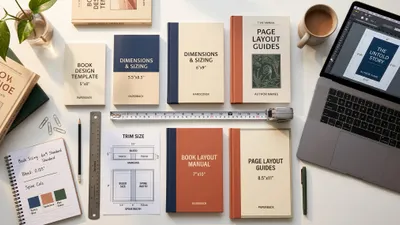
Set your trim size. The most popular size for activity books on KDP is 8.5 x 11 inches (US Letter). For younger kids’ books, 8 x 10 also works well. Check KDP’s supported trim sizes before you start designing.
-
Generate your puzzle pages. Use your chosen tool to create word searches, mazes, crosswords, or whatever activity types you’ve planned. Most tools let you batch-generate multiple pages at once.
-
Create your coloring and illustration pages. For coloring pages, you can use AI image generators to create line art, hire a freelance illustrator, or use Canva’s templates. Keep line weights between 2-4 points for clean printing.
-
Add instructional text and headers. Each activity page needs a clear title and brief instructions. This is where Chapter’s AI writing tools save time — you can generate age-appropriate instructions, fun facts, and themed content that ties your pages together.
-
Build your solution pages. Every puzzle book needs an answer key at the back. Most puzzle generator tools create solutions automatically. Double-check every single one — nothing kills reviews faster than wrong answers.
-
Arrange your pages. Alternate activity types to keep things interesting. A proven pattern: maze → coloring → word search → dot-to-dot → puzzle → coloring. This rhythm prevents reader fatigue.
Step 4: Create Your Book Cover
Your cover sells your book. For activity books, the cover needs to:
- Show the primary activity type (a maze, puzzle grid, or coloring illustration)
- Display the age range prominently
- Use bright, engaging colors (especially for kids’ books)
- Include your title with the target keyword
You can design covers using Canva, Book Bolt’s cover creator, or KDP’s Cover Creator tool. For a more professional result, consider hiring a designer — a good activity book cover costs $50-$150 on Fiverr or 99designs.
Step 5: Format and Export for KDP
Amazon KDP has specific formatting requirements for print books. Get these wrong and your manuscript will be rejected:
- File format: PDF (print-ready, high resolution)
- Bleed: If any content touches the page edge, use 0.125” bleed on all sides
- Margins: Minimum 0.25” on all sides (inside margin increases with page count)
- Resolution: 300 DPI minimum for all images and illustrations
- Color: Use CMYK color space for color interiors; grayscale for black-and-white
Most activity book creators export KDP-compliant PDFs automatically. If you’re using Canva or a manual workflow, double-check your export settings match these specs. Our complete KDP formatting guide walks through every detail.
Step 6: Publish on Amazon KDP
Once your interior PDF and cover are ready, the publishing process takes about 15 minutes:
- Log into your KDP account (or create one — it’s free)
- Click “Create New Title” and select “Paperback”
- Enter your book details: title, subtitle, author name, description
- Upload your manuscript PDF and cover file
- Set your trim size, paper type (white or cream), and ink type (black & white or color)
- Choose your pricing and royalties
- Click “Publish”
Your book typically goes live within 24-72 hours. For a complete walkthrough, see our guide on how to self-publish a book on Amazon.
How to Price Your KDP Activity Book
Pricing directly affects your royalties. KDP offers a 60% royalty rate on paperback books, but you pay printing costs out of that.
Printing costs depend on three factors:
- Page count
- Ink type (black & white vs. color)
- Trim size
Here’s what typical activity books cost to print and what you’d earn:
| Book Type | Pages | Ink | List Price | Print Cost | Your Royalty |
|---|---|---|---|---|---|
| B&W puzzle book (8.5x11) | 100 | B&W | $7.99 | ~$2.50 | ~$2.29 |
| Color activity book (8.5x11) | 80 | Color | $9.99 | ~$4.80 | ~$1.19 |
| Color activity book (8.5x11) | 80 | Color | $12.99 | ~$4.80 | ~$2.99 |
Black-and-white interiors are significantly cheaper to print, which means higher royalties at lower price points. This is why pure puzzle books (word searches, crosswords, Sudoku) are so profitable — they don’t need color printing.
For detailed royalty calculations, use our KDP royalty calculator guide.
Common Mistakes to Avoid
-
Skipping niche research. A generic “Activity Book” competes with thousands of listings. A “Space-Themed Activity Book for Boys Ages 6-8” competes with dozens. Specificity wins.
-
Using only one activity type. A book filled with 100 identical word searches gets boring by page 10. Mix at least 3-4 different activity types throughout.
-
Ignoring age-appropriate difficulty. A maze that’s too easy bores an 8-year-old. A crossword that’s too hard frustrates a 5-year-old. Test your activities against the target age group’s skill level.
-
Wrong answer keys. Always solve every puzzle yourself (or have someone else verify) before publishing. Incorrect solutions generate one-star reviews fast.
-
Poor print quality. Exporting at 72 DPI instead of 300 DPI makes your pages look blurry in print. Always check your export resolution settings.
Can You Use AI to Create Activity Books for KDP?
Yes — and many successful KDP publishers already do. AI tools can generate word lists for puzzles, create coloring page line art, write themed instructions, and even design entire page layouts. Amazon requires you to disclose AI-assisted content during the publishing process, but they don’t prohibit it.
The key is using AI as an accelerator, not a replacement for quality control. AI-generated puzzles still need human verification. AI coloring pages still need line weight adjustments for print. AI-written instructions still need a quick edit for tone and accuracy.
Chapter’s AI writing tools are particularly useful for the text-heavy parts of activity books — writing themed introductions, creating educational content between activities, and generating age-appropriate instructions that give your book a polished, professional feel.
How Much Money Can You Make Selling Activity Books on KDP?
Activity book earnings depend on your niche, pricing, and how many books you publish. Here’s what realistic monthly income looks like based on actual KDP publisher data:
- Single activity book: $50-$240/month after the first 3-6 months of ranking
- 5-book themed series: $480-$960/month by month 6-12
- 20+ book catalog: $2,000-$5,000+/month (experienced publishers)
The passive income potential is what makes this category attractive. Once your book is live and ranking, it earns royalties every month with zero ongoing effort. Many self-published authors use activity books as their entry point into KDP before expanding to other book types.
How Long Does It Take to Create an Activity Book?
With the right activity book creator tool, you can go from idea to published book in 3 to 7 days. Here’s a realistic timeline:
- Day 1: Niche research, keyword selection, activity planning
- Day 2-3: Generate puzzle pages and design activity layouts
- Day 4: Create coloring/illustration pages (if applicable)
- Day 5: Build cover, write descriptions, format for KDP
- Day 6-7: Upload, review proof, publish
Experienced publishers who’ve built systems around their favorite tools can create a new activity book in a single weekend. The bottleneck is usually illustration work — if your book is primarily puzzles (word searches, crosswords, Sudoku), you can cut the timeline to 2-3 days.
FAQ
What Is the Best Activity Book Creator for KDP?
The best activity book creator for KDP depends on your book type. BookGenie is the strongest option for bulk puzzle generation (word searches, Sudoku, crosswords). Book Bolt combines niche research with design tools. Canva works well for visual activities like coloring pages. For books that blend activities with educational text, Chapter handles the written content.
How Much Does It Cost to Create an Activity Book for KDP?
Creating an activity book for KDP can cost anywhere from $0 to $200. Free tools like Canva cover basic design needs. Dedicated activity book creators range from $10 to $50 per month. The only mandatory cost is $0 — KDP itself is completely free to use, with no upfront publishing fees.
What Size Should an Activity Book Be for KDP?
The most popular trim size for KDP activity books is 8.5 x 11 inches (US Letter). This gives enough space for puzzles, mazes, and coloring pages to be comfortable. For younger children’s books, 8 x 10 inches also works well. Check KDP’s full list of supported trim sizes before designing.
Can You Really Make Money With KDP Activity Books?
Yes — KDP activity books generate real passive income. A single well-targeted activity book earns $50 to $240 per month after ranking. Publishers who build themed series of 5+ books regularly earn $500 to $1,000+ monthly. The key is targeting specific niches (not generic topics) and publishing consistently.
Do You Need Design Skills to Create Activity Books?
You do not need design skills to create activity books for KDP. Modern activity book creator tools generate puzzle pages, format layouts, and export print-ready PDFs automatically. Tools like BookGenie and Puzzle Maker Pro handle the technical design work. You focus on choosing your niche, selecting activity types, and managing your publishing schedule.