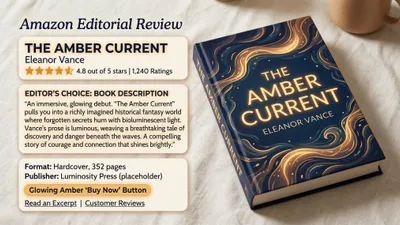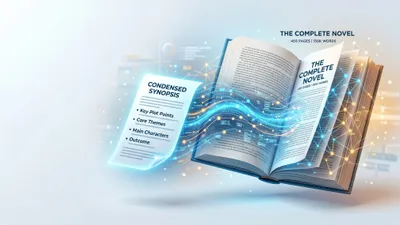
Your book blurb is the single most important piece of marketing copy you’ll ever write. It’s what convinces a browser to become a buyer — and 70% of readers say the description is the deciding factor in their purchase.
Here’s the problem: most authors are terrible at writing them. You spent months (or years) on your book, and now you need to compress it into 150 words that sell. That’s a completely different skill.
In this roundup, you’ll find:
- The 7 best AI book blurb generators tested with real book concepts
- Side-by-side pricing and feature comparisons
- Which tool works best for fiction vs. nonfiction
- Tips for turning AI-generated blurbs into polished back cover copy
Here are the tools that actually deliver.
Quick Comparison Table
| Tool | Best For | Price | Blurb Quality |
|---|---|---|---|
| Chapter ★ | Full book workflow + blurbs | $97 one-time | Excellent — context-aware |
| ManuscriptReport | Multiple blurb frameworks | $9.99/report | Very good — multiple options |
| Inkfluence AI | Amazon-optimized descriptions | Free / Pro plans | Good — conversion-focused |
| MyStoryFlow | Genre-specific blurbs | Free | Good — genre-tuned |
| ChatGPT | Flexible iteration | Free / $20+/mo | High — prompt-dependent |
| Claude | Nuanced, literary copy | Free / $20/mo | High — strong voice matching |
| Editpad | Quick free blurbs | Free | Basic — simple output |
1. Chapter — Best AI Book Blurb Generator Overall
Our Pick — Chapter
Chapter generates blurbs as part of a complete book-writing workflow. Instead of pasting in a synopsis and hoping for the best, Chapter already understands your book’s characters, themes, conflicts, and audience — because it helped you write the whole thing.
Best for: Authors who want blurbs generated from deep book context, not surface-level summaries
Pricing: $97 one time, 2 books included (fiction or nonfiction), 30-day money-back guarantee
Why it works: Most blurb generators ask you to describe your book in a text box. Chapter already knows your book. It’s read every chapter, tracked your character arcs, and understands your target reader. That context produces blurbs that capture what actually makes your story compelling — not just a plot summary.
Over 2,147 authors have used Chapter to write more than 5,000 books, and the platform has been featured in USA Today and the New York Times. Authors using Chapter have generated $13,200 from a single book and $60K in 48 hours from their launches.
What you get:
- Multiple blurb variations tuned to your genre and audience
- Blurbs built from full manuscript context, not a 100-word synopsis
- AIDA, PAS, and hook-led frameworks applied automatically
- One-click iteration — adjust tone, length, or emphasis without starting over
Honest limitation: Chapter is a full book writing platform, not a standalone blurb tool. If you only need a quick blurb and already have a finished manuscript elsewhere, a lighter tool might be faster for that single task.
2. ManuscriptReport — Best for Multiple Blurb Options
Best for: Authors who want several blurb frameworks to choose from
ManuscriptReport analyzes your manuscript and generates a comprehensive report that includes multiple blurb variations. You upload your document and receive blurbs written in different copywriting frameworks — AIDA, PAS, hook-led, and more.
The tool reads your full text, which means the blurbs reflect actual plot points and character dynamics rather than relying on your description of your own book. That’s a meaningful advantage over tools that only work from a summary.
Pricing: $9.99 per report
Strengths: Full manuscript analysis, multiple blurb styles, includes keyword suggestions and ad copy alongside the blurbs.
Limitations: Not real-time — you upload and wait for a report. No iterative editing within the tool.
3. Inkfluence AI — Best Free AI Book Description Generator
Best for: Amazon KDP authors who need conversion-optimized descriptions
Inkfluence AI specializes in Amazon book descriptions and back cover copy. The free tier generates five descriptions using proven frameworks: AIDA, PAS, 3-Act, benefit-led, and hook-led. Each version takes a different angle on your book.
The tool is specifically designed for marketplace listings, which means the output is formatted for Amazon’s description field — including HTML bold tags and line breaks that render correctly on the product page.
Pricing: Free tier available, Pro plans for additional features
Strengths: Multiple framework options, Amazon-formatted output, free to start.
Limitations: Works from your input summary, not your manuscript. Quality depends heavily on what you provide.
4. MyStoryFlow — Best Free Genre-Specific Blurb Generator
Best for: Fiction authors who want genre-matched blurbs at no cost
MyStoryFlow’s AI creates three distinct blurb versions — hook-focused, character-focused, and situation-focused. The tool is trained on bestselling books across 20+ genres, so your romance blurb sounds like a romance blurb and your thriller reads like a thriller.
You input your genre, main characters, central conflict, and tone. The AI generates three options you can mix, match, and edit.
Pricing: Free
Strengths: Genre-aware output, three distinct angles per generation, no account required.
Limitations: Limited customization. You can’t iterate on a specific version or adjust the framework.
5. ChatGPT — Best for Flexible Blurb Iteration
Best for: Authors who want full control over the blurb-writing process through conversation
ChatGPT isn’t a dedicated blurb tool, but it’s one of the most flexible options. You paste in your synopsis, specify your genre, target audience, and desired tone — then iterate through conversation. Ask for shorter, punchier, more mysterious, less spoilery versions until you land on something that works.
The key advantage is iteration speed. You can generate 10 variations in a few minutes and cherry-pick the strongest elements from each.
Pricing: Free / $20+/mo for GPT-4o
Strengths: Unlimited iteration, style flexibility, can paste in your full manuscript for context.
Limitations: No book-specific training. Output quality depends entirely on your prompting skill. You’re the creative director.
6. Claude — Best for Literary Voice Matching
Best for: Literary fiction and memoir authors who need nuanced, voice-matched copy
Claude excels at matching tone and voice. If your book has a distinctive literary style, Claude is particularly good at reflecting that voice in the blurb. It also handles complex nonfiction well — translating dense subject matter into accessible, compelling descriptions.
Feed it a few chapters alongside your blurb request, and it’ll match the prose style remarkably well.
Pricing: Free / $20/mo for Pro
Strengths: Excellent voice matching, strong with literary and complex nonfiction, handles long context windows.
Limitations: Like ChatGPT, it’s a general AI — not book-specific. No built-in blurb frameworks.
7. Editpad — Best for Quick, No-Signup Blurbs
Best for: Authors who need a fast first draft with zero friction
Editpad’s blurb generator is the simplest option on this list. Enter your book title, genre, and a brief description. Get a blurb. No account, no payment, no friction.
The output is basic but functional — a starting point you’ll want to edit rather than a finished product.
Pricing: Free
Strengths: Zero friction, instant output, no account required.
Limitations: Simple output, limited customization, no iteration tools.
How to Write a Book Blurb With AI
An AI book blurb generator is a tool that uses artificial intelligence to create compelling book descriptions from your synopsis, manuscript, or book details. The best generators produce multiple variations using proven copywriting frameworks like AIDA and PAS, letting you choose and refine the version that resonates with your target readers.
Getting a great blurb from AI requires more than clicking “generate.” Here’s the process that works:
Step 1: Prepare Your Inputs
Give the AI as much context as possible. The minimum:
- Genre and subgenre — a cozy mystery blurb reads very differently from a dark thriller
- Main character(s) — name, role, and what makes them interesting
- Central conflict — what’s at stake, what goes wrong
- Target reader — who buys books like yours
- Comparable titles — “readers who liked X will enjoy this”
The more context you provide, the better the output. Tools like Chapter skip this step entirely because they already have your full manuscript.
Step 2: Generate Multiple Versions
Never settle for the first output. Generate at least 3-5 variations using different angles:
- Hook-led — opens with a provocative question or statement
- Character-led — opens with the protagonist’s situation
- Stakes-led — opens with what’s at risk
Step 3: Edit for Voice and Accuracy
AI blurbs are drafts, not finished copy. Check every generated blurb for:
- Spoilers — AI sometimes reveals too much
- Tone match — does it sound like your book?
- Accuracy — did it invent plot points that don’t exist?
- Length — trim to 150-200 words for back cover, 100-150 for Amazon
Step 4: Test and Refine
If you’re publishing on Amazon KDP, you can A/B test descriptions over time. Track your click-through rate and conversion rate, then iterate.
AI for Writing Back Cover Copy
Back cover copy is the printed version of your blurb — the text on the physical back of your book. While the structure is similar to an online description, back cover copy has unique constraints.
You have less space on a physical book. Trim every unnecessary word. A 45% increase in author AI adoption since 2024 means more authors are competing for shelf attention, making tight, punchy back cover copy more important than ever.
Back Cover Copy vs. Amazon Description
| Element | Back Cover Copy | Amazon Description |
|---|---|---|
| Length | 100-150 words | 150-300 words |
| Formatting | Plain text, paragraphs | HTML bold, line breaks |
| Goal | Convince someone holding the book | Convince someone scrolling |
| Extras | Author bio, endorsements | Keywords, categories |
| Editability | Fixed once printed | Updatable anytime |
Your AI blurb generator can produce both versions. Generate the longer Amazon description first, then ask the AI to create a tighter back cover version from the same material.
Back Cover Copy Examples That Sell
Studying strong back cover copy teaches you what to look for in AI-generated blurbs. Here are the patterns that consistently work:
The Hook-First Formula
Open with a line that stops the reader. Not a question — a statement that creates tension.
“Olive Smith doesn’t believe in lasting romantic relationships — but her best friend does, and that’s what got her into this situation.” — The Love Hypothesis
The Stakes Formula
Lead with what the character stands to lose.
“If Detective [Name] doesn’t solve this case in 48 hours, the killer walks free — and the next victim is someone she loves.”
The Transformation Formula (Nonfiction)
Show the before and after.
“You’re sitting on expertise worth six figures. The problem is, you don’t know how to turn it into a book — and the thought of writing 50,000 words makes you want to close this page. Here’s the good news: you don’t have to do it alone.”
Each formula maps to a copywriting framework. When evaluating AI-generated blurbs, check which formula the tool used and whether it matches your book’s strengths.
AI for Writing Book Descriptions
AI for writing book descriptions goes beyond one-off blurb generation. A complete book description strategy includes your Amazon listing, your back cover, your website copy, and your pitch to agents or publishers — and each version needs to be slightly different.
Here’s how to use AI across all your description needs:
- Amazon product description — Longer, keyword-rich, formatted with HTML. Use your AI writing tools to generate a 200-300 word version optimized for search and conversion.
- Back cover copy — Shorter, punchier, no HTML. Generate a 100-150 word version from the same source material.
- Social media pitch — Even shorter. Ask your AI to create a 1-2 sentence hook for book marketing on social platforms.
- Query letter synopsis — Different format entirely. The AI can help you write a formal synopsis for agents using your existing blurb as a starting point.
The most efficient workflow: write your book with a tool like Chapter that already understands your content, then generate all four versions from the same deep context.
How to Write a Book Blurb That Converts
Writing a book blurb that actually sells requires understanding what makes readers click “buy.” Here are the elements that matter most, whether you’re writing from scratch or editing AI output.
Keep It Under 200 Words
Blurbs between 100-150 words consistently outperform longer ones. Tight writing beats thorough writing every time. If your AI generates 300 words, cut it in half.
Match Your Genre’s Tone
Your blurb should sound like your book. Romance needs warmth and tension. Thrillers need urgency and stakes. Fantasy benefits from scope and wonder. If the AI output doesn’t match, adjust the tone or try a genre-specific tool like MyStoryFlow.
Lead With the Hook
The first two lines determine whether anyone reads the rest. According to Kindlepreneur, Amazon shows only the first 2-3 lines before the “Read more” expand — your hook needs to earn that click.
Show Stakes, Not Plot
Don’t summarize your plot. Show what your character stands to lose. “A detective hunts a serial killer” is a summary. “If she doesn’t catch the killer before Friday, her daughter becomes the next victim” is stakes.
End With a Question (Fiction) or Promise (Nonfiction)
Fiction blurbs end with tension: “But can she trust the one person who might save her — when he’s the prime suspect?”
Nonfiction blurbs end with a promise: “By the last page, you’ll have a complete publishing plan and the confidence to execute it.”
How We Evaluated These Tools
We tested each AI book blurb generator with the same inputs where possible:
- Test book (fiction): A contemporary romance about a burned-out chef who inherits a vineyard in Tuscany
- Test book (nonfiction): A business book about building a consulting practice through personal branding
We evaluated on:
- Output quality — Does the blurb make you want to read the book?
- Genre awareness — Does it match the tone and conventions of the genre?
- Framework variety — Does it offer multiple approaches (AIDA, PAS, hook-led)?
- Iteration ability — Can you refine the output without starting over?
- Pricing — What does it cost to get usable output?
FAQ
What Is an AI Book Blurb Generator?
An AI book blurb generator is software that creates book descriptions using artificial intelligence. You provide details about your book — title, genre, characters, and plot — and the tool generates a compelling 100-200 word description designed to attract readers. The best generators, like Chapter, work from your full manuscript for more accurate, context-rich blurbs.
Can AI Write a Good Book Blurb?
Yes, AI can write a good book blurb — but you’ll need to edit the output. AI excels at generating multiple variations quickly and applying proven copywriting frameworks like AIDA and PAS. The key is providing detailed inputs and treating AI output as a strong first draft, not a finished product. Over 2,147 authors have used AI-assisted tools like Chapter to create effective book marketing copy.
How Long Should a Book Blurb Be?
A book blurb should be 100-200 words, depending on where it appears. Back cover copy works best at 100-150 words. Amazon descriptions can run 150-300 words with HTML formatting. Blurbs under 150 words consistently outperform longer ones — tight, compelling copy converts better than comprehensive summaries.
What’s the Difference Between a Blurb and a Synopsis?
A blurb is a short, spoiler-free marketing description designed to sell your book to readers (100-200 words). A synopsis is a complete plot summary including the ending, written for agents and publishers (500-2,000 words). Your blurb teases the story. Your synopsis tells the whole thing.
Are Free AI Blurb Generators Any Good?
Free AI blurb generators like MyStoryFlow and Editpad produce usable first drafts, especially for straightforward genre fiction. However, paid tools and full-platform solutions like Chapter offer deeper context awareness, multiple frameworks, and iterative refinement. Free tools work best as starting points — plan to edit and polish the output before publishing.
Should I Use the Same Blurb Everywhere?
No. Your Amazon description, back cover copy, and social media pitch should each be different lengths and formats. Generate a comprehensive 200-300 word version first, then create shorter versions for each platform. AI tools make this easy — generate once, then ask for platform-specific adaptations.