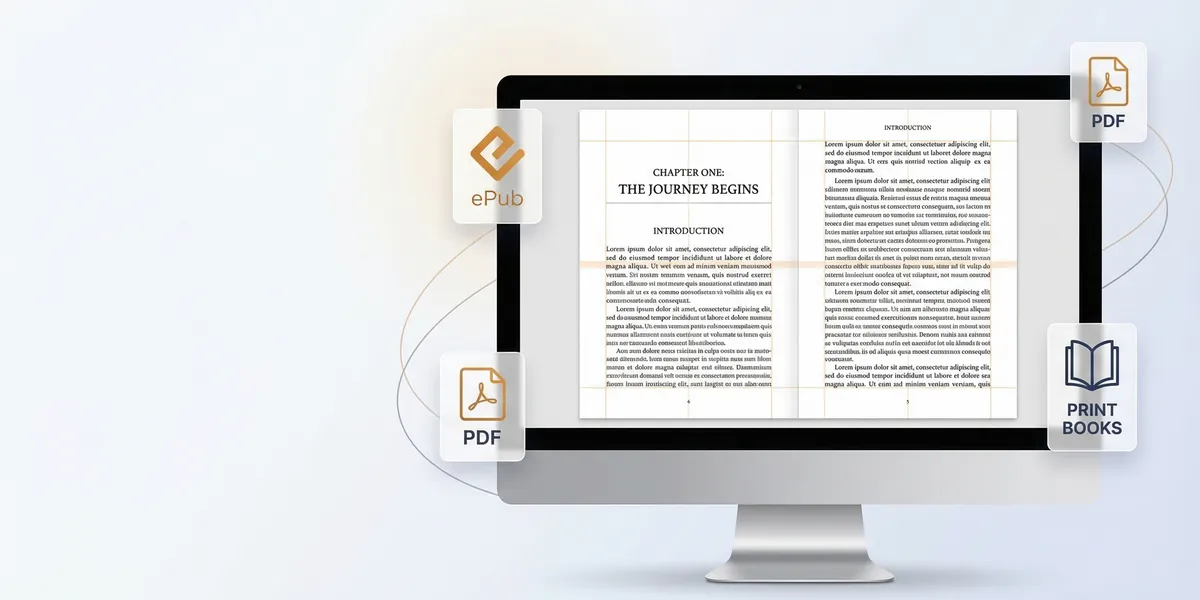
You finished your manuscript. Now comes the part nobody warns you about: formatting. Getting margins, gutters, chapter headings, and export files right for every platform is tedious work that has nothing to do with writing, but everything to do with whether your book looks professional.
AI book formatting tools automate most of this. Some handle the entire workflow from writing to publish-ready files. Others focus narrowly on turning your manuscript into a clean ePub or print PDF. Here are eight tools that self-publishers actually use in 2026, compared by format support, AI features, design options, pricing, and learning curve.
Quick comparison
| Tool | AI features | Formats | Templates | Pricing | Platform |
|---|---|---|---|---|---|
| Chapter | Full AI workflow | ePub, PDF, KDP-ready | Built-in | $97 one-time | Web (any device) |
| Atticus | None | ePub, PDF, Print | 17+ themes | $147 one-time | Web (any device) |
| Vellum | None | ePub, PDF, Print | 8 styles | $200-$250 one-time | Mac only |
| Reedsy Studio | None | ePub, PDF | Professional presets | Free (premium $5-$8/mo) | Web (any device) |
| Draft2Digital | Automated conversion | ePub, Print | Layout templates | Free (10% royalty share) | Web |
| Kindle Create | None | KPF (Kindle only) | Kindle presets | Free | Windows, Mac |
| Scrivener | None (third-party) | ePub, PDF, DOCX, Kindle | Compile presets | $49-$59 one-time | Windows, Mac, iOS |
| BookBaby | None | ePub, PDF, Print | Custom design | $399+ per book | Done-for-you service |
1. Chapter
Our Pick — Chapter
Chapter is the only tool on this list where formatting is not a separate step. The AI generates your manuscript already structured for publishing, with KDP-ready files, ePub output, and print formatting built into the workflow. You go from idea to formatted book without opening a second tool.
Best for: Authors who want writing and formatting handled in one AI-powered workflow
Chapter approaches formatting differently than every other tool here. Rather than importing a finished manuscript and applying styles, Chapter’s AI writes your book with publishing structure baked in from the start. Chapter headings, front matter, back matter, and export-ready files are part of the output, not something you configure after the fact.
For nonfiction, the AI analyzes your niche and builds a structured manuscript using frameworks modeled after bestselling books in your category. For fiction, it generates manuscripts from 20K to 120K words with character tracking, world-building consistency, and genre-specific formatting. The romance engine handles heat levels, tropes, and emotional arcs that romance readers expect.
Formatting output includes Amazon KDP-ready files, standard ePub, and print-on-demand specs. Professional book cover templates are included. You also get marketing assets: landing pages, email copy, and social posts ready to use for launch.
The tradeoff: Chapter is purpose-built for AI-assisted book creation. If you have an existing manuscript written in Word or Scrivener and just need formatting, you would use one of the other tools below. Chapter is the pick when you want the entire process, from outline to formatted book, handled in one place.
Pricing: $97 one-time (includes one book token, lifetime access, and seven bonuses including reseller license and 1:1 VIP support)
Why we built it: Formatting should not be a separate project. When AI handles the writing, it should handle the structure and export formats too.
2. Atticus
Best for: Indie authors who want writing and formatting in one cross-platform tool
Atticus is a combined writing and formatting app that works on Windows, Mac, Linux, and Chromebook through the browser. It positions itself as the cross-platform answer to Vellum, and for formatting specifically, it delivers.
The strength is in the theme system. Atticus ships with over 17 customizable themes, each designed for different genres. The theme builder gives you control over fonts, sizes, alignments, chapter headers, and ornamental scene breaks. A real-time preview shows how your book will look on Kindle, in ePub readers, or in print as you make changes.
Front and back matter handling is smooth. Built-in presets cover dedications, acknowledgments, epigraphs, and table of contents. Roman numerals are applied automatically to preliminary pages. The 2026 update added Booklinker for universal book links and expanded the font library.
Export options cover ePub and print-ready PDF. Files work with KDP, IngramSpark, and Draft2Digital. The editor itself is functional for writing, with word count tracking, a timer, and .docx backup export, but most authors use it primarily as a formatting tool and write their manuscript elsewhere.
No AI features for writing or formatting. No free trial, but there is a 30-day money-back guarantee.
Pricing: $147 one-time (lifetime updates included)
Learning curve: Low to moderate. The theme builder is intuitive, but customizing beyond presets takes some exploration.
3. Vellum
Best for: Mac users who want the most polished formatting output with minimal effort
Vellum has been the gold standard for book formatting aesthetics since it launched. If you own a Mac and care about how your book looks at a typographic level, Vellum produces output that is difficult to match with other tools.
The workflow is import-and-style. You bring in a .docx file and Vellum splits it into chapters automatically. From there, you choose from eight built-in Book Styles, each professionally designed. The visual preview is Vellum’s standout feature: you can see exactly how your book will render on Kindle, iPad, and in print, side by side with your editing view.
Elements like ornamental breaks, images, notes, and full-bleed pages are handled through a clean interface. Front matter (title page, table of contents, dedication) is generated automatically. You can set up separate front and back matter for ebook and print editions, which is a detail most other tools miss.
The limitations are real. Vellum only runs on macOS. There is no Windows version and the developers have stated they do not plan to build one. You cannot import custom fonts. And Vellum is strictly a formatting tool: there is no writing environment, no AI features, and no cover creation. You need your manuscript finished before you open it.
Pricing: $199.99 (ebooks only) or $249.99 (ebooks + print). One-time purchase, unlimited books. Upgrade from ebook to press edition is $69.99.
Learning curve: Low. Vellum is widely considered the easiest formatting tool to use, largely because it limits options to those that produce good results.
4. Reedsy Studio
Best for: Authors on a budget who want professional formatting for free
Reedsy Studio (formerly Reedsy Book Editor) is the strongest free option. The core writing and formatting features are genuinely free with no word limits or export restrictions, which makes it unusual in this category.
The editor automatically typesets your manuscript as you write. Industry-standard typesetting rules are applied by default: proper paragraph spacing, font rendering, and chapter structure. You can import .docx or .odt files, and the editor splits your manuscript into chapters using your document headings.
Export options include ePub 3 (compatible with all major ebook stores) and print-ready PDF. A selection of professional templates controls the visual style. The template count is smaller than Atticus or Vellum, but what is there meets professional standards.
Collaboration features set Reedsy apart. You can share individual chapters or complete manuscripts with beta readers through a built-in e-reader. Everything is cloud-based and syncs across devices. Image support includes drag-and-drop placement with captions.
Premium plans ($4.99/month for Essential, $7.99/month for Craft) add writing goals, analytics, dark mode, and version history. But the formatting features that matter for this comparison are all in the free tier.
No AI writing or formatting features. The template selection is more limited than paid tools. But for the price, Reedsy Studio is hard to beat.
Pricing: Free for formatting and export. Premium plans $4.99-$7.99/month for writing productivity features.
Learning curve: Very low. Browser-based, minimal setup, intuitive interface.
5. Draft2Digital
Best for: Authors who want formatting and distribution handled in one free platform
Draft2Digital is primarily a distribution aggregator, sending your book to 150+ retailers and library systems including Apple Books, Kobo, Barnes & Noble, and OverDrive. But its built-in formatting tools are good enough that many authors skip dedicated formatting software entirely.
Upload a Word document and D2D converts it into a properly formatted ebook with a working table of contents, chapter breaks, and clean styling. You can apply special template types for nonfiction, poetry, and standard fiction. Text decoration options include drop caps and phrase caps. Everything produced passes Epubcheck validation, meaning files meet the technical standards required by all digital stores.
D2D Print handles paperback formatting through Ingram’s print-on-demand network. Books are listed as in-stock at online retailers and printed when ordered. Print costs increased in February 2026 following Ingram’s broader pricing adjustment, so check the print price calculator before committing.
The platform assigns free ISBNs automatically (or you can supply your own) and generates Universal Book Links so readers can find your book at their preferred retailer.
No AI features. The formatting templates are more limited than standalone tools. But the combination of free formatting, free distribution, and free ISBNs makes D2D a practical choice for authors who want minimal tools and maximum reach.
Pricing: Free to use. D2D takes approximately 10% of list price from sales.
Learning curve: Low. Upload your manuscript, choose a template, and D2D handles the rest.
6. Amazon Kindle Create
Best for: KDP-exclusive authors who only need Kindle formatting
Kindle Create is Amazon’s official formatting tool, and it is free. If you are publishing exclusively on Amazon and want the simplest path from manuscript to Kindle store, this is it.
Import a Word file and Kindle Create applies Kindle-optimized styles. The tool generates a .kpf file (Kindle Package Format) that uploads directly to KDP. For text-heavy books with straightforward layouts, it handles chapter detection, table of contents generation, and basic styling without much manual intervention.
Amazon also provides Microsoft Word templates for paperback and hardcover interiors. These templates set up page sizes, margins, gutters, and headers according to KDP specifications. You format in Word using the template, then export to PDF for print upload.
The limitations narrow the audience significantly. Kindle Create only outputs .kpf format, which only works on Amazon. You cannot export ePub for other retailers. It is not recommended for books with tables, footnotes, or images that bleed to page edges. The styling options are minimal compared to Atticus or Vellum. And there are no AI features.
If you publish wide across multiple platforms, Kindle Create handles only part of your workflow. But for KDP-only authors with simple books, the price (free) and the compatibility (guaranteed to work on Amazon) make it worth considering.
Pricing: Free
Learning curve: Low for basic books. Paperback templates in Word require more manual formatting knowledge.
7. Scrivener
Best for: Authors with complex manuscripts who want deep control over export formatting
Scrivener is a writing tool first and a formatting tool second. Its Compile feature transforms your manuscript into ePub, PDF, .docx, Kindle, and other formats with granular control over how every element looks in the final output.
The Compile system works through Section Layouts and Section Types. You assign formatting rules at the Binder level: chapter headings get one treatment, scenes get another, front matter gets a third. The formatting you use while writing is completely independent of the output formatting. You can write in 16pt Palatino single-spaced, then compile to 12pt Times New Roman double-spaced for submission, or to a properly typeset ePub for publishing.
Scrivener 3 improved ebook export significantly. ePub 3 files rely on Scrivener’s styles system for block quotes and other formatting. Experienced users can override the generated CSS for full control over ebook appearance, including drop caps and custom styling. Print PDF compilation supports custom trim sizes, margins, headers, footers, and front/back matter that differs between ebook and print editions.
The tradeoff is complexity. Scrivener’s Compile feature has a steep learning curve. Authors who just want to apply a theme and export (like Atticus or Vellum) will find Compile overwhelming. There are no AI features for writing or formatting. And while Scrivener can produce professional output, most authors export from Scrivener and do final formatting in a dedicated tool.
Pricing: $49 (Windows/Linux), $59 (Mac), $27.99 (iOS). One-time purchase.
Learning curve: High for Compile. The writing environment is intuitive, but producing publication-ready output through Compile requires learning its section layout system.
8. BookBaby
Best for: Authors who want professional formatting done for them, not by them
BookBaby is not software you use yourself. It is a service where professionals format your book. You submit your manuscript, specify your requirements, and receive formatted files back.
This is the right approach for authors who have budget but not time or inclination to learn formatting tools. BookBaby handles interior layout for both ebook and print, producing files that meet specifications for KDP, IngramSpark, and other platforms. Their formatting team works with the specific requirements of your book, whether that is a straightforward novel or a complex nonfiction book with images, tables, and sidebars.
The Complete self-publishing package ($2,190) bundles formatting with cover design and distribution. Ebook formatting alone is available as a standalone service at lower cost. Fixed-layout ebook conversion (for children’s books or heavily designed content) starts at $499 plus $5 per page.
No AI features. No software to learn. No DIY formatting decisions. That is either the selling point or the dealbreaker, depending on your preference. The pricing is significantly higher than any software option, and you pay per book rather than a one-time license.
Pricing: Starts at $399+ for formatting services. Complete packages from $2,190.
Learning curve: None. You hand off your manuscript and receive formatted files.
How we evaluated these tools
Every tool was assessed on five criteria relevant to self-publishers who need formatted books ready for distribution:
- Format support: Which output files does the tool produce? ePub, PDF, Kindle-specific formats, and print-ready files all matter depending on where you publish your book.
- AI and automation features: Does the tool use AI to reduce manual formatting work, or is it purely manual with templates?
- Design quality: How professional does the final output look? This includes typography, chapter headings, front/back matter, and overall polish.
- Pricing model: One-time purchase, subscription, royalty share, or per-book fee. Total cost over multiple books varies dramatically between models.
- Learning curve: How quickly can a non-technical author produce a properly formatted book?
Which tool should you pick?
The decision comes down to what you need formatted and how much of the process you want to handle yourself.
If you want AI to handle writing and formatting together: Chapter is the only option that generates a structured, format-ready manuscript. You skip the export-import-format cycle entirely.
If you have a finished manuscript and want professional formatting fast: Atticus (cross-platform) or Vellum (Mac) are the top standalone formatters. Vellum has a slight edge on output polish. Atticus wins on platform compatibility and price.
If budget is the priority: Reedsy Studio (free) or Draft2Digital (free with royalty share) both produce professional results without upfront cost. Reedsy gives more template control. D2D bundles formatting with distribution.
If you only sell on Amazon: Kindle Create is free and guaranteed compatible. Just know it locks you into a single platform.
If you need maximum control: Scrivener’s Compile system can do almost anything, but you will invest time learning it.
If you want someone else to handle it: BookBaby’s professional service eliminates the learning curve entirely, at a premium price.
Formatting is not the creative part of publishing a book. The best ai book formatting tool is the one that gets this step done correctly with the least friction, so you can focus on the work that actually matters: writing something worth reading, and getting it in front of people who need it.
FAQ
Can I format a book for free?
Yes. Reedsy Studio offers full formatting and ePub/PDF export at no cost. Draft2Digital also formats for free but takes a percentage of sales. Amazon’s Kindle Create is free for Kindle-only formatting. Each has limitations, but all three produce output that meets professional standards.
What file format do I need for Amazon KDP?
For ebooks, KDP accepts ePub, .docx, and .kpf (Kindle Create format). For paperbacks and hardcovers, KDP requires a print-ready PDF with specific margin and bleed settings. Most formatting tools on this list export files that meet KDP requirements.
Do I need different formatting for ebook and print?
Yes. Ebooks use reflowable layouts that adapt to screen sizes. Print books require fixed page dimensions, margins that account for binding, and page numbers. Tools like Vellum, Atticus, and Scrivener let you create both from the same manuscript. Chapter produces both ebook and print-ready formats automatically.
Is Vellum worth it if I only have one book?
At $249.99 for the full version, Vellum is expensive for a single book. If you plan to publish multiple books, the unlimited license pays for itself. For one book, Reedsy Studio (free) or Atticus ($147) are more cost-effective starting points.
What is the difference between formatting and typesetting?
Formatting sets the structure: chapters, headings, margins, and export file types. Typesetting refines the visual details: font pairing, line spacing, kerning, widows and orphans, and page balance. Professional tools like Vellum and Reedsy handle both. Basic tools like Kindle Create handle formatting but offer minimal typesetting control.