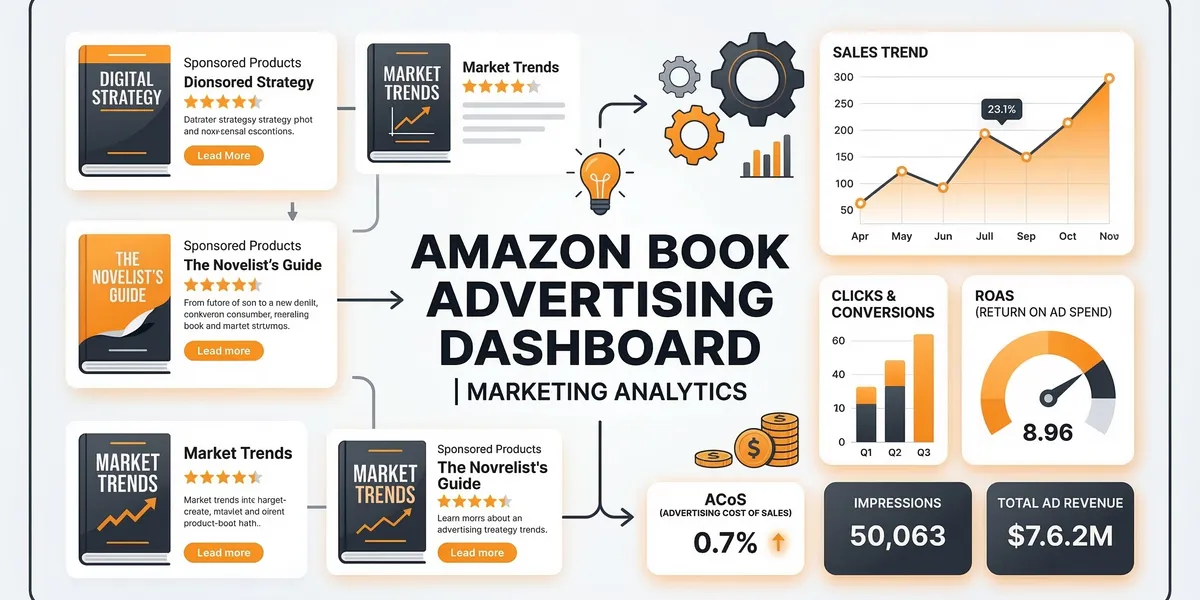
Amazon Ads is the most direct way to put your book in front of readers who are actively searching for books like yours. Unlike social media advertising where you interrupt people who are not thinking about books, Amazon Ads reaches readers at the exact moment they are browsing for something to read.
This guide covers how to set up your first campaign, choose the right targeting, set budgets, measure performance, and optimize over time.
How Amazon Ads work for books
When a reader searches for “cozy mystery” on Amazon, your ad can appear at the top of those search results, on competitor book pages, or on Kindle lock screens. You only pay when someone clicks your ad, and you set the maximum amount you are willing to pay per click.
Amazon Ads operates as an auction system. You bid against other advertisers targeting the same keywords or products. The highest bid does not always win. Amazon also factors in ad relevance and expected click-through rate. A well-targeted ad with a lower bid can outperform a poorly targeted ad with a higher bid.
All Amazon book ads are managed through the Amazon Advertising console, which is separate from your KDP dashboard.
Types of Amazon Ads for books
Sponsored Products
The most common and effective ad type for authors. These ads appear in search results and on product pages, looking nearly identical to organic listings. The reader sees your book cover, title, author name, star rating, and price.
Best for: Driving direct sales of a specific book. This should be your first and primary ad type.
Sponsored Brands
These ads appear as a banner at the top of search results and can feature up to three of your books with a custom headline. Clicking the ad sends the reader to your Amazon author page or a custom landing page showing your catalog.
Best for: Authors with three or more books who want to drive readers to their full catalog rather than a single title.
Lock Screen Ads
These appear on Kindle e-reader and Fire tablet lock screens. They are visual, showing your book cover prominently. The reader swipes to visit your product page.
Best for: High-impact visual promotion when you have a strong, genre-appropriate cover.
Setting up your first campaign
Step 1: Access Amazon Advertising
Go to advertising.amazon.com and sign in with your KDP account. Navigate to “Sponsored Products” and click “Create Campaign.”
Step 2: Choose your book
Select the book you want to advertise. Start with your best-performing title or book one in a series if you are running a rapid release strategy.
Step 3: Select targeting type
You have two options:
Keyword targeting. You choose specific search terms you want your ad to appear for. This gives you the most control.
Product targeting (category targeting). You choose specific competitor books or Amazon categories where your ad will appear. This is broader and works well for discovery.
Start with keyword targeting. It gives you clearer data on what works and what does not.
Step 4: Build your keyword list
For keyword targeting, you need a list of search terms readers use to find books like yours.
Sources for keywords:
- Amazon autocomplete suggestions (type your genre or topic into Amazon search)
- Competitor book titles and author names
- Genre-specific tropes and themes
- Your Amazon backend keywords research
- Tools like Publisher Rocket that show Amazon search volume
Match types:
| Match Type | How It Works | Example |
|---|---|---|
| Broad | Your ad shows for searches containing your keyword in any order, plus related terms | ”cozy mystery” matches “best cozy mystery series 2026” |
| Phrase | Your ad shows for searches containing your exact phrase in order | ”cozy mystery” matches “cozy mystery cat” but not “mystery cozy” |
| Exact | Your ad shows only for the exact search term | ”cozy mystery” matches only “cozy mystery” |
Start with broad match to discover which search terms generate clicks and sales. Over time, move your best-performing terms to exact match for tighter control and lower cost per click.
Step 5: Set your bids and budget
Starting bid: $0.30 to $0.75 per click. Amazon will suggest a bid range. Start at the low end of their suggestion or slightly below.
Daily budget: $5 to $10 per day to start. This is enough to generate data without significant risk. You can increase once you identify profitable keywords.
Your daily budget is a maximum, not a guarantee. Amazon may spend less on days with lower search volume for your keywords.
Understanding ACoS
ACoS stands for Advertising Cost of Sale. It is the single most important metric for evaluating your ad performance.
ACoS = Ad Spend / Ad Revenue x 100
If you spend $10 on ads and generate $40 in sales from those ads, your ACoS is 25%. This means 25 cents of every dollar earned went to advertising.
What is a good ACoS for books?
That depends on your royalty rate.
| Book Price | Royalty (70%) | Break-even ACoS |
|---|---|---|
| $2.99 | $2.09 | 100% (you earn $2.09, ads cost $2.09 or less) |
| $4.99 | $3.49 | 100% |
| $9.99 | $6.99 | 100% |
Any ACoS at or below 100% means you are not losing money on the ad itself. But the real value of Amazon Ads is often in the secondary effects: readers who buy book one through your ad and then buy books two, three, and four organically. This read-through revenue does not show up in your ACoS calculation.
Target ACoS ranges:
- Under 30%: Excellent. Your ads are highly profitable.
- 30-50%: Good. Profitable on direct sales alone.
- 50-75%: Acceptable if you have a series with strong read-through.
- 75-100%: Break-even on direct sales. Only profitable if read-through or KU page reads compensate.
- Over 100%: Losing money on direct sales. Pause or optimize.
Keyword targeting vs product targeting
Keyword targeting strengths
You control exactly which searches trigger your ad. This is precise and lets you target readers with high purchase intent. Someone searching “enemies to lovers fantasy romance” knows what they want, and if your book matches, the conversion rate is high.
Product targeting strengths
You target specific competitor books or Amazon categories. Your ad appears on those product pages. This works well when you know which authors your readers also enjoy.
Example: If you write cozy mysteries, target the product pages of top-selling cozy mystery authors. Readers browsing those pages are already interested in your genre.
Best approach
Run both. Use keyword targeting as your primary campaign for search visibility and product targeting as a secondary campaign for competitor placement. Compare the ACoS of each and allocate more budget to whichever performs better.
Optimizing your campaigns
Week 1-2: Let data accumulate
Do not make changes to a new campaign for at least 7 to 14 days. Amazon’s algorithm needs time to learn where your ad performs best. Premature changes disrupt this learning phase.
Week 2-4: Review search term reports
Go to your campaign, click “Search Terms,” and review what actual search queries triggered your ads. You will find three categories:
- Converting terms: Search queries that generated sales. These are your winners.
- Clicking but not converting: High clicks, zero sales. These are wasting your budget.
- Irrelevant terms: Searches that have nothing to do with your book.
Add converting terms as exact match keywords with competitive bids. Add non-converting and irrelevant terms as negative keywords (which blocks your ad from showing for those searches).
Monthly: Adjust bids
Increase bids on keywords with strong ACoS to get more visibility. Decrease bids on keywords with weak ACoS. Pause keywords that have spent significant amounts with zero sales.
Quarterly: Review overall strategy
Evaluate whether Amazon Ads is generating a positive return on investment when you factor in read-through revenue, KU page reads, and overall ranking improvements. Adjust your total ad budget accordingly.
When to scale your ad spend
Scale when you have:
- Identified profitable keywords that consistently convert at an acceptable ACoS
- A series or backlist that generates read-through revenue beyond the advertised book
- Enough data (at least 30 days of a running campaign) to trust your numbers
- A clear budget ceiling you are comfortable with (even profitable campaigns can lose money if you scale too aggressively too fast)
Start by increasing daily budget in $5 increments on your best-performing campaigns. Monitor ACoS for 7 days after each increase before increasing again.
Common mistakes to avoid
- Starting with too many keywords. Begin with 20 to 30 well-researched keywords. You can always add more. Starting with 500 keywords dilutes your budget and makes it impossible to identify what works.
- Using only automatic targeting. Amazon offers automatic campaigns that choose keywords for you. These can work but are less efficient than manual keyword targeting. Use automatic campaigns to discover keywords, then move winners to manual campaigns.
- Ignoring negative keywords. Every irrelevant click costs you money. Review your search term report weekly in the first month and add negatives aggressively.
- Advertising a book with no reviews. A book with zero reviews will have a poor click-to-sale conversion rate. Get at least 10 to 15 reviews through your launch team before spending money on ads.
- Not tracking read-through. If you only look at ACoS for the advertised book, you will undervalue campaigns that drive profitable series read-through. Track total series revenue per ad dollar, not just single-book revenue.
- Panicking over early results. New campaigns often look unprofitable in the first week because Amazon is testing your ad across different placements. Give campaigns time before making drastic changes.
FAQ
How much should I spend on Amazon Ads as a new author?
Start with $5 to $10 per day on a single campaign for your best book. This is enough to generate meaningful data within two weeks. If your ACoS is acceptable after 30 days, gradually increase. Many profitable self-published authors spend $300 to $1,000 per month on Amazon Ads.
Do Amazon Ads work for Kindle Unlimited books?
Yes. KU page reads are not reflected in Amazon’s ad dashboard (which only tracks direct sales), but ad-driven KU borrows still generate revenue. Many KU authors run ads at a seemingly high ACoS because the KU page reads from full series read-through make the campaigns profitable when you account for all revenue sources.
Should I advertise book one or my latest book?
Advertise book one if you have a series with strong read-through. A reader who buys book one and then reads the entire series generates far more revenue than a reader who buys a standalone latest release. This is why series strategy and Amazon Ads are so powerful together.
How do Amazon Ads compare to BookBub?
Amazon Ads and BookBub serve different functions. Amazon Ads provides continuous, controllable, always-on visibility. BookBub Featured Deals deliver massive one-time bursts of traffic. Most successful authors use both: Amazon Ads for steady baseline sales and BookBub for periodic promotional spikes.