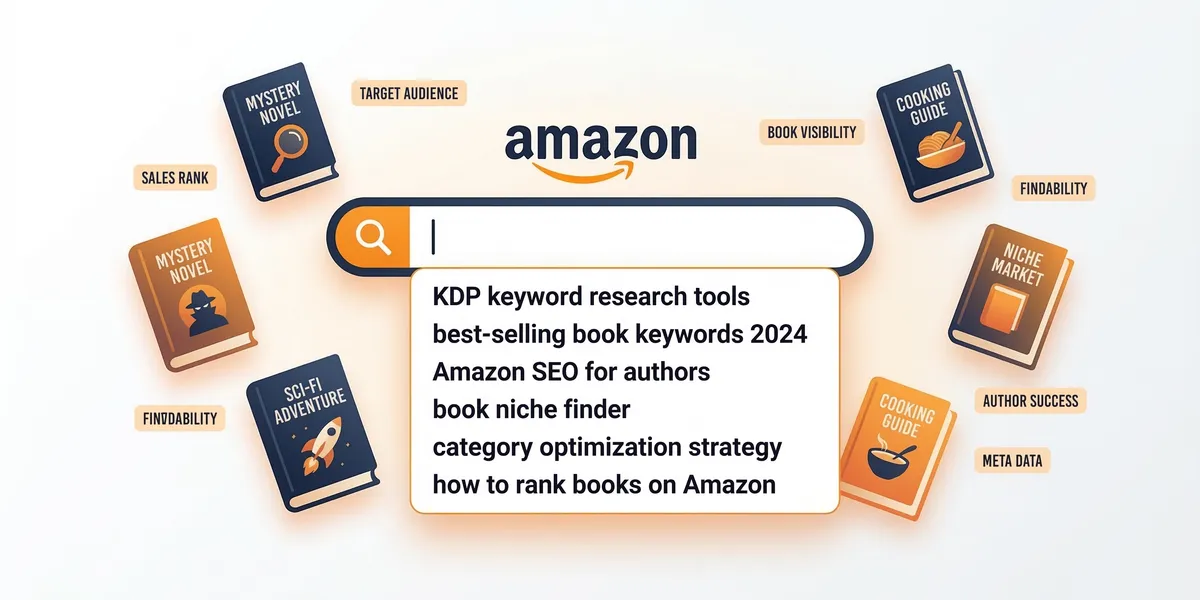
Amazon gives you exactly seven keyword slots when you publish a book on KDP. These seven slots determine whether readers find your book or scroll past it. Most authors either leave them blank, stuff them with irrelevant terms, or waste them on words Amazon ignores.
This guide covers how to research, choose, and optimize all seven keyword slots so your book shows up when the right readers search.
How Amazon book keywords work
When a reader types something into the Amazon search bar, Amazon’s algorithm decides which books to show. Your seven backend keyword slots are one of the primary signals it uses.
Each slot allows up to 50 characters. That gives you 350 characters total to tell Amazon what your book is about. Amazon combines these keywords with your title, subtitle, and category selections to determine where your book appears in search results.
The keywords you enter are not visible to readers. They function like metadata, working behind the scenes to connect your book with search queries.
What NOT to put in your keywords
Before we cover what works, here is what wastes your keyword slots.
Never include these in your backend keywords:
- Your book title (Amazon already indexes it)
- Your author name (already indexed)
- The word “book” or “ebook” (every product on KDP is a book)
- Subjective claims like “best” or “number one”
- Competitor author names (violates Amazon’s terms of service)
- Temporary terms like “new release” (it will not be new forever)
- Misspellings (Amazon’s search handles common variants)
Amazon’s KDP keyword guidelines explicitly state that misleading, irrelevant, or excessive keywords can result in your book being suppressed in search. Follow their rules.
How to research Amazon book keywords
Amazon autocomplete
The simplest and most effective method. Open Amazon, select “Books” from the department dropdown, and start typing words related to your book’s topic or genre.
Amazon will show you real suggestions based on what readers actually search. Type your genre or topic, then add letters after it. For example:
- “fantasy romance a…”
- “fantasy romance b…”
- “self-help for w…”
Each autocomplete suggestion represents real reader search behavior. Write down every relevant suggestion.
Publisher Rocket
Publisher Rocket is the most widely used keyword research tool for KDP authors. It shows estimated monthly search volume, competition scores, and suggested keywords for any niche.
The tool costs $199 one time and pulls data directly from Amazon’s search ecosystem. For serious self-publishers planning multiple books, it pays for itself quickly.
Amazon category browsing
Browse the top 100 books in your target categories. Look at their titles, subtitles, and descriptions. Note the language patterns readers and authors use.
If the top 20 cozy mystery books all mention “small town,” “female sleuth,” and “clean mystery” in their descriptions, those are keyword phrases your audience uses and searches for.
Also Bought and Related Books
Scroll to the “Customers who bought this also bought” section on competitor books. This shows you the ecosystem your book lives in and reveals keyword themes that connect related books.
Long-tail vs short-tail keywords
Short-tail keywords are broad: “romance,” “thriller,” “self-help.” These are nearly impossible to rank for because thousands of books compete for them. Amazon also indexes your categories for these broad terms, so using them in your keyword slots is redundant.
Long-tail keywords are specific: “enemies to lovers fantasy romance,” “psychological thriller unreliable narrator,” “self-help for new managers.” These have less search volume but dramatically higher conversion because the reader already knows exactly what they want.
| Keyword Type | Example | Competition | Conversion |
|---|---|---|---|
| Short-tail | ”romance” | Extremely high | Low |
| Medium-tail | ”fantasy romance” | High | Medium |
| Long-tail | ”enemies to lovers fae fantasy” | Low | High |
Prioritize long-tail keywords in your seven slots. Let your title, subtitle, and categories handle the broad terms.
Keyword strategy by genre
Fiction
Fiction readers search by subgenre, trope, and setting. Your keywords should reflect the specific reading experience your book delivers.
- Romance: Focus on tropes (second chance, slow burn, forbidden love), heat level, and setting
- Thriller/Mystery: Focus on the type (psychological, cozy, police procedural), pacing descriptors, and comparison themes
- Fantasy/Sci-Fi: Focus on subgenre (urban fantasy, space opera, LitRPG), world type, and magic system style
- Literary fiction: Focus on themes (grief, family, identity), setting, and tone
Example for a cozy mystery:
- cozy mystery small town female sleuth
- clean mystery series cat cafe
- lighthearted whodunit amateur detective
- funny mystery bakery setting
- cozy mystery no gore no profanity
- women amateur sleuth southern charm
- feel good mystery bookshop setting
Nonfiction
Nonfiction readers search by problem, solution, and audience. Your keywords should describe who the book helps and what outcome it delivers.
- Business: Focus on specific role, industry, and outcome
- Self-help: Focus on the problem, demographic, and method
- How-to: Focus on the skill, experience level, and medium
Example for a productivity book:
- time management working parents
- productivity system busy professionals
- get more done less stress
- work life balance practical guide
- organize your day focus habits
- stop procrastinating action plan
- productivity for overwhelmed entrepreneurs
Filling all seven slots strategically
Think of your seven slots as a keyword portfolio. Each slot should cover a different angle of discovery.
Slot 1-2: Primary subgenre and the main search term readers would use Slot 3-4: Tropes, themes, or specific elements that define your book Slot 5-6: Adjacent categories or comparison-level terms Slot 7: Audience descriptor or unique differentiator
Use all 50 characters per slot. Separate terms with spaces, not commas. Amazon treats each slot as a phrase, and shorter phrases leave ranking potential on the table.
Do this: enemies to lovers fantasy romance fae court
Not this: enemies, lovers, fantasy, romance, fae
When to update your keywords
Keywords are not permanent. Update them when:
- Your book stops getting impressions after an initial strong period
- You discover new search terms through Amazon autocomplete that did not exist at launch
- Your category rankings shift and you need to adjust your positioning
- A new trend in your genre creates relevant search volume
Log into your KDP dashboard and update keywords anytime. Changes typically take effect within 24 to 72 hours.
Using Chapter to plan your keyword strategy
If you are writing your book with Chapter, you can outline your target audience and genre positioning during the writing process. Knowing your keywords before you finish writing helps you craft a title and subtitle that naturally include high-value search terms, rather than retrofitting keywords after publication.
Common mistakes to avoid
- Using only one-word keywords. “Romance” in a keyword slot is wasted space when you could use “second chance small town romance series.”
- Duplicating words across slots. If “romance” appears in slot 1, do not repeat it in slots 2 through 7. Amazon reads all seven slots together.
- Ignoring your categories. Your two category selections already tell Amazon your broad genre. Use keyword slots for specifics that categories cannot capture.
- Copying competitor keywords blindly. A keyword that works for a book with 500 reviews will not necessarily work for a book with 5 reviews. Target terms where you can realistically compete.
- Setting and forgetting. The Amazon marketplace shifts constantly. Check your keyword performance quarterly and adjust.
FAQ
How long does it take for Amazon keywords to start working?
Amazon typically indexes new or updated keywords within 24 to 72 hours. You may see search ranking changes within the first week, but meaningful data on whether a keyword is driving sales usually requires 30 to 90 days.
Can I use the same keywords for my ebook and paperback?
Yes, and you should. Your ebook and paperback are separate listings on Amazon, so each one has its own seven keyword slots. Use the same core strategy but vary the specific phrases to maximize your total keyword coverage.
Do Amazon keywords affect Kindle Unlimited visibility?
Yes. Kindle Unlimited readers browse and search the same way buyers do. Strong keywords help your book appear in KU-specific browsing and search results, which drives page reads alongside direct sales.