You can design a professional author website in a weekend — even with zero coding skills — if you follow the structure top-selling authors actually use.
In this guide, you’ll learn:
- The seven essential pages every author website needs (and three optional ones)
- How to choose typography, colors, and layouts that match your genre
- Which tools work best for different budgets and skill levels
- How to turn visitors into newsletter subscribers and book buyers
Here’s the full playbook, from wireframe to launch.
What Makes Good Author Website Design?
Good author website design is a clean, reader-focused site that clearly answers three questions within five seconds: who you are, what you write, and where to buy your books. The best author sites prioritize readability, fast loading times, and a strong email signup above everything else.
The goal isn’t to impress other designers. It’s to convert casual visitors into email subscribers and paying readers. Every layout choice, font pairing, and image should serve that single purpose.
According to Jane Friedman’s author website guide, most published authors underestimate how much their site matters — yet it’s often the first thing a reader, journalist, or agent checks after hearing your name.
The 7 Essential Pages Every Author Website Needs
Before you touch a theme or color palette, nail the information architecture. These seven pages cover 95% of what visitors want from you.
1. Homepage
Your homepage is a 30-second pitch, not a landing page for everything. It should answer: what do you write, and what’s your newest book?
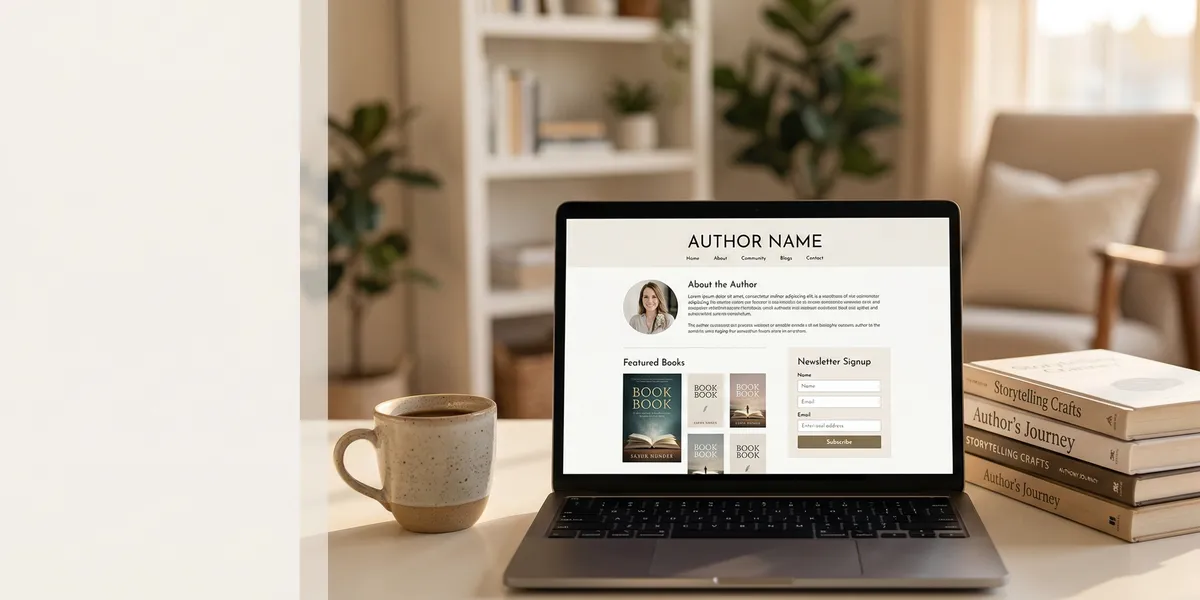
Include a hero section with your latest book cover, a one-line tagline describing your genre, and a single email signup form. That’s it. Don’t bury the newsletter behind scroll depth — make it the second thing they see.
2. About Page
Your about page needs two versions of your bio — a short one (50-75 words) for the top, and a longer story (300-500 words) below it. Readers who click “About” are already curious, so give them room to fall in love with you.
Lead with what makes you unique, not your credentials. A memoir writer might open with: “I write about the years I spent rebuilding my life in a Tokyo apartment smaller than a parking space.” That’s more compelling than “I have an MFA from Iowa.”
3. Books Page
List every book you’ve published, newest first. Each book gets a dedicated sub-page with a cover image, a punchy description (not your back-cover blurb verbatim), review quotes if you have them, and “buy” buttons for Amazon, Barnes & Noble, Apple Books, and your preferred indie seller.
Kindlepreneur’s author website guide recommends using universal book links via tools like Books2Read so international readers don’t hit a dead end.
4. Blog or News Section
A blog gives Google reasons to index your site and gives fans reasons to return. If you don’t want to blog, replace it with a “News” page you update quarterly with launches, events, and press.
The point isn’t volume — it’s signaling that you’re active. Even four blog posts a year puts you ahead of most authors.
5. Newsletter Signup Page
A dedicated newsletter page explains why someone should subscribe and what they’ll get. Offer a real lead magnet — a free short story, a deleted chapter, the first three chapters of your novel — not just “updates.”
Authors who offer a free downloadable grow their lists 3-5x faster than those who don’t. Your mailing list is the single most valuable marketing asset you’ll ever own, because it’s the one thing no algorithm can take away from you.
6. Contact Page
Keep this dead simple. Include an email address (or a contact form), your literary agent’s contact info if you have one, and a short note about what you’ll respond to. Authors who specify “I don’t offer manuscript critiques” save themselves hundreds of polite declines.
7. Press/Media Kit
Journalists, podcasters, and event bookers need a press page to pitch you properly. Include a high-res headshot, three author bio lengths (50, 100, and 250 words), book cover files in multiple dimensions, past interview clips, and speaking topics you’ll cover.
This is the page that gets you booked for podcasts and interviews. Miss it, and you’ll lose opportunities you never knew you had.
Optional Pages to Consider
Depending on your goals, these three additional pages can add serious value:
- Events page — for authors doing readings, signings, or conferences
- Courses/coaching page — if you offer writing instruction or author services
- FAQ page — answers to the same questions you keep getting via email
What Tools Should You Use to Build Your Author Website?
The right tool depends on your budget, technical comfort, and long-term plans. Here’s how the top options compare for authors in 2026.
Squarespace
Best for authors who want beautiful design without fiddling with code. Squarespace templates are the most visually polished out of the box, and the drag-and-drop editor is the easiest of the major platforms.
Pricing: $16-$49/month Best for: Authors who want a gorgeous site live in a weekend Downside: Less flexible than WordPress for custom features
WordPress.org (Self-Hosted)
WordPress powers roughly 43% of the web, and for good reason — it’s the most flexible and future-proof option. Pair it with a quality theme (like Astra, Kadence, or a premium author theme) and you have unlimited customization.
Pricing: $5-$25/month (hosting) + optional theme cost Best for: Authors planning to blog heavily or add complex features Downside: Steeper learning curve than Squarespace
Wix
A beginner-friendly middle ground. Wix’s AI site builder can generate a draft site based on a few questions, which is helpful if staring at a blank template gives you hives.
Pricing: $17-$159/month Best for: Non-technical authors who want speed and guidance Downside: Templates aren’t swappable once chosen
Carrd
If you only have one book and want a simple one-page site, Carrd is almost embarrassingly cheap and takes 20 minutes to set up.
Pricing: $19/year (yes, per year) Best for: Debut authors, one-book nonfiction, landing pages Downside: Not suited to prolific authors with full catalogs
Quick Tool Comparison
| Tool | Starting Price | Best For | Ease of Use |
|---|---|---|---|
| Squarespace | $16/mo | Visual-first authors | Very easy |
| WordPress | $5/mo + hosting | Serious bloggers | Medium |
| Wix | $17/mo | Beginners | Very easy |
| Carrd | $19/yr | Single-book authors | Easiest |
Typography and Color Choices That Sell Books
Typography on author websites has evolved in 2026. According to Lynn’s Author Studio’s 2026 typography trends, serif fonts are making a major comeback for body text — a huge shift for authors, since serifs evoke the feel of the printed page.
Font Pairing Rules
Use two fonts maximum — one for headings, one for body text. Mixing more than two almost always looks chaotic.
Safe pairings for most genres:
- Playfair Display + Source Sans Pro — literary fiction, memoir
- Lora + Open Sans — literary, romance, women’s fiction
- Montserrat + Merriweather — thriller, mystery, nonfiction
- Cormorant Garamond + Inter — historical fiction, fantasy
Set your body line height to 1.6-1.8. Most default themes ship with 1.2-1.4, which makes long-form reading tiring on screens.
Color Psychology for Authors
Your color palette should reinforce your genre without screaming it. A cozy mystery author shouldn’t use horror-film black and red. A thriller writer shouldn’t use pastel pink.
Start with two or three colors maximum:
- Romance: Warm neutrals, dusty rose, cream, muted gold
- Thriller/Mystery: Deep navy, charcoal, blood red accents
- Literary/Memoir: Cream, sage, muted terracotta
- Sci-fi/Fantasy: Deep jewel tones, metallics, gradients
- Nonfiction/Business: Navy, white, one bold accent color
When in doubt, use a ton of white space and let your book covers provide the color.
Navigation and User Experience
Your navigation menu should have no more than 6 items. Any more and you’ve failed to prioritize.
The ideal author website menu:
- Home
- Books
- About
- Blog
- Newsletter
- Contact
Skip the dropdown menus if you can. Modern design and accessibility research both show that flat, direct navigation outperforms nested menus for conversion.
Mobile-First Is Non-Negotiable
Over 60% of author website traffic comes from mobile devices. If your site looks cramped or requires horizontal scrolling on a phone, you’re losing readers before they see your books.
Every theme and template in 2026 should be mobile-responsive by default, but test yours on an actual phone before launching. Fingers aren’t mouse cursors — tap targets need to be at least 44 pixels tall.
How Do You Make an Author Website Convert Visitors Into Readers?
An author website converts by giving visitors exactly one clear next action at every scroll depth: join the newsletter. The best converting author sites show email signups at the top of the homepage, in the middle of blog posts, in the footer, and as a pop-up after 30 seconds.
Here’s the conversion hierarchy that works:
- Homepage hero: Above-the-fold signup with a real lead magnet
- Blog post endings: Contextual signup offering related content
- Footer: Signup as a “just in case” backup
- About page: Personal note + signup after your bio
Offer a genuine lead magnet — not just “updates.” Possibilities include a free prequel novella, the first three chapters, a behind-the-scenes PDF, or a short story set in your book’s world. Kindlepreneur’s research shows that authors offering real lead magnets grow their lists 3-5x faster than those offering generic “newsletter” signups.
Writing the Content for Your Author Website
Even the prettiest template fails if the words on it are generic. This is where a lot of author websites go wrong — beautiful design, but copy that sounds like every other author’s copy.
Here’s where having a well-written book description, strong bio, and compelling about page actually matters. If you’re working on manuscript content or book copy at the same time as your website, tools that help you structure long-form writing can save weeks.
Our Pick — Chapter
Chapter is the AI book writing platform we built to help authors go from idea to finished manuscript in weeks instead of years. It’s not a website builder — but it’s the tool we recommend for writing the book your author website will promote.
Best for: Writing and editing the nonfiction or fiction book your website is built around Pricing: $97 one-time (nonfiction) | Subscription-based (fiction) Why we built it: Because 2,147+ authors have used Chapter to write 5,000+ books — and your website converts way better when it’s pointing at a book you’re proud of.
Featured in USA Today and The New York Times, Chapter focuses on one thing: helping you finish the book. Pair it with whichever website tool fits your budget, and you’ll have a complete author platform.
Common Author Website Design Mistakes to Avoid
After reviewing hundreds of author websites, these mistakes come up repeatedly:
- Auto-playing background music — unprofessional and makes mobile visitors immediately leave
- Stock photos of “writers” — use real photos of you, your workspace, or your books
- Hidden email signup — if the newsletter form is below the fold on mobile, you’re losing subscribers
- No clear genre signal — a visitor should know what you write within five seconds
- Outdated “Coming Soon” teasers for books released years ago
- Contact forms that require 10 fields — name, email, message. Nothing more.
- Social media buttons in the header — they send visitors away before they’ve subscribed
- Walls of text — paragraphs longer than three lines get skipped on mobile
The ruthless test: show your homepage to someone unfamiliar with your work for five seconds, then hide it. Ask them what you write and what they’d do next. If they can’t answer both, you need to simplify.
How Much Should You Spend on Your Author Website?
You don’t need to spend a lot of money to have a professional author website. The minimum viable setup costs about $150-$300/year. A premium setup runs $500-$1,500/year. Custom-designed sites by professional designers can cost $3,000-$10,000, but are rarely necessary for most authors.
Here’s a realistic budget breakdown:
Budget ($150-$300/year):
- Squarespace or Wix basic plan
- Stock headshot or friend with a camera
- Free newsletter tool (MailerLite free tier)
Mid-range ($500-$1,500/year):
- WordPress with quality hosting + premium theme
- Professional headshot session
- ConvertKit or MailerLite Growing plan
- One round of copy editing
Premium ($2,500-$10,000):
- Custom design from a designer who specializes in authors
- Professional photography
- Professional copywriter for bios and descriptions
- Custom book pages with unique layouts per title
Start with the budget option. Upgrade only after you’ve tested what converts for your audience.
How Long Does It Take to Build an Author Website?
You can build a functional author website in 1-2 weekends using a template-based tool like Squarespace. Expect 2-4 weeks for a self-hosted WordPress site if you’re learning the platform. Custom-designed sites from professional designers typically take 6-12 weeks from start to launch.
The time sink isn’t usually the tool — it’s the writing. Most authors spend 70% of their build time agonizing over bio copy and book descriptions. Block out time for that first, then do the design second.
Can You Build an Author Website Without Coding?
Yes, you can build a professional author website without writing a single line of code. Platforms like Squarespace, Wix, and Carrd are specifically designed for non-technical users, and modern WordPress themes include visual editors that make customization point-and-click. The only coding you might touch is occasionally copying a tracking snippet from your email provider.
Unless you enjoy code, skip WordPress self-hosting for your first site. The learning curve isn’t worth it when drag-and-drop tools produce equally good results.
FAQ
Do I really need an author website if I have social media?
Yes, you need an author website even with strong social media presence. Social platforms control their algorithms, can suspend accounts without warning, and don’t let you own your audience relationship. Your website and email list are the only two assets you actually own as an author — everything else is rented land.
How often should I update my author website?
Update your author website every 3-6 months at minimum. Refresh your books page when releasing new titles, update your bio after major milestones, and check that all “buy” links still work. Blog posts or news updates should happen at least quarterly to keep the site feeling active to both readers and search engines.
Should my author website use my real name or pen name?
Your author website should use whichever name appears on your book covers. If you write under a pen name, the entire site — URL, copy, photos, email — should match that pen name to avoid breaking the fictional wall for readers. Writing under multiple names usually means building separate websites, one per pen name.
What’s the best domain name for an author website?
The best domain name is yourname.com — simple, memorable, and professional. If your name is taken, try adding “author” (jasminelee-author.com) or “writes” (jasminelewrites.com) before resorting to hyphens or unusual TLDs. Avoid numbers, weird spellings, and genre-specific domains that lock you into one type of writing forever.
How do I drive traffic to my author website?
Drive traffic to your author website through three main channels: email signature links, social media bio links, and book back-matter. Every book you publish should link readers back to your site to join your newsletter. Long-form blog content ranks in Google over time and brings organic traffic, especially if you write about topics related to your genre.
Can I use Substack as my author website?
Substack works as a minimum viable author website if you only plan to send a newsletter and publish short-form writing. However, it lacks dedicated book pages, contact forms, and design flexibility. Most serious authors use Substack alongside a dedicated website (Squarespace or WordPress) rather than as a replacement.
Sources: