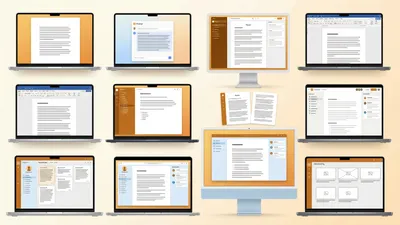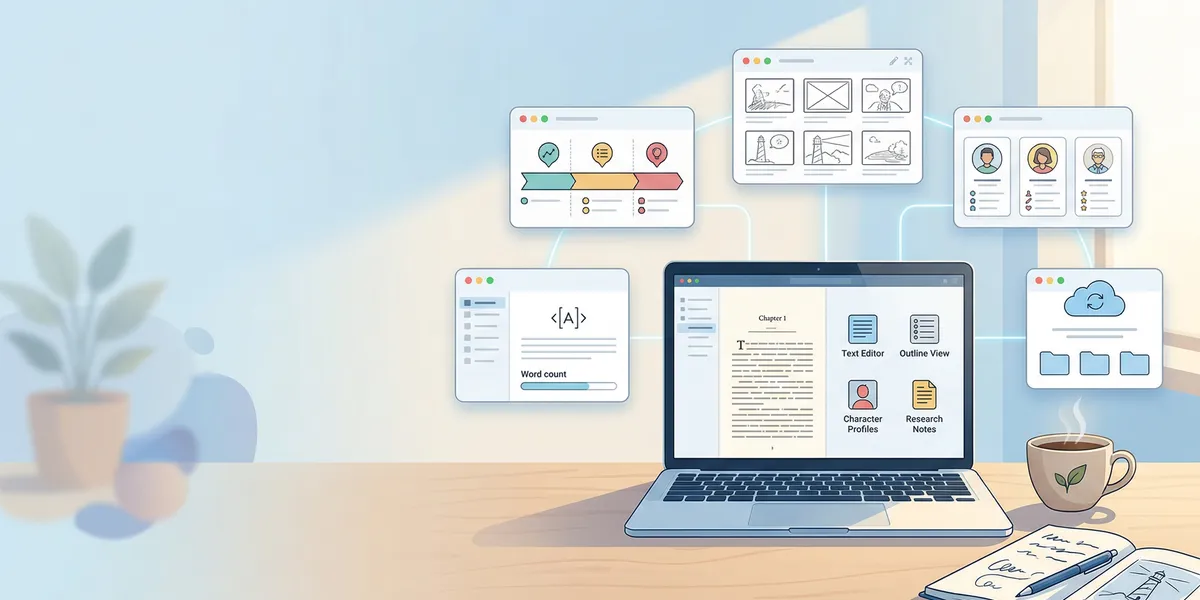
The best app for writing a book free depends on what kind of book you are writing and how much help you need getting it done. Some free tools give you a blank page and nothing else. Others generate entire manuscripts, organize scenes, or format your book for publishing.
I tested nine free options across nonfiction, fiction, and memoir projects. Here is what each one actually delivers.
Quick Comparison: Best Free Book Writing Apps
| App | Best For | AI Features | Platform | Free Plan Limits |
|---|---|---|---|---|
| Chapter (Our Pick) | Full AI manuscript generation | Complete book drafts | Web | Free trial |
| Google Docs | Collaboration and simplicity | Basic Gemini suggestions | Web, mobile | Unlimited |
| Reedsy Studio | Professional formatting and export | None | Web | Fully free |
| FocusWriter | Distraction-free drafting | None | Windows, Mac, Linux | Fully free |
| LibreOffice Writer | Traditional word processing | None | Windows, Mac, Linux | Fully free |
| Wavemaker | Plotting and drafting combined | None | Web | Fully free |
| yWriter | Scene-based novel organization | None | Windows, Linux, Android | Fully free |
| Manuskript | Outlining complex fiction | None | Windows, Mac, Linux | Fully free |
| Novlr | Fiction writers wanting community | None | Web | Free tier available |
1. Chapter
Our Pick — Chapter
Chapter uses AI to generate complete book manuscripts from your ideas. Nonfiction authors get 80 to 250 pages in roughly 60 minutes. Fiction writers can produce full novels using genre-specific templates.
Best for: Authors who want a finished first draft, not a blank page
Chapter is the only app on this list that produces an entire book manuscript. You provide your topic, target audience, and structural preferences. The AI generates chapters, sections, transitions, and content throughout. More than 2,100 authors have used it to create over 5,000 books, and it has been featured in USA Today and the New York Times.
The free trial lets you test the full platform before paying anything. You can see exactly what the AI produces for your book idea and decide whether the output meets your standards. Most authors use the generated draft as a starting point, then edit and add their own voice.
The full nonfiction product costs $97 one-time. No subscription, no recurring charges. Fiction pricing varies by project scope. Even at full price, it costs less than a single month of most AI writing subscriptions.
Why we built it: Most free writing apps give you tools to write. Chapter gives you something to edit.
Pricing: Free trial available | $97 one-time (nonfiction)
2. Google Docs
Best for: Authors who need real-time collaboration with editors
Google Docs is the easiest free writing app to start with. It auto-saves constantly, works on any device with a browser, and lets multiple people comment and edit simultaneously. The suggestion mode works well for editing rounds with beta readers or professional editors.
The main limitation for book authors is organization. Google Docs does not understand chapters, scenes, or manuscript structure. You write in one long document that gets sluggish past 50,000 words, or you split chapters across separate files and manage them manually in Google Drive.
For short nonfiction projects like memoirs, how-to guides, or essay collections, Google Docs handles the full workflow. For longer novels, most authors eventually move to a dedicated book writing software for the drafting phase and return to Google Docs for collaborative editing.
Pricing: Free with a Google account
3. Reedsy Studio
Best for: Authors who want free professional formatting and ebook export
Reedsy Studio is a browser-based writing and formatting tool built specifically for book authors. You write in a clean chapter-based editor and export to professionally formatted EPUB and PDF files that meet Amazon KDP and IngramSpark submission standards.
The formatting output is the standout feature. Many authors who draft in other apps move their manuscript into Reedsy Studio just for export. The free plan includes unlimited projects with no word count restrictions.
Reedsy Studio does not include AI writing features, offline access, or plotting tools. It is a writing and formatting environment, and it handles that specific job better than most paid alternatives.
Pricing: Fully free
4. FocusWriter
Best for: Authors who get distracted and need a minimal writing environment
FocusWriter fills your screen with a blank page and removes every toolbar, notification, and formatting option from view. It is one of the simplest free writing apps available and runs on Windows, Mac, and Linux without requiring an account or internet connection.
You can set daily word count goals and timers. Custom themes let you change the background, font, and opacity. Some authors use ambient backgrounds or dark themes to create a focused writing atmosphere.
FocusWriter is a drafting tool only. It does not organize chapters, track characters, or export to publishing formats. If your main obstacle is sitting down and writing without distractions, it solves that problem well.
Pricing: Fully free and open source
5. LibreOffice Writer
Best for: Authors who want a full-featured word processor without paying for Microsoft Word
LibreOffice Writer is the strongest free alternative to Microsoft Word. It handles long documents reliably, supports track changes for editing, and exports to DOCX, PDF, and EPUB formats. The formatting tools are comprehensive enough for book manuscript preparation.
Agents and traditional publishers who request Word-compatible files can receive LibreOffice exports without compatibility issues. The style system supports consistent heading hierarchies, paragraph formatting, and page layout across your entire manuscript.
Like Word and Google Docs, LibreOffice Writer does not include book-specific organizational tools. You manage chapters using heading styles and the navigator panel rather than a dedicated chapter sidebar.
Pricing: Fully free and open source
6. Wavemaker
Best for: Novelists who want plotting and drafting in one free tool
Wavemaker combines a distraction-free writing editor with planning tools including mind maps, snowflake method outlines, timeline views, and character cards. It runs in a browser and works offline through a progressive web app, making it usable on Chromebooks and tablets.
The chapter organization lets you break your manuscript into sections and rearrange them by dragging. Planning tools sit alongside your draft so you can reference character notes and plot outlines without switching apps.
Wavemaker is entirely free with no premium tier. Development is community-supported. The interface is clean but basic compared to paid options like Scrivener or Dabble.
Pricing: Fully free
7. yWriter
Best for: Fiction writers who organize by scenes and track story elements
yWriter breaks your novel into chapters and scenes. You can drag scenes between chapters, track which characters appear in each section, and set word count goals per scene. Some authors describe it as a free alternative to Scrivener.
The interface looks dated. It has not had a visual refresh in years. But the organizational tools remain solid for fiction writers who think in scenes rather than continuous prose. You can add notes at every level of the manuscript and track locations, items, and character arcs across the project.
Desktop versions for Windows and Linux are fully free. An Android version exists. There is no iOS or Mac version, which limits the audience.
Pricing: Fully free
8. Manuskript
Best for: Fantasy and sci-fi authors with complex world-building needs
Manuskript is an open-source novel writing tool with detailed outlining, character development sheets, and world-building databases. It supports the snowflake method for structuring a novel from concept to detailed outline to full draft.
The planning depth is its strength. You can build character profiles, track plot threads across timelines, and organize research notes alongside your manuscript. For authors working on series or multi-POV stories, the organizational tools prevent details from falling through the cracks.
Manuskript runs locally on Windows, Mac, and Linux. It does not require an internet connection or account. The development pace is slow compared to commercial tools, and the interface has a learning curve.
Pricing: Fully free and open source
9. Novlr
Best for: Fiction writers who want a writing community alongside their editor
Novlr combines a clean writing editor with community features including Discord writing sprints, integrated writing courses, and progress tracking. The free tier includes basic writing tools and access to the community.
The editor supports chapter organization, goal setting, and basic formatting. It is web-based, so you can access your manuscript from any device. The community aspect distinguishes it from other writing apps that focus purely on the editor.
The free plan has limitations on storage and features compared to the paid version. If you value writing alongside other authors and want built-in accountability, Novlr delivers that for free.
Pricing: Free tier available | Paid plans for full features
How We Evaluated These Apps
Every app on this list was tested across three criteria that matter for book authors:
Writing experience. How well does the app handle long-form content? Does it stay responsive at 50,000+ words? Can you organize chapters and sections logically?
Export and publishing readiness. Can you get your manuscript out of the app in a format that Amazon KDP, IngramSpark, or a traditional publisher will accept? EPUB, DOCX, and PDF export quality vary dramatically between free tools.
What you actually get for free. Some apps advertise as free but lock essential features behind a paywall. Every app ranked here delivers genuine value on its free tier or trial.
Which Free Book Writing App Should You Choose?
The right app depends on your project:
If you want a complete draft fast: Chapter generates a full manuscript from your ideas. You edit and refine rather than starting from scratch. The free trial shows you exactly what the AI produces.
If you need collaboration: Google Docs is unmatched for working with editors, beta readers, and co-authors in real time.
If you need publishing-ready formatting: Reedsy Studio exports professional EPUB and PDF files that meet KDP and IngramSpark standards at no cost.
If you are writing a complex novel: Wavemaker or Manuskript give you the plotting, character tracking, and scene organization tools that general-purpose word processors lack.
If you just need to write without distractions: FocusWriter strips away everything except the page and your words.
Most authors end up using two or three tools together. A common workflow is drafting in one app, organizing in another, and formatting in a third. The best approach is starting with the tool that solves your biggest current bottleneck — whether that is generating ideas, staying focused, organizing a complex story, or producing a polished final file.
If your bottleneck is the blank page itself, start with Chapter’s free trial and see how far a generated first draft gets you. You can always refine with any of the other free tools on this list.
FAQ
Is Google Docs good enough to write a whole book?
Google Docs works for short to medium nonfiction projects. It struggles with novels over 50,000 words because the document becomes slow to load and navigate. It also lacks chapter organization, scene tracking, and publishing-ready export. Many authors draft in Google Docs, then move to Reedsy Studio or a dedicated writing app for formatting and export.
Can I really write a book without paying for software?
Yes. Google Docs, LibreOffice Writer, FocusWriter, and several other tools on this list are completely free with no feature restrictions. Reedsy Studio is fully free and exports publication-ready files. The question is not whether free tools exist, but which combination matches your workflow. For authors who want AI assistance, Chapter offers a free trial to test before buying.
What is the best free app for writing a novel specifically?
For fiction, Wavemaker and yWriter offer the most novel-specific features for free — scene organization, character tracking, and chapter management. Manuskript adds world-building tools for fantasy and sci-fi. If you want AI to help generate your first draft, Chapter handles both fiction and nonfiction manuscripts.
Do professional authors use free writing software?
Many published authors draft in Google Docs or LibreOffice and only switch to paid tools for specific tasks like formatting or project management. The tool does not determine the quality of the book. What matters is whether the software fits your writing process and does not get in the way of the actual writing.