Book formatting services turn your raw manuscript into a professionally typeset book — with correct margins, fonts, chapter headings, and export-ready files for Amazon KDP, IngramSpark, or any retailer. The right service saves you from amateur-looking interiors that cost you readers and reviews.
In this guide, you’ll learn:
- The three types of formatting services and which fits your budget
- What professional formatting actually costs in 2026
- How to evaluate a formatter’s quality before you pay
- When to hire a pro vs. format your book yourself
Here’s everything you need to make a confident decision.
What Are Book Formatting Services?
Book formatting services are professional or software-based solutions that convert your manuscript into a publish-ready layout with proper typography, margins, page breaks, and chapter styling. They handle both ebook (EPUB, MOBI) and print (PDF) files so your book looks polished on every platform.
Formatting is different from editing. Your editor fixes your words. Your formatter fixes how those words appear on the page.
A properly formatted book has consistent fonts, readable line spacing (typically 1.2 to 1.5 times the font size), professional margins (0.5 to 0.8 inches minimum), and clean chapter transitions. A poorly formatted one has broken indentation, inconsistent headings, and text that runs into the spine.
Three Types of Book Formatting Services
You have three paths to a formatted book. Each trades off cost, control, and quality differently.
1. Professional Formatting Companies
Full-service companies like BookBaby, Palmetto Publishing, and Damonza assign a professional typesetter to your manuscript. You send your Word doc, answer a design questionnaire, and receive finished files.
Cost: $200 to $800+ depending on word count, complexity, and turnaround speed.
Best for: Authors who want hands-off, publisher-quality results and have the budget.
Watch out for: Some companies bundle formatting into expensive packages with services you don’t need. Always ask for formatting-only pricing.
2. Freelance Formatters
Platforms like Fiverr, Reedsy, and Upwork connect you with individual formatters. Quality and pricing vary widely.
Cost: $50 to $500 per project. Budget formatters start around $59; experienced specialists charge $300+.
Best for: Authors who want a custom look at a negotiable price, and who can vet portfolios.
Watch out for: Cheap formatters often use templates with no customization. Always request a sample formatted chapter before committing.
3. DIY Formatting Software
Software tools let you format your own book without design experience. The best options produce results that match professional services.
Our Pick — Chapter
Chapter handles both writing and formatting in one workflow. Your manuscript is already structured for clean export — no reformatting headaches, no copy-paste disasters between apps. Export directly to publish-ready files.
Best for: Authors who want full control, instant turnaround, and no per-book cost. Pricing: $97 one-time (nonfiction) Why we built it: Most formatting problems start because authors write in one tool and format in another. Chapter eliminates that gap.
Other solid DIY options include Atticus ($147 one-time), Reedsy Studio (free), and Vellum ($249.99, Mac only). For a full comparison, see our book formatting software guide.
How Much Do Book Formatting Services Cost?
Pricing depends on the service type, your book’s length, and whether you need ebook, print, or both.
| Service Type | Price Range | Includes | Turnaround |
|---|---|---|---|
| Professional company | $200–$800+ | Custom layout, ebook + print files | 5–14 days |
| Freelance formatter | $50–$500 | Varies by freelancer | 3–10 days |
| DIY software (Chapter) | $97 one-time | Unlimited books, ebook + print export | Instant |
| DIY software (Atticus) | $147 one-time | Unlimited books, ebook + print export | Instant |
| DIY software (Reedsy) | Free | Ebook + print export | Instant |
Most professional formatters charge a flat fee based on word count. A standard 60,000-word novel typically runs $200 to $400 for both ebook and print formatting. Complex layouts — think cookbooks, children’s books, or heavily illustrated nonfiction — cost more.
Some services charge extra for rush delivery, revision rounds, or additional export formats. Always confirm what’s included before you pay.
What to Look for in a Book Formatting Service
Not all formatting services produce the same quality. Here’s how to evaluate them before handing over your manuscript.
Typography and Font Selection
Professional formatting uses serif fonts like Garamond, Baskerville, or Palatino for body text. Font size should be 10 to 12 points. Line spacing should feel comfortable — not cramped, not wasteful.
Ask to see samples. If the body text uses a sans-serif font or anything that looks like it came from a school report, move on.
Margin and Layout Standards
Proper margins prevent text from disappearing into the spine (gutter margin) or running too close to the page edge. Industry standard is 0.5 to 0.8 inches on all sides, with extra space on the inside for binding.
Line length matters too. The sweet spot is 55 to 70 characters per line. Too wide and your eyes lose track. Too narrow and the text feels cramped.
File Format Support
Your formatter should deliver files in the exact formats your publishing platforms require. At minimum:
- EPUB for most ebook retailers (Apple Books, Kobo, Barnes & Noble)
- KPF or EPUB for Amazon KDP
- Print-ready PDF with proper bleed and trim marks for print-on-demand
If a service can only deliver a Word doc or basic PDF, they’re not a professional formatting service.
Chapter Styling and Front/Back Matter
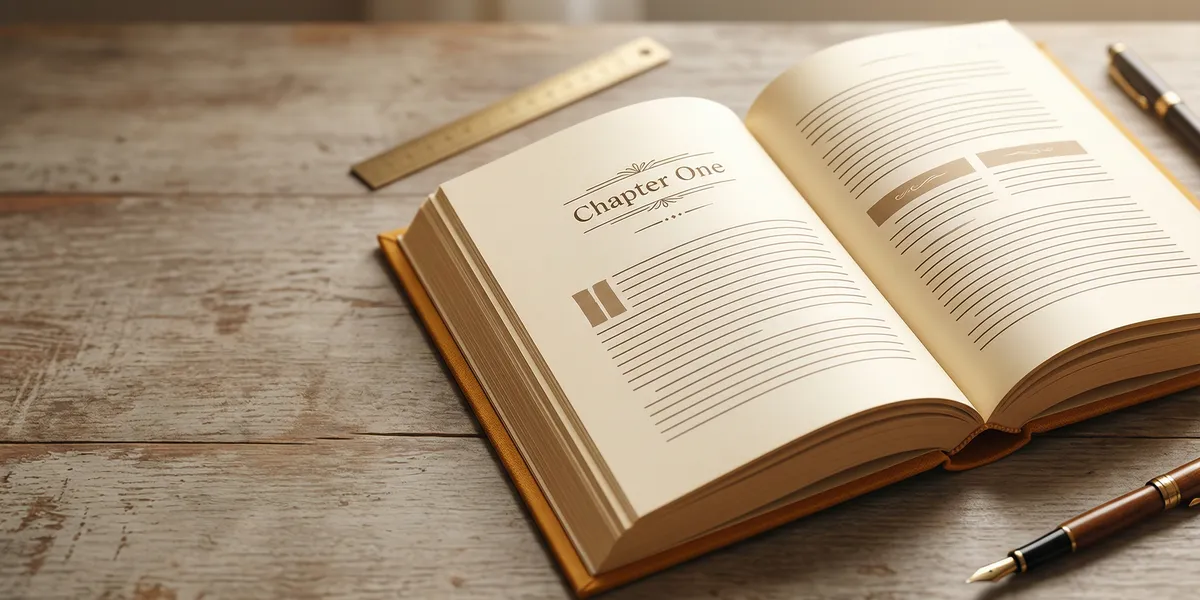
A well-formatted book includes styled chapter openings (drop caps, ornamental breaks, or custom headers), a properly structured table of contents, and clean front matter (title page, copyright page, dedication) and back matter (about the author, also by, acknowledgments).
These details separate self-published books that look professional from ones that look homemade.
How to Format a Book for Print vs. Ebook
Print and ebook formatting follow different rules. A good service handles both, but you should understand the differences.
Print Formatting
Print books use fixed page sizes (called trim sizes). Common choices are 5” x 8”, 5.5” x 8.5”, and 6” x 9” for fiction and general nonfiction. Your formatter needs to set:
- Trim size to match your genre and platform
- Gutter margins to account for binding
- Running headers/footers with page numbers
- Justified text with proper hyphenation
For a detailed Kindle walkthrough, see our Kindle formatting guide.
Ebook Formatting
Ebooks use reflowable text — the layout adapts to each reader’s screen and font preferences. This means:
- No fixed page numbers
- Fonts resize based on reader settings
- Images must be embedded and sized for small screens
- A working, clickable table of contents is essential
The biggest ebook formatting mistake is exporting a print layout as an ebook. It never works. Always format ebook and print separately, or use a tool that generates both from one source.
When to Hire a Professional vs. DIY
The right choice depends on your book, your budget, and your comfort with technology.
Hire a professional formatter when:
- Your book has complex layouts (cookbooks, children’s books, illustrated guides)
- You want a fully custom interior design that matches your cover aesthetic
- You have no interest in learning formatting tools
- Budget isn’t a constraint
Use DIY formatting software when:
- You’re publishing multiple books and want to format them all yourself
- Your book is straightforward text (novels, memoirs, standard nonfiction)
- You want instant turnaround without waiting days for deliverables
- You want to make quick updates without paying for each revision
For most self-published authors writing fiction or text-heavy nonfiction, DIY software like Chapter produces professional results at a fraction of the cost. Chapter’s 2,147+ authors have published over 5,000 books using its integrated writing and formatting workflow.
Common Mistakes to Avoid
- Skipping the proof copy. Always order a print proof before publishing. Formatting that looks perfect on screen can have margin issues, font problems, or image placement errors in the physical book.
- Using Microsoft Word for final formatting. Word is a writing tool, not a typesetting tool. It produces inconsistent spacing, unreliable exports, and endless formatting headaches.
- Ignoring platform-specific requirements. Amazon KDP, IngramSpark, and Draft2Digital each have different file specs. Your formatter must deliver files that meet each platform’s standards.
- Choosing based on price alone. A $50 formatter who delivers broken files costs you more in the long run than a $300 professional who gets it right the first time.
- Forgetting about ebook formatting. Many authors focus on print and treat the ebook as an afterthought. Over 60% of self-published book sales are digital — your ebook formatting matters just as much.
How Long Does Book Formatting Take?
Formatting turnaround depends on the service type and your book’s complexity.
Professional formatting companies typically deliver in 5 to 14 business days. Rush service (2 to 3 days) is available from most providers for an additional fee — usually 50% to 100% more than the standard rate.
Freelance formatters vary widely. Some deliver in 3 days; others take 2 weeks. Always confirm turnaround time and revision policy before hiring.
DIY software gives you instant results. With Chapter or Atticus, you can format and export your book in under an hour. Changes and revisions take minutes, not days.
Can You Format a Book Yourself With No Experience?
Yes. Modern formatting tools are designed specifically for authors with no design background.
Chapter walks you through the process with built-in templates and automatic styling. You don’t need to understand typography or page layout — the software handles margins, fonts, spacing, and export settings for you.
The learning curve is minimal. Most authors format their first book in 30 to 60 minutes. By your second book, the process takes under 20 minutes.
If your book has standard text-based content — fiction, memoir, how-to guides, business books — DIY formatting produces results that are indistinguishable from professional services.
Is It Worth Paying for Book Formatting?
The answer depends on your specific situation.
Paying for professional formatting is worth it when your book has complex visual elements, you’re publishing a single book and won’t reuse the service, or you need a custom design that matches a high-end cover.
DIY formatting is the better investment when you plan to publish multiple books, your content is primarily text-based, or you want the flexibility to update and re-export without paying per revision.
For most indie authors producing text-heavy books, a one-time investment in formatting software pays for itself with the first book. Every book after that is free to format.
FAQ
What is a book formatting service?
A book formatting service is a professional or software-based solution that converts your manuscript into a publish-ready layout with proper typography, margins, chapter styling, and export files for ebook and print platforms. Services range from full-service companies ($200–$800) to DIY tools like Chapter ($97 one-time).
How much does book formatting cost?
Book formatting costs range from free to $800+ depending on the service type. DIY tools like Reedsy Studio are free; Chapter costs $97 one-time. Freelance formatters charge $50–$500 per project. Professional formatting companies charge $200–$800+ based on word count and complexity.
Can I format my own book?
Yes — you can format your own book using DIY software like Chapter, Atticus, or Reedsy Studio. These tools handle margins, fonts, chapter styling, and export settings automatically. Most authors with no design experience format their first book in under an hour.
What file formats do I need for self-publishing?
You need EPUB files for most ebook retailers (Apple Books, Kobo, Barnes & Noble), EPUB or KPF for Amazon KDP, and a print-ready PDF with proper trim marks for print-on-demand services like KDP Print and IngramSpark.
What’s the difference between formatting and typesetting?
Formatting and typesetting are often used interchangeably in self-publishing. Traditionally, typesetting refers to the detailed craft of setting type — font selection, kerning, leading, and line breaks. Formatting is the broader process of preparing a manuscript for publication, including chapter structure, page layout, and file export.