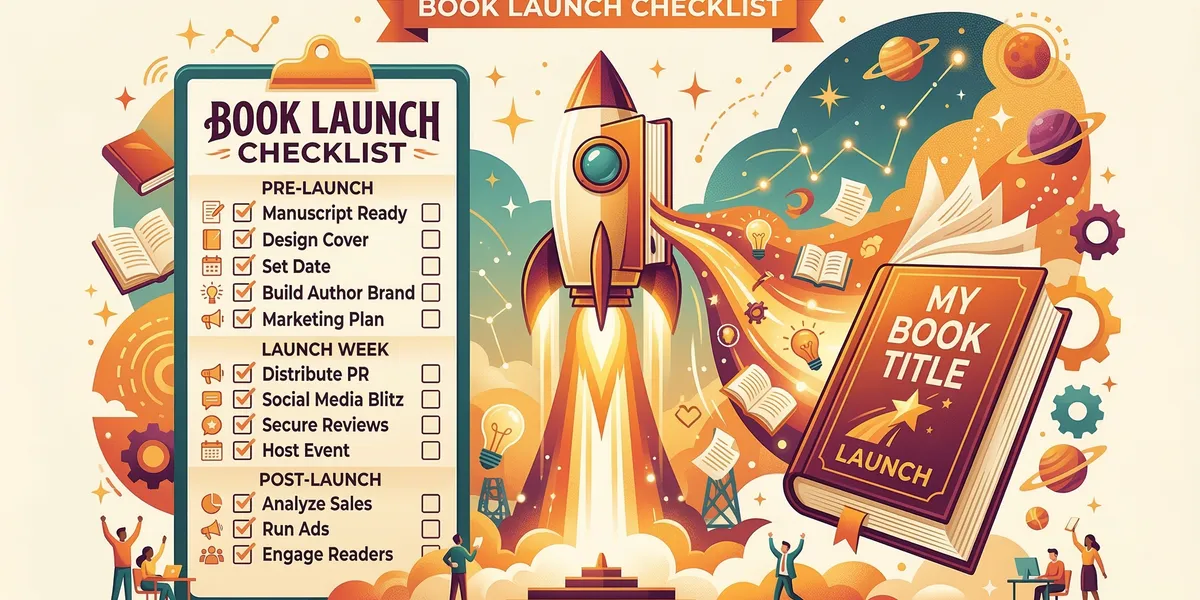
A book launch checklist is the difference between a book that sells in its first week and one that sits untouched. Most self-published authors skip half the steps, launch cold, and wonder why nobody bought their book.
This 30-step checklist covers everything from 8 weeks before launch through your first month post-launch. Print it, bookmark it, and check off each step as you go.
Pre-launch: 8 to 4 weeks before
This is where your launch is won or lost. Most of the work happens before your book goes live.
1. Finalize your manuscript
Your book should be fully written, edited, and proofread. Not “almost done.” Done. Beta reader feedback incorporated, typos caught, chapters in final order. If you are still writing, you are not ready to launch.
2. Get a professional cover designed
Your cover is your most important marketing asset. It needs to look like it belongs on a bestseller shelf in your genre. Study the top 20 books in your Amazon category and match the visual style. Budget $200 to $500 for a professional designer, or use a vetted premade cover service.
3. Write your book description
Your book description is your sales page. Follow the hook-problem-solution-proof-CTA formula. Format it with HTML for Amazon (bold, line breaks, bullet points). Test it on someone who has not read your book — if they are not intrigued, rewrite.
4. Format your book for publishing
You need at least two formats: ebook (.epub or .mobi) and paperback (PDF interior). Use Chapter to export your manuscript in publish-ready formats, or hire a formatter. Check spacing, chapter headings, page numbers, and front/back matter.
5. Set up your KDP account
Create your Amazon KDP account if you do not have one. Fill in your tax information, banking details, and author profile. This takes 24 to 48 hours to verify, so do it early. Publishing on Amazon has specific requirements — review them before uploading.
6. Research your categories and keywords
Choose two Amazon categories where your book can realistically compete. Use Amazon’s search bar to research the seven backend keyword slots. Look at what top-selling competitors in your niche use. Picking the right categories can mean the difference between page 1 and page 50.
7. Build your launch team
Recruit 20 to 50 people who will read your book before launch day, leave honest reviews, and share on social media during launch week. Sources: email subscribers, social media followers, writing groups, friends and family who actually read your genre. Give them a free advance copy (ARC) and a specific review deadline.
8. Set up your author website or landing page
You need a place to send people that is not Amazon. A simple landing page with your book cover, description, author bio, and email signup is enough. This captures leads you own, unlike Amazon traffic that Amazon controls.
9. Create an email sequence
Write 3 to 5 emails for launch week: announcement, reminder, social proof (early reviews), last chance, and thank you. If you do not have an email list yet, start building one now. Even 50 subscribers who are genuinely interested will outperform 5,000 random social media followers.
10. Order advance copies
If you are doing a paperback, order author copies through KDP for yourself, your launch team, and any media contacts. These take 5 to 7 business days to arrive. Order early.
Pre-launch: 3 to 1 weeks before
11. Set up your Amazon pre-order (optional)
Pre-orders build momentum and let you collect sales before launch day. Amazon allows ebook pre-orders up to 90 days in advance. The trade-off: all pre-order sales count on the day the book goes live, which can boost your launch-day ranking.
12. Send ARCs to your launch team
Distribute advance reader copies via email, BookFunnel, or StoryOrigin. Include a personal note explaining what you need: an honest Amazon review posted during launch week. Give them at least 2 weeks to read.
13. Prepare your social media content
Create 10 to 15 social media posts for launch week. Mix cover reveals, behind-the-scenes content, excerpt teasers, countdown posts, and reader testimonials. Schedule them in advance so you are not scrambling during launch week.
14. Contact book bloggers and reviewers
Reach out to 20 to 30 book bloggers, BookTok creators, and genre-specific reviewers. Send a personalized pitch (not a mass email) with your book’s description, cover image, and a free copy. Most will not respond — that is normal. You need 3 to 5 to say yes.
15. Create your book’s Amazon A+ Content (if eligible)
If you have a KDP brand-registered account, A+ Content lets you add enhanced images and text to your listing. This is free and significantly improves conversion rates. Create comparison charts, lifestyle images, and expanded descriptions.
16. Finalize your pricing strategy
Research your genre’s pricing norms on Amazon. Most ebook launches use a promotional price ($0.99 to $2.99) for the first week, then raise to full price ($4.99 to $9.99). Paperbacks typically run $12.99 to $17.99 depending on page count.
17. Prepare your Amazon ads campaign
Draft your Amazon Advertising campaigns before launch day. Create a Sponsored Products campaign targeting your genre keywords and competitor book titles. Set a daily budget of $10 to $20 to start. Do not launch the ads until your book is live with at least 5 reviews.
Launch week
18. Publish your book
Upload your final files to KDP. Triple-check the preview for formatting issues. Hit publish. Your book will be live within 24 to 72 hours. If you set a pre-order, it goes live automatically on the scheduled date.
19. Send your launch email
The day your book goes live, email your list. Make it personal. Include the Amazon link, a brief reminder of what the book is about, and a direct ask: “If you enjoy it, a review on Amazon would mean the world.” This email should be the highest-priority send of your career.
20. Execute your social media plan
Post your pre-scheduled content. Go live on Instagram or Facebook. Share your book link in relevant groups (where allowed). Post your Amazon link in your bio everywhere. Engage with everyone who comments or shares.
21. Activate your launch team
Send a dedicated email to your launch team reminding them to post their reviews on Amazon this week. The more reviews you collect in the first 72 hours, the better Amazon’s algorithm treats your book. Give them a direct link to the review page.
22. Run a price promotion
If you are using a launch-week promotional price, make sure it is active on day one. Submit your deal to promotion sites like BookBub, Freebooksy, or Robin Reads. Even the smaller promo sites can drive 50 to 200 sales during launch week.
23. Reach out to your personal network
This is the one time it is acceptable to ask everyone you know to buy your book. Text your close friends. Post on your personal social media. Ask family members. Every sale in the first week amplifies your Amazon ranking, which drives organic discovery.
24. Track your Amazon ranking
Check your book’s Amazon Best Sellers Rank every few hours during launch week. This tells you how your launch is performing relative to other books. Screenshot your best rankings for future marketing materials. A “#1 New Release” badge is powerful social proof.
25. Celebrate the launch
Seriously. You wrote and published a book. Most people never finish theirs. Take a moment to acknowledge what you accomplished before diving into post-launch mode.
Post-launch: weeks 2 to 4
26. Follow up for reviews
Send a gentle follow-up to your launch team members who have not posted reviews yet. Reach back out to book bloggers. Add a “please leave a review” note in your email signature and social media bios. Aim for 25 to 50 reviews in your first month.
27. Optimize your Amazon listing
After 2 weeks of data, review your listing performance. Is your click-through rate low? Your cover or title might need work. Is your conversion rate low? Your description might need rewriting. Test changes one at a time so you can measure impact.
28. Launch your Amazon ads
Once you have at least 10 reviews, activate your Sponsored Products campaigns. Start with automatic targeting to discover which keywords convert, then build manual campaigns around your winners. Keep your ACoS (Advertising Cost of Sales) below 70% for the first month.
29. Plan ongoing promotions
Schedule a BookBub Featured Deal application (the gold standard — free but highly competitive). Set up a recurring promotion calendar: monthly $0.99 deals, quarterly free runs if you are in KDP Select, seasonal promotions around holidays.
30. Start writing your next book
The single most effective marketing strategy for any book is publishing another one. A second book doubles your Amazon shelf space, creates read-through revenue, and gives you a backlist to promote. Authors with 3 or more books earn significantly more than single-title authors.
Your printable checklist
Use this condensed version to track your progress:
Pre-Launch (8-4 weeks)
- Manuscript finalized
- Professional cover designed
- Book description written
- Book formatted for publishing
- KDP account set up
- Categories and keywords researched
- Launch team recruited (20-50 people)
- Author website or landing page created
- Email sequence written
- Advance copies ordered
Pre-Launch (3-1 weeks)
- Amazon pre-order set up (optional)
- ARCs sent to launch team
- Social media content prepared
- Book bloggers and reviewers contacted
- Amazon A+ Content created (if eligible)
- Pricing strategy finalized
- Amazon ads campaign prepared
Launch Week
- Book published on KDP
- Launch email sent
- Social media plan executed
- Launch team activated for reviews
- Price promotion running
- Personal network contacted
- Amazon ranking tracked
- Launch celebrated
Post-Launch (Weeks 2-4)
- Review follow-ups sent
- Amazon listing optimized
- Amazon ads launched
- Ongoing promotions planned
- Next book started
FAQ
How far in advance should I start planning my book launch?
Start 8 weeks before your target launch date. The pre-launch phase is where most of the work happens — building your launch team, preparing marketing materials, and setting up your Amazon listing. Rushing this phase almost always results in a weak launch.
Do I need an email list to launch a book?
You do not need one, but it helps enormously. Even a small list of 100 engaged subscribers can generate 20 to 30 launch-week sales and reviews. If you do not have a list, lean harder on your launch team and social media. Start building your list now for your next launch.
How many reviews do I need for a successful launch?
Aim for 10 to 25 reviews in your first week and 50 or more in your first month. Reviews build social proof and improve your Amazon search ranking. Quality matters more than quantity — detailed, verified purchase reviews carry the most weight.
Should I use KDP Select (Kindle Unlimited)?
KDP Select gives you access to Kindle Unlimited readers and promotional tools (countdown deals, free book days), but requires Amazon exclusivity for 90 days. For most first-time authors in fiction genres, KDP Select is worth testing for the first enrollment period. Nonfiction authors who sell through their own platforms may want to stay wide from day one.
What if my launch does not go well?
Most books do not hit bestseller lists on day one. That is normal. A “failed” launch does not mean a failed book. Optimize your listing, collect more reviews, run ads, and keep promoting. Many self-published bestsellers took months to gain traction. The book is permanent — the launch is just the beginning.