A book layout template is a pre-built design file that controls the margins, typography, chapter styles, headers, and page numbers of your manuscript — so you can drop your words in and export a print-ready PDF in hours, not weeks.
In this guide, you’ll learn:
- Exactly what a book layout template includes (and why most free ones fail KDP checks)
- How to pick the right trim size, margins, and font for your genre
- Step-by-step setup in Word, InDesign, Vellum, and Chapter
- The most common layout mistakes that get manuscripts rejected
Here’s how to get a clean, professional layout without hiring a designer.
What Is a Book Layout Template?
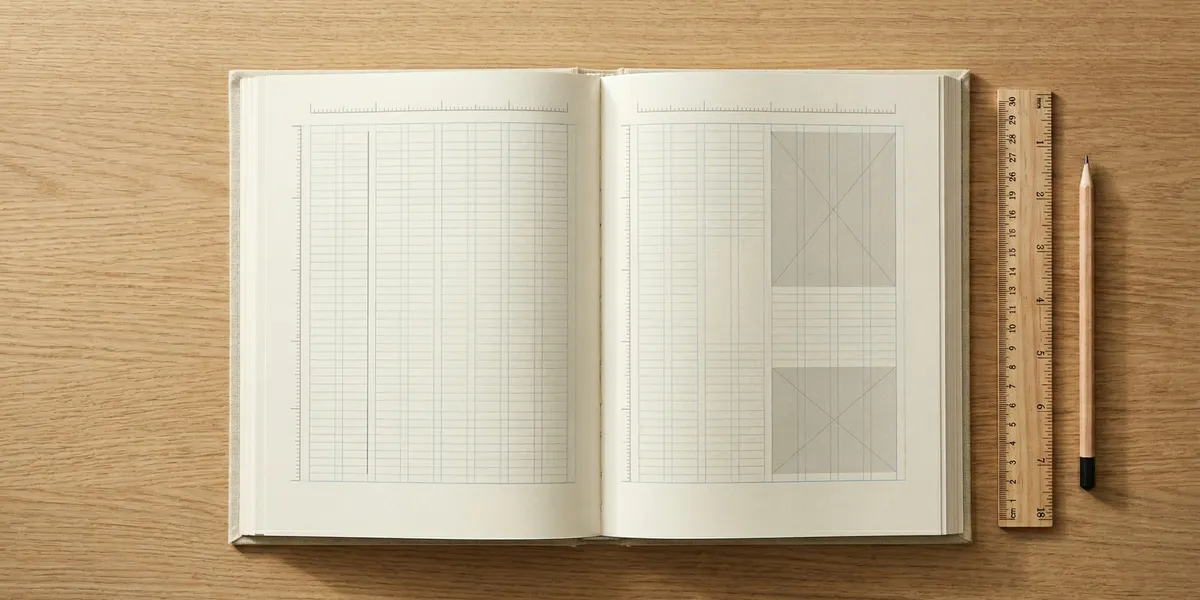
A book layout template is a reusable design file that defines every visual element of your book’s interior — trim size, margins, gutter, fonts, line spacing, chapter openings, headers, footers, and page numbers. You pour your manuscript into it, and the template enforces consistency across every page.
Good templates do three things at once:
- Meet printer specs. KDP, IngramSpark, and Lulu each have minimum margin, bleed, and file requirements. A proper template builds those rules in.
- Handle front and back matter. Title page, copyright, dedication, table of contents, about the author — all styled and numbered correctly.
- Stay editable. You can update your text without re-formatting the whole book.
If you’re writing the manuscript itself, start with Chapter — it drafts the text, then exports clean files you drop straight into a layout template. For layout-only work, the rest of this guide walks you through templates for every skill level.
What Should a Book Layout Template Include?
Every publish-ready template needs these nine elements. If a free download skips any of them, it’s not ready for print.
Trim size. The final physical dimensions of your book. 6” x 9” is the standard for nonfiction and most fiction. 5” x 8” is popular for novels. 5.5” x 8.5” is common for memoirs.
Margins and gutter. The blank space around your text block. KDP requires at least 0.375” on outside edges, with a gutter that scales up as your page count grows. Under 150 pages = 0.375” gutter. Over 600 pages = 0.875” gutter.
Bleed settings. If any image or color touches the page edge, your file needs 0.125” bleed on all sides. Text-only books don’t need bleed.
Body typography. Serif fonts at 11 or 12 point with 1.15 to 1.25 line spacing work for almost every genre. Garamond, Minion Pro, Caslon, and Sabon are the gold standards.
Chapter styles. A consistent chapter opening template — chapter number, title, drop cap or space break, and a page break before each new chapter.
Headers and footers. Running heads with author name (left page) and book title (right page). Page numbers centered or in outside corners.
Front matter pages. Half-title, title page, copyright, dedication, epigraph, table of contents, foreword — in that order.
Back matter pages. About the author, acknowledgments, other books, and a final blank page.
Widow and orphan control. Automatic rules that prevent a single line from starting or ending a page.
If you’re working in Word, manuscript formatting rules cover the editorial side — this guide covers the layout side.
How Do I Choose the Right Trim Size?
Your trim size is the single biggest design decision. It sets expectations the moment a reader picks up your book. Here are the standard sizes by genre.
| Book Type | Trim Size | When to Use |
|---|---|---|
| Literary fiction | 5.5” x 8.5” | Most novels, literary works |
| Mass-market fiction | 5” x 8” | Genre fiction, thrillers, romance |
| Nonfiction / business | 6” x 9” | Most nonfiction, self-help, memoir |
| Workbook / textbook | 7” x 10” | Workbooks, heavy reference |
| Children’s picture book | 8” x 10” or 8.5” x 8.5” | Illustrated kids’ books |
| Photo book / coffee table | 8.5” x 11” | Photography, cookbooks |
KDP offers free ISBN assignment and pre-built trim sizes up to 8.5” x 11”. IngramSpark offers more custom sizes but charges a setup fee.
Pick the size your genre expects. A literary novel in 8.5” x 11” looks amateurish no matter how beautiful the words are.
Free vs Paid Book Layout Templates
You can get a free layout template from KDP’s own site, from Reedsy, or from dozens of blog downloads. They work — but with tradeoffs.
Free KDP templates cover the basic margin and trim requirements but skip advanced typography, drop caps, and chapter ornament styling. They’re fine for a rough draft layout but usually need manual polish before publishing.
Free Word templates from Reedsy look cleaner but still require you to style chapter headings by hand if you want anything beyond plain headings.
Paid InDesign templates ($20-$80 on Creative Market) give you typeset-quality layouts with drop caps, ornament dividers, and matched chapter styles. Worth it if you’re publishing a print book that will sit on shelves next to traditionally published titles.
Software with built-in templates (Vellum, Atticus, Chapter) give you the template AND the rendering engine in one place. You don’t touch files — you pick a style and export.
Free templates cost nothing upfront but often eat 10-20 hours of manual fixing. Paid templates or formatting software pay for themselves within one book.
Book Layout Templates by Tool
Here’s how each major tool handles layout templates.
Our Pick — Chapter
Chapter writes your book with AI, then exports manuscript files ready to drop into Vellum, Atticus, or InDesign templates. It handles the writing side so you can focus layout work only on the finished text — not on fixing AI-generated prose that wasn’t ready for layout yet.
Best for: Authors who want to draft and polish in one tool, then hand off to a layout tool Pricing: one-time (nonfiction) | Varies (fiction) Why we built it: We saw writers burn weeks in Word fighting with chapter headings when they should have been writing. Chapter handles the writing so layout becomes a 30-minute job.
Microsoft Word
Word is the most accessible layout tool — everyone has it. The catch: Word was built for office documents, not book design. You can build a working layout, but it takes discipline.
Download the free KDP Word templates for every trim size. Open the template, paste your manuscript, apply the pre-built chapter styles, and export as PDF. Always use the “Print to PDF” option with “High Quality Print” settings — not “Save As PDF,” which compresses images and can break font embedding.
Word templates struggle with drop caps, precise leading, and ornament dividers. For basic novels and nonfiction, they’re enough. For anything with complex typography, use a dedicated layout tool.
Vellum
Vellum is Mac-only formatting software (starts at $250) that turns a styled Word document into a beautifully laid-out book with one click. You don’t touch margins or fonts directly — you pick a book style and Vellum renders it.
Vellum’s templates cover every common trim size and produce print-ready PDFs plus ebook files (EPUB, Kindle) from the same source. It’s expensive but fast.
Full breakdown in our book formatting software guide.
Atticus
Atticus ($147) does what Vellum does but works on Mac, Windows, Linux, and Chromebook. Templates are built in, and you get unlimited books for one flat fee.
Atticus templates are slightly less refined than Vellum’s out of the box but cover the same range of trim sizes and include chapter ornaments, drop caps, and matched ebook output. See our Atticus review for full details.
Adobe InDesign
InDesign is the professional standard. Every traditionally published book you’ve ever read was probably laid out in InDesign. Templates from Creative Market or The Book Designer range from to $150 and give you total control.
The learning curve is steep. If you’re not already using InDesign, start with Vellum or Atticus — the output quality is nearly identical for standard prose books.
Google Docs
Google Docs has no native book layout templates. You can fake it with page sizes and custom margins, but exported PDFs rarely meet printer specs without manual cleanup. Use Docs for drafting, not layout.
How Do I Set Up Margins and Gutters?
Your gutter is the inside margin — the space where the page meets the spine. As your page count grows, the gutter needs to grow too, or text disappears into the binding.
Here are the KDP gutter minimums:
- 24 to 150 pages: 0.375” gutter
- 151 to 300 pages: 0.5” gutter
- 301 to 500 pages: 0.625” gutter
- 501 to 700 pages: 0.75” gutter
- 701 to 828 pages: 0.875” gutter
Your outside, top, and bottom margins should each be at least 0.25”, but most book designers use 0.5” to 0.75” for a balanced look. The text block (the rectangle your words sit inside) should have clearly more outside space than inside space — this accounts for the visual weight of the spine.
Every template should set these automatically. If you’re building your own, set them in the first five minutes and never touch them again.
Typography: Fonts, Sizes, and Line Spacing
Typography is where amateur layouts give themselves away. A book in Times New Roman at 12 point with default Word spacing looks like a term paper. A book in Garamond at 11.5 point with 14 point leading looks like a novel.
Body font. Use a serif font designed for long-form reading: Garamond, Minion Pro, Sabon, Caslon, Baskerville, or Georgia (free with every operating system). Never use Times New Roman for a published book — it’s legible but signals “unedited draft.”
Font size. 11 to 12 point for body text. Smaller than 10 point is hard to read in print. Larger than 12 point makes your book look childish.
Line spacing (leading). Aim for 1.2x to 1.3x your font size. So 11 point font gets 13.2 to 14.3 point leading. Word calls this “Multiple” line spacing in the paragraph dialog.
Paragraph indent. First-line indent of 0.2” to 0.25” for fiction and most nonfiction. No indent for the first paragraph after a chapter heading or scene break.
Alignment. Justified text with automatic hyphenation for print. Left-aligned for ebooks (which re-flow on every device).
For headlines, use a contrasting serif or a sans-serif that complements the body font. Montserrat pairs with Garamond. Futura pairs with Caslon.
How Do I Format Chapter Openings?
Chapter openings are your biggest branding moment inside the book. Readers see them every 10-20 pages. Get them right and your book feels professional on every page turn.
The standard pattern:
- Start every chapter on a new page — always a right-hand (recto) page in traditional publishing, though indie books often start on the next available page to save paper
- Drop the chapter number or title about one-third of the way down the page
- Use a larger font size for the chapter title (18 to 28 point is typical)
- Leave 2 to 3 lines of space before the body text begins
- Use a drop cap for the first letter of the first word if you want a classic literary feel
- No page number on chapter opening pages
- No running head on chapter opening pages
These rules are universal across templates. If a template breaks any of them, it’s not ready for professional print.
Common Layout Mistakes to Avoid
These are the mistakes that get manuscripts bounced from KDP or rejected by readers.
- Wrong gutter for page count. Text gets lost in the spine. Always check KDP’s print book cover and manuscript guidelines before uploading.
- Non-embedded fonts. Your PDF renders correctly on your computer but fails KDP’s preflight check. Always embed fonts on export.
- Mixed straight and curly quotes. Use curly (typographic) quotes consistently throughout. Word and Vellum do this automatically; InDesign requires a find-and-replace pass.
- Double spaces after periods. Remove them all. Modern typography uses single spaces after a period.
- Widows and orphans. Single lines stranded at the top or bottom of pages. Enable widow/orphan control in your layout tool.
- Blank pages in the wrong place. New chapters should start on right-hand pages. Back matter follows a specific order. Skipping this looks sloppy.
Fix all six and your layout will pass any distributor check on the first upload.
How Long Does It Take to Lay Out a Book?
Setting up a book layout takes 2 to 8 hours using a pre-built template, or 20 to 40 hours building from scratch in InDesign. With Vellum or Atticus, the layout itself takes 15 to 30 minutes once your manuscript is styled correctly in Word.
The variables that slow things down:
- Front and back matter. Title page, copyright, dedication, and acknowledgments each take time to write and place.
- Images and figures. Every image needs proper resolution (300 DPI for print) and caption placement.
- Custom chapter ornaments. Swapping default ornaments for custom SVGs adds 1-2 hours.
- Final proofing pass. Reading the laid-out PDF page by page catches orphaned words, broken hyphens, and missing page breaks.
Budget a full day for your first book layout. Your second book will take a quarter of the time because you’ll reuse your template.
Can I Use the Same Template for Print and Ebook?
Yes — but you’ll produce two different files from it. Print layout is fixed: margins, page numbers, and exact trim size matter. Ebook layout re-flows on every device: margins and page numbers are irrelevant.
Tools like Vellum, Atticus, and Chapter generate both outputs from one source file. Working in Word or InDesign means maintaining two versions — a print version with full layout rules, and an ebook version with stripped-down styling (no headers, no page numbers, left-aligned body text, and flexible font sizes).
For a deeper dive into the ebook side, see how to format a book for Kindle.
Do I Need Different Templates for Different Printers?
Mostly no — but there are small differences worth knowing. KDP and IngramSpark use nearly identical specs for trim size and gutter. The differences:
- IngramSpark requires CMYK color for interior images; KDP accepts RGB but converts automatically
- IngramSpark has stricter bleed requirements on the cover file
- Lulu supports more unusual trim sizes but charges setup fees for custom specs
- BookBaby does layout for you for an extra fee, so templates are optional
One layout file can usually ship to all three distributors. Just double-check the spine calculator at each distributor before exporting your cover — spines vary by paper type and page count.
FAQ
Where can I download a free book layout template?
You can download free book layout templates from KDP, Reedsy, and Atticus. KDP offers Word templates for every trim size at kdp.amazon.com. Reedsy has free Word and InDesign templates at reedsy.com/book-templates. These cover basic layouts; you’ll still need to polish typography and chapter headings by hand.
What is the best book size for self-publishing?
The best book size for self-publishing is 6” x 9” for nonfiction and 5.5” x 8.5” for fiction. These are the most common trim sizes on Amazon, fit standard bookstore shelves, and have the widest printer support on KDP and IngramSpark. Workbooks and photo books use larger sizes like 7” x 10” or 8.5” x 11”.
What font should I use for a book?
The best fonts for book interiors are Garamond, Minion Pro, Sabon, Caslon, and Baskerville — all serif fonts designed for long-form reading. Use 11 to 12 point font with 1.2 to 1.3 line spacing. Avoid Times New Roman for published books; it’s legible but looks unedited. Georgia is a free alternative that ships with every operating system.
Do I need Adobe InDesign to format a book?
No, you don’t need InDesign to format a book. Vellum, Atticus, and Chapter produce print-ready layouts without any manual design work, and free Word templates from KDP handle basic trim sizes. InDesign is the professional standard for complex typography and illustrated books, but standard prose books look identical coming out of Vellum or Atticus at a fraction of the learning curve.
Can AI write a book that fits a layout template?
Yes — AI book writing tools like Chapter produce clean manuscript files that drop directly into Vellum, Atticus, or Word templates. Chapter has helped 2,147+ authors create 5,000+ books, many of which went straight from AI draft to published layout in under a week. The key is using AI that outputs properly styled Word documents, not plain text.
Your Next Step
A professional layout starts with a clean manuscript. If your draft is still in fragments, outlines, or half-finished chapters, fix that first — layout templates can’t rescue a manuscript that isn’t done.
Chapter drafts full books with AI and exports clean Word files you can drop straight into any layout template. 2,147 authors and 5,000+ books later, we’ve seen the pattern: the fastest path to a published book is finishing the writing first, then spending a day on layout — not fighting both battles at once.
Write the book. Then lay it out. In that order.