Getting Kindle Unlimited takes about two minutes. You sign up through Amazon, start a 30-day free trial, and immediately get access to over four million ebooks, audiobooks, and magazines. No Kindle device required — the app works on any phone, tablet, or computer.
Here is exactly how to get Kindle Unlimited, what it costs, and how to get the most out of your subscription.
What is Kindle Unlimited?
Kindle Unlimited is Amazon’s ebook subscription service. For a flat monthly fee, you get unlimited access to a rotating library of over four million titles, including ebooks, audiobooks, comics, and select magazines.
Think of it like Netflix for books. You borrow titles instead of buying them, and you can have up to 20 checked out at once. There are no due dates and no late fees — return a book whenever you are finished, and borrow another.
The catalog skews heavily toward indie and self-published authors, which means it is packed with genre fiction (romance, thriller, sci-fi, fantasy) and practical nonfiction. Major traditional publishers like Penguin Random House are less represented, though some bestselling titles do appear.
How to sign up for Kindle Unlimited
Follow these steps to get started:
Step 1: Go to the Kindle Unlimited page
Visit amazon.com/kindle-dbs/hz/subscribe/ku from any browser. You can also search “Kindle Unlimited” in the Amazon search bar and click the subscription page result.
Step 2: Sign in to your Amazon account
You need a standard Amazon account. If you do not have one, you can create one for free during this step. Any existing Amazon account works — you do not need a special Kindle or Prime account.
Step 3: Click “Start your 30-day free trial”
Amazon offers every new subscriber a 30-day free trial. During the trial, you get full access to the entire Kindle Unlimited catalog at no cost. You can cancel anytime before the trial ends to avoid being charged.
Step 4: Confirm your payment method
Amazon requires a payment method on file even for the free trial. Add or confirm a credit card, debit card, or other accepted payment. You will not be charged until the trial period ends.
Step 5: Start browsing and borrowing
Once subscribed, you can immediately browse the Kindle Unlimited catalog. Look for the “Kindle Unlimited” badge on book listings — any title with that badge is included in your subscription.
How much does Kindle Unlimited cost?
Kindle Unlimited costs $11.99 per month after the free trial ends. Here is the full pricing breakdown:
| Plan | Cost | Per Month |
|---|---|---|
| Monthly | $11.99/month | $11.99 |
| Annual | $96.40/year | ~$8.03 |
| Free trial | $0 for 30 days | $0 |
The annual plan saves you about $48 per year compared to paying monthly. Amazon occasionally runs promotions offering discounted rates or extended free trials, so check the Kindle Unlimited page for current deals before subscribing.
If you read two or more books per month, the subscription pays for itself quickly — most Kindle ebooks cost $3 to $15 individually.
How to read Kindle Unlimited books on any device
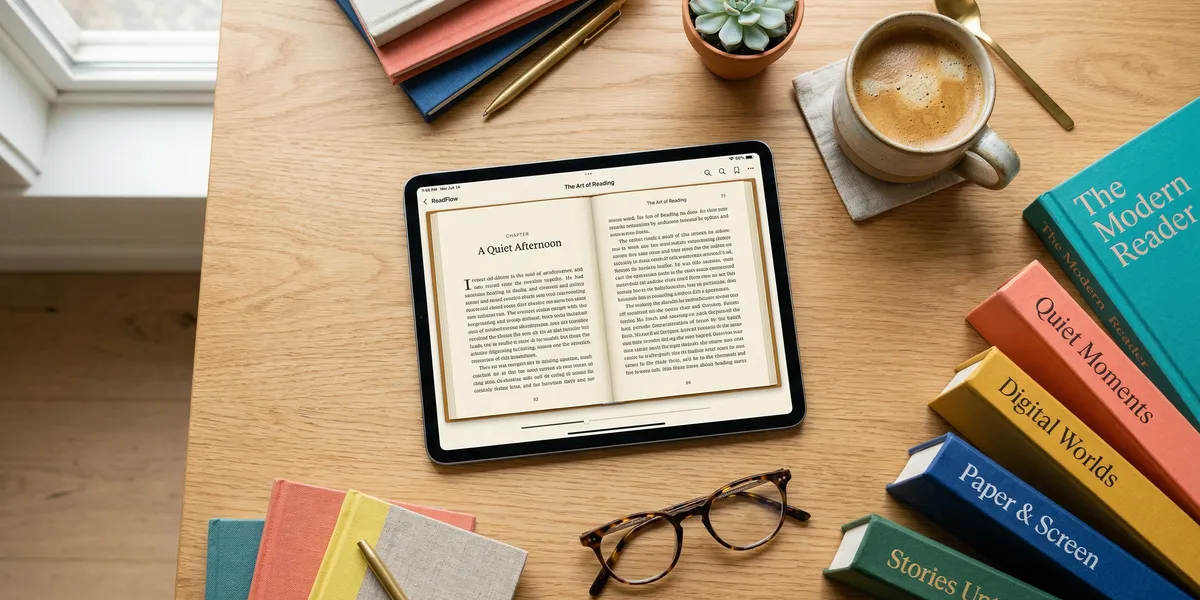
You do not need a Kindle to use Kindle Unlimited. The free Kindle app works on virtually every device:
- iPhone and iPad — download the Kindle app from the App Store
- Android phones and tablets — download from the Google Play Store
- Mac and PC — use the Kindle desktop app or read in your browser at read.amazon.com
- Kindle e-readers — Kindle Unlimited works natively on all Kindle devices
- Fire tablets — the Kindle app comes pre-installed
Amazon’s Whispersync technology keeps your reading progress, bookmarks, and highlights synced across all your devices. Start reading on your phone during lunch, pick up where you left off on your tablet at home.
How to find and borrow Kindle Unlimited books
Finding books included in your subscription is straightforward:
- Open the Kindle app or go to amazon.com/kindle-dbs/ku
- Browse by genre, bestseller lists, or search for specific titles
- Look for the “Kindle Unlimited” badge or the “$0.00 — Read for Free” button
- Tap “Read for Free” to borrow the book instantly
- The book downloads to your device and appears in your library
To return a book and free up a slot, go to “Your Content and Devices” on Amazon, find the title, and select “Return this book.” You can also return books directly from the Kindle app by pressing and holding the cover, then selecting “Return.”
Getting the most out of your subscription
A few tips to maximize your Kindle Unlimited membership:
Use all 20 borrow slots. You can have 20 titles checked out simultaneously. Load up your library so you always have something to read, regardless of your mood.
Explore genres you would not normally buy. Since there is no per-book cost, Kindle Unlimited is the perfect place to try new genres. Romance readers can sample thrillers. Nonfiction fans can experiment with literary fiction. There is zero financial risk.
Check for included audiobooks. Many Kindle Unlimited titles include a free audiobook narration through Whispersync for Voice. Look for the headphones icon on the book listing. You can switch between reading and listening seamlessly.
Browse “new in Kindle Unlimited” regularly. Amazon adds new titles to the catalog constantly. Checking the new releases section weekly helps you catch popular books right when they become available.
Use collections to stay organized. Create collections in the Kindle app to sort your borrowed books by genre, priority, or reading status. This prevents your library from becoming an unmanageable pile.
Kindle Unlimited for authors
If you are a writer, Kindle Unlimited works both ways. Authors enroll their books through Kindle Direct Publishing (KDP) and earn royalties based on pages read. The KDP Select program requires exclusivity to Amazon, but it gives your book access to millions of Kindle Unlimited subscribers.
For authors looking to write and publish books faster, AI writing tools can help streamline the process from outline to finished manuscript.
Our Pick — Chapter
Chapter.pub is an AI book writing tool built for authors who want to write full-length nonfiction books. It walks you through the entire process — from outline to polished manuscript — and your finished book is ready to upload directly to KDP and Kindle Unlimited.
Best for: Nonfiction authors who want to write and publish a complete book Pricing: $97 one-time Why we built it: Getting a book into Kindle Unlimited starts with actually writing the book, and that is the hardest part for most people.
Kindle Unlimited vs. other reading subscriptions
Wondering how Kindle Unlimited compares to other options? Here is a quick breakdown:
| Feature | Kindle Unlimited | Scribd (Everand) | Audible |
|---|---|---|---|
| Monthly cost | $11.99 | $11.99+ | $7.95–$14.95 |
| Ebooks | 4M+ titles | Limited catalog | No |
| Audiobooks | Included (select) | Credits for premium | Core focus |
| Magazines | Yes | Yes | No |
| Borrow limit | 20 at a time | Credit-based | 1 credit/month |
| Free trial | 30 days | 7 days | 30 days |
| Device support | Kindle app + Kindle | Scribd app | Audible app |
Kindle Unlimited is the strongest option if ebooks are your primary format. The catalog is significantly larger than Scribd’s ebook selection, and the flat-rate unlimited model means you never run out of credits. Audible is the better pick if you only listen to audiobooks. Scribd (Everand) works well if you want a mix of formats but read fewer titles per month.
Common mistakes to avoid
- Forgetting to cancel before the trial ends. Set a reminder for day 28 if you are unsure about continuing. Amazon charges automatically when the trial converts to a paid subscription.
- Assuming every Kindle book is included. Kindle Unlimited covers a large catalog, but not every book on Amazon is part of the program. Always check for the Kindle Unlimited badge before assuming a title is free.
- Ignoring the audiobook option. Many subscribers miss that Kindle Unlimited includes select audiobooks at no extra cost. Always check if an audiobook version is available for the titles you are reading.
- Hoarding all 20 slots without reading. Borrowing 20 books and reading none defeats the purpose. Be intentional — borrow what you plan to read next, and return books you have lost interest in.
- Not checking for promotions. Amazon regularly offers discounted Kindle Unlimited rates for returning subscribers or during events like Prime Day. A quick search before resubscribing can save you money.
FAQ
Is Kindle Unlimited free with Amazon Prime?
No. Kindle Unlimited is a separate subscription from Amazon Prime. Prime members do get Prime Reading, which offers a smaller rotating selection of free books, but Kindle Unlimited’s catalog is much larger at over four million titles.
Can I share Kindle Unlimited with my family?
Kindle Unlimited itself is a single-user subscription. However, if you have an Amazon Household, you can share purchased Kindle books (not Kindle Unlimited borrows) with one other adult. Each person who wants Kindle Unlimited access needs their own subscription.
What happens to my books if I cancel?
When you cancel Kindle Unlimited, you lose access to all borrowed titles at the end of your billing period. Any highlights and notes you made are saved to your Amazon account and will be available if you resubscribe later.
Do I need a Kindle device?
No. The free Kindle app works on iPhones, iPads, Android devices, Macs, and PCs. You can read Kindle Unlimited books on any device with the app installed. A dedicated Kindle e-reader provides a better reading experience, but it is not required.
Can I read Kindle Unlimited books offline?
Yes. Downloaded books are available offline. Borrow and download titles while connected to Wi-Fi, then read them anywhere — on a plane, at the beach, or during your commute — without an internet connection.