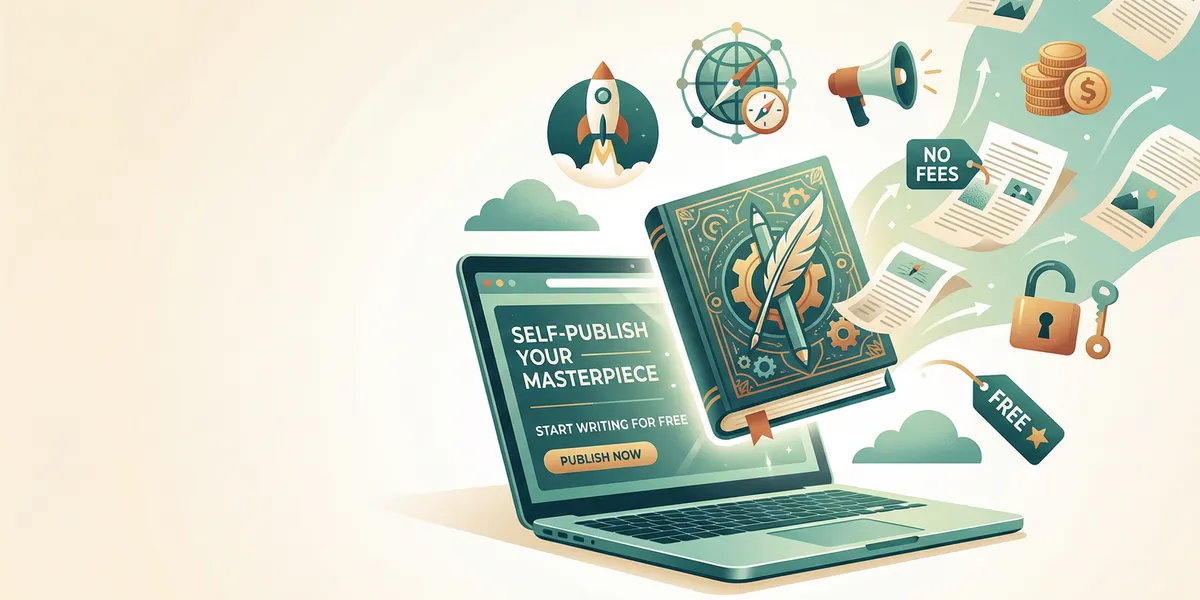
You can publish a book for free. Multiple platforms let you upload a manuscript, create ebook and print editions, and sell to readers worldwide without paying anything upfront. The platforms make money by taking a cut of each sale instead of charging you fees, so you only pay when you earn.
This guide explains every free publishing option available in 2026 — ebook platforms, print-on-demand services, aggregators, and the free tools you need for formatting and cover design.
How free book publishing works
Free publishing platforms use a revenue-share model. You upload your manuscript and cover, set your price, and the platform handles everything else — hosting, distribution, payment processing, and (for print books) printing and shipping. The platform takes a percentage of each sale as their fee.
For print books, this works through print-on-demand (POD) technology. Instead of printing thousands of copies upfront, the platform prints one copy each time a reader orders. Printing costs are deducted from your royalties automatically. You never hold inventory, never pay for unsold copies, and never ship a package.
The self-publishing market has grown at roughly 17% annually, and over 2.6 million self-published titles were released in 2023 alone. Free publishing platforms are the primary reason that number keeps climbing.
Every free ebook publishing platform
Amazon Kindle Direct Publishing (KDP)
Amazon KDP is the largest self-publishing platform by a wide margin. Around 90% of self-published authors use it, and Amazon controls the majority of ebook sales in the US, UK, Canada, and Australia.
What you get for free:
- Ebook and paperback publishing with global distribution
- Access to over 100 million Kindle readers
- Real-time sales reporting dashboard
- Optional enrollment in Kindle Unlimited (KDP Select)
Royalty rates: 70% on ebooks priced $2.99–$9.99, 35% on ebooks outside that range. A small delivery fee (about $0.15 per MB) is deducted from the 70% rate. For paperbacks, royalties are 60% for books priced at $9.99 or above, and 50% below that threshold — minus printing costs.
Best for: Authors who want maximum reach. If you publish on only one platform, this is the one.
Trade-off: KDP Select (which gives access to Kindle Unlimited) requires 90-day exclusivity, meaning you cannot sell that ebook anywhere else during the enrollment period.
For a detailed walkthrough of the Amazon process, see our guide on how to publish a book on Amazon for free.
Draft2Digital
Draft2Digital is the leading ebook aggregator. Instead of managing accounts on five different platforms, you upload once to D2D and they distribute to Apple Books, Barnes & Noble, Kobo, OverDrive (libraries), and dozens of other retailers.
What you get for free:
- Distribution to 50+ retailers and library systems worldwide
- Free formatting tools that convert your Word document to EPUB
- Centralized royalty tracking across all platforms
- Print-on-demand through D2D Print
Royalty rates: D2D takes 10% of each sale. The retailer takes their standard cut on top of that. For most retailers, your net comes out to roughly 45–60% of list price.
Best for: Authors who want their ebook available everywhere without managing separate accounts on each platform.
Trade-off: You earn slightly less per sale compared to uploading directly to each retailer, because D2D takes their 10% fee on top of the retailer’s cut.
Kobo Writing Life
Kobo Writing Life is Rakuten’s self-publishing platform. Kobo is Amazon’s biggest competitor in Canada, Japan, and parts of Europe, and their platform reaches readers in over 190 countries.
What you get for free:
- Direct access to Kobo’s global reader base
- Detailed sales analytics and merchandising tools
- Promotion submission tool for editorial features
- Clean, user-friendly publishing interface
Royalty rates: 70% on books priced $2.99–$12.99 in most markets, 45% on books outside that range.
Best for: Authors targeting readers outside the US, especially in Canada, the UK, and Europe.
Apple Books
Apple Books for Authors lets you publish directly to the Apple Books store. With hundreds of millions of iPhone and iPad users, it is a significant market — especially for nonfiction and literary fiction.
What you get for free:
- Distribution to Apple’s global storefront
- No exclusivity requirements
- Clean EPUB rendering on Apple devices
Royalty rates: 70% regardless of price point — no price band restrictions like Amazon. Payments arrive within 45 days of each month’s end.
Best for: Authors who want the highest royalty rate on a major platform without price restrictions.
Trade-off: Uploading used to require a Mac with Apple’s Pages or iTunes Producer. The newer web-based portal has improved access, but the formatting requirements are stricter than KDP.
Barnes & Noble Press
Barnes & Noble Press publishes ebooks and print books to the B&N online store and Nook devices. B&N also offers in-store placement opportunities that most other platforms cannot match.
What you get for free:
- Ebook and print-on-demand publishing
- Access to B&N’s online and Nook readership
- No exclusivity requirements
Royalty rates: 70% on ebooks priced $2.99–$9.99, 40% outside that range.
Best for: Authors who want a presence on the third-largest book retailer in the US.
Google Play Books
Google Play Books reaches over 3 billion users in 75+ countries through Google’s ecosystem. A unique advantage is that publishing on Google Play automatically adds a preview of your book to Google Search results.
What you get for free:
- Access to Google’s massive user base
- Automatic Google Search integration with book previews
- No exclusivity requirements
Royalty rates: 52% for books without DRM, 70% for books with DRM in select territories.
Best for: Authors who want discoverability through Google Search and access to markets where Amazon is less dominant.
Free print-on-demand options
Every platform above that offers print books uses print-on-demand, which means zero upfront costs. Here is how the print options compare:
| Platform | Print Available | Distribution | Print Cost Example (300pg B&W paperback) |
|---|---|---|---|
| Amazon KDP | Yes | Amazon only | ~$4.60 |
| Draft2Digital Print | Yes | Multiple retailers | ~$5.00 |
| IngramSpark | Yes (free uploads) | 40,000+ retailers + bookstores | ~$4.90 |
| Barnes & Noble Press | Yes | B&N only | ~$5.20 |
| Kobo (via D2D) | Via D2D Print | Kobo stores | Via D2D |
IngramSpark for bookstore distribution
IngramSpark deserves special mention. While primarily a print distributor, they connect to the Ingram catalog — the same ordering system used by physical bookstores and libraries worldwide. IngramSpark no longer charges setup fees for new titles, making it genuinely free to publish.
Why it matters: Bookstores order from Ingram. If your book is in IngramSpark’s catalog with industry-standard terms (55% wholesale discount, returnable), independent bookstores can discover and stock it. No other free platform offers this level of physical bookstore access.
Best used alongside: KDP for Amazon sales + IngramSpark for bookstore and library distribution. Many successful indie authors use this exact combination.
Free tools for the publishing process
Publishing for free means handling formatting, cover design, and editing yourself. These tools make that practical.
Free writing and formatting tools
You need a clean, properly formatted manuscript before uploading to any platform. These tools get you there without spending money:
- Google Docs — Best for drafting. Free, auto-saves, works on any device. Export to .docx when ready to format.
- Reedsy Book Editor — A free online tool that formats your manuscript into a professional-looking EPUB or PDF with chapter headings, drop caps, and proper page breaks.
- Draft2Digital’s formatting tool — Upload a Word doc and D2D converts it to a clean EPUB automatically.
- Calibre — Free, open-source software for converting between ebook formats (EPUB, MOBI, PDF).
For AI-assisted writing, Chapter helps authors generate full-length nonfiction book drafts, outlines, and chapter structures. The platform has helped over 2,147 authors create more than 5,000 books, and at $97 one-time it pays for itself if you value your time against the weeks or months of writing it replaces.
Free cover design
Your cover is the single most important marketing asset. These free tools produce reasonable results:
- Canva — The best free option for most authors. Hundreds of book cover templates, free stock images, and a drag-and-drop editor. The free tier handles ebook covers well.
- Adobe Express — Powered by Adobe’s Firefly AI. More professional typography options than Canva, but a steeper learning curve.
- GIMP — Free, open-source Photoshop alternative. Powerful but requires learning the interface. Best for authors with some design experience.
Important: KDP provides a Cover Calculator that generates exact dimensions for your paperback cover, including spine width based on page count. Use it — incorrect dimensions are the most common reason print books get rejected.
Free editing tools
Professional editing typically costs $1,000–$3,000. If budget is truly zero, these free tools help:
- Grammarly (free tier) — Catches grammar, spelling, and punctuation errors
- ProWritingAid (free version) — Style analysis for 500 words at a time
- Hemingway Editor — Highlights complex sentences and passive voice
- Beta readers — Volunteer readers from communities like r/BetaReaders and Facebook writing groups provide genuine feedback at no cost
Run your manuscript through all three software tools, then get at least two beta readers. This is not a substitute for professional editing, but it catches the errors most likely to turn readers away.
For a full breakdown of where to spend and where to save, read our guide on self-publishing costs.
Step-by-step: publish your first book for free
Here is the simplest path from finished manuscript to published book at zero cost:
1. Format your manuscript. Upload your Word doc to Reedsy Book Editor or Draft2Digital’s formatter. Export as EPUB for ebooks and PDF for print.
2. Design your cover. Use Canva’s free book cover templates. Choose a genre-appropriate template, customize the title and author name, and export at the platform’s required dimensions (1600x2560 pixels for KDP ebooks).
3. Create your KDP account. Go to kdp.amazon.com and sign up with your Amazon account. Enter your tax information (W-9 for US authors, W-8BEN for non-US) and bank details for royalty payments.
4. Upload and publish on KDP. Add your book details — title, description, keywords, categories — then upload your manuscript and cover files. Set your price and click publish. Your ebook typically goes live within 24–72 hours.
5. Go wide (optional). Create a Draft2Digital account and upload your book to reach Apple Books, Kobo, Barnes & Noble, and library systems. If you enrolled in KDP Select, wait until your 90-day exclusivity period ends before going wide.
6. Add print-on-demand. In KDP, create a paperback edition alongside your ebook. Upload a print-formatted PDF interior and a full cover file (front, spine, and back). KDP’s Cover Calculator gives you the exact dimensions.
7. List on IngramSpark (optional). For bookstore and library distribution, upload your print book to IngramSpark. Set a 55% wholesale discount and allow returns to maximize bookstore ordering.
For the full self-publishing process including marketing and launch strategy, see our complete self-publishing guide.
What “free” actually costs you
Publishing for free means spending time instead of money. Here is an honest look at the trade-offs:
| Task | Free Approach | Time Investment | Paid Alternative |
|---|---|---|---|
| Writing | Google Docs, self-paced | 3–12 months | AI writing tools ($97–$300) |
| Editing | Free tools + beta readers | 40–80 hours | Professional editor ($1,000–$3,000) |
| Cover design | Canva free tier | 4–8 hours | Professional designer ($300–$1,200) |
| Formatting | Reedsy / D2D tools | 2–4 hours | Formatter ($100–$500) |
| ISBN | Free from KDP or D2D | Included | Bowker ($125 per ISBN) |
| Marketing | Social media, organic | Ongoing | Ads ($200–$2,000+/month) |
The publishing itself is genuinely free. The question is whether your time investment in cover design, editing, and formatting produces results that compete with authors who hire professionals. Many successful authors start free, then reinvest their first royalties into professional editing and cover design for their second book.
Common mistakes to avoid
- Skipping editing entirely. Free tools catch surface errors, but a manuscript full of plot holes or unclear arguments will earn bad reviews. At minimum, get beta reader feedback before publishing.
- Using a low-quality cover. Readers judge books by covers. A Canva template modified with care beats a homemade design in MS Paint, but take the time to study covers in your genre before designing yours.
- Pricing at $0.99 to “get readers.” Amazon pays only 35% royalty on books under $2.99. Price between $2.99 and $9.99 to earn the 70% rate — your book is not worth less just because publishing was free.
- Ignoring metadata. Your title, subtitle, description, keywords, and categories determine whether readers find your book. Spend real time on these. They cost nothing and directly impact discoverability.
- Publishing only on Amazon. Going wide through Draft2Digital or direct uploads to Kobo and Apple Books expands your potential audience significantly. Amazon still dominates, but 83% of indie authors name it as their top revenue source — down from 91% in 2023. The other platforms are growing.
FAQ
Can I get an ISBN for free?
Yes. Amazon KDP provides a free ISBN for paperbacks published through their platform. Draft2Digital also provides free ISBNs. The trade-off is that these ISBNs list KDP or D2D as the publisher of record, not you. If you want your own imprint name, you will need to purchase ISBNs from Bowker ($125 each or $295 for 10). For ebooks sold on Amazon, an ISBN is not required at all — Amazon uses its own ASIN identifier.
Do I need to pay for copyright registration?
Your book is automatically protected by copyright the moment you write it. Formal registration with the US Copyright Office ($85 for online registration) provides additional legal protections if someone infringes, but it is not required to publish. Many self-published authors skip formal registration for their first book and register later if the book earns enough to justify the cost.
Can I really make money publishing for free?
Yes, though expectations should be realistic. The median self-published author earns about $13,500 per year, according to the Alliance of Independent Authors. Authors with 25 or more books earn a median of $3,000 per month. Your first book probably will not replace your income, but it can generate passive revenue that grows as you publish more titles. Read our full breakdown on how to make money self-publishing.
Should I go exclusive with Amazon or publish wide?
Start with KDP if you want the fastest path to sales. If you opt for KDP Select (exclusivity), your ebook is available through Kindle Unlimited, where subscribers read for free and you earn based on pages read. After your first 90-day enrollment period, evaluate whether KU earnings justify the exclusivity. Many authors eventually go wide to diversify their income. See our self-publishing platforms comparison for detailed pros and cons of each approach.
What is the minimum I should invest if I have a small budget?
If you have $200–$500 to spend, invest in a professional book cover ($200–$500 from a freelance designer on Reedsy or 99designs). The cover has more impact on sales than any other single factor. Everything else — formatting, editing passes, distribution — can be handled with free tools until your royalties fund further investment.