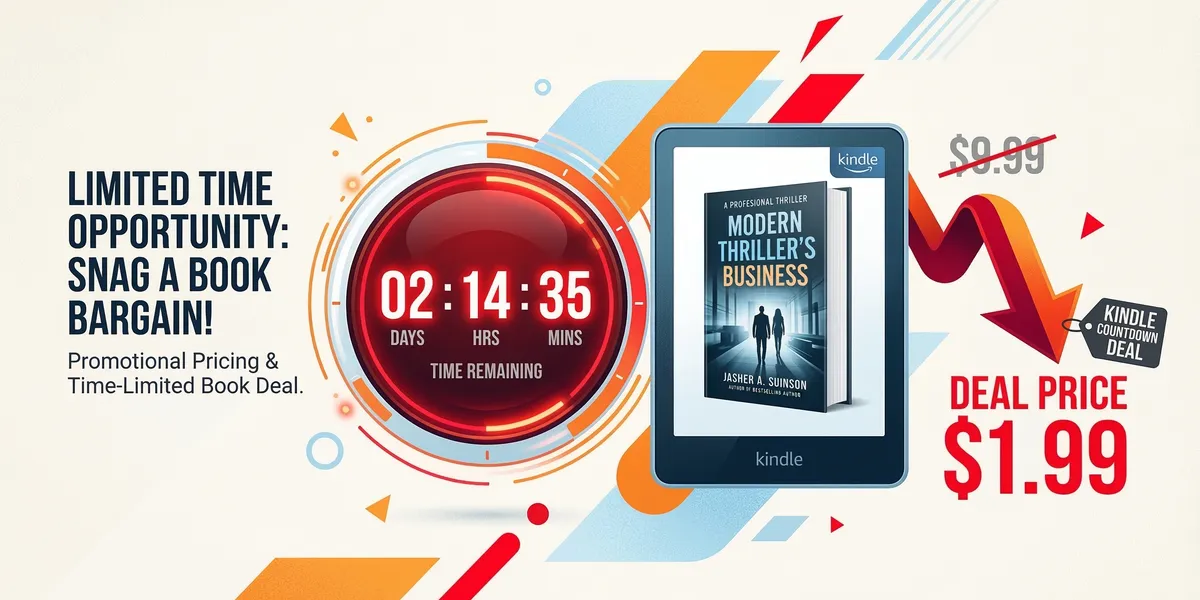
A Kindle Countdown Deal is a time-limited price promotion available exclusively to books enrolled in KDP Select. Your book’s price drops for a set number of days while you keep your 70% royalty rate, and Amazon displays a countdown timer showing readers how long the deal lasts.
This guide covers how to set one up, the pricing and timing strategies that work, and how to maximize results with stacked promotions.
What a Kindle Countdown Deal is
Unlike a simple price change (where you lower your price and lose the 70% royalty on books priced below $2.99), a Kindle Countdown Deal preserves your 70% royalty at any deal price, including $0.99. Amazon also displays the original price with a strikethrough and a countdown timer showing when the deal expires.
That timer creates urgency. Readers see a deal ending in 2 days, 6 hours and they act faster than they would for a book that is permanently $0.99.
Eligibility requirements
- Your book must be enrolled in KDP Select
- The book must have been in its current KDP Select enrollment period for at least 30 days before you can run a Countdown Deal
- You get one Countdown Deal per 90-day KDP Select enrollment period
- The deal can last 1 to 7 days
- Available on Amazon.com (US) and Amazon.co.uk (UK) only
Setting up your Countdown Deal
Step 1: Navigate to KDP Promotions
Log into KDP, go to your bookshelf, click the ”…” menu next to your book, and select “Promote and Advertise.” Then click “Create a new Kindle Countdown Deal.”
Step 2: Choose your marketplace
Select Amazon.com (US), Amazon.co.uk (UK), or both. You can run simultaneous deals on both marketplaces with different pricing.
Step 3: Set your deal price
Choose your starting deal price. The minimum is $0.99 on Amazon.com. You can optionally set price steps, where the price increases incrementally during the deal period.
Example with price steps:
- Days 1-3: $0.99
- Days 4-5: $1.99
- Days 6-7: $2.99
- Day 8: Back to regular price ($4.99)
Price steps create an additional urgency layer. Readers see the price going up and are motivated to buy at the lowest tier.
Step 4: Set your dates
Choose start and end dates. Amazon requires at least 24 hours between when you create the deal and when it begins. Schedule at least 2 weeks in advance to give yourself time to promote it.
Step 5: Review and submit
Double-check everything. Once a Kindle Countdown Deal is live, you cannot modify the dates or pricing. You can cancel a deal before it starts, but once it is running, it runs to completion.
Pricing strategy
The $0.99 sweet spot
Most successful Countdown Deals start at $0.99. This price point generates maximum volume, which achieves the primary goals of a Countdown Deal: improved Amazon ranking, more readers entering your series, and more visibility.
At $0.99 with a 70% royalty, you earn approximately $0.69 per sale. The revenue per sale is low, but the volume drives ranking improvements and read-through that generate much larger returns.
When to use higher starting prices
If your book’s regular price is $7.99 or higher, starting at $1.99 or $2.99 can still feel like a substantial deal while generating more revenue per sale. Books priced above $9.99 that drop to $2.99 show dramatic strikethrough pricing that signals extreme value.
Price step strategy
Price steps work best for deals lasting 5 to 7 days. The structure creates three buying moments:
- Day 1: Superfans and deal seekers buy at $0.99
- Day 3-4: Price rises to $1.99, creating a second urgency wave
- Day 5-6: Price rises to $2.99, creating a final urgency push
Each step change gives you a reason to email your list or post on social media: “Price just went up, last chance at the lower price.”
Timing your Countdown Deal
Coordinate with other marketing
A Countdown Deal alone generates some organic lift because of the strikethrough pricing and timer. But the real power comes from stacking it with other promotional efforts.
Best timing strategy:
- Schedule the Countdown Deal to start on the same day you run Amazon Ads with increased budgets
- Send your email list a notification on day one of the deal
- Submit to promotional services (BookBub, Freebooksy, Bargain Booksy, Robin Reads) for the same window
- Post across social media with the deal link
Best days to launch
Tuesday through Thursday are typically the strongest days for ebook deal launches. Promotional email services like BookBub send the majority of their emails during the workweek when open rates are highest.
Avoid starting your deal on a Friday afternoon or over a major holiday weekend unless you are specifically targeting holiday readers.
Seasonal timing
Some periods perform better for ebook deals:
- January: New Year reading resolutions drive higher book purchases
- Early March: Spring reading picks up
- July: Summer reading season
- November: Holiday gifting and reading during time off
Avoid the week of major sales events (Prime Day, Black Friday) when general retail noise drowns out book promotions.
Stacking promotions with your Countdown Deal
A standalone Countdown Deal on a book with no other promotion will generate a modest sales bump. A stacked Countdown Deal can generate hundreds or thousands of sales.
Email list
Your email list is your most reliable promotional channel. Send a dedicated email about the deal, not a newsletter with the deal buried among other content.
Email structure:
- Subject line: “[Book Title] is $0.99 for this week only”
- Body: Brief description, deal price, deadline, and a direct link to the Amazon listing
- Send a reminder email on the last day of the deal
Promotional services
Submit your deal to promotional email services that feature discounted books to their subscriber lists.
| Service | Typical Cost | Best For |
|---|---|---|
| Bargain Booksy | $40-$130 | $0.99-$2.99 deals |
| Robin Reads | $25-$60 | Broad genre coverage |
| BookGorilla | $30-$60 | Kindle-focused readers |
| eReader News Today | $25-$50 | Established reader base |
Applying for a BookBub Featured Deal during the same window is the ultimate stack, though BookBub acceptance is competitive.
Amazon Ads
Increase your Amazon Ad budget by 50 to 100 percent during the Countdown Deal. The lower price point means your ad conversion rate increases (more people click “Buy” at $0.99 than at $4.99), which improves your ACoS and allows you to bid more aggressively.
The combination of paid traffic plus organic ranking improvement from the sales spike creates a compounding effect.
Tracking your results
What to measure
Track these metrics during and after your Countdown Deal:
During the deal:
- Sales per day (available in your KDP dashboard with a 24-48 hour delay)
- Amazon bestseller ranking changes (check manually or use a tool like KDSpy)
- Email open and click rates from your promotional emails
After the deal:
- Total sales during the deal period
- Read-through to subsequent books in your series
- KU page reads (if enrolled in KDP Select, which you are)
- Net revenue after promotional costs
- Ranking sustainability (how long your improved ranking lasts)
Expected outcomes
Results vary significantly by genre, book quality, review count, and promotional effort.
Modest deal (no stacking): 30 to 100 sales, minor ranking improvement, returns to baseline within 3 to 5 days.
Well-stacked deal: 200 to 1,000+ sales, significant ranking improvement, elevated baseline sales for 1 to 4 weeks after the deal ends.
Exceptional deal (BookBub + full stack): 1,000 to 5,000+ sales, potential top-100 overall Amazon ranking, elevated baseline for weeks to months.
Calculating ROI
Add up all promotional costs (Countdown Deal is free, but promotional services, increased ad spend, etc.) and compare to total revenue including:
- Direct deal sales revenue
- Read-through revenue from series books purchased after the deal
- KU page reads generated by new readers
- Long-term ranking improvements driving organic sales
For series authors, the read-through revenue typically exceeds direct deal revenue by 2x to 5x. A $0.99 deal on book one that generates 500 sales might produce $345 in direct revenue, but those 500 new readers entering your five-book series at a 60% read-through rate generate substantial additional income over the following weeks.
Combining with other KDP Select tools
Free Book promotions
KDP Select also offers Free Book promotions (5 free days per 90-day period). You cannot run a Countdown Deal and a Free promotion simultaneously.
When to use Free instead of Countdown:
- Your book has fewer than 15 reviews and needs volume to build social proof
- You want maximum downloads for list building (with a reader magnet in back matter)
- Your goal is Amazon ranking rather than direct revenue
When to use Countdown instead of Free:
- Your book has enough reviews to convert at a paid price point
- You want to earn revenue during the promotion
- The 70% royalty on $0.99 is meaningful to your financial goals
- You want the psychological urgency of the countdown timer
Stacking across the enrollment period
A strategic approach to your 90-day KDP Select period:
- Month 1: Run a Free Book promotion to build downloads, reviews, and list signups
- Month 2: Let organic sales and KU reads build
- Month 3: Run a Kindle Countdown Deal with full promotional stacking
This gives you two promotional events per enrollment period, each building on the last.
Common mistakes to avoid
- Not promoting the deal. A Countdown Deal without any external promotion relies entirely on Amazon’s organic discovery. Stacking is where the real results happen.
- Running deals too frequently. Readers who see your book on sale every month stop perceiving urgency. Limit Countdown Deals to once per 90-day enrollment period (the maximum Amazon allows) and make each one count.
- Forgetting to check your deal is live. On the start date, verify your book is actually showing the deal price on Amazon. Technical glitches are rare but devastating if unnoticed.
- Not having a series to drive read-through. A Countdown Deal on a standalone book generates a spike and nothing more. The strategy is most powerful when book one drives readers through a series.
- Ignoring the UK marketplace. If you have any UK readership, run a simultaneous deal on Amazon.co.uk. The setup is identical, and it is free additional exposure.
FAQ
Can I run a Kindle Countdown Deal on a book that was recently published?
Your book must have been enrolled in its current KDP Select period for at least 30 days. For a brand new book, this means waiting roughly a month after enrollment. This waiting period is built into the system and cannot be bypassed.
What happens to my KU page reads during a Countdown Deal?
KU reads are unaffected by the Countdown Deal pricing. The deal price only applies to purchases. KU subscribers still borrow and read your book as normal, and you earn your standard page-read royalty. In fact, the increased visibility from the deal often boosts KU borrows as well.
Can I cancel a Countdown Deal after it starts?
No. Once a Kindle Countdown Deal goes live, it runs until the end date. You can cancel a deal before it starts but not during. This is why scheduling at least 2 weeks in advance is important — it gives you time to coordinate all promotional elements and confirm everything is ready.