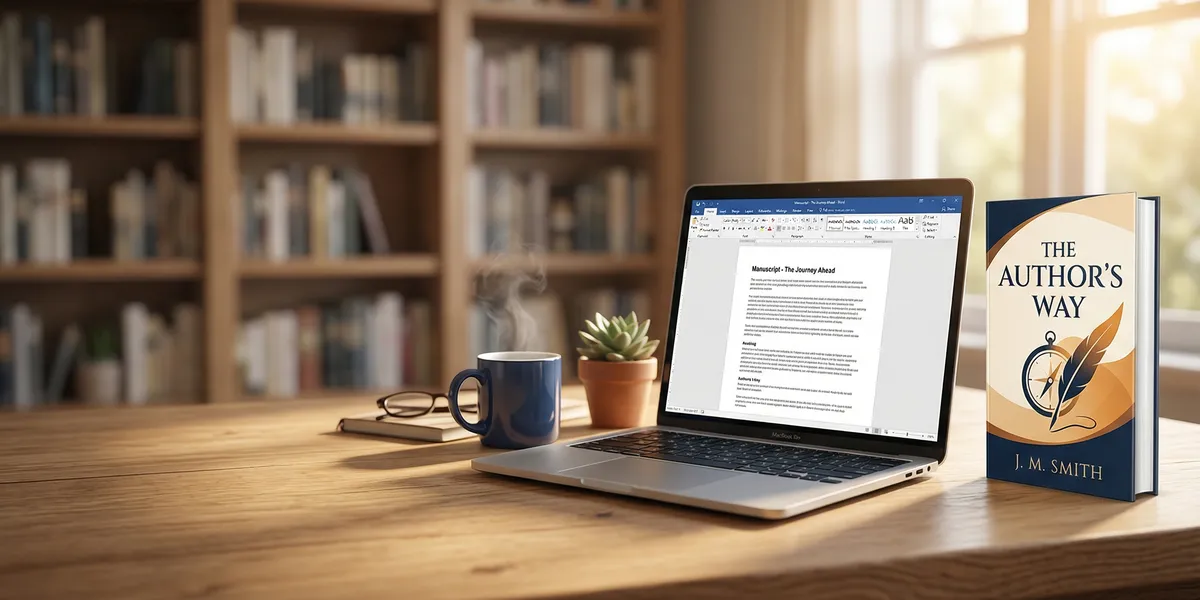
You can self-publish a book on Amazon for free through Kindle Direct Publishing (KDP) — and your book can be live in stores worldwide within 72 hours.
In this guide, you’ll learn:
- How to set up your KDP account and enter your book details correctly
- The formatting, cover, and pricing decisions that affect your royalties
- How to launch your book and start getting readers from day one
Here’s the complete process from blank page to published author.
What Is Amazon KDP and How Does It Work?
Amazon Kindle Direct Publishing (KDP) is a free self-publishing platform that lets you publish ebooks, paperbacks, and hardcovers directly on Amazon. You keep the rights to your book, set your own price, and earn royalties on every sale. There are no upfront fees — Amazon takes a percentage of each sale instead.
Over 4 million books were published in 2025, and the majority of those came through self-publishing platforms like KDP. The barrier to entry has never been lower.
Here’s what makes KDP attractive for self-publishers:
- No upfront costs. You don’t pay to publish. Amazon prints paperbacks on demand and delivers ebooks digitally.
- Global distribution. Your book appears on Amazon stores in the US, UK, Canada, Australia, Germany, and more.
- Up to 70% royalties. Ebooks priced between $2.99 and $9.99 earn 70% royalties. Paperbacks earn 60% on books priced above $9.99.
- You keep all rights. Unlike traditional publishing, you own your manuscript and can unpublish or change it anytime.
Step 1: Write and Finish Your Manuscript
You can’t publish without a finished book. This sounds obvious, but it’s where most aspiring authors stall.
If you’re writing nonfiction, start with a detailed chapter outline before you draft. For fiction, find the method that gets words on paper — outlining, pantsing, or a mix of both.
Our Pick — Chapter
Chapter.pub takes you from idea to finished manuscript in days instead of months. It generates structured outlines, writes full chapters guided by your direction, and helps you produce a polished draft faster than writing from scratch. Over 2,147 authors have used it to create more than 5,000 books.
Best for: First-time authors and nonfiction writers who want to publish quickly Pricing: $97 one-time (nonfiction) Why we built it: Most people who want to self-publish on Amazon never finish writing. Chapter fixes that.
Once your draft is done, edit it thoroughly. At minimum, do two passes: one for structure and content (developmental editing) and one for grammar and clarity (copyediting). You can hire a professional editor on Reedsy or use tools like ProWritingAid — but never skip editing entirely.
Step 2: Create Your KDP Account
Go to kdp.amazon.com and sign in with your existing Amazon account. If you don’t have one, create a free account.
You’ll need to complete your account profile before publishing:
- Author/publisher information. Enter your legal name or business name. This appears as the publisher on your book’s Amazon listing.
- Tax information. Complete the tax interview — this is required for royalty payments. US residents fill out a W-9. International authors fill out a W-8BEN.
- Bank account for royalties. Add a bank account where Amazon will deposit your earnings. Payments arrive roughly 60 days after the end of each month.
This setup takes about 15 minutes. You only do it once — every book you publish afterward uses the same account.
Step 3: Enter Your Book Details
Click “Create New Title” in your KDP dashboard and choose your format: Kindle ebook, paperback, or hardcover. You can publish all three from the same manuscript.
Here’s what you’ll fill in:
Title and subtitle. Keep your title clear and searchable. If you’re writing a nonfiction book, include the benefit in your subtitle. Example: “Meal Prep Mastery: 30-Minute Recipes for Busy Professionals.”
Book description. This is your sales pitch. Write 150-200 words that tell readers what they’ll get from your book. Use short paragraphs, bold key phrases, and end with a call to action. Amazon supports basic HTML in descriptions — use <b> for bold and <br> for line breaks.
Author name. Use your real name or a pen name. You can add contributors (co-authors, editors, illustrators) here too.
Series information. If your book is part of a series, enter the series name and volume number. Series sell better than standalones on Amazon — readers who buy book one often buy the rest.
Step 4: Choose Your Keywords and Categories
This is where many self-publishers leave money on the table. Keywords and categories determine where your book shows up in Amazon search results.
Keywords. You get seven keyword slots. Use specific phrases that readers actually search for — not single words. For example, use “cozy mystery small town” instead of just “mystery.”
Research keywords using tools like Publisher Rocket or by typing your genre into the Amazon search bar and noting the autocomplete suggestions. Look for terms with decent search volume but not overwhelming competition.
Categories. You can select up to three browse categories for your book. Pick categories that are specific enough for your book to rank in, but popular enough to have active buyers.
A niche category with 5,000 monthly readers is better than a broad one with 500,000 where your book disappears on page 50. Check the bestseller rank of current #1 books in each category to gauge competition — you can see this on any book’s product page.
Step 5: Design Your Book Cover
Your cover is the single most important marketing asset for your book. Readers judge books by their covers — literally. A professional-looking cover signals quality. A bad one signals “skip this.”
You have three main options:
| Option | Cost | Best For |
|---|---|---|
| Professional designer | $300-$1,500 | Authors who want a custom, genre-appropriate cover |
| Premade cover | $50-$200 | Budget-conscious authors in popular genres |
| AI cover generator | $0-$50 | Quick iterations and concept testing |
Design requirements for KDP:
- Ebook covers: Minimum 1,000 x 1,600 pixels (recommended 2,560 x 1,600)
- Paperback/hardcover: Must include front cover, spine, and back cover. KDP provides a cover calculator that generates a template with exact dimensions based on your page count and trim size.
Study the top-selling covers in your genre before designing yours. Your cover needs to fit the visual expectations of your genre while standing out in thumbnail size.
Step 6: Format Your Manuscript for Upload
Amazon accepts several file formats, but the best options are:
- EPUB for ebooks (preferred over .doc or .docx)
- PDF for paperbacks and hardcovers (KDP-ready PDF with bleed and trim marks)
For ebooks: Use a tool like Vellum (Mac only), Atticus, or the free Kindle Create to convert your manuscript into a properly formatted EPUB. These tools handle chapter breaks, table of contents, and device-responsive layouts automatically.
For paperbacks: Set your trim size (6” x 9” is the most common), margins (at least 0.5” on all sides, with a larger gutter margin for thicker books), and ensure your fonts embed correctly. Export as a print-ready PDF.
For hardcovers: Same process as paperbacks, but you’ll need a case laminate or dust jacket cover. KDP offers both options.
Upload your manuscript and cover files in the KDP dashboard. Amazon’s previewer lets you check how your book looks on different devices before publishing. Always preview your book — formatting issues that look fine on your computer can break on Kindle readers.
Step 7: Set Your Price and Royalties
Pricing directly affects your royalties. Here’s how Amazon’s royalty structure works in 2026:
Ebook Royalties
| Price Range | Royalty Rate | Example: $4.99 Book |
|---|---|---|
| $2.99 - $9.99 | 70% | $3.49 per sale |
| Below $2.99 or above $9.99 | 35% | — |
The 70% tier also charges a small delivery fee based on file size (about $0.15 per MB). For most books, this is negligible.
Paperback Royalties
Paperback royalties changed in mid-2025. The current structure:
| List Price | Royalty Rate |
|---|---|
| $9.99 and above | 60% |
| Below $9.99 | 50% |
Your royalty is calculated as: (list price x royalty rate) - printing cost = your earnings.
For example, a 200-page paperback priced at $14.99: ($14.99 x 0.60) - $3.25 printing = $5.74 per sale.
Pricing tips:
- Price your ebook between $2.99 and $9.99 to get the 70% royalty rate
- Price your paperback at $9.99 or above to earn the 60% rate
- Check competing books in your category and price within the same range
- Consider launching at a lower price to build reviews, then raising it
Step 8: Decide on KDP Select (Kindle Unlimited)
Before publishing, you’ll see the option to enroll in KDP Select. This is an important decision.
What KDP Select gives you:
- Your ebook is available in Kindle Unlimited (KU), where subscribers read for free and you earn per page read
- Access to promotional tools like Kindle Countdown Deals and Free Book Promotions
- KU readers tend to be voracious — they read a lot and discover new authors through the program
- KDP Select paid out $61.7 million to authors in February 2026 alone
The tradeoff:
- Your ebook must be exclusive to Amazon for 90 days at a time (auto-renews)
- You can’t sell or distribute the ebook on Apple Books, Kobo, Barnes & Noble, Google Play, or your own website during enrollment
- Paperbacks and hardcovers are NOT affected — only the ebook is exclusive
When to enroll: If Amazon is your primary market (it is for most self-publishers), KDP Select usually increases your total earnings through KU page reads. Most first-time authors should start with KDP Select.
When to skip it: If you already have an audience on other platforms or want to go “wide” from day one with distribution through Draft2Digital or Smashwords.
Step 9: Hit Publish
Review everything one final time — title, description, cover, manuscript formatting, pricing — and click “Publish.”
Your ebook typically goes live within 24-72 hours. Paperbacks and hardcovers may take 3-5 business days for the proof review process.
Once your book is live, you’ll find it by searching your title or author name on Amazon. Save the link — you’ll need it for marketing.
Important: Your book’s listing might not show reviews, a “Look Inside” preview, or your author page immediately. These features populate within a few days of publishing.
Step 10: Launch and Market Your Book
Publishing is only half the battle. Without marketing, your book will sit on Amazon invisible to readers. Here are the launch strategies that actually work:
Build your launch team. Reach out to friends, family, colleagues, and social media followers before launch day. Ask them to buy and leave honest reviews in the first week. Early reviews are critical — books with 10+ reviews get significantly more organic visibility.
Set up your Amazon Author Page. Go to Author Central and claim your author profile. Add a bio, photo, and links to your other books. This builds credibility and helps readers find all your work.
Run Amazon Ads. Amazon Ads (formerly AMS) let you target readers searching for books like yours. Start with a small daily budget ($5-$10), target keywords related to your genre, and optimize based on what converts.
Leverage social media. BookTok (TikTok’s book community) has launched countless self-published books into bestseller territory. Share your writing journey, behind-the-scenes content, and book excerpts.
Use your email list. If you have one, email your subscribers on launch day and during the first week. If you don’t have a list, start building one — it’s the most reliable marketing channel for authors.
How Much Does It Cost to Self-Publish on Amazon?
Self-publishing on Amazon through KDP is free to publish — you pay nothing upfront. But producing a quality book has real costs:
| Expense | Typical Cost | Notes |
|---|---|---|
| Professional editing | $500-$3,000 | Depends on book length and editing type |
| Cover design | $50-$1,500 | Premade covers are cheaper; custom costs more |
| Formatting | $0-$300 | Free with tools like Kindle Create; paid for Vellum/Atticus |
| ISBN | $0-$125 | Free from KDP; $125 from Bowker for your own |
| Amazon Ads | $100-$500/month | Optional but recommended for visibility |
| Total (budget) | $150-$500 | Premade cover, self-editing, free tools |
| Total (professional) | $1,500-$5,000 | Professional editor, custom cover, paid formatting |
For a deeper breakdown, see our full guide on how much it costs to self-publish a book.
How Long Does It Take to Publish a Book on Amazon?
The actual publishing process — uploading files and clicking publish — takes about an hour. Your book goes live within 72 hours after that.
But the total timeline from idea to published book depends on your writing speed:
- Writing your manuscript: 2 weeks to 12 months (AI tools like Chapter.pub can cut this to days)
- Editing: 2-6 weeks
- Cover design: 1-2 weeks
- Formatting: 1-3 days
- KDP upload and review: 1-3 days
Most self-publishers go from finished manuscript to published book in 2-4 weeks when they work efficiently.
Common Mistakes to Avoid
- Publishing before your book is ready. Rushing to publish an unedited, poorly formatted book leads to bad reviews that tank your visibility permanently. Take the extra week to polish.
- Ignoring your book description. A weak description means readers click away. Invest time in writing compelling copy — or hire someone to write it.
- Choosing the wrong categories. Too broad and you’re invisible. Too niche and there’s no audience. Research category competition before selecting.
- Pricing too high or too low. Price outside the $2.99-$9.99 sweet spot and you lose the 70% royalty rate. Price too high for your genre and readers skip you.
- Not marketing at launch. The first 30 days on Amazon determine your book’s trajectory. Plan your launch marketing before you hit publish.
Do You Need an ISBN to Publish on Amazon?
You do not need to buy your own ISBN to publish on Amazon. KDP provides free ISBNs for paperbacks and hardcovers, and ebooks don’t require an ISBN at all (Amazon assigns an ASIN instead).
However, the free KDP ISBN can only be used on Amazon. If you plan to distribute your paperback through other retailers later, purchase your own ISBN from Bowker ($125 for one, $295 for ten). Each format — ebook, paperback, hardcover — needs its own ISBN.
Can You Make Money Self-Publishing on Amazon?
Yes — but earnings vary enormously. Some authors earn a few dollars a month. Others build six-figure businesses.
The KDP Select Global Fund paid out $61.7 million to authors in February 2026. That money went to authors whose books were read through Kindle Unlimited.
Your earning potential depends on:
- Genre. Romance, thriller, and fantasy readers buy the most books. Nonfiction readers spend more per book.
- Number of books. Authors with 5+ books earn significantly more than single-book authors. Each new book markets your backlist.
- Marketing effort. Books don’t sell themselves on Amazon. Consistent advertising, email marketing, and reader engagement drive sales.
- Quality. Books with strong covers, good editing, and compelling descriptions outsell poorly produced books every time.
The most reliable path to earning money on Amazon: write multiple books in the same genre, build a reader email list, and reinvest early profits into Amazon Ads.
FAQ
How do you self-publish a book on Amazon for beginners?
To self-publish a book on Amazon as a beginner, create a free account at kdp.amazon.com, write and edit your manuscript, design a professional cover, upload your files, set your price between $2.99 and $9.99 for the best royalty rate, and click publish. Your book goes live within 72 hours.
Is it free to self-publish a book on Amazon?
Yes, it is completely free to self-publish a book on Amazon KDP. You pay no upfront fees — Amazon takes a percentage of each sale instead. However, producing a professional-quality book may involve costs for editing ($500-$3,000), cover design ($50-$1,500), and optional tools.
How much money can you make self-publishing on Amazon?
How much you make self-publishing on Amazon depends on your genre, marketing, and number of books. Ebook authors earn 35% or 70% royalties depending on price. Paperback authors earn 50-60% minus printing costs. Top self-published authors earn six figures annually, while most earn a few hundred dollars per month.
What is the best format to publish on Amazon KDP?
The best format to publish on Amazon KDP is all three: ebook, paperback, and hardcover. Ebooks have the highest profit margin and reach Kindle Unlimited readers. Paperbacks appeal to readers who prefer physical books. Publishing multiple formats from the same manuscript maximizes your audience and revenue.
How many pages does your book need to be for Amazon KDP?
Amazon KDP requires a minimum of 24 pages for paperbacks and 75 pages for hardcovers. For ebooks, there’s no strict minimum, but books under 2,500 words may not qualify for the 70% royalty option. Most successful nonfiction books are 25,000-50,000 words. Novels typically run 50,000-90,000 words.