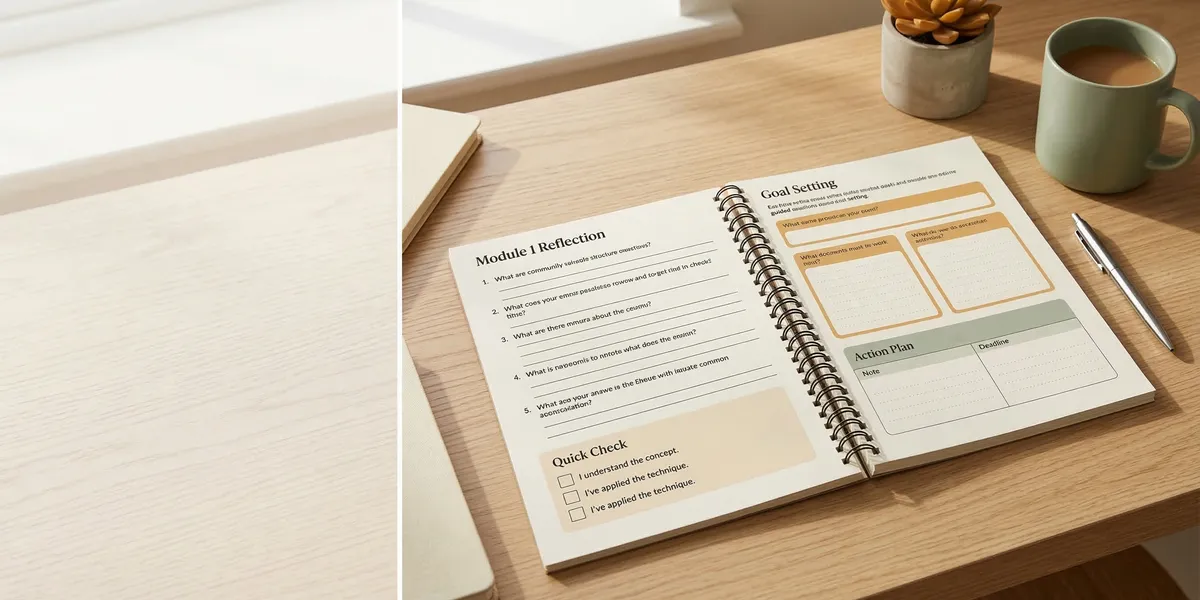
A workbook teaches through doing. Instead of telling readers what to think, you give them exercises, prompts, and structured space to work through ideas themselves. If you have a process, framework, or method that helps people get results, a workbook is one of the most effective formats to deliver it.
This guide covers how to structure a workbook, design interactive elements, format for print and digital, and decide when a workbook is the right format over a standard book.
Why a workbook works better than a regular book
Regular books deliver information. Workbooks deliver transformation. The difference is participation.
A reader can passively consume a standard nonfiction book and feel like they learned something without changing anything. A workbook forces engagement. Every exercise is a commitment. Every blank space is an invitation to do the work.
Research from the National Training Laboratories suggests that practice-based learning produces retention rates of up to 75%, compared to roughly 5-10% for passive reading. Workbooks tap directly into that principle.
Workbooks outperform regular books when:
- Your content is process-driven. If you teach a step-by-step method, a workbook walks readers through each step with exercises attached.
- Results require self-reflection. Topics like personal development, business planning, and creative writing benefit from structured reflection.
- Your audience wants accountability. A completed workbook becomes proof of progress. Readers can flip back and see their own growth.
- You want to create a course companion. Coaches, consultants, and teachers often pair workbooks with live programs.
The core structure of every workbook
Every workbook follows a cycle: instruction, exercise, reflection, and space for answers. This pattern repeats throughout the book.
Instruction
Keep instructional sections short. You are not writing a textbook. Give readers just enough context to understand the exercise that follows. Two to four paragraphs per concept is usually the right length.
Think of instruction as the setup. You explain the principle, give a quick example, and then hand the reader the exercise.
Exercise
This is the core of a workbook. Exercises should be:
- Specific. “List three values that guide your business decisions” is better than “Think about your values.”
- Completable in one sitting. If an exercise takes more than 15-20 minutes, break it into smaller parts.
- Progressive. Each exercise should build on the previous one. By the end of a section, the reader has built something — a plan, a list, a framework.
Types of exercises that work well:
| Exercise Type | Best For | Example |
|---|---|---|
| Fill-in-the-blank | Structured responses | ”My ideal reader is _____ who struggles with _____“ |
| Checklists | Self-assessment | ”Check each habit you currently practice” |
| Ranking/rating | Prioritization | ”Rate these goals from 1-10 based on urgency” |
| Short-answer prompts | Reflection | ”Describe a time when this strategy worked for you” |
| Templates | Planning | ”Use this framework to outline your first chapter” |
| Matrices/grids | Comparison | ”Plot your options on this effort vs. impact grid” |
Reflection
After each exercise, include a brief reflection prompt. This is where learning solidifies. Ask the reader to look at what they just wrote and draw a conclusion.
Good reflection prompts sound like:
- “What patterns do you notice in your answers?”
- “Which of these surprised you?”
- “Based on what you wrote, what is your next step?”
Space for answers
This is the practical detail that separates a workbook from a regular book. Leave actual blank space — lined areas, boxes, or open pages — for readers to write directly in the book.
For print workbooks, generous spacing matters. Nobody wants to squeeze their thoughts into a two-line gap. Give at least a quarter page for short-answer prompts and a half page or more for longer exercises.
How to organize your workbook
Most workbooks follow one of three organizational models.
Sequential process. The reader works through your method from start to finish. Chapter 1 feeds into Chapter 2, which feeds into Chapter 3. This works best for step-by-step systems like business planning, goal setting, or creative processes.
Modular topics. Each chapter stands alone. The reader can jump to whichever section they need. This works for reference-style workbooks covering different skills or areas — like a writing workbook with separate sections for character development, plot structure, and dialogue.
Cyclical practice. The same structure repeats throughout the book for ongoing practice. Guided journals and daily workbooks often use this model, where each day or week follows the same exercise format.
Whichever model you choose, include a clear introduction that explains how to use the workbook. Tell readers whether to go in order or skip around, how long each section takes, and what they will have when they finish.
Writing the instructional content
The biggest mistake workbook authors make is writing too much instructional text. Your workbook is not a standard book with exercises bolted on. It is an exercise book with just enough instruction to make the exercises work.
Follow the 30/70 rule: roughly 30% instruction, 70% exercises and space. If you find yourself writing page after page of explanation, you are probably writing a book, not a workbook.
Use examples generously. Before asking the reader to fill in a template, show them a completed example. Before a reflection exercise, share a sample response. Examples reduce friction and help readers understand what you are asking for.
Write in second person. “You” is the correct voice for a workbook. You are talking directly to the reader, guiding them through a process. “List your top five priorities” not “The reader should list their top five priorities.”
Keep paragraphs short. Three sentences maximum. Workbook readers are scanning for the next exercise, not reading for pleasure. Dense paragraphs slow them down.
Formatting for print vs. digital
The format you choose affects how you design the workbook.
Print workbooks
Print is the traditional workbook format, and many readers still prefer writing by hand. Key formatting considerations:
- Page size matters. Standard 6x9 works for text-heavy workbooks, but 8.5x11 gives more space for exercises. Many workbook authors choose 7x10 as a comfortable middle ground.
- Leave generous margins. At least 0.75 inches on all sides. Readers need room to write without bumping into the spine.
- Use lines, boxes, and visual cues. Dotted lines for writing, boxes for key exercises, shaded sections for examples. Visual variety keeps the page from feeling monotonous.
- Consider spiral binding. If the workbook is meant to lie flat on a desk, spiral or coil binding is far more practical than perfect binding. Most POD services like Amazon KDP support standard binding, but IngramSpark offers more binding options.
Digital workbooks (PDF)
Digital workbooks delivered as PDFs can include fillable form fields. Readers type their answers directly into the document.
- Use fillable PDF fields for every exercise. Tools like Adobe Acrobat, JotForm, or Canva’s PDF features can create interactive fields.
- Design for screen reading. Horizontal (landscape) layouts can work better on screens than vertical.
- Include clickable navigation. A table of contents with hyperlinks helps readers jump to sections.
- Consider file size. High-resolution graphics inflate PDF size. Optimize images for screen viewing.
Hybrid approach
Many authors sell both a print and digital version. Create the content once, then format it for each medium. The print version has blank lines and spaces. The digital version has fillable fields.
Pricing your workbook
Workbooks sit in a different pricing category than standard books because they deliver a tool, not just information.
| Format | Typical Price Range | Notes |
|---|---|---|
| Print workbook (KDP) | $14.99 - $24.99 | Higher page count = higher print costs |
| Print workbook (IngramSpark) | $16.99 - $29.99 | Better distribution to bookstores |
| Digital PDF workbook | $9.99 - $19.99 | Higher margins, instant delivery |
| Premium/course companion | $27 - $97 | When bundled with coaching or a course |
Price based on the transformation you deliver, not the page count. A workbook that helps someone build a complete business plan is worth more than one that helps them organize their closet, regardless of length.
If your workbook accompanies a course, coaching program, or workshop, you can price it higher because the perceived value includes the larger system.
When to write a workbook instead of a book
Choose a workbook when:
- The value is in the doing. If your reader needs to complete exercises to get results, a workbook is the right format.
- You teach a repeatable process. Frameworks, systems, and methods translate perfectly into workbook exercises.
- Your audience is action-oriented. Coaches, entrepreneurs, students, and self-improvement readers gravitate toward workbooks.
- You want a course companion. A workbook paired with a video course or live training is a powerful product bundle.
Choose a standard book when the value is in the ideas, stories, or arguments themselves — when reading is the point, not completing exercises.
Many authors start by writing the workbook and realize they also want a companion book that goes deeper on the concepts. That is a perfectly valid approach — the workbook handles the practical application while the book handles the theory.
If you have a process-driven topic and want to move from idea to finished workbook quickly, Chapter can help you structure and draft your workbook content. It is built for nonfiction authors creating practical, structured books — exactly the kind of content a workbook demands.
Common mistakes to avoid
- Too much text, not enough exercises. If your ratio is more than 50% instruction, trim it down.
- Vague prompts. “Think about your goals” is not an exercise. “Write three specific goals you want to achieve in the next 90 days, with a deadline for each” is.
- No completed examples. Readers freeze when they do not know what a good answer looks like. Show them.
- Insufficient writing space. In print, always err on the side of too much space rather than too little.
- No progression. Exercises should build on each other. Random, disconnected activities feel like busywork.
FAQ
How many pages should a workbook be?
Most workbooks run 80-150 pages. The extra space for exercises and writing areas means workbooks are typically longer than equivalent standard books, even though they contain less written content. Let the exercises dictate the length, not a target page count.
Can I self-publish a workbook on Amazon KDP?
Yes. KDP supports workbooks in paperback format. You will need to format the interior with proper exercise layouts, writing lines, and spacing. Use a tool like Canva, Adobe InDesign, or Vellum to create the interior PDF.
Should I include answer keys?
Only if your workbook has objectively correct answers (like a math or grammar workbook). For most nonfiction workbooks focused on personal development, business, or creativity, there are no right answers — only the reader’s own responses.
How do I protect my workbook from being photocopied?
You cannot fully prevent it. Focus on making the workbook valuable enough that people want their own copy. Digital versions with fillable fields give each buyer a personal, saveable copy, which reduces the incentive to photocopy.