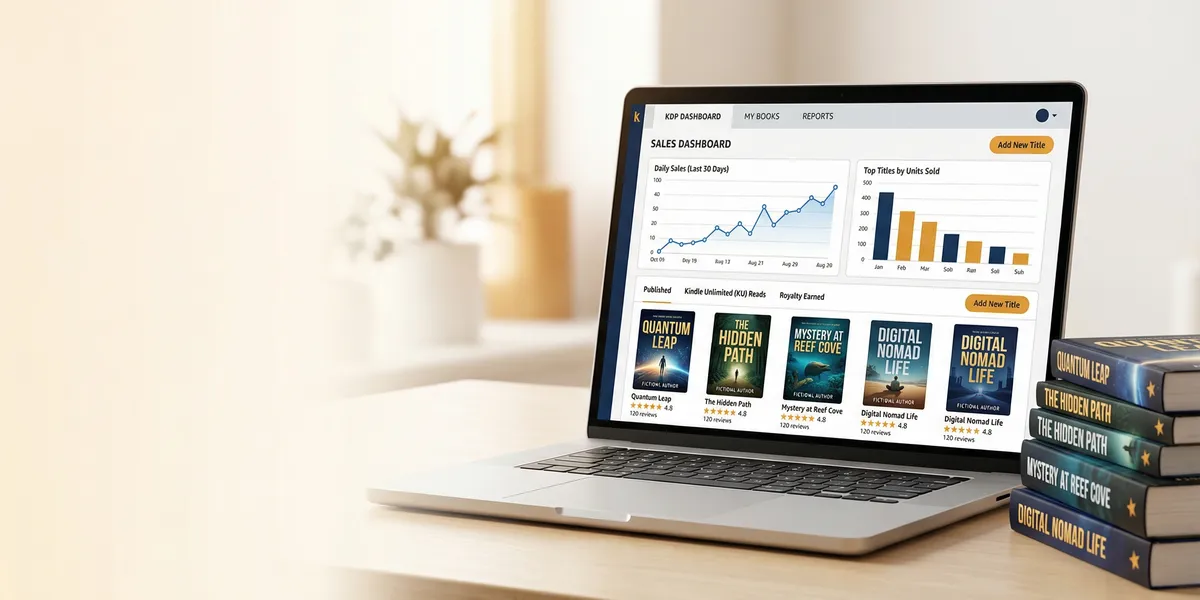
The KDP dashboard is your command center for publishing, managing, and tracking book sales on Amazon. Whether you just created your Kindle Direct Publishing account or you have dozens of titles live, understanding every section of this dashboard saves you hours and helps you make smarter publishing decisions.
This guide breaks down the four main sections of the KDP dashboard, shows you how to read your sales reports, and covers the features most authors overlook.
What Is the KDP Dashboard?
The KDP dashboard is the web interface you see after logging into kdp.amazon.com. It is the central hub where you manage every aspect of your self-publishing business on Amazon — from uploading manuscripts to tracking royalty payments.
Amazon launched KDP in 2007 alongside the original Kindle device. Today it is the dominant self-publishing platform in the world, with roughly 70% of the global ebook market share and over 1.4 million self-published titles released through the platform each year.
The dashboard is free to use. There are no subscription fees or setup costs. Amazon makes money by taking a percentage of each sale — you keep between 35% and 70% on ebook royalties depending on your pricing, and up to 60% on print books after printing costs.
The Four Main Sections
When you log in, you will see four navigation tabs across the top of the page. Each one controls a different part of your publishing operation.
Bookshelf
The Bookshelf is where you manage all of your titles. Every book you have published — or started but not yet published — appears here. You can:
- Create a new title by clicking the yellow “Create” button and choosing between ebook, paperback, or hardcover
- Edit existing books to update your description, categories, keywords, pricing, or manuscript file
- Check publication status to see if a title is live, in review, or has issues that need attention
- Manage series by linking related titles together
When you upload a new book, you will walk through three steps: book details (title, description, categories, keywords), content (manuscript file and cover image), and pricing (royalty plan and list price). The entire process takes about 20 minutes if your files are ready, and your book typically goes live within 72 hours of submission.
Tip: Always use the “Preview” tool before publishing. KDP’s online previewer lets you see exactly how your book will look on different Kindle devices and in print format, catching formatting issues before readers do.
Reports
The Reports section is where you track your money. You can access it directly at kdpreports.amazon.com or by clicking the Reports tab. It contains six key reports:
Orders Report — Shows units sold by date, marketplace, and format. Use this to see the immediate impact of promotions or Amazon ads on your daily sales.
Sales and Royalties Report — Your detailed earnings breakdown across all marketplaces, formats, and titles. This is the report you will reference most often for understanding your overall revenue.
KENP Read Report — If you are enrolled in KDP Select, this tracks Kindle Edition Normalized Pages read through Kindle Unlimited. For many authors, KENP reads account for 50% or more of total earnings, making this report just as important as direct sales.
Royalties Estimator — Provides estimated earnings based on current sales data. Keep in mind that these numbers are estimates — final royalties are adjusted for returns, exchange rate fluctuations, and tax withholdings.
Prior Months’ Royalties Report — Generated around the 15th of each month, this shows finalized earnings summaries for previous months broken down by marketplace and format.
Payments Report — Tracks actual payments deposited into your bank account. Amazon pays royalties approximately 60 days after the end of each calendar month in which sales occurred.
You can filter all of these reports by date range, marketplace, format, and individual title. You can also compare up to 10 books side by side on the Orders, Royalties Estimator, and KENP Read reports.
Community
The Community tab connects you with other KDP authors. It includes access to the KDP forums where authors share advice, troubleshoot formatting issues, and discuss marketing strategies. Amazon also posts official announcements and policy updates here.
While the community forums can be helpful for specific technical questions — especially around formatting or account issues — most authors find that dedicated self-publishing communities and writing groups provide more actionable strategic advice.
Marketing
The Marketing section houses Amazon’s built-in promotional tools:
- Amazon Ads — Create and manage Sponsored Products and Lockscreen ads directly from your dashboard. This is the fastest way to get your book in front of readers searching for titles in your genre.
- KDP Select enrollment — Opt your ebook into Kindle Unlimited and access promotional tools like Free Book Promotions and Kindle Countdown Deals. Enrollment requires 90-day exclusive digital distribution through Amazon.
- Author Central — Claim your Amazon Author Page, add your biography, link your blog, and track your Author Rank.
- A+ Content — Add enhanced product descriptions with images, comparison charts, and formatted text to your book’s detail page.
How to Read Your Sales Reports
Understanding your reports is the difference between guessing and making informed decisions about your publishing business. Here is how to use each metric:
Daily Sales vs. Monthly Trends
Your daily sales numbers will fluctuate. A spike on Tuesday and a dip on Wednesday is normal. Instead of checking hourly, focus on weekly and monthly trends. Are your overall numbers climbing, flat, or declining? That trend line matters more than any single day.
Marketplace Breakdown
Your reports break down sales by Amazon marketplace — US, UK, Germany, Canada, Australia, and others. Pay attention to which markets are performing. If your book is selling well in the UK or Australia, that is a signal to consider marketplace-specific Amazon ads or pricing adjustments for those regions.
KENP Pages vs. Units Sold
If you are in KDP Select, you earn from two sources: direct purchases and Kindle Unlimited page reads. Track both. A book might sell only five copies per day but rack up 5,000 KENP reads, which could represent more revenue than the direct sales. The KENP fund rate fluctuates monthly but has historically landed between $0.004 and $0.005 per page read.
CSV Exports for Tax Season
Every report includes a CSV download option. Download your Prior Months’ Royalties reports and Payments reports quarterly. These exports make tax preparation dramatically easier, especially if you are tracking earnings across multiple marketplaces and currencies.
Setting Up Your KDP Account for Success
If you are new to KDP, there are several setup steps that will save you headaches later.
Tax Information
KDP requires a tax interview before you can receive royalties. US residents complete a W-9 form, and international authors complete a W-8BEN. Complete this immediately after creating your account — if you skip it, your royalties will accumulate but Amazon cannot pay them out until the tax interview is finished.
Payment Settings
Set up your bank account information for each marketplace where you want to receive direct deposits. Without bank details on file, Amazon will either hold your payments or send paper checks, which involve additional fees and delays. You can use services like Payoneer or Wise for international payment routing if your local bank does not accept transfers from Amazon’s payment partners.
Two-Factor Authentication
Enable two-factor authentication on your Amazon account. Your KDP account holds your banking information, tax details, and the rights to all of your published work. A compromised account could mean someone changes your bank details, alters your book content, or deletes your titles entirely.
KDP Dashboard Tips Most Authors Miss
Use the Bookshelf Search and Filters
Once you have more than a handful of titles, scrolling through your entire Bookshelf becomes impractical. Use the search bar and filter options to find specific titles quickly. You can filter by format (ebook, paperback, hardcover), status (live, draft, in review), and series.
Set Up Pricing for All Marketplaces
When setting your price, KDP lets you either auto-convert from your base currency or manually set prices for each marketplace. Manual pricing often performs better because you can set psychologically appealing price points (like 2.99 GBP instead of 3.17 GBP from auto-conversion) and ensure you qualify for the 70% royalty rate in every marketplace.
Monitor Your Also-Boughts
While not directly in the KDP dashboard, checking your book’s product page on Amazon shows you the “Customers who bought this item also bought” carousel. These titles are your real competition and your best source of ideas for category selection and keyword targeting.
Check Your Book’s Live Listing
Your KDP dashboard shows your book’s metadata, but it does not show exactly what customers see on Amazon. Periodically visit your book’s actual product page to verify that your description formatting looks correct, your categories are accurate, and your “Look Inside” preview is working properly.
Using AI to Speed Up Your KDP Workflow
The most time-consuming parts of the KDP publishing process are not the dashboard itself — they are everything that happens before you reach it. Writing the manuscript, formatting it for Kindle, writing your book description, and researching your categories and keywords all take significant time.
Our Pick — Chapter
Chapter.pub is an AI book writing platform built specifically for nonfiction authors. It handles the writing process from outline to finished manuscript, so you spend less time in Google Docs and more time publishing on KDP.
Best for: Nonfiction authors who want to go from idea to KDP-ready manuscript faster Pricing: $97 one-time Why we built it: Most authors stall between “I have a book idea” and “I uploaded my manuscript to KDP.” Chapter bridges that gap.
With over 2,147 authors and 5,000+ books created on the platform, Chapter handles the heavy lifting of drafting so you can focus on the publishing and marketing side of your KDP business. You still control the content, outline, and voice — the AI accelerates the writing itself.
For a deeper walkthrough of the full publishing process, see our guide on how to self-publish a book on Amazon.
Common Mistakes to Avoid
- Checking reports hourly. Daily fluctuations are normal. Track weekly and monthly trends instead of obsessing over hourly numbers. Your time is better spent writing your next book.
- Ignoring international marketplaces. The US is the largest market, but the UK, Germany, Canada, and Australia represent significant revenue. Set pricing manually for each marketplace to maximize earnings.
- Skipping the preview step. Always preview your book on multiple device types before publishing. A formatting error on Kindle Paperwhite looks different from one on the Kindle app for iPad.
- Leaving tax information incomplete. Without a completed tax interview, Amazon withholds royalties. Complete it immediately after account creation to avoid payment delays.
- Not downloading reports. Your KDP reports are essential business records. Download CSV exports monthly for your own records — do not rely solely on the dashboard for historical data.
FAQ
How do I access the KDP dashboard?
Go to kdp.amazon.com and sign in with your Amazon account. If you do not have a KDP account yet, you can create one for free using your existing Amazon login or a new account.
Is the KDP dashboard free to use?
Yes. Amazon KDP is completely free to set up and use. There are no monthly fees, no listing fees, and no upfront costs. Amazon earns money by taking a percentage of each sale as their share of the royalty split.
How long does it take for a book to appear on Amazon after publishing through KDP?
Most books go live within 72 hours of clicking “Publish.” In many cases, ebooks appear within 24 hours. Paperbacks and hardcovers may take slightly longer due to the additional print quality review step.
Can I see real-time sales on the KDP dashboard?
The Orders report updates throughout the day, but there is typically a delay of a few hours. The numbers shown are estimates until they are finalized in the Prior Months’ Royalties report, which is generated around the 15th of the following month.
How often does Amazon pay KDP royalties?
Amazon pays royalties approximately 60 days after the end of the month in which the sale occurred. For example, January sales are typically paid in late March. Payments are deposited directly into the bank account you configure in your payment settings.