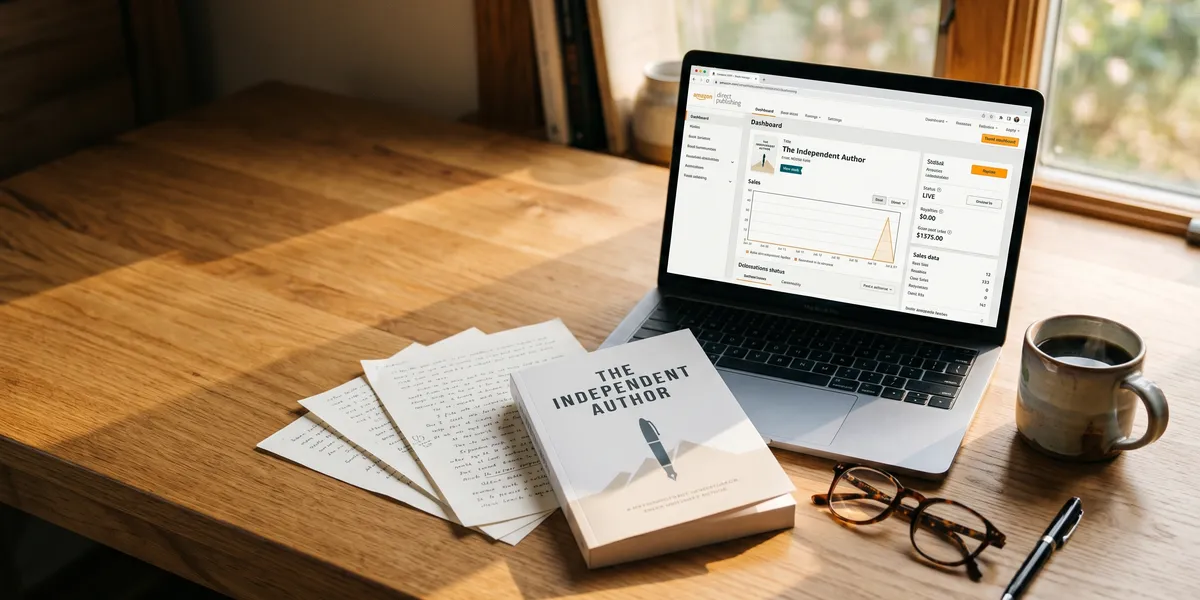
KDP publishing is the fastest way to get your book on Amazon — and it costs nothing upfront to start.
In this guide, you’ll learn:
- How to set up your KDP account and publish your first book step by step
- The royalty structures, pricing strategies, and format options that maximize your earnings
- How to avoid the most common mistakes that tank new books on launch day
Here’s everything you need to know about publishing through Amazon’s Kindle Direct Publishing platform.
What Is KDP Publishing?
KDP publishing (Kindle Direct Publishing) is Amazon’s free self-publishing platform that lets you publish ebooks, paperbacks, and hardcovers directly to the world’s largest bookstore. You upload your manuscript, set your price, and Amazon handles printing, distribution, and delivery.
Over 4 million books were published in 2025. The majority came through self-publishing platforms, with KDP being the largest by far. Amazon controls roughly 80% of the US ebook market and a significant share of print-on-demand paperback sales.
Here’s why authors choose KDP publishing over traditional routes:
- Zero upfront cost. No printing fees, no inventory risk. Amazon prints paperbacks on demand.
- Global reach. Your book appears on Amazon stores across the US, UK, Germany, Japan, and 10+ other marketplaces.
- Fast turnaround. Your book can be live and purchasable within 72 hours of uploading.
- You keep your rights. Unlike traditional publishing deals, you own your work completely.
How to Set Up Your KDP Account
Before you publish anything, you need a KDP account. The process takes about 15 minutes.
Step 1: Go to kdp.amazon.com and sign in with your existing Amazon account (or create one).
Step 2: Complete your author profile. You’ll enter your legal name, address, and tax information. US authors fill out a W-9. International authors complete a W-8BEN. This is required before you can receive royalty payments.
Step 3: Set up your payment method. KDP pays via direct deposit (electronic funds transfer) in most countries. You can also choose check payment, though it’s slower and may incur fees.
Step 4: Verify your identity. As of 2026, Amazon requires identity verification for all new accounts. Have a government-issued ID ready. This step can take 24-48 hours for approval.
Once verified, you’re ready to publish.
How to Publish Your First Book on KDP
The publishing process has three phases: book details, content upload, and pricing. Here’s each one.
Enter Your Book Details
From your KDP bookshelf, click “Create” and select your format (ebook, paperback, or hardcover). Then fill in:
- Title and subtitle. Your title is permanent after publishing, so get it right. Include relevant keywords naturally.
- Author name. Use your real name or a pen name. You can publish under multiple pen names from one account.
- Description. This is your sales copy. Write it like a back-cover blurb — hook, premise, promise. You get 4,000 characters.
- Keywords. You get 7 keyword boxes with up to 50 characters each. Use specific long-tail phrases, not single words. Learn more in our guide on Amazon keywords for books.
- Categories. Choose up to 3 BISAC categories that match your book. Picking less competitive categories can help you hit bestseller lists faster.
Upload Your Content
Manuscript format: KDP accepts .docx, .epub, .pdf (paperback/hardcover only), and .kpf files. For ebooks, .epub gives you the most formatting control. For print, a properly formatted PDF works best.
If you’re struggling with formatting, tools like Chapter can help you go from draft to properly formatted manuscript without the technical headaches.
Cover: Your cover is the single most important marketing asset for your book. KDP offers a free Cover Creator tool, but most successful authors invest in a professional cover. The cover template requirements vary by trim size and page count — download Amazon’s template before designing.
Interior formatting: For ebooks, test your formatting using Kindle Previewer (free from Amazon) before uploading. For print books, review our guide on how to format a book for Kindle for detailed specs.
Set Your Price and Royalty Plan
This is where many new authors leave money on the table. KDP offers different royalty structures depending on your format:
| Format | Royalty Rate | Price Range | Notes |
|---|---|---|---|
| Ebook (70%) | 70% | $2.99 - $9.99 | Delivery fee applies |
| Ebook (35%) | 35% | $0.99 - $200 | No delivery fee |
| Paperback (high) | 60% | $9.99+ | After printing cost |
| Paperback (low) | 50% | Under $9.99 | After printing cost |
| Hardcover | 50-60% | Varies | After printing cost |
The pricing sweet spot for most ebooks: $4.99 to $6.99. This range qualifies for the 70% royalty and sits within what most readers consider reasonable for an indie book. Price too low and you signal low quality. Price too high and you compete with traditionally published books.
For paperbacks: Factor in printing costs before setting your price. A 200-page black-and-white paperback costs roughly $3.25 to print. If you price at $12.99 with a 60% royalty, your net is about $4.54 per sale.
KDP Publishing Formats Explained
KDP supports three formats, and the smartest authors publish in all of them.
Ebooks
Ebooks are the fastest to publish and have no printing costs. Your royalty is a straight percentage of the list price (minus a small delivery fee on the 70% plan). Ebooks are also eligible for Kindle Unlimited enrollment.
Paperbacks
Print-on-demand paperbacks have no minimum order. Amazon prints each copy as it sells. You choose your trim size (the most common is 6” x 9”), paper type (white or cream), and ink (black-and-white or color). Printing costs come out of your royalty.
Hardcovers
KDP added hardcover publishing in recent years, and it’s now a strong option for nonfiction and gift-worthy titles. Hardcovers command higher prices (typically $19.99-$29.99) and signal premium quality.
Pro tip: Publish all three formats. Different readers prefer different formats. An ebook-only strategy misses the 40% of readers who still prefer physical books.
KDP Select and Kindle Unlimited
When you publish an ebook on KDP, you can optionally enroll it in KDP Select. This is a 90-day exclusive agreement where your ebook is only available on Amazon (not other retailers like Apple Books or Kobo).
In return, your book is included in Kindle Unlimited (KU), Amazon’s subscription reading program. You earn royalties based on pages read — currently about $0.0048 per page in 2026.
Should you enroll? Here’s the tradeoff:
| Factor | KDP Select | Wide Distribution |
|---|---|---|
| Revenue source | Page reads + sales | Sales only |
| Audience | Amazon-only readers | Readers across all platforms |
| Promo tools | Kindle Countdown, Free Book promos | None from Amazon |
| Best for | Genre fiction, romance, thriller | Nonfiction, established brands |
For most first-time authors, KDP Select is the better starting point. The KU audience is massive, and the promotional tools help with visibility. You can always go wide later by not renewing after your 90-day term.
Amazon Keywords and Category Strategy
Your book’s discoverability on Amazon depends heavily on two things: keywords and categories.
Keywords
You get 7 keyword boxes when publishing on KDP. Each box holds up to 50 characters. Here’s how to use them:
- Use long-tail phrases, not single words. “psychological thriller female detective” beats “thriller.”
- Don’t repeat words that are already in your title or subtitle.
- Include reader language. Think about what your ideal reader types into Amazon’s search bar.
- Use Amazon’s search suggest. Start typing a phrase in Amazon’s search bar and note the auto-complete suggestions.
For a deeper dive, see our guide on Amazon keywords for books.
Categories
Categories determine which bestseller lists your book can appear on. Amazon lets you choose up to 3 BISAC categories during publishing, but you can add up to 10 by contacting KDP support after publication.
Strategy: Choose one broad category for visibility and two niche categories where you have a realistic shot at hitting the top 10. Being a “#1 Bestseller” in a niche category builds credibility and social proof.
How to Write a Book Description That Sells
Your book description is your sales page. Most authors write it like a summary. The best authors write it like copy.
The formula:
- Hook (1-2 sentences): Create intrigue or state the core promise.
- Premise/problem (2-3 sentences): What’s the book about? What problem does it solve?
- Stakes (1-2 sentences): What happens if the reader doesn’t act (nonfiction) or what’s at risk (fiction)?
- Social proof (optional): Reviews, awards, or credentials that build trust.
- Call to action (1 sentence): Tell them to buy.
KDP allows basic HTML in your description. Use <b> for bold and <br> for line breaks to improve readability. A wall of unformatted text gets skipped.
Common KDP Publishing Mistakes to Avoid
After working with 2,147+ authors at Chapter, here are the mistakes we see kill books before they get a chance:
- Skipping professional editing. Readers leave 1-star reviews for typos faster than for bad plots. Budget at least $500-$1,500 for a copyedit.
- Using a DIY cover. The cover drives 80% of the purchase decision for new authors. A $200-$500 professional cover pays for itself.
- Pricing too low. A $0.99 ebook earns $0.35 per sale at the 35% tier. You need volume you won’t have as a new author.
- Ignoring metadata. Weak keywords and wrong categories bury your book in search results. Spend an hour on keyword research before publishing.
- No launch strategy. Amazon’s algorithm favors books that sell well in their first 30 days. Plan your launch before you hit publish. See our guide on book marketing plans for a template.
- Publishing one book and waiting. The most successful KDP authors build a catalog. Each new book boosts sales of your backlist.
How to Use AI to Speed Up KDP Publishing
AI tools have changed the KDP publishing landscape dramatically. You can now use AI to accelerate nearly every phase — from outlining to drafting to editing.
Our Pick — Chapter
Chapter helps you write, structure, and format your book using AI assistance. It’s designed specifically for book-length content, not blog posts or social media.
Best for: Authors who want to write faster without sacrificing quality Pricing: $97 one-time (nonfiction) | Varies (fiction) Why we built it: Most AI tools generate shallow content. Chapter’s workflow produces structured, publishable books by combining AI drafting with your expertise.
Over 2,147 authors have used Chapter to create 5,000+ books. Client results include $13,200 from a single book and a speaking gig for an audience of 20,000.
Amazon does allow AI-assisted books on KDP — you just need to disclose AI involvement during the publishing process. Our guide on AI book publishing covers the full rules.
KDP Publishing Royalties: How Much Can You Earn?
The honest answer: it depends entirely on your book, niche, and marketing effort.
Here’s a realistic earnings breakdown for a $9.99 ebook at 70% royalty:
| Monthly Sales | Monthly Royalty | Annual Royalty |
|---|---|---|
| 10 copies | $69.93 | $839 |
| 50 copies | $349.65 | $4,196 |
| 100 copies | $699.30 | $8,392 |
| 500 copies | $3,496.50 | $41,958 |
Most first-time authors sell 10-50 copies per month. Authors with strong niches, good covers, and active marketing push past 100. Building a catalog of 5-10 books is where KDP publishing becomes a meaningful income stream.
Amazon pays royalties monthly, approximately 60 days after the end of the month in which the sale occurred. So January sales pay out in late March.
How Long Does It Take to Publish on KDP?
The actual publishing process on KDP takes 24-72 hours from upload to your book appearing on Amazon. But that’s just the upload.
Here’s a realistic timeline for the full process:
| Phase | Timeline |
|---|---|
| Writing | 2-12 weeks (faster with AI assistance) |
| Editing | 1-4 weeks |
| Cover design | 1-2 weeks |
| Formatting | 2-5 days |
| KDP upload + review | 24-72 hours |
| Total | 1-4 months |
If you’re using AI tools like Chapter to accelerate the writing phase, you can compress this significantly. Some authors go from idea to published in under 30 days.
Is KDP Publishing Worth It in 2026?
Yes — KDP publishing is still the best self-publishing platform in 2026 for most authors. Amazon’s reach is unmatched, the costs are zero upfront, and the royalty rates are competitive.
The platform has gotten more competitive, though. Amazon tightened quality standards in 2025-2026, cracking down on low-effort books and requiring better metadata. This actually benefits serious authors — the bar for spam books is higher, which means less competition from junk.
KDP publishing works best when you:
- Treat it like a business. Research your market, invest in quality, and plan your marketing.
- Build a catalog. One book rarely generates significant income. Five books in a focused niche changes the math completely.
- Learn the platform. Master keywords, categories, pricing, and Amazon Ads. See our Amazon Ads for authors guide.
- Keep writing. The authors earning full-time income on KDP didn’t stop at one book.
For a broader look at all your publishing options, check our complete guide to self-publishing and our comparison of the best self-publishing platforms.
FAQ
What is KDP publishing?
KDP publishing is Amazon’s Kindle Direct Publishing platform, a free service that lets you self-publish ebooks, paperbacks, and hardcovers directly on Amazon. You upload your manuscript, set your price, and earn royalties on every sale — with no upfront cost and no inventory to manage.
How much does it cost to publish on KDP?
Publishing on KDP costs nothing upfront. Amazon doesn’t charge fees to upload or list your book. You earn royalties on each sale, and Amazon deducts printing costs for paperbacks and hardcovers. The only costs are what you choose to invest in editing, cover design, and marketing.
How much money can you make with KDP publishing?
KDP earnings vary widely, from a few dollars a month to six figures annually. A $9.99 ebook at 70% royalty earns about $6.99 per sale. Most first-time authors earn $50-$350 per month. Authors with multiple books in a focused niche and active marketing can earn $2,000-$10,000+ monthly.
Can you publish AI-written books on KDP?
Yes, Amazon allows AI-assisted books on KDP. You must disclose AI involvement during the publishing process. Amazon evaluates AI content under the same quality standards as human-written content. Books that provide genuine value to readers are accepted regardless of how they were produced.
How long does it take for a KDP book to go live?
Most KDP books go live within 24-72 hours after you click publish. Ebooks tend to appear faster (often within 24 hours). Print books may take up to 72 hours as Amazon sets up the print-on-demand process. During peak periods, review times can occasionally extend to 5-7 days.