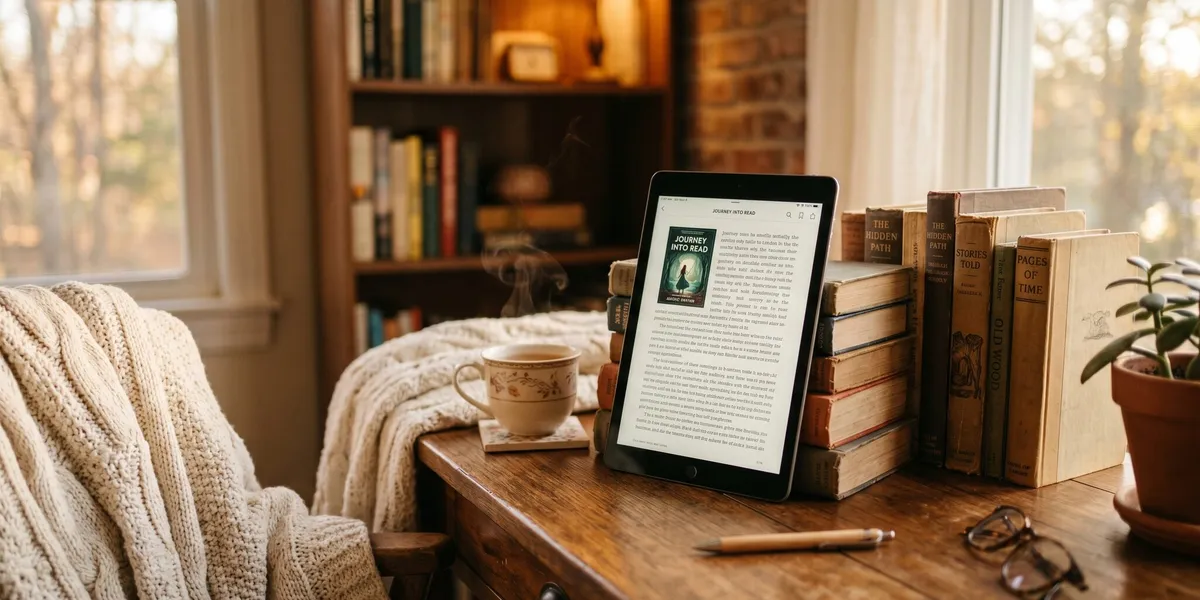
You can read books online free right now — no credit card, no subscription, and no sketchy downloads. Thousands of full-length books are legally available through library apps, public domain archives, and community platforms.
In this guide, you’ll find:
- The 15 best sites and apps to read books online free in 2026
- Which platforms work best for fiction, nonfiction, and audiobooks
- How to get free access to brand-new bestsellers (not just classics)
Here are the top options, ranked by library size, ease of use, and content quality.
Quick Comparison Table
| Platform | Best For | Cost | Library Size | Formats |
|---|---|---|---|---|
| Chapter (Our Pick) | Writing and reading AI-assisted books | $97 one-time, 2 books included | 5,000+ community books | Web |
| Libby | Borrowing new releases free | Free with library card | Varies by library | eBook, audiobook |
| Project Gutenberg | Classic literature | 100% free | 70,000+ | eBook, HTML, Kindle |
| Open Library | Borrowing any genre | Free | 3,000,000+ | eBook |
| Hoopla | Instant access, no waitlists | Free with library card | 1,500,000+ | eBook, audiobook, comics |
| Google Books | Previewing and reading older works | Free | Millions | Web reader |
| ManyBooks | Curated indie and classic titles | Free | 50,000+ | eBook |
| Wattpad | Serialized fiction and fan fiction | Free (ads) | Millions | Web, app |
| Kindle Free Books | Daily free Kindle deals | Free | Thousands rotating | Kindle |
| Standard Ebooks | Beautifully formatted classics | 100% free | 900+ | eBook |
| LibriVox | Free audiobooks | 100% free | 40,000+ | Audiobook |
| Loyal Books | Audiobooks with companion text | 100% free | 7,000+ | Audiobook, eBook |
| ReadEra | Reading your own files | Free (no ads) | Upload your own | PDF, EPUB, MOBI |
| Smashwords | Indie author freebies | Free | 90,000+ free titles | eBook |
| Internet Archive | Historical and rare books | Free | 28,000,000+ | Scanned, eBook |
1. Chapter — Best for Writing and Discovering AI-Assisted Books
Our Pick — Chapter
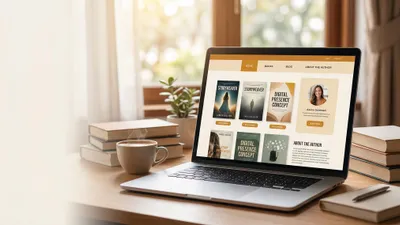
Chapter is an AI book writing platform that helps you write, outline, and publish full-length books. With 2,147+ authors and 5,000+ community-created books, it is also a growing library of original nonfiction and fiction you can explore.
Best for: Authors who want to write their own book and readers curious about AI-generated content
Pricing: $97 one time, 2 books included (fiction or nonfiction), 30-day money-back guarantee
Why we built it: Most free reading sites give you books other people wrote. Chapter lets you create yours — and read what thousands of other authors have produced using AI assistance.
Chapter is different from every other platform on this list. Instead of just consuming books, you can produce them. The platform has been featured in USA Today and the New York Times, and authors using it have earned $13,200 from a single book and landed speaking gigs for audiences of 20,000 people.
If you are looking for something to read, the community library is growing fast. If you have been thinking about writing your own book, Chapter gives you the tools to go from idea to finished manuscript in weeks instead of months.
2. Libby — Best for Borrowing Bestsellers Free
Libby (by OverDrive) connects directly to your local public library. You get access to thousands of ebooks and audiobooks — including current bestsellers — completely free with a library card.
Best for: Reading new releases and popular titles without paying
Pricing: Free with a library card
The app is clean, fast, and available on iOS, Android, and desktop. You can borrow up to 10 books at a time for 21 days, place holds on popular titles, and send books directly to your Kindle. The reading experience is excellent with adjustable fonts, night mode, and bookmarking.
The only downside is waitlists. Popular books often have a queue, especially at smaller library systems. If a title has a long wait, check Hoopla instead.
3. Project Gutenberg — Best for Classic Literature
Project Gutenberg is the original free ebook library, running since 1971. It offers over 70,000 free ebooks — primarily classics whose copyrights have expired.
Best for: Reading classics by Jane Austen, Mark Twain, Charles Dickens, and other public domain authors
Pricing: 100% free, no account needed
You can read directly in your browser, download EPUB or Kindle files, or grab plain text versions. The site design is basic but functional. Every book is completely free with no DRM, no restrictions, and no ads.
If you want Shakespeare, Dostoevsky, or H.G. Wells, Project Gutenberg has them all. The collection skews heavily toward pre-1928 works since that is the public domain threshold in the United States.
4. Open Library — Best Overall Free Book Library
Open Library is an open, editable library catalog with over 3 million books available to borrow or read online. It is run by the Internet Archive and functions like a digital public library.
Best for: Finding almost any book across all genres and eras
Pricing: Free (account required to borrow)
The catalog is enormous. Unlike Project Gutenberg, Open Library includes modern books — not just classics. You can borrow one book at a time for 14 days. The online reader works well in any browser, and you can also download EPUB files for offline reading.
The reading experience is not as polished as Libby, but the sheer size of the collection makes up for it. If a book exists, Open Library probably has it.
5. Hoopla — Best for Instant Access Without Waitlists
Hoopla is a library-connected digital media service with a unique advantage: no waitlists. Every title in the catalog is always available for instant borrowing.
Best for: Readers who hate waiting for popular titles on Libby
Pricing: Free with a library card
Hoopla offers more than just ebooks. You get audiobooks, comics, movies, music, and TV shows — all free. Most libraries give you between 5 and 15 borrows per month. Books are available for 21 days.
The trade-off is selection. Hoopla’s ebook catalog is smaller than Libby’s for some library systems. But for audiobooks and comics, Hoopla often has better options. Many serious readers use both Libby and Hoopla to maximize their free borrowing.
6. Google Books — Best for Previewing and Research
Google Books hosts a massive collection of digitized books. Many older works are fully available for free, and you can preview large sections of newer books.
Best for: Researching topics, previewing books before buying, and reading out-of-copyright works
Pricing: Free
Google Books is not a lending library. You cannot borrow modern bestsellers here. But for research purposes, the preview feature often gives you enough of a book to decide whether to buy it. And for public domain works, you get the full text with a clean reading experience.
The search functionality is excellent. You can search inside books, which is incredibly useful for academic research and reference work.
7. ManyBooks — Best Curated Free Collection
ManyBooks offers over 50,000 free ebooks with better curation than most free book sites. The interface is clean, and you can filter by genre, popularity, and new arrivals.
Best for: Discovering hidden gems in both classic and indie titles
Pricing: Free
What sets ManyBooks apart is the editorial curation. Instead of dumping 70,000 titles in a list, the site highlights top picks, genres, and themes. The reading experience supports multiple formats including EPUB, Kindle, and PDF.
The site also features indie authors who offer their books for free to build readership. You will find contemporary titles here that are not available on Project Gutenberg.
8. Wattpad — Best for Serialized Fiction
Wattpad is the world’s largest community for serialized fiction. Writers publish their stories chapter by chapter, and you can read everything for free.
Best for: Romance, sci-fi, young adult, and fan fiction
Pricing: Free (ad-supported, optional paid tier)
Wattpad has launched real publishing careers. Several Wattpad stories have been turned into movies and traditionally published books. The community aspect is strong — you can comment on individual paragraphs, follow authors, and join reading lists.
The quality varies widely since anyone can publish. But the rating and recommendation system helps you find the good stuff. If you enjoy discovering new voices and do not mind some rough edges, Wattpad delivers an endless supply of free reading material.
9. Amazon Kindle Free Books — Best for Daily Free Deals
Amazon’s Kindle Store always has thousands of books priced at $0.00. The selection rotates daily, and you can grab bestselling authors during limited-time promotions.
Best for: Building a permanent free ebook collection on Kindle
Pricing: Free (Kindle app required, no Kindle device needed)
You do not need a Kindle device. The free Kindle app works on iOS, Android, Mac, and Windows. Once you claim a free book, it is yours forever — unlike library loans that expire.
Check the Top 100 Free lists daily. You will find romance, mystery, sci-fi, and nonfiction rotating through the free listings. Many traditionally published authors offer the first book in a series free to hook you into buying the sequels.
10. Standard Ebooks — Best Formatted Classic Books
Standard Ebooks takes public domain books from Project Gutenberg and improves them. Every book gets professional-quality typography, corrected formatting, updated cover art, and careful proofreading.
Best for: Reading classics with a modern, polished reading experience
Pricing: 100% free
The collection is smaller — around 900 titles — but every single book looks and reads beautifully. If you have tried reading a Project Gutenberg book and found the formatting clunky, Standard Ebooks solves that problem.
Every title comes in EPUB, Kindle-compatible, and advanced EPUB formats. The attention to detail is remarkable for a volunteer-run project.
11. LibriVox — Best Free Audiobooks
LibriVox offers over 40,000 free audiobooks — all public domain works read by volunteers from around the world.
Best for: Listening to classic literature during commutes and workouts
Pricing: 100% free
The narrator quality varies since all recordings are volunteer-made. Some are excellent. Some are rough. But the price is unbeatable, and the catalog of classic literature is enormous.
You can stream directly from the website or download MP3 files. The books are also available through podcast apps, making it easy to listen on the go.
12. Loyal Books — Best Audiobooks With Text
Loyal Books (formerly Books Should Be Free) pairs free audiobooks with companion ebook text. You can listen and read along simultaneously.
Best for: Language learners and readers who want audio plus text
Pricing: 100% free
The dual-format approach is perfect if you are learning a new language or want to improve your reading comprehension. The site organizes books by genre and language, with options in Spanish, French, German, and more.
13. ReadEra — Best Free Reading App for Your Own Files
ReadEra is a mobile reading app that handles every common ebook format: PDF, EPUB, MOBI, DJVU, FB2, TXT, and more. It is completely free with no ads.
Best for: Reading ebook files you already own in one clean app
Pricing: Free, no ads
ReadEra does not have its own book library. Instead, it is the best app for reading files you download from other sources on this list. The reading experience is excellent with adjustable fonts, themes, page-turn animations, and automatic library organization.
If you download books from Project Gutenberg, Standard Ebooks, or ManyBooks, ReadEra is the ideal app to read them on your phone or tablet.
14. Smashwords — Best for Free Indie Books
Smashwords is the world’s largest distributor of indie ebooks. Self-published authors often price their books at $0.00 to build their fanbase, giving you access to over 90,000 free titles.
Best for: Discovering self-published authors and niche genres
Pricing: Free (for $0 titles)
You will find genres here that traditional publishing underserves. Niche subgenres in romance, sci-fi, fantasy, and literary fiction are well represented. The quality varies, but the reviews and ratings help you filter.
If you enjoy supporting independent authors and discovering books before they blow up, Smashwords is a goldmine.
15. Internet Archive — Best for Rare and Historical Books
The Internet Archive is a nonprofit digital library with over 28 million books, including rare titles you will not find anywhere else.
Best for: Researchers, historians, and readers looking for out-of-print titles
Pricing: Free
The Archive scans physical books and makes them available as digital loans. The reading experience is not as smooth as modern apps, but the collection is unmatched. If a book is out of print and unavailable anywhere else, the Internet Archive probably has it.
The Wayback Machine — the Archive’s web preservation project — also gives you access to historical websites and documents, making it a powerful research tool beyond just books.
How to Read Books Online Free: A Quick-Start Guide
Getting started with free online reading takes about five minutes. Here is the fastest path:
- Get a library card — If you do not already have one, visit your local library or sign up online. Many libraries now offer instant digital cards.
- Install Libby — Download the Libby app and connect your library card. Browse bestsellers and borrow your first book.
- Bookmark Project Gutenberg — For classics, go to gutenberg.org and download books directly. No account needed.
- Install a reading app — Download ReadEra (Android) or use Apple Books (iOS) to read downloaded ebook files offline.
- Set up Hoopla — If your library supports it, add Hoopla for instant-access titles with no waitlists.
Within 10 minutes, you will have access to millions of free books across multiple platforms.
What About Writing Your Own Book?
If reading free books has inspired you to write one, you are not alone. Many avid readers eventually want to create something of their own.
Chapter makes it possible to go from idea to finished manuscript faster than you thought possible. Over 2,147 authors have already used the platform to create more than 5,000 books. The AI-assisted writing tools help you outline, draft, and polish your book — whether it is fiction or nonfiction.
You can try Chapter under its 30-day money-back guarantee and see how it works. Many authors who started as readers ended up publishing their first book within weeks.
Are Free Online Books Legal?
Yes — every platform on this list offers books legally. Here is how they do it:
- Public domain sites (Project Gutenberg, Standard Ebooks, LibriVox) share books whose copyrights have expired. In the United States, works published before 1928 are in the public domain.
- Library apps (Libby, Hoopla) are funded by your local library system. Publishers are compensated for every loan.
- Author-offered freebies (Smashwords, Kindle Free Books, Wattpad) are books that authors have chosen to offer at no cost, usually as a marketing strategy.
Avoid sites that offer pirated copies of copyrighted books. If a site has every current bestseller available as a free PDF download, it is almost certainly illegal. Stick to the platforms listed above.
What Is the Best App to Read Books Online Free?
The best app to read books online free is Libby for most readers. Libby connects to your local public library and gives you access to thousands of ebooks and audiobooks — including current bestsellers — completely free with a library card. It works on iOS, Android, and desktop browsers.
For classic literature, Project Gutenberg paired with the ReadEra app gives you 70,000+ free books with a polished reading experience. For audiobooks, LibriVox offers 40,000+ free titles you can stream or download.
Can You Read Full Books Online for Free?
You can read full books online for free through library apps like Libby and Hoopla, public domain archives like Project Gutenberg and Open Library, and community platforms like Wattpad. These platforms offer complete, legal access to millions of titles across every genre — from classic literature to current bestsellers.
FAQ
Is it safe to read books online for free?
It is safe to read books online for free when you use legitimate platforms like Libby, Project Gutenberg, Open Library, and the other sites listed in this guide. These platforms offer legal access to books through public domain licensing, library lending, or author-authorized free distribution. Avoid unknown sites offering free PDFs of current bestsellers — those are typically pirated.
Do I need a Kindle to read free Kindle books?
You do not need a Kindle device to read free Kindle books. Amazon offers a free Kindle app for iOS, Android, Mac, and Windows. Download the app, sign in with your Amazon account, and you can read any free Kindle book on your phone, tablet, or computer.
How many free books can I borrow from Libby?
Most libraries allow you to borrow up to 10 books at a time through Libby, with loan periods of 14 or 21 days depending on your library system. You can also place holds on popular titles. There is no limit to how many books you can borrow per month — once you return a book, you can immediately borrow another.
What is the best free audiobook app?
The best free audiobook app is LibriVox for public domain classics and Libby for modern titles. LibriVox offers 40,000+ free audiobooks read by volunteers, while Libby gives you access to your library’s audiobook collection at no cost. For always-available audiobooks without waitlists, Hoopla is the best alternative.
Can I download free books to read offline?
You can download free books to read offline from Project Gutenberg, Standard Ebooks, ManyBooks, and Smashwords. These sites offer books in downloadable formats like EPUB, Kindle, and PDF. Library apps like Libby and Hoopla also let you download borrowed books for offline reading during your loan period.