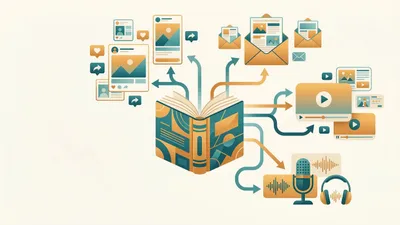
You can turn a finished manuscript into a professional audiobook in a single afternoon using an AI audiobook generator — and it costs under $100 instead of the $2,000-$5,000 a human narrator charges.
In this guide, you’ll learn:
- How to choose the right AI audiobook generator for your book
- The step-by-step process from manuscript to finished audio files
- How much AI audiobook creation actually costs in 2026
- Where to distribute your audiobook for maximum royalties
Here’s everything you need to get your book into listeners’ ears.
What Is an AI Audiobook Generator?
AI audiobook generator — Software that uses artificial intelligence to convert written text into spoken-word audio with natural pacing, emotional inflection, and consistent tone across an entire book.
These tools have evolved dramatically since early text-to-speech engines. Current AI narration models analyze sentence structure, punctuation, and context to produce audio that sounds remarkably close to a professional human narrator. For nonfiction especially — self-help, business, how-to — the gap between AI and human narration has nearly closed.
The Audio Publishers Association reports audiobook revenue has grown every year for over a decade, surpassing $2 billion annually in the US. If your book only exists as an ebook and paperback, you’re leaving an entire audience of listeners untapped.
Best AI Audiobook Tools in 2026
Before you start generating audio, you need the right tool. Here’s what actually works in 2026.
Our Pick — Chapter
Chapter writes your entire book with AI, giving you a polished manuscript ready for audiobook conversion. Start with a finished book, then use any AI narration tool below to add audio.
Best for: Authors who need to write the book first — then convert to audio Pricing: $97 one time, 2 books included (fiction or nonfiction), 30-day money-back guarantee Why we built it: Over 2,147 authors have used Chapter to create 5,000+ books. The fastest path to an audiobook starts with a finished manuscript.
ElevenLabs
ElevenLabs leads the standalone AI voice market. Their audiobook-specific workflow handles chapter segmentation, voice consistency across long-form content, and emotional inflection tuning. Upload your manuscript, pick a voice (or clone your own), and generate chapter-by-chapter audio.
Best for: Authors who want maximum control over voice quality and emotional delivery Pricing: Free tier available, paid plans from $5/month Standout feature: Voice cloning lets you narrate your own book without recording a single word
Speechify
Speechify’s audiobook studio converts manuscripts into multi-voice productions. It handles character dialogue detection and automatically switches between narrator and character voices.
Best for: Fiction authors with dialogue-heavy books Pricing: Premium from $9.99/month Standout feature: Automatic dialogue detection and multi-voice assignment
Google Play Books Auto-Narration
Google offers free AI narration directly through their publishing platform. Upload your ebook, select a voice, and Google generates the audiobook at no cost. The trade-off: distribution is limited to Google Play Books only.
Best for: Authors who want zero-cost audiobook creation with no technical setup Pricing: Free Standout feature: Completely free with automatic Google Play distribution
Narration Box
Narration Box focuses specifically on long-form audiobook production. Their Enbee V2 model detects emotional cues in your text and adjusts delivery automatically — slowing for dramatic moments, picking up energy for action scenes.
Best for: Nonfiction authors who want a dedicated audiobook platform Pricing: Pay-per-use, starting around $0.01 per word Standout feature: Context-aware emotional delivery across full-length books
Murf AI
Murf offers studio-quality voices with precise control over pitch, speed, emphasis, and pauses. The editor lets you highlight specific words and adjust pronunciation, which is useful for books with technical terminology or character names.
Best for: Authors who need granular control over pronunciation and pacing Pricing: Free tier, paid plans from $23/month Standout feature: Word-level pronunciation and emphasis editing
Quick Comparison Table
| Tool | Best For | Cost | Voice Quality | Distribution |
|---|---|---|---|---|
| Chapter (Our Pick) | Writing the book first | $97 one-time | N/A (manuscript tool) | Pairs with any narrator |
| ElevenLabs | Voice quality + cloning | From $5/mo | Excellent | Export files, distribute anywhere |
| Speechify | Multi-voice fiction | From $9.99/mo | Very good | Export files, distribute anywhere |
| Google Play Auto-Narration | Free, zero setup | Free | Good | Google Play only |
| Narration Box | Nonfiction, emotional delivery | ~$0.01/word | Very good | Export files, distribute anywhere |
| Murf AI | Technical/pronunciation control | From $23/mo | Very good | Export files, distribute anywhere |
How to Create an Audiobook With an AI Generator (Step by Step)
Step 1: Prepare Your Manuscript for AI Narration
AI narration tools read your text exactly as written. Sloppy formatting creates robotic pauses, mispronounced words, and pacing that sounds unnatural.
Before uploading anything, clean your manuscript:
- Remove non-spoken elements. Delete page numbers, headers, footers, table of contents entries, and image captions. Convert data tables to prose summaries.
- Spell out abbreviations. Change “Dr.” to “Doctor” and “St.” to “Street” or “Saint” depending on context. Write “United States” instead of “U.S.” at least on first use.
- Add pacing punctuation. Insert commas and em-dashes where you want the narrator to pause. Use ellipses for longer pauses. AI voices interpret punctuation as breath cues.
- Mark chapter breaks clearly. Use consistent formatting (e.g., “Chapter 1: Title”) so the tool can segment your audio into separate files.
- Flag character names and technical terms. Most AI tools let you add a pronunciation guide. List unusual names, places, and jargon before you start generating.
If you’re still writing your book, Chapter produces clean, well-formatted manuscripts that need minimal preparation for AI narration. Over 5,000 books have been created on the platform, and the structured output translates directly to narration-ready text.
Step 2: Choose Your AI Voice
This is the most important creative decision you’ll make. The voice becomes your book’s identity for every listener.
For nonfiction: Choose a clear, authoritative voice with moderate pacing. Avoid overly expressive voices — they distract from informational content. A warm, conversational tone works best for self-help and business books.
For fiction: Match the voice to your narrator’s perspective. A young adult novel needs a different energy than a literary thriller. If your book has multiple POV characters, consider a multi-voice tool like Speechify.
For memoir: Your own cloned voice adds authenticity. ElevenLabs and Resemble AI both offer voice cloning from a short sample recording. You’ll sound like you narrated it yourself — because technically, you did.
Test before committing. Generate a 2-3 page sample from the middle of your book (not the beginning, which often has different pacing). Listen on headphones. Listen in the car. If the voice feels natural after five minutes, it’ll hold up across ten hours.
Step 3: Upload and Configure
Upload your cleaned manuscript in the format your tool supports — most accept DOCX, TXT, EPUB, and PDF. Then configure your settings:
- Set chapter boundaries. Verify the tool correctly identifies where each chapter starts and ends. Fix any misdetected breaks before generating.
- Adjust global pacing. Most tools default to a natural reading speed (~150 words per minute). Nonfiction can go slightly faster (160-170 WPM). Fiction with emotional scenes benefits from slightly slower pacing (140-150 WPM).
- Configure pronunciation overrides. Add custom pronunciations for character names, locations, made-up words, and technical terms.
- Enable emotional detection if your tool supports it. Narration Box and ElevenLabs both analyze text context to adjust vocal delivery automatically.
Step 4: Generate Chapter by Chapter
Do not generate your entire book in one pass. Process one chapter at a time so you can catch issues early.
For each chapter:
- Generate the audio
- Listen to the full chapter (not just the first minute)
- Flag sections where pacing, pronunciation, or tone sounds off
- Regenerate problem sections with adjusted settings
- Approve the chapter before moving to the next
This workflow adds time upfront but saves you from discovering a pronunciation error in Chapter 3 that repeats through Chapters 4-12.
Step 5: Post-Production and Assembly
Once all chapters are generated and approved, you need to prepare the final files for distribution:
- Export each chapter as a separate audio file. Most distribution platforms require individual chapter files in MP3 format at 192 kbps or higher.
- Add chapter markers. Include the chapter title and number in each file’s metadata.
- Normalize audio levels. Use a free tool like Audacity to ensure consistent volume across all chapters. ACX requires audio between -23dB and -18dB RMS.
- Add opening and closing credits. Generate a brief intro (“This is [Book Title] by [Author Name], narrated by [Voice Name]”) and a closing message.
- Export a retail sample. Most platforms require a 1-5 minute sample for the store listing. Pick your most engaging chapter opening.
How Much Does AI Audiobook Creation Cost?
AI audiobook generator pricing ranges from free to approximately $100 for a full-length book, compared to $2,000-$5,000 for traditional human narration. That’s a 90%+ cost reduction.
Here’s the breakdown:
| Method | Cost for 10-Hour Audiobook | Timeline | Quality Level |
|---|---|---|---|
| Professional narrator (ACX) | $2,000-$5,000 | 4-8 weeks | Excellent |
| AI narration (ElevenLabs paid) | $30-$80 | 1-2 days | Very good |
| AI narration (Narration Box) | $50-$100 | 1-2 days | Very good |
| AI narration (Google Play) | Free | 2-3 days | Good |
| Royalty share narrator | $0 upfront, 50% royalties | 6-12 weeks | Variable |
The real cost equation isn’t just the narration fee. Traditional audiobook production also includes studio time, editing, and mastering — which can add another $500-$1,000 to the total. AI generators handle all of this in one step.
For a detailed breakdown of every cost involved, see our full guide on audiobook narrator costs and production expenses.
Where to Distribute Your AI-Generated Audiobook
Once your audiobook files are ready, you need to get them onto listening platforms. Here are your main options:
ACX (Audible, Amazon, Apple Books)
ACX is the largest audiobook distribution platform. It places your audiobook on Audible, Amazon, and Apple Books simultaneously. As of 2026, ACX accepts AI-narrated audiobooks as long as you disclose that the narration is AI-generated and meet their technical quality standards.
Royalty rate: 25% (exclusive) or 40% (non-exclusive)
Findaway Voices (Wide Distribution)
Findaway Voices distributes to 40+ platforms including Spotify, Kobo, Google Play, Scribd, and libraries. If you want your audiobook everywhere, Findaway is the widest distribution option. For a detailed comparison, check our ACX vs Findaway Voices breakdown.
Royalty rate: 80% of what the retailer pays
Google Play Books (Direct Upload)
If you used Google’s free auto-narration, your audiobook is automatically on Google Play. If you used another tool, you can still upload directly to Google Play Books for free. See our Google Play Books self-publishing guide for the full process.
Royalty rate: 52% of list price
Direct Sales (Your Own Website)
Platforms like Gumroad, Payhip, and BookFunnel let you sell audiobooks directly from your website. You keep 90-95% of revenue. This works best if you already have an email list or social following.
For a complete strategy on audiobook pricing and royalties, check our dedicated guide.
Can You Record Your Own Audiobook With AI Voice Cloning?
Yes — and this is one of the most compelling uses of AI audiobook technology in 2026. Voice cloning lets you create a synthetic version of your own voice from a short recording sample (usually 30-60 minutes of clean audio).
The result is an audiobook that sounds like you narrated it, without spending 40+ hours in a recording booth. Here’s how it works:
- Record a voice sample. Read 30-60 minutes of your book in a quiet room using a decent microphone. Our guide on the best microphones for audiobook recording covers affordable options.
- Upload to a cloning service. ElevenLabs, Resemble AI, and PlayHT all offer voice cloning. Processing takes 15-30 minutes.
- Generate your audiobook. Use your cloned voice as the narrator. The AI handles pacing, inflection, and consistency — you just approve the output.
Voice cloning is especially powerful for memoir authors, personal brand books, and any nonfiction where the author’s voice adds credibility and connection. For a deeper walkthrough, see our guide on how to record your own audiobook.
AI Audiobook Quality: Fiction vs. Nonfiction
AI narration quality varies significantly by genre. Understanding where AI excels (and where it struggles) helps you set realistic expectations.
Where AI narration excels:
- Nonfiction — Self-help, business, how-to, and educational content. AI voices deliver clear, consistent, authoritative narration perfectly suited for informational content.
- Straightforward fiction — Contemporary fiction, thrillers, and literary fiction with a single narrator work well. The AI maintains consistent tone across long stretches of prose.
- Short-form content — Novellas, short story collections, and shorter nonfiction (under 40,000 words) play to AI’s strengths with less fatigue.
Where AI narration still struggles:
- Multi-character dialogue — While tools like Speechify handle character switching, the emotional range between characters isn’t as nuanced as a skilled human narrator.
- Highly emotional scenes — Grief, rage, and intimate moments require subtlety that AI voices approximate but don’t fully capture.
- Accents and dialects — Regional accents, foreign language phrases, and dialect-heavy dialogue can sound artificial.
- Children’s books — The expressive, performative style that makes children’s audiobooks engaging is hard for AI to replicate.
If your book falls into the “excels” category, AI narration is a clear choice. If it falls into the “struggles” category, consider a hybrid approach: AI for the bulk narration with human re-recording for key emotional scenes.
Common Mistakes to Avoid
- Skipping manuscript preparation. Uploading a raw manuscript with formatting artifacts, abbreviations, and tables produces unusable audio. Spend 30 minutes cleaning your text before generating.
- Choosing a voice based on a single sentence. Always test with a full page or two from the middle of your book. A voice that sounds great reading one sentence may not hold up across ten hours.
- Generating the entire book at once. Process chapter by chapter. Catching a pronunciation error in Chapter 1 saves you from regenerating Chapters 2-15.
- Ignoring technical specifications. Each distribution platform has specific audio requirements (bit rate, RMS levels, sample rate). Check the requirements before exporting your final files.
- Not disclosing AI narration. ACX and other platforms require disclosure. Readers and listeners increasingly expect transparency. Hiding AI narration damages trust if discovered.
How Long Does It Take to Create an AI Audiobook?
Creating an AI audiobook takes 1-3 days from prepared manuscript to distribution-ready files. Here’s the typical timeline:
- Manuscript preparation: 1-3 hours (cleaning, formatting, pronunciation guide)
- Voice selection and testing: 1-2 hours (sampling voices, choosing the right match)
- Audio generation: 2-4 hours for a full-length book (processing time varies by tool and book length)
- Chapter-by-chapter review: 3-6 hours (listening and flagging issues)
- Post-production: 1-2 hours (normalizing levels, adding credits, exporting)
- Platform upload and setup: 1-2 hours (metadata, pricing, distribution selection)
Compare this to traditional audiobook production: hiring a narrator takes weeks of auditions, recording requires 2-4 studio sessions over a month, and editing adds another 2-4 weeks. The total is typically 2-4 months.
If you’re starting from scratch and need to write the book first, Chapter can help you produce a complete manuscript in days rather than months — then you can convert it to audio immediately.
Is AI Audiobook Narration Worth It?
For most independent authors, the answer is a clear yes. The math alone makes the case: spending $50-$100 on AI narration instead of $3,000-$5,000 on a human narrator means your audiobook is profitable from the first few sales instead of requiring hundreds of sales to break even.
The quality gap has narrowed enough that listeners accept AI narration — especially in nonfiction. As more platforms like ACX and Google Play embrace AI-generated audio, the stigma continues to fade.
Start with your highest-potential title. If you’ve already written a nonfiction book or have a manuscript ready, an AI audiobook generator can have your audiobook live on Audible within a week.
And if you haven’t written the book yet, Chapter gets you from idea to finished manuscript faster than any other tool. Over 2,147 authors and 5,000+ books created — featured in USA Today and the New York Times.
FAQ
What Is the Best AI Audiobook Generator in 2026?
The best AI audiobook generator in 2026 is ElevenLabs for standalone voice quality and Google Play Auto-Narration for zero-cost creation. For authors who need to write the book first, Chapter produces publication-ready manuscripts that convert seamlessly to audio with any AI narration tool.
How Much Does It Cost to Make an Audiobook With AI?
Making an audiobook with AI costs between $0 and $100 for a full-length book. Google Play’s auto-narration is free. Paid tools like ElevenLabs and Narration Box range from $30 to $100 depending on book length. This compares to $2,000-$5,000 for traditional human narration.
Does Audible Accept AI-Narrated Audiobooks?
Yes, Audible accepts AI-narrated audiobooks through ACX as of 2026. You must disclose that the narration is AI-generated and meet ACX’s standard audio quality requirements (192 kbps MP3, -23dB to -18dB RMS). AI-narrated titles appear alongside human-narrated audiobooks in the Audible catalog.
Can I Clone My Own Voice for an Audiobook?
Yes, you can clone your own voice for audiobook narration using tools like ElevenLabs, Resemble AI, or PlayHT. Record a 30-60 minute voice sample, upload it to the cloning service, and use the resulting AI voice to narrate your entire book. The output sounds like you recorded it yourself.
How Long Does It Take to Create an AI Audiobook?
Creating an AI audiobook takes 1-3 days from prepared manuscript to distribution-ready files. This includes manuscript cleaning (1-3 hours), voice selection (1-2 hours), audio generation (2-4 hours), review (3-6 hours), and post-production (1-2 hours). Traditional production takes 2-4 months by comparison.