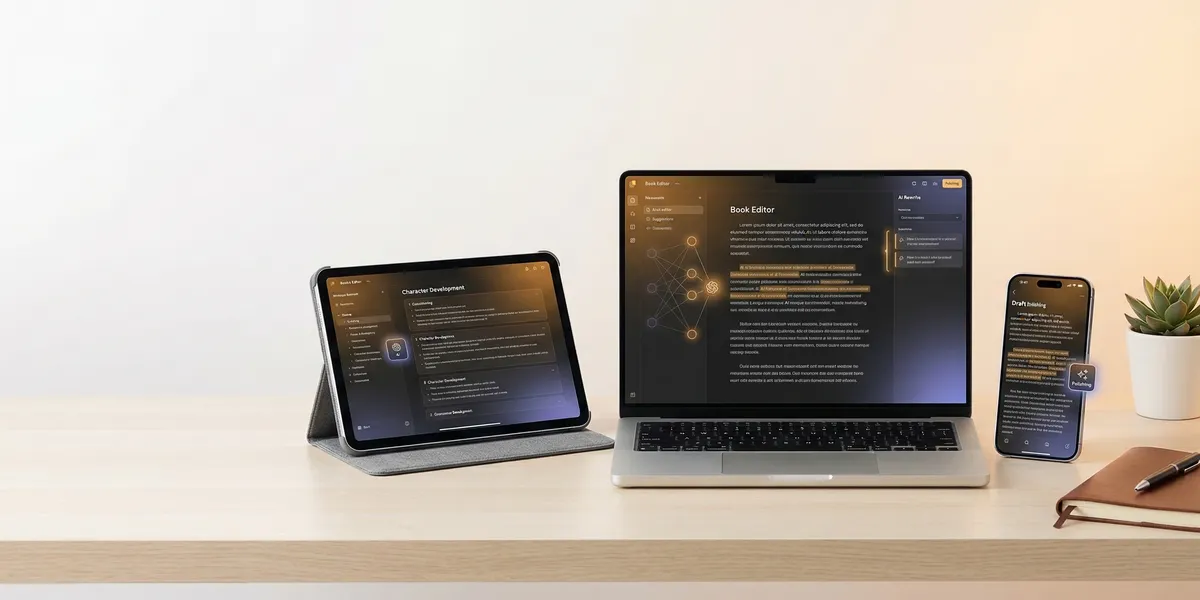
The best AI app to write a book works wherever you do. On your laptop at the coffee shop, on your phone during a commute, on a tablet at the kitchen table. Your writing momentum should never stall because you switched devices.
This comparison ranks eight AI-powered writing apps by what matters for book-length projects: platform availability, cross-device sync, offline access, AI capabilities, and how well each tool handles a 50,000-word manuscript. Every app was evaluated for both mobile and desktop use.
Quick Comparison
| App | Platforms | Offline | AI Features | Sync | Pricing |
|---|---|---|---|---|---|
| Chapter | Web (any device) | No | Full manuscript generation | Cloud-based | One-time $97 |
| Sudowrite | Web (any device) | No | Prose assistance, Story Engine | Cloud-based | $10–59/mo |
| NovelAI | Web + PWA (mobile) | No | Storytelling AI, Lorebook | Cloud-based | Free–$25/mo |
| Squibler | Web (desktop browsers) | No | Full book generation, AI editor | Cloud-based | Free–$16/mo |
| Scrivener + AI | Mac, Windows, iOS | Yes | Via Apple Intelligence only | Dropbox | $60 (desktop) / $24 (iOS) |
| iA Writer + AI | Mac, Windows, iOS | Yes | Authorship tracking, Style Check | iCloud | $20–50 one-time |
| Google Docs + Gemini | Web + mobile apps | Partial | Help Me Write, tone matching | Google Drive | Free–$20/mo |
| Notion AI | Web + mobile apps | Partial | Drafting, editing, summarizing | Cloud-based | Free–$20/mo |
1. Chapter — Best AI App for Complete Book Generation
Our Pick — Chapter
Chapter generates a complete, structured manuscript from your expertise or story idea. It works in any browser on any device — phone, tablet, laptop, desktop — with nothing to install.
Best for: Writers who want a finished book, not a blank page with an AI sidebar
Chapter takes a fundamentally different approach than every other app on this list. Instead of helping you write a book word by word, it builds one. You provide your expertise, topic, and voice preferences for nonfiction, or your characters, genre, and story structure for fiction. The AI generates a complete 80–250 page manuscript that sounds like you wrote it.
For nonfiction, the system mirrors bestselling frameworks in your category. It captures your communication style and unique expertise, then produces a book designed to position you as an authority and convert readers into clients. For fiction, you select from proven story structures — Save the Cat, Three Act, Romance Beat Sheet — and define characters with motivations, flaws, and arcs that the AI threads through the entire narrative.
The platform runs entirely in the browser, which makes it genuinely device-agnostic. Start a book on your MacBook, review the manuscript on your phone at lunch, export the final EPUB from your iPad. No apps to install, no files to sync, no compatibility headaches. Everything lives in the cloud and loads on whatever screen you open.
Platforms: Any device with a web browser — Mac, Windows, iOS, Android, ChromeOS, Linux
Offline: No (web-based)
Sync: Automatic — cloud-native, nothing to configure
Pricing: One-time payment of $97 for nonfiction (first book included with lifetime access). Fiction pricing varies. No monthly fees, no credit limits, no losing access if you stop paying.
Why we built it: Over 2,147 authors have used Chapter to create 5,000+ books. Most writing apps give you tools and leave you staring at a blank page. Chapter gives you a manuscript.
Limitations: Chapter generates complete books — it is not a sentence-by-sentence writing assistant. If you enjoy the drafting process and want AI for occasional suggestions while you write, other tools on this list are a better fit.
2. Sudowrite — Best AI Writing Partner for Fiction
Sudowrite is the strongest AI co-writing tool for fiction authors who want to write their own novels with intelligent assistance at the sentence and scene level. Its proprietary Muse model, fine-tuned specifically on published fiction, produces prose that reads like an actual novel rather than chatbot output.
The difference shows in practical ways. Ask Muse to expand a scene, and it adds sensory detail and subtext instead of generic filler. The Describe tool transforms flat passages into vivid prose with metaphor and rhythm. Story Engine 3.0 generates full narrative outlines from a premise, and the Story Bible tracks characters, settings, and continuity across your entire project.
Sudowrite runs entirely in the browser, so it works on any device with internet access. There is also a Google Docs integration for writers who prefer that environment. Multi-model access includes Claude, GPT-4, Mistral, and Muse across all plans.
Platforms: Web-based (any device with a browser), Google Docs integration
Offline: No
Sync: Cloud-based, automatic
Pricing: Hobby at $10/mo (annual), Professional at $22/mo, Max at $44/mo. Free trial available. All plans include every feature — tiers differ by credit allotment.
Best for: Fiction writers who enjoy the drafting process and want an AI partner, not a ghostwriter
Limitations: Credit-based system means costs are unpredictable. Muse — the model that makes Sudowrite worth using — burns credits faster than budget alternatives. Running out mid-chapter is frustrating. The platform is built for fiction, so nonfiction authors will find better options elsewhere.
3. NovelAI — Best for Privacy-Focused Writers on Mobile
NovelAI encrypts everything you write, logs nothing, and runs as a Progressive Web App on mobile devices — making it the strongest option for writers who care about both privacy and portability.
The 2026 models feature a 128K token context window, which means the AI remembers details from the beginning of your book while writing the end. The Lorebook system is particularly clever: it uses keyword triggers to inject relevant world-building details into the AI’s context automatically. Mention a character’s name in chapter twenty, and their backstory, relationships, and current arc status load without you doing anything.
NovelAI’s writing modes span narrative generation and interactive text adventure. The platform also includes image generation and text-to-speech for writers interested in visual or audio components.
On mobile, NovelAI runs as a PWA — you add it to your home screen and it behaves like a native app. It is not as polished as a purpose-built mobile app, but it works for reviewing and light editing on the go. The desktop browser experience is where heavy writing happens.
Platforms: Web browser (desktop), PWA (mobile — iOS, Android)
Offline: No
Sync: Cloud-based, encrypted
Pricing: Free tier with limited generations. Tablet at $10/mo, Scroll at $15/mo, Opus at $25/mo. The Opus tier is necessary for full 128K memory on novel-length projects.
Best for: Genre fiction writers (horror, dark romance, fantasy) who need creative freedom without content filters
Limitations: Steep learning curve. Configuring lorebooks, memory settings, and model selection takes real investment. The interface prioritizes power over polish — it feels more like a developer tool than a consumer writing app. No built-in story structure frameworks or manuscript formatting tools.
4. Squibler — Best Free AI Book Generator for Beginners
Squibler offers something unusual: a free tier that includes AI book generation. For writers testing the waters of AI-assisted writing without committing money, that matters. The platform generates complete books from a concept or topic, handles genre templates for romance, fantasy, and thriller, and includes a visual corkboard for scene organization.
The AI editing tools respond to your tone and genre. You can restructure scenes, adjust pacing, or rewrite in a different style without starting over. The built-in image generator creates book covers and illustrations, and the print-on-demand feature turns finished manuscripts into physical copies.
Squibler is web-based and backed by Google Cloud, with automatic saving and version control. The interface is clean enough for beginners but deep enough for serious projects. The “Ask Squibler” chat tooltip added in 2026 lets you request rewrites or brainstorm dialogue directly within the editor.
Platforms: Web browser (desktop-optimized, limited mobile experience)
Offline: No
Sync: Cloud-based, automatic saving with revision history
Pricing: Free tier with 6,000 AI words and 5 images per month. Pro at approximately $16/mo (annual billing) with unlimited AI generation.
Best for: Beginners who want to experiment with AI book generation before paying for premium tools
Limitations: The free tier is genuinely limited — 6,000 AI words per month is not enough for book-length projects. Mobile support is not a strength; Squibler is designed for desktop browsers. Export options are solid (PDF, Word, Kindle), but the platform lacks the deep narrative tools that serious fiction writers need.
5. Scrivener + Apple Intelligence — Best Offline Desktop Writing App
Scrivener has been the professional standard for manuscript organization for over fifteen years. It was not built for AI, and it still does not include any AI features of its own. What it does include is the most powerful organizational system for long-form writing available anywhere.
The corkboard visualization lets you drag and drop scenes as index cards, color-coded by POV, status, or timeline. The binder organizes research, character notes, and manuscript chapters in a single sidebar. Compile transforms your structured project into a finished manuscript formatted for Amazon KDP, Smashwords, or print.
Where AI enters the picture: on macOS 15.1 and later, Apple Intelligence works within Scrivener. You can select passages and use system-level AI for proofreading, rewriting, summarizing, and tone adjustment. It is not deep — there is no story engine, no character tracking, no plot generation. But for writers who want to keep their organizational powerhouse and add light AI assistance, the combination works.
Scrivener works completely offline. Every file lives on your machine. Syncing between devices requires Dropbox, which is functional but clunky compared to cloud-native tools.
Platforms: Mac ($60), Windows ($60), iOS ($24) — separate purchases
Offline: Yes, fully offline
Sync: Dropbox only — no native cloud sync
Pricing: One-time purchase. Mac and Windows at $60 each, iOS at $24.
Best for: Experienced authors who prioritize manuscript organization and want full offline capability
Limitations: No built-in AI features. The AI comes from the operating system, not the app. Windows and Mac versions are effectively different applications that share project files, and the Windows version historically lags in features. Dropbox syncing between devices can create conflicts with large projects. The learning curve is significant.
6. iA Writer + AI Transparency — Best Distraction-Free Writing App
iA Writer takes the opposite approach to AI from every other app on this list. Instead of generating text for you, it makes AI-generated text visible. Paste something from ChatGPT or Claude, and it appears in a colorful gradient that marks it as artificial. The philosophy: AI helped you, now make the words your own.
This is a writing environment built for focus. The interface strips away every toolbar, sidebar, and button that is not essential to putting words on a page. Syntax highlighting shows different parts of speech in different colors so you can spot weak sentence structure at a glance. Style Check identifies clichés, filler words, and redundancies. Everything processes on-device — no cloud calls, no data leaving your machine.
iA Writer is available on Mac, Windows, iPhone, and iPad as native apps built for each platform. Each version runs fast because it is built in low-level languages (Objective-C for Apple, C for Windows) rather than web technologies. Files sync via iCloud on Apple devices.
Platforms: Mac ($49.99), Windows ($29.99), iOS/iPad ($19.99) — one-time purchases
Offline: Yes, fully offline
Sync: iCloud (Apple ecosystem), manual file management on Windows
Pricing: One-time purchase per platform. No subscriptions.
Best for: Writers who draft their own prose and want a clean, focused environment with honest AI transparency
Limitations: iA Writer does not generate text, brainstorm plots, or write scenes for you. The AI features are about transparency and editing, not creation. There is no Android app — it was discontinued in 2024. If you need AI to help write your book, this is the wrong tool. If you need a beautiful, distraction-free space to write it yourself, nothing else comes close.
7. Google Docs + Gemini — Best Free AI Writing App for Collaboration
Google Docs needs no introduction. What makes it relevant for this list is Gemini, Google’s AI now embedded directly in the editor. The March 2026 update added “Help Me Create” for generating first drafts, “Match Writing Style” for tone consistency across a document, and improved expansion and compression tools.
For book writers, Gemini’s most useful feature is contextual awareness. It pulls information from your Google Drive, Gmail, and Chat to inform its suggestions. If your research notes, character profiles, and outline live in Google’s ecosystem, Gemini can reference them while helping you draft. The “Match Writing Style” tool is particularly valuable for maintaining consistent voice across a multi-chapter manuscript.
Google Docs works on literally everything — desktop browsers, Android, iOS, ChromeOS, offline mode with sync when you reconnect. Real-time collaboration means a co-author or editor can work on the same document simultaneously. Comments, suggestions, and version history are built in.
Platforms: Web browser, Android app, iOS app, ChromeOS — works everywhere
Offline: Yes, with the Google Docs offline extension (Chrome) or mobile apps
Sync: Google Drive, automatic and real-time
Pricing: Free with a Google account. Gemini AI features require Google AI Pro ($20/mo) or AI Ultra for full access to the latest capabilities.
Best for: Writers who collaborate with co-authors or editors and want AI assistance within a familiar, free platform
Limitations: Google Docs is a general-purpose document editor, not a book-writing tool. There is no chapter organization, no corkboard, no character tracking, no manuscript compilation. For a single long document, it works. For a structured novel with thirty chapters and a cast of characters, you will need to build that organization yourself or use a tool designed for it.
8. Notion AI — Best AI App for Writers Who Organize Everything
Notion is a workspace that bends into whatever shape you need. Many authors build complete novel management systems inside it — character databases, plot timelines, scene trackers, research wikis — all connected through Notion’s relational database system. Notion AI adds writing assistance, summarization, and brainstorming directly inside that workspace.
The AI can generate drafts, translate between languages, improve grammar, adjust tone, and summarize research notes. The 2026 update includes custom AI agents that automate recurring tasks and multi-model access (GPT-4.1 and Claude 3.7 Sonnet on the Business plan). “Ask Notion” searches your entire workspace and returns answers with source links — useful when you need to find a character detail buried in a page you wrote three months ago.
Notion works across web, Mac, Windows, iOS, and Android with consistent sync. The mobile apps are functional for reviewing and light editing, though heavy writing is better on desktop. Offline mode is available but limited.
Platforms: Web, Mac, Windows, iOS, Android
Offline: Partial (cached pages only)
Sync: Cloud-based, automatic across all devices
Pricing: Free tier with limited AI. Plus at $10/mo (limited AI trial). Business at $20/mo for full AI access.
Best for: Writers who want a single workspace for drafting, research, world-building, and project management
Limitations: Notion is not a book-writing app. It is a productivity platform that authors adapt for writing. There are no manuscript formatting tools, no compile-to-EPUB, no genre templates. Building a novel management system in Notion takes significant setup time. Full AI access requires the Business plan at $20/month, and the AI itself is a general-purpose assistant — not fine-tuned for fiction or narrative work.
How We Evaluated These Apps
Every app was tested against five criteria specific to book-length writing projects:
- Platform coverage: Does it work on mobile, desktop, and tablets? Can you switch devices without friction?
- AI capability depth: Does the AI understand book structure, or is it just autocomplete with extra steps?
- Sync reliability: Will your work be there when you switch devices?
- Offline access: Can you write on a plane, in a cabin, or anywhere without internet?
- Cost structure: Monthly subscriptions add up across a year-long book project. One-time purchases and free tiers matter.
The ranking prioritizes AI writing capability for books specifically. General-purpose apps scored lower than tools built for long-form writing, even when those general tools had broader platform support.
Which AI Book Writing App Should You Pick?
The right choice depends on how you write:
If you want a finished book fast: Chapter generates a complete manuscript — nonfiction or fiction — from your input. No blank page, no writing block, no months of drafting.
If you write your own prose and want AI help: Sudowrite is the strongest AI co-pilot for fiction. Its Muse model understands narrative in ways general AI does not.
If privacy matters most: NovelAI encrypts everything and lets you write without content restrictions.
If you want to try AI book generation free: Squibler offers a free tier with AI generation, enough to test the concept before committing.
If you need offline manuscript organization: Scrivener has been the professional standard for fifteen years. Add Apple Intelligence on Mac for light AI features.
If you want a focused, beautiful editor: iA Writer is the best distraction-free writing app available, with honest AI transparency built in.
If you collaborate with others: Google Docs with Gemini gives you real-time collaboration plus AI assistance in the most accessible editor on earth.
If you organize obsessively: Notion lets you build a complete writing system — databases, wikis, timelines — with AI assistance layered on top.
No single app is perfect for every writer. But the best AI app to write a book is the one that matches how you actually work — on which devices, with how much AI involvement, and at what price point.
FAQ
Can I write a book using just my phone?
Yes, but with trade-offs. Web-based tools like Chapter, Sudowrite, and Google Docs work in mobile browsers. NovelAI offers a PWA. Notion and Google Docs have dedicated mobile apps. For serious drafting sessions, a tablet or laptop is more practical — but you can review, edit, and even generate content from your phone.
Which AI book writing app works offline?
Scrivener and iA Writer work fully offline as native desktop and mobile applications. Google Docs and Notion offer limited offline modes with sync when you reconnect. Web-based tools like Chapter, Sudowrite, NovelAI, and Squibler require an internet connection.
Is a one-time purchase or subscription better for book writing?
For a single book project, one-time purchases (Chapter at $97, Scrivener at $60, iA Writer at $20–50) cost less than a year of subscriptions. If you write multiple books per year and value ongoing AI improvements, subscription tools like Sudowrite or NovelAI make more sense. Google Docs with basic Gemini features is free.
Do AI writing apps actually produce publishable books?
Chapter generates complete manuscripts that authors publish directly — over 5,000 books created on the platform. Other tools assist with the writing process rather than producing finished manuscripts. In all cases, editing and personal revision improve the final result. The AI gets you to a strong draft faster, but your voice and judgment shape the published book.
What is the best free AI app for writing a book?
Google Docs with Gemini offers the most capable free writing experience with AI features. Squibler provides a free tier with limited AI generation (6,000 words/month). NovelAI has a free tier with 50 generations. For serious book-length projects, free tiers will likely not be sufficient — but they are excellent for testing whether AI-assisted writing fits your workflow before committing to a paid tool.