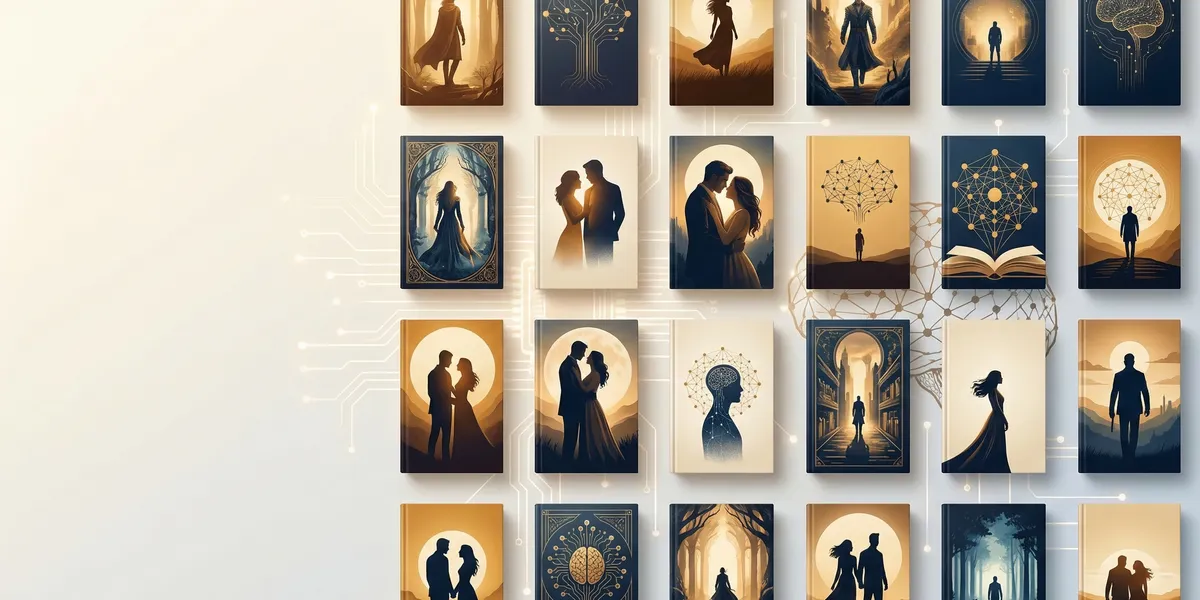
An ai book cover generator can produce a usable cover in minutes instead of weeks. But most tools only handle one piece of the puzzle — image generation, text layout, or templates — and leave you stitching everything together across three apps.
We tested 10 tools on real book cover projects across fiction and nonfiction genres. Here is how they rank by image quality, ease of use, typography, and overall value for self-published authors.
Quick comparison
| Tool | Best for | Image quality | Typography | Pricing |
|---|---|---|---|---|
| Chapter | Full book + cover workflow | Good | Built-in templates | $97 one-time |
| Midjourney | Raw image quality | Excellent | None (external needed) | $10-60/mo |
| Canva AI | Beginners, full layout | Good | Excellent | Free-$15/mo |
| Adobe Firefly | Commercial safety | Good | Via Creative Cloud | Free-$20/mo |
| DALL-E 3 | Conversational prompting | Good | Poor (external needed) | $20/mo |
| Leonardo AI | Style variety on a budget | Good | None (external needed) | Free-$48/mo |
| BookBrush | Author marketing assets | Moderate | Good | Free-$13/mo |
| Ideogram | Text inside images | Good | Best AI text rendering | Free-$20/mo |
| BeYourCover | Genre-specific covers | Good | Built-in | One-time pricing |
| Recraft | Vector and graphic styles | Good | Good | Free-$25/mo |
1. Chapter — best all-in-one book + cover solution
Our Pick — Chapter
Chapter is the only platform where you write your entire book and design the cover in the same workflow. Instead of generating an image in one tool, adding text in another, and formatting elsewhere, you go from idea to publish-ready book in a single place.
Best for: Authors who want the complete package — manuscript, cover, and export — without juggling multiple subscriptions.
Pricing: $97 one-time (nonfiction) | Fiction software also available
Why we built it: Most authors do not need a standalone cover tool. They need a cover that matches their book, formatted correctly for KDP or IngramSpark, as part of a finished manuscript. That is what Chapter does.
Chapter includes professional cover templates and design guidance built directly into the book writing workflow. You choose a template that fits your genre, customize it with your title and branding, and export alongside your manuscript in EPUB, PDF, or DOCX.
Over 2,147 authors have used Chapter to create more than 5,000 books. The platform has been featured in USA Today and the New York Times. Authors using Chapter have generated results including a $13,200 launch, $60K in 48 hours, and a speaking gig for 20,000 people — outcomes driven by publishing a professional, complete book rather than spending weeks piecing one together.
Strengths:
- Write, design, and export your entire book in one platform
- Professional cover templates organized by genre
- KDP-ready and IngramSpark-ready export formats
- One-time pricing — no monthly subscription draining your budget
- Built-in structure for both fiction and nonfiction books
Limitations:
- Not a standalone image generator — if you want to create cover art from text prompts, you will need a dedicated AI image tool
- Cover templates work best for nonfiction and clean design styles; heavily illustrated fiction covers may benefit from pairing with Midjourney or DALL-E
Our honest take: Chapter is not trying to be Midjourney. It is the platform where your cover, manuscript, and publishing files come together. For most nonfiction authors and many fiction authors, that matters more than having the most artistic AI-generated background image.
2. Midjourney — best raw image quality
Midjourney produces the most visually striking AI images available. For cover backgrounds in fantasy, sci-fi, romance, and thriller genres, nothing else comes close in terms of atmosphere, lighting, and artistic coherence.
Best for: Authors who want the highest quality AI-generated artwork and are comfortable adding text in a separate tool.
Pricing: Basic ($10/mo), Standard ($30/mo), Pro ($60/mo), Mega ($120/mo). No free tier.
The latest model handles mood, composition, and color with remarkable consistency. Use the --ar 2:3 aspect ratio flag to generate images in book cover proportions directly. Studies suggest that well-designed covers can increase book sales by up to 30%, and Midjourney gives you the highest ceiling for visual impact.
Strengths:
- Best-in-class image quality across all genres
- Excellent at mood, atmosphere, and artistic styles
- Strong for fantasy, sci-fi, horror, and literary fiction covers
- Active community sharing prompts and techniques
Limitations:
- Cannot render text — you must add title and author name in Canva, Photoshop, or another design tool
- Operates through Discord, which has a learning curve
- Requires prompt engineering skill for consistent results
- No book-specific templates or export presets
- Subscription cost adds up if you only need one cover
Workflow tip: Generate 20-30 variations, select the top 3, then import into Canva or Photoshop to add typography and finalize at print dimensions.
3. Canva AI (Magic Media) — best for beginners
Canva combines a massive template library with AI image generation through its Magic Media suite. For authors who want to design the entire cover layout — front, back, and spine — without switching apps, Canva is the easiest path from concept to finished cover.
Best for: First-time authors, nonfiction covers, and anyone who values ease of use over cutting-edge AI imagery.
Pricing: Free tier available. Canva Pro is approximately $13-15/month and unlocks premium templates and full AI features.
Strengths:
- Lowest learning curve of any tool on this list
- Thousands of book cover templates organized by genre
- Excellent typography tools — full font library with precise positioning
- Full wrap design capability (front, back, spine) in one canvas
- Export at KDP-compatible dimensions
- Generous free tier for testing
Limitations:
- AI-generated images are noticeably lower quality than Midjourney or Leonardo AI
- Templates can look generic without significant customization
- Best AI features and commercial rights require Pro subscription
- Text rendering in AI-generated images is unreliable — use Canva’s text tools instead
Best workflow: Use Canva for the layout, typography, and final export. If you need a more striking background image, generate it in Midjourney or Leonardo AI and import it into Canva for finishing.
4. Adobe Firefly — best for commercial safety
Adobe Firefly is trained exclusively on Adobe Stock images, openly licensed content, and public domain material. This makes it the safest option for authors concerned about copyright and commercial licensing.
Best for: Authors who prioritize legal safety, existing Adobe Creative Cloud subscribers, and professional designers.
Pricing: Free plan with limited credits. Firefly Standard is $9.99/month (2,000 credits). Firefly Pro is $19.99/month. Also included with many Creative Cloud subscriptions.
Strengths:
- Commercially safe — trained on licensed content only
- Adobe offers IP indemnification on paid plans
- Deep integration with Photoshop, Illustrator, and Adobe Express
- Generative Fill feature is excellent for extending or editing existing images
- Text-to-vector generation for logos and design elements
- High-resolution output with upscaling to 4K+
Limitations:
- Image generation tends to be more conservative and less artistic than Midjourney
- The credit system can burn through quickly if you use fast generation mode (2 credits per image)
- No book-specific templates or workflows
- Complex typography still requires InDesign or a separate design tool
Our take: If you already pay for Creative Cloud, Firefly is essentially a free and very capable addition to your workflow. If you do not, the standalone pricing is competitive but not significantly better than Canva for book covers specifically.
5. DALL-E 3 — best conversational prompting
DALL-E 3, integrated directly into ChatGPT, lets you describe your cover concept in plain English and iterate naturally. “Make the sky darker and add mountains in the background” works exactly as expected. No prompt syntax to learn.
Best for: Authors who want to brainstorm and iterate quickly using natural language, especially for concept exploration.
Pricing: Included with ChatGPT Plus ($20/month). API access available for higher volume.
Strengths:
- Natural language prompting — no technical prompt engineering required
- Seamless iteration within ChatGPT conversations
- Text rendering has improved (though still imperfect)
- Great for rapid concept exploration before committing to a direction
- Understands complex, descriptive prompts better than most competitors
Limitations:
- Image quality below Midjourney for detailed or artistic compositions
- Resolution caps below professional print standards for some outputs
- Content policy filters sometimes block legitimate creative concepts
- Character consistency across multiple images is unreliable
- Requires pairing with a design tool for typography and final layout
Best workflow: Use DALL-E 3 to explore 5-10 concept directions quickly, then recreate your favorite concept in Midjourney for higher quality, or import directly into Canva for a simpler cover.
6. Leonardo AI — best style variety on a budget
Leonardo AI offers a generous free tier and a wide range of artistic styles through its Phoenix model. For authors testing different visual directions without committing to a subscription, it is the strongest free option.
Best for: Budget-conscious authors, genre fiction covers, and anyone exploring multiple style directions.
Pricing: Free plan with 150 daily tokens. Paid plans start at $10/month (Apprentice) up to $48/month (Maestro).
Strengths:
- Most generous free tier — 150 tokens per day, including commercial rights
- Phoenix model produces high-quality genre-specific imagery
- Multiple preset styles including graphic design, illustration, and photorealistic
- Strong value-for-money on paid plans
- Token rollover on premium plans prevents waste
Limitations:
- Cannot render text — requires a separate design tool for typography
- Free tier tokens go fast with complex generations
- Interface has a moderate learning curve
- Less community support and prompt libraries compared to Midjourney
Workflow tip: Use Leonardo AI to generate your base image, then pair it with Canva for typography and final layout. The Apprentice plan at $10/month is the sweet spot for most indie authors.
7. BookBrush — best for author marketing assets
BookBrush is built specifically for authors. While its AI capabilities are limited compared to dedicated image generators, its strength is author-focused templates, 3D book mockups, and marketing assets that go beyond just the cover.
Best for: Indie authors who need covers, mockups, social media graphics, and ad images from one platform.
Pricing: Free plan available. Plus plan is $8.99/month. Gold plan is $12.99/month.
Strengths:
- Purpose-built for book authors — not a generic design tool
- Genre-organized cover templates
- 3D book mockup generator for marketing
- Export presets matched to KDP and IngramSpark requirements
- Social media and ad templates alongside covers
- Background remover tool built in
Limitations:
- No AI image generation — you use stock photos or upload your own images
- Interface feels dated compared to Canva
- Template designs can look formulaic
- AI features limited to font and color suggestions, not image creation
Our take: BookBrush is not an AI image generator. It is a design tool built around what authors actually need — covers, mockups, and marketing graphics. If you have your own images or stock photos, it streamlines the cover creation process. If you want AI-generated artwork, pair it with Midjourney or Leonardo AI.
8. Ideogram — best text rendering inside images
Ideogram is the only AI image generator that can reliably render words within images. If you want a cover where the title is integrated into the artwork itself — not added as a separate text layer — Ideogram is the tool for that.
Best for: Authors who want integrated text-and-image compositions and graphic design-style covers.
Pricing: Free tier available. Paid plans up to $20/month.
Strengths:
- Best text rendering of any AI image generator by a significant margin
- Can produce covers with title and author name baked into the design
- Clean, graphic design-oriented outputs
- Strong for nonfiction and minimalist cover styles
- Useful free tier for testing
Limitations:
- Overall image quality below Midjourney for complex artistic scenes
- Text rendering, while best-in-class, is still imperfect — check every letter carefully
- Smaller community and fewer resources compared to Midjourney or DALL-E
- Limited style range for photorealistic or highly detailed imagery
When to use it: Ideogram is ideal for covers where typography and imagery need to feel like one unified design rather than text layered on top of a background.
9. BeYourCover — best genre-specific cover tool
BeYourCover is a purpose-built platform designed exclusively for book covers. Unlike general-purpose AI image generators, it is trained to understand genre-specific visual conventions — the color palettes, compositions, and typography hierarchies that readers expect.
Best for: Authors who want a genre-appropriate cover without learning prompt engineering or design software.
Pricing: One-time payment model — significantly cheaper than monthly subscriptions for authors publishing a single book.
Strengths:
- Trained specifically on book covers, not general images
- Genre-specific design intelligence built in
- Integrated typography engine
- 40+ premium cover styles including photorealistic, minimalist, and typography art
- Audiobook cover generator included
- One-time pricing model
Limitations:
- Currently generates front covers only — full wrap support expected later in 2026
- Less flexible than general-purpose tools for unique or unconventional designs
- Newer platform with less track record than established tools
10. Recraft — best for vector and graphic styles
Recraft is a design-focused AI tool that excels at vector graphics, clean illustrations, and graphic design-style outputs. For nonfiction covers that need a modern, minimal aesthetic, it produces polished results.
Best for: Nonfiction authors, graphic design-style covers, and anyone who needs scalable vector elements.
Pricing: Free tier available. Paid plans up to $25/month.
Strengths:
- Strong vector and graphic design generation
- Clean, professional outputs suited for nonfiction
- Good text rendering for an AI image tool
- Scalable vector outputs for print quality
- Useful for generating individual design elements (icons, illustrations) to incorporate into a larger cover layout
Limitations:
- Not ideal for photorealistic or highly atmospheric imagery
- Smaller user base means fewer tutorials and community resources
- Fiction cover styles (fantasy, romance, thriller) are weaker than Midjourney or Leonardo AI
How we evaluated these tools
We assessed each AI book cover generator across five criteria:
- Image quality: How professional and genre-appropriate are the raw outputs?
- Typography: Can the tool handle title and author name placement, or do you need a separate design app?
- Ease of use: How quickly can a non-designer produce a usable cover?
- Pricing and value: What does it actually cost to produce one finished cover?
- Workflow completeness: Does the tool handle the full process, or just one step?
No single tool does everything perfectly. The best approach depends on your genre, technical comfort level, and whether you need a cover as part of a larger publishing workflow or as a standalone design project.
The smartest workflow for most authors
Based on testing all 10 tools, here is the workflow that produces the best results for the least effort:
-
Start with the end goal. If you need a complete book — manuscript, cover, and export files — Chapter handles the full workflow in one place. Your cover matches your book and exports in the right format.
-
If you need custom AI artwork, generate your background image in Midjourney (highest quality) or Leonardo AI (best free option).
-
Finish in a layout tool. Import your AI-generated image into Canva (easiest) or Photoshop (most control) to add typography and finalize dimensions.
-
For copyright-sensitive projects, use Adobe Firefly as your image source instead of Midjourney.
The authors getting the best results are not using one tool — they are using the right tool for each step. But if you want to skip the multi-tool dance entirely, a platform like Chapter that handles writing, covers, and publishing together is the most efficient path from idea to published book.
FAQ
What is the best free AI book cover generator?
Leonardo AI offers the most generous free tier at 150 daily tokens with commercial rights included. Canva’s free plan is also strong if you want templates and layout tools alongside basic AI generation. For testing text-in-image designs, Ideogram’s free tier is worth trying.
Can AI-generated book covers be used commercially?
Yes, with the right tool. Midjourney, DALL-E 3, Leonardo AI, Canva, and Adobe Firefly all grant commercial rights on their paid plans. Adobe Firefly offers the strongest legal protection with IP indemnification. Amazon KDP requires you to disclose AI-generated content during publishing — there is no penalty for disclosure, but failing to disclose can result in book removal.
Do AI book covers look professional enough for publishing?
It depends on the genre and the effort you put in. AI-generated backgrounds paired with professional typography in Canva or Photoshop can produce covers that compete with mid-range designer work. Purely AI-generated covers — where the tool handles both image and text — still look noticeably AI-generated in most cases. For high-stakes launches, consider using AI for concept exploration and then working with a designer for the final version.
What is the best AI book cover generator for romance novels?
Romance covers have specific visual conventions that AI still struggles with — consistent character faces, specific body language, and lighting that conveys the right emotional tone. Midjourney is the strongest option for romance cover imagery, but you will likely need extensive iteration. For a complete publishing solution that includes cover templates suited to romance, Chapter’s fiction software handles the full workflow.
How much should I spend on an AI book cover?
For a single book, you can produce a solid cover for under $30 using a combination of free and low-cost tools. Leonardo AI’s free tier for the image, Canva’s free tier for layout. For ongoing publishing, Chapter’s one-time $97 covers your entire book creation process including covers. Midjourney at $10/month is the best value for pure image quality if you publish regularly.