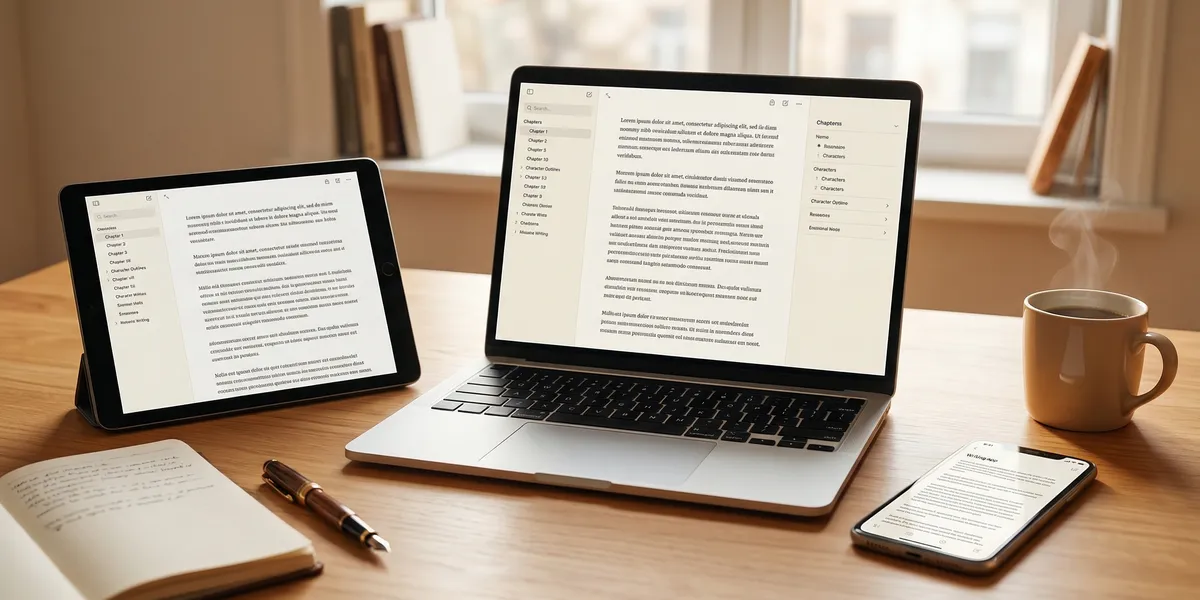
You can write a full book without paying for software. The best free book writing apps in 2026 range from AI-powered manuscript generators to scene organizers and distraction-free editors. Here are nine options worth your time, ranked by what they actually deliver for authors.
Quick Comparison
| App | Best For | AI Features | Platform | Cost |
|---|---|---|---|---|
| Chapter (Our Pick) | Full AI manuscript generation | Complete book drafts | Web | Free trial |
| Google Docs | Collaboration with editors | Basic suggestions | Web, mobile | Free |
| Reedsy Studio | Formatting + export | None | Web | Free |
| yWriter | Scene-based novel organization | None | Windows, Linux, Android | Free |
| FocusWriter | Distraction-free drafting | None | Windows, Mac, Linux | Free |
| Novelist | Mobile novel writing | None | iOS, Android | Free |
| Wavemaker | Plotting + drafting combined | None | Web | Free |
| Obsidian | Research-heavy nonfiction | None | Windows, Mac, Linux, mobile | Free |
| LibreOffice Writer | Traditional word processing | None | Windows, Mac, Linux | Free |
1. Chapter
Our Pick — Chapter
Chapter uses AI to generate complete book manuscripts — full drafts, not outlines. Nonfiction authors get 80 to 250 pages in roughly 60 minutes. Fiction writers can produce 20,000 to 120,000+ words using genre-specific templates.
Best for: Authors who want a complete first draft generated by AI
Chapter is the fastest path from idea to manuscript. You provide your topic, audience, and structure preferences. The AI builds a full book — chapters, sections, transitions, and all. Over 2,100 authors have used it to create more than 5,000 books, and it has been featured in USA Today and the New York Times.
The free trial lets you test the platform before committing. The full nonfiction product is a one-time $97 purchase — no subscriptions. Fiction pricing varies by project scope.
Why we built it: Most writing apps give you a blank page. Chapter gives you a finished first draft to edit and refine.
Pricing: Free trial available | $97 one-time (nonfiction)
2. Google Docs
Best for: Authors who need real-time collaboration with editors and beta readers
Google Docs is the simplest entry point for writing a book. It auto-saves constantly, works on any device with a browser, and lets multiple people comment and edit simultaneously. Many traditionally published authors use it for the editing phase because agents and editors already know the interface.
The main limitation is organization. Google Docs has no concept of chapters, scenes, or manuscript structure. You either write in one long document (which gets sluggish past 50,000 words) or split chapters into separate files and manage them manually in Google Drive.
For short nonfiction — memoirs, how-to guides, essay collections — Google Docs works fine start to finish. For 80,000-word novels, you will probably want a dedicated book writing software for the drafting phase and Google Docs for collaboration.
Pricing: Free with a Google account
3. Reedsy Studio
Best for: Authors who want free professional formatting and ebook export
Reedsy Studio is a browser-based writing and formatting tool built specifically for book authors. You write in a clean editor, organize by chapters, and export to professionally formatted EPUB and PDF files — all for free.
The formatting is the standout feature. Reedsy produces export-ready files that meet Amazon KDP and IngramSpark submission standards. Authors who use other writing apps for drafting often move their manuscript into Reedsy Studio just for the export step.
It does not have AI writing features, offline access, or plotting tools. It is a writing and formatting environment, and it does that job well.
Pricing: Free
4. yWriter
Best for: Novelists who organize by scenes and track characters
yWriter breaks your novel into chapters and scenes, letting you drag, rearrange, and track elements like characters, locations, and items across the manuscript. Some authors call it a free alternative to Scrivener.
The interface looks dated — it has not had a visual redesign in years. But the organizational tools are solid. You can set word count goals per scene, track which characters appear in each chapter, and add notes at every level of the manuscript.
The desktop version (Windows, Linux) is fully free. There is also an Android app. No iOS or Mac version exists, which limits its audience.
Pricing: Free
5. FocusWriter
Best for: Authors who get distracted and need a minimal writing environment
FocusWriter does one thing: it fills your entire screen with a blank page and removes every distraction. No toolbars, no notifications, no formatting options cluttering your view. You write, and it saves.
You can set daily word count goals and timers. Custom themes let you change the background color, font, and opacity to suit your preferences. Some authors use nature backgrounds or dark themes to create an atmosphere for writing sessions.
It is purely a drafting tool. You will need to export your text into something else for formatting and publishing. But for getting words on the page during a first draft, the simplicity is the entire point.
Pricing: Free (open source)
6. Novelist
Best for: Writing novels on your phone or tablet
Novelist is a mobile-first book writing app that is completely free with no ads or in-app purchases. You can plot, outline, write, and schedule writing sessions entirely from your phone.
It includes character sheets, location tracking, a timeline view, and the ability to organize by chapters and scenes. The feature set is surprisingly complete for a free mobile app — over 200,000 authors have downloaded it according to Google Play.
The main trade-off is that it is mobile-only. There is no desktop version, and the small screen can feel cramped during long writing sessions. It works best as a supplement for writing on the go, paired with a desktop tool for longer sessions.
Pricing: Free (iOS and Android)
7. Wavemaker
Best for: Plotters who want free planning tools alongside a writing editor
Wavemaker is a browser-based app that combines plotting tools with a writing editor. It includes a snowflake method tool, mind mapping, a timeline view, and chapter-by-chapter organization — all free.
The snowflake tool is particularly useful for authors who build stories from a single sentence outward to a full outline. You expand your one-sentence premise into a paragraph, then into a page, then into individual scenes. The writing editor sits alongside these planning tools so you can reference your outline while drafting.
It works offline after the first load (it uses your browser’s local storage), but there is no cloud sync. If you clear your browser data, your work disappears. Export regularly.
Pricing: Free
8. Obsidian
Best for: Research-heavy nonfiction authors who organize ideas through linking
Obsidian is a note-taking app that uses bidirectional linking between notes. For nonfiction authors, this means you can connect research notes, source materials, chapter drafts, and outlines into a web of linked ideas.
A history book author, for example, can link a chapter draft to the primary sources it references, the character profiles of historical figures mentioned, and the timeline events covered. Clicking any link takes you to the connected note. The graph view shows your entire manuscript’s knowledge structure visually.
Obsidian stores everything as plain Markdown files on your computer — no proprietary format, no cloud dependency. It is free for personal use. The learning curve is steeper than a simple word processor, but authors who do extensive research find the linking system transformative for organizing complex projects.
Pricing: Free for personal use
9. LibreOffice Writer
Best for: Authors who want a traditional word processor without paying for Microsoft Word
LibreOffice Writer is the free, open-source alternative to Microsoft Word. It handles everything Word does — formatting, headers, table of contents generation, page numbering, and export to PDF and DOCX formats.
For authors following traditional publishing submission guidelines that require Word-formatted manuscripts, LibreOffice Writer produces compatible .docx files. It also opens and edits existing Word documents without formatting issues in most cases.
The trade-off compared to book-specific apps is the same as Word: no chapter organization, no scene tracking, no character databases. It is a general-purpose word processor, not a writing tool designed for books. But for authors who prefer a familiar word-processing workflow, it costs nothing.
Pricing: Free (open source)
How we evaluated these apps
Every app on this list meets three criteria: it must be genuinely free (not a limited trial disguised as free), it must be functional enough to write a complete book, and it must be actively maintained as of 2026.
We tested each tool by writing at least 5,000 words in it, testing the export options, and evaluating the organizational features against what book authors actually need. The ranking prioritizes tools that solve specific author problems — manuscript generation, collaboration, formatting, organization, and focus — rather than general-purpose text editors.
Chapter is ranked first because it is the only tool on this list that generates a complete manuscript. The remaining tools are ranked by how well they serve their specific use case, not by a single score.
Free vs. paid: when to upgrade
Free book writing apps handle the basics well. If your workflow is straightforward — draft, edit, publish — a combination of tools on this list covers you completely. Google Docs for drafting and collaboration, Reedsy Studio for formatting, and you are set.
Consider paid software when you need:
- AI manuscript generation beyond a trial — Chapter’s full version at $97 one-time is the most cost-effective option
- Advanced organization for complex novels — Scrivener ($49 one-time) offers the deepest structural tools
- Professional editing features — ProWritingAid or Grammarly Premium add style and grammar analysis on top of any writing app
Most authors start free and upgrade only when they hit a specific limitation. That is the right approach. Use the free tools, finish your book, and invest in paid software only if a free option genuinely cannot do what you need.
FAQ
Can I write a full book using only free apps?
Yes. Thousands of published authors have written entire books using Google Docs, Reedsy Studio, or yWriter. Free tools lack some convenience features of paid software, but nothing about the free tier prevents you from completing a manuscript.
What is the best free app for writing a novel specifically?
For novel organization with scenes and chapters, yWriter or Novelist are the strongest free options. For pure drafting speed, FocusWriter removes distractions. For a combined approach with plotting tools, Wavemaker covers planning and writing in one app.
Do free writing apps work on mobile?
Novelist (iOS and Android), Google Docs (iOS and Android), and Wavemaker (browser-based, works on mobile) are the best mobile options. Obsidian also has mobile apps. yWriter has an Android app but no iOS version.
Is Google Docs good enough for writing a book?
For books under 50,000 words, Google Docs works well. Longer manuscripts can cause performance issues — the document loads slowly and search becomes sluggish. Many authors write in Google Docs and switch to a dedicated tool only when the file size becomes a problem.
What free app has the best export and formatting?
Reedsy Studio produces the most professional book formatting of any free tool. It exports to EPUB and PDF with proper trim sizes, chapter headings, and front matter — ready for Amazon KDP or IngramSpark submission.