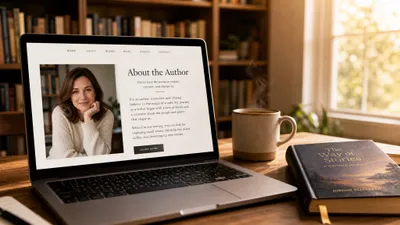
You can set up a Goodreads author page for free in under 15 minutes — and it’s one of the highest-impact things you can do to get your book in front of readers.
In this guide, you’ll learn:
- How to claim your Goodreads author profile step by step
- The exact bio, photo, and settings that make your page convert
- How to use the author dashboard to run giveaways, answer reader questions, and connect your blog
- Common mistakes that keep authors invisible on Goodreads (and how to fix them)
Here’s everything you need to get your page live and optimized.
What Is a Goodreads Author Page?
A Goodreads author page is a free public profile on Goodreads that showcases your books, bio, photos, and blog posts to the platform’s 150 million+ registered members. It’s separate from a regular Goodreads user account — you need to apply through the Goodreads Author Program to get one.
Once approved, you unlock a full author dashboard with tools for running giveaways, answering reader questions, tracking book stats, and connecting your blog. Your author page also appears in Google search results when readers look up your name, making it a key piece of your author platform. You can learn more on the official Goodreads Author Program page.
Think of it as your storefront on the world’s largest book discovery platform. Without it, your books still appear on Goodreads (retailers feed data automatically), but you have zero control over how you’re presented.
Do You Need a Goodreads Author Page?
Yes — if you’ve published a book or have one coming out soon. Here’s why:
- Readers find you there. Goodreads is the first place many readers go after hearing about a book. If your page looks empty or abandoned, they move on.
- It boosts your discoverability. Goodreads author pages rank well in Google searches for your name and book titles.
- You control the narrative. Without claiming your page, the auto-generated listing may have incorrect information, missing covers, or books attributed to the wrong author.
- It feeds your marketing. The author dashboard lets you run giveaways, answer reader questions, and cross-promote your email list and website.
If you’ve already set up your Amazon Author Central page, adding Goodreads is the natural next step. The two platforms complement each other — Amazon drives sales, Goodreads drives discovery and word-of-mouth.
Step 1: Create a Goodreads Account
If you don’t already have a Goodreads account, head to goodreads.com and sign up. You can register with your email address, or sign in through Amazon, Apple, or Facebook.
Use your author name. If you write under a pen name, create your account with that name. Your Goodreads account name should match the name on your book covers exactly. This matters for the approval process later.
If you already have a personal Goodreads account under your real name but publish under a pen name, you have two options:
- Change your account name to your pen name (simplest approach)
- Create a second account under your pen name (Goodreads allows this for authors with pen names)
Either way, the name on your Goodreads account needs to match the name printed on your published books.
Step 2: Find Your Book on Goodreads
Once you’re signed in, search for your book using the search bar at the top of the page. You can search by:
- Book title
- ISBN
- ASIN (Amazon’s identifier)
- Your author name
Your book likely already exists in the Goodreads database. Retailers like Amazon, Barnes & Noble, and IngramSpark automatically feed book data to Goodreads. If your book was published through any major distributor, it’s probably already listed.
Can’t find your book? If your book doesn’t appear in search results, you can manually add it. Go to the Goodreads manually add a book page and enter your book’s details — title, author, ISBN, publisher, and publication date.
Once you find your book listing, click on your author name as it appears on the book page. This takes you to the auto-generated author profile.
Step 3: Claim Your Author Profile
This is where you officially join the Goodreads Author Program. On your auto-generated author profile page, scroll to the bottom and look for the link that says “Is this you? Let us know!”
Click that link, and Goodreads will walk you through a short application form. The official Goodreads help page for joining the Author Program covers the latest requirements. You’ll need to provide:
- Your Goodreads account (the one matching your author name)
- A link to your published book on Amazon, Barnes & Noble, IngramSpark, or another retailer
- Proof of authorship — links to your author website, social media profiles, publisher page, or media coverage
Tip: The more proof you provide, the faster your approval. Include links to your publisher’s website, your Amazon Author Central page, your author bio page, and any press mentions or interviews. Goodreads reviewers look for clear evidence that you’re the actual author.
After submitting, you’ll receive an email confirmation. Approval typically takes 1-2 business days, though some authors report getting approved within hours.
Step 4: Set Up Your Profile Photo
Once approved, your first priority is adding a professional profile photo. A page with no photo looks abandoned — and abandoned pages don’t build reader trust.
What works best:
- A high-quality headshot with good lighting
- A photo where your face is clearly visible (not a group shot or a landscape)
- Something that matches your genre’s vibe — a romance author can be warmer and more approachable, a thriller writer might go for something moodier
- The same photo you use on your author website and Amazon Author Central page for brand consistency
Technical specs: Goodreads recommends photos that are at least 300x300 pixels. Upload the highest quality version you have — Goodreads will resize it.
To add your photo: Go to your author dashboard, click “Edit Profile”, and upload your image under the profile photo section.
Step 5: Write a Compelling Author Bio
Your Goodreads bio is one of the most-read pieces of text about you on the internet. Readers land here from Google searches, book pages, and recommendation lists. Make it count.
The formula that works:
- Open with a hook — one sentence that captures who you are as a writer and why someone should care
- Mention your books — name your most popular or most recent titles
- Add a personal touch — something memorable that makes you human (your cat, your coffee addiction, your hometown)
- Include a call to action — where readers should go next (your website, newsletter, social media)
Example structure:
[Author name] writes [genre] novels about [themes]. Her latest book, [Title], [brief hook about the book]. When she’s not writing, she [personal detail]. Connect with her at [website] or sign up for her newsletter at [link].
Keep it under 300 words. Readers skim — shorter bios get read, longer ones get skipped.
Pro tip: Include a link to your email list signup. Goodreads allows HTML links in your bio, and this is one of the best places to convert readers into subscribers. Your email list is the single most valuable marketing asset you own.
If you’re struggling to write your bio, check out our guide on how to write an author bio with templates and examples.
Step 6: Verify and Organize Your Book Listings
After claiming your profile, check that all your books appear correctly. Common issues include:
- Missing books — If a book doesn’t show up, search for it on Goodreads and request that it be linked to your author profile through the Goodreads Librarians Group
- Duplicate editions — Multiple editions of the same book (paperback, hardcover, ebook, audiobook) should be combined into a single work. You can request this through the Librarians Group
- Wrong cover image — You can update your book’s cover through the “edit book” option on any listing
- Incorrect details — Fix wrong publication dates, ISBNs, page counts, or descriptions
For each book, optimize the listing:
- Upload the highest-resolution cover image you have
- Write a compelling book description (use the same description from your Amazon listing for consistency)
- Add the correct genre and subject tags
- Set the correct edition as the “primary” edition — this is what shows on your author page
Take 10 minutes to audit every listing. A clean, accurate book catalog makes your author page look professional and trustworthy.
Step 7: Customize Your Author Dashboard Settings
Your author dashboard is the control center for everything you do on Goodreads. After initial setup, configure these key settings:
Turn On “Ask the Author”
This feature lets readers submit questions directly to your profile. You answer on your own schedule — there’s no time pressure. Answered questions appear publicly on your author page, giving future visitors more reasons to engage.
To enable it: Go to your author dashboard and find the “Ask the Author” toggle. Turn it on.
Why it matters: Active Q&A sections signal to readers (and to Goodreads’ recommendation algorithm) that you’re an engaged, accessible author. Pages with answered questions get more profile visits.
Connect Your Blog
Goodreads lets you connect an RSS feed from your blog. New blog posts automatically appear on your author page and in your followers’ newsfeeds.
To set it up: Go to your dashboard, find the “Blog” section, and add your blog’s RSS feed URL. If you have an author website with a blog, this is a direct pipeline from your content to Goodreads readers.
Add Photos and Videos
Upload additional photos beyond your profile picture — behind-the-scenes writing photos, book signings, cover reveals, or event appearances. These make your page feel alive and give readers more content to browse.
Videos work well too. Book trailers, Q&A recordings, or short introductions to your books add a personal touch that static text can’t match.
How to Use Goodreads Giveaways to Grow Your Audience
Goodreads giveaways are one of the platform’s most powerful promotional tools. When you list a giveaway, Goodreads promotes it to readers who’ve shown interest in your genre — and every person who enters adds your book to their “Want to Read” shelf.
How giveaways work:
- You choose how many copies to give away (print or ebook)
- You set the dates and geographic availability
- Goodreads promotes the giveaway to relevant readers
- Entrants automatically add your book to their shelves
- Winners receive the book and are encouraged to leave a review
Cost: Standard Goodreads giveaways start at $119 for ebooks and $599 for print books (this is a fee to Goodreads, separate from the cost of the books themselves). It’s a real investment, so time your giveaways strategically — ideally around your book launch or a new release.
What to expect: A well-run giveaway can generate hundreds to thousands of “Want to Read” additions. Even readers who don’t win now know your book exists and may buy it later.
For more launch strategies, check out our book launch checklist.
How to Get More Goodreads Reviews
Reviews on Goodreads carry enormous weight. Many readers won’t buy a book until they’ve checked its Goodreads rating. Here’s how to build your review count:
- Add a note in your book’s back matter asking readers to leave a Goodreads review. Many readers don’t think to do this unless you ask.
- Use “Ask the Author” actively. Engaged readers are more likely to leave reviews.
- Run giveaways. Winners are prompted to review the book they received.
- Reach out to Goodreads reviewers in your genre. Many avid reviewers accept review copies — but always check their review policy first.
- Cross-promote your Goodreads page. Link to it from your website, email newsletter, and social media.
Never pay for reviews or create fake accounts to review your own book. Goodreads actively monitors for review manipulation and will flag or remove your account. Build your reviews the right way — it takes longer, but the credibility lasts.
For more strategies, read our guide on how to get book reviews on Amazon — most of those tactics work on Goodreads too.
How to Use Your Goodreads Author Page for Book Marketing
Your Goodreads page isn’t just a static profile — it’s an active marketing channel. Here’s how to use it as part of your broader book marketing plan:
Join Goodreads groups. Find groups in your genre and participate genuinely. The Author Guidelines outline what’s allowed and what’s not — read them before you start promoting. Don’t spam your book links — instead, contribute to discussions, answer questions, and be helpful. Readers buy from authors they like and trust.
Engage with readers who shelve your book. When someone adds your book to their “Want to Read” shelf, it shows up in their friends’ feeds. The more engagement your book gets, the more Goodreads’ algorithm recommends it.
Keep your page active. Update your bio with new releases, post blog updates, answer reader questions, and refresh your photos. An active page ranks higher in Goodreads’ internal search and looks more appealing to browsing readers.
Use Goodreads alongside other platforms. Your Goodreads page works best as part of a complete author platform. Combine it with your Amazon Author Central page, your author website, your email list, and your social media presence.
For more book promotion ideas, including both free and paid strategies, check out our full guide.
Common Mistakes to Avoid
- Leaving your profile photo blank. A page with no photo screams “abandoned.” Upload a professional headshot before doing anything else.
- Writing a bio that’s too long or too vague. Keep it under 300 words. Lead with your genre and books, not your life story.
- Ignoring book listing errors. Duplicate editions, wrong covers, and missing books make your page look unprofessional. Audit your listings.
- Spamming Goodreads groups. Self-promotion without genuine engagement gets you blocked and damages your reputation.
- Never updating your page. Treat your Goodreads profile like your author website — update it with each new release, event, or milestone.
- Using a different name than what’s on your books. Your Goodreads account name must match your published author name exactly. Mismatches cause approval delays and book attribution problems.
How Long Does Goodreads Author Approval Take?
Goodreads author program approval typically takes 1-2 business days after you submit your application. Some authors report approval within a few hours, especially if they provide strong proof of authorship (links to published books on Amazon, a professional author website, and social media profiles).
If you haven’t heard back after 3 business days, check your spam folder first. Then contact Goodreads support through their help center. The most common reason for delays is insufficient proof — make sure your application includes direct links to your published books on at least one major retailer.
Can You Have a Goodreads Author Page Before Publishing?
Yes — with a caveat. Goodreads requires that your book be listed in their database to approve your author application. If your book has a confirmed publication date and is already listed on Amazon, Barnes & Noble, or another retailer with a pre-order page, you can apply before your official release date.
This is actually smart strategy. Setting up your Goodreads author page 2-3 months before your book launch lets you build “Want to Read” additions, collect early reviews from advance readers, and have a polished profile ready when launch day arrives.
What About Using AI to Write Your Book?
If you’re still working on your manuscript, tools like Chapter can help you get from idea to finished draft faster. Over 2,147 authors have used Chapter to write and publish more than 5,000 books — and several have gone on to earn significant income from their work, including one author who made $60K in 48 hours after publishing.
Once your book is written and published, come back to this guide to get your Goodreads author page set up. Your author platform is only as strong as the books behind it.
FAQ
How do I set up a Goodreads author page?
To set up a Goodreads author page, create a free Goodreads account using your author name, search for your published book, click your author name on the book’s listing, then scroll down and click “Is this you? Let us know!” to apply for the Author Program. Approval takes 1-2 business days.
Is the Goodreads Author Program free?
Yes, the Goodreads Author Program is completely free to join. Any author with a published book (or a book with a confirmed upcoming publication date) listed in the Goodreads database can apply. There are no membership fees, no annual charges, and no hidden costs to maintain your author page.
What do I need to get approved for the Goodreads Author Program?
To get approved for the Goodreads Author Program, you need a published book listed on a major retailer (Amazon, Barnes & Noble, IngramSpark), a Goodreads account matching your author name, and proof of authorship — such as links to your publisher page, author website, or social media profiles.
Can I have multiple author pages on Goodreads?
Yes, if you write under multiple pen names, you can have a separate Goodreads author page for each name. Each pen name needs its own Goodreads account and its own published books in the database. You’ll apply to the Author Program separately for each pen name.
How do I fix books showing under the wrong author on Goodreads?
If your books appear under the wrong author profile on Goodreads, visit the Goodreads Librarians Group and post a request to move the books to your correct profile. Include links to the incorrect listing and your correct author page. Volunteer librarians handle these requests, usually within a few days.