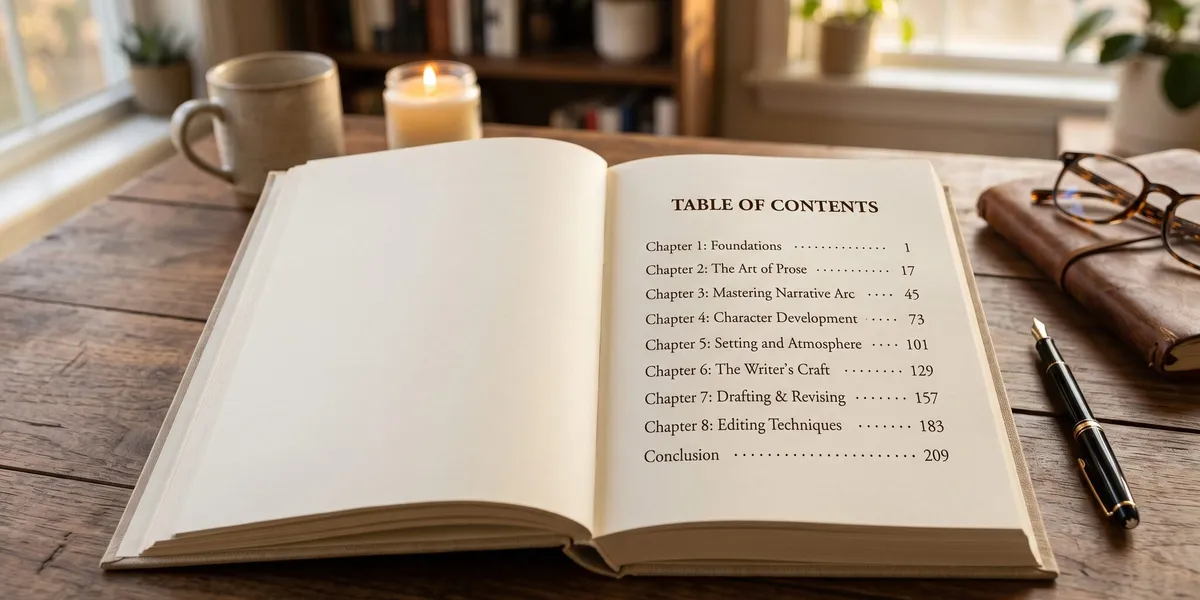
You can create a professional table of contents for your book in under 30 minutes — even if you’ve never formatted a manuscript before.
In this guide, you’ll learn:
- What goes in a table of contents (and what doesn’t) for fiction and nonfiction
- How to build a TOC in Word, Google Docs, and dedicated formatting tools
- The formatting tricks that make your TOC look polished in print and ebook editions
- How your table of contents doubles as a sales tool on Amazon’s Look Inside preview
Here’s exactly how to do it, step by step.
What Is a Table of Contents in a Book?
A table of contents (TOC) is a list of your book’s chapters, sections, or major divisions that appears near the front of the manuscript, typically after the title page and copyright page. It shows readers what your book covers and where to find each section.
Think of it as a roadmap. Your TOC tells the reader exactly what they’ll get and how the book is organized.
For nonfiction, a table of contents is essential. Readers use it to navigate directly to the chapter they need. For fiction, it’s technically optional in print — but required for ebooks on platforms like Amazon KDP.
If you’re still working on your book’s structure, start with a solid book outline before building your TOC.
Do You Need a Table of Contents?
Whether you need a table of contents depends on your book’s format and genre.
You definitely need a TOC if:
- You’re publishing a nonfiction book (readers expect to navigate by topic)
- You’re publishing any ebook (Amazon KDP, Apple Books, and other platforms require or strongly recommend it)
- Your book has named chapters, parts, or sections
- You’re publishing a reference book, textbook, or how-to guide
A TOC is optional but recommended if:
- You’re publishing a print novel with numbered chapters only
- You’re writing a memoir with distinct, titled chapters
You can skip it if:
- You’re publishing a very short work (under 10,000 words)
- Your print novel uses only numbered chapters and no section breaks
Even when optional, a table of contents adds professionalism. It shows readers you’ve thought about structure — and it helps Amazon’s Look Inside preview display your book’s scope, which can directly increase sales.
What to Include in Your Table of Contents
Your TOC should mirror the major structural divisions of your book. Here’s what to include and what to leave out.
Always include:
- Part titles (if your book has parts)
- Chapter titles and/or numbers
- Major section headings within chapters (nonfiction)
Sometimes include:
- Foreword, preface, or introduction (if they’re substantial enough to be a standalone read)
- Appendices, glossary, bibliography, or index
- About the Author page
Never include:
- The table of contents page itself
- Copyright page
- Dedication or epigraph
- Acknowledgements (unless they’re a significant section)
- Every single subheading (keep it scannable — H2 level is usually deep enough)
For a full breakdown of what goes where in your book, see our guide to the parts of a book.
How to Create a Table of Contents for a Nonfiction Book
Nonfiction books benefit the most from a well-crafted table of contents. Your TOC isn’t just navigation — it’s a preview of your book’s value proposition.
Step 1: Finalize Your Chapter Structure
Before you build a TOC, make sure your chapters are set. Each chapter should cover one clear topic or idea.
If you’re still organizing your content, a nonfiction book outline helps you lock down the structure first.
Step 2: Write Descriptive Chapter Titles
Vague chapter titles like “Chapter 3” tell the reader nothing. Descriptive titles sell your book.
| Weak Title | Strong Title |
|---|---|
| Chapter 1 | Why Most Diets Fail in the First 30 Days |
| Chapter 5 | The 10-Minute Morning Routine That Changed Everything |
| Chapter 8 | Building Your First Email List |
Strong chapter titles serve double duty: they make your TOC scannable and they work as selling points in Amazon’s Look Inside preview.
Step 3: Decide on Your Heading Depth
For most nonfiction books, your TOC should include:
- Parts (if applicable) — level 1
- Chapters — level 2
- Major sections within chapters (optional) — level 3
Going deeper than three levels makes the TOC cluttered. If your chapters have 8+ subsections each, only include the most important ones.
Step 4: Add Page Numbers (Print) or Links (Ebook)
For print books, each TOC entry needs a corresponding page number. For ebooks, each entry needs a hyperlink that jumps the reader to that location.
Most book formatting software handles this automatically when you use heading styles correctly.
Step 5: Format and Align
Your finished TOC should have:
- Consistent indentation (sections indented under chapters, chapters indented under parts)
- Right-aligned page numbers with dot leaders in print
- Matching typography to the rest of your front matter
We’ll cover the specific formatting steps for Word and Google Docs below.
How to Create a Table of Contents for a Fiction Book
Fiction books follow simpler rules. Most novels use numbered chapters, sometimes with titles.
For print fiction:
A TOC is optional. Many traditionally published novels skip it entirely. But if your chapters have evocative titles — like “The Night the Bridge Burned” — a TOC adds atmosphere and gives the reader a sense of the story’s arc.
For ebook fiction:
You need a TOC. Amazon KDP requires a working, linked table of contents in every ebook. Even if your chapters are just “Chapter 1, Chapter 2,” those need to be hyperlinked entries.
Fiction TOC structure:
Keep it simple:
- List each chapter by number and title (if titled)
- Include Parts or sections if your novel uses them
- Skip appendices, about the author, or extras — unless they add value
If your novel has parts (e.g., “Part I: Before the War”), include those as parent entries with the chapters nested beneath them.
How to Make a Table of Contents in Microsoft Word
Microsoft Word can auto-generate a table of contents from your heading styles. Here’s how.
Apply Heading Styles to Your Chapters
Before inserting a TOC, you need to tag each chapter title with Word’s built-in heading styles.
- Select your chapter title text
- Go to Home > Styles
- Click Heading 1 for chapter titles
- Click Heading 2 for major sections within chapters
- Click Heading 3 for subsections (if including them)
Do this for every chapter and section in your manuscript.
Insert the Table of Contents
- Place your cursor where you want the TOC (after the title page and copyright page)
- Go to References > Table of Contents
- Choose an automatic style (either “Automatic Table 1” or “Automatic Table 2”)
- Word generates the TOC with page numbers pulled from your headings
Update When You Make Changes
Every time you add, delete, or rearrange chapters, your TOC will be out of date. To update:
- Click anywhere inside the TOC
- Click Update Table (or right-click and select “Update Field”)
- Choose Update entire table to refresh both headings and page numbers
Never manually type corrections directly into the TOC. Always fix the actual heading in your document and then update the table.
For a ready-made manuscript setup, check out our free book template for Word.
How to Make a Table of Contents in Google Docs
Google Docs also supports automatic tables of contents.
- Apply heading styles to all chapter titles (Format > Paragraph styles > Heading 1, 2, or 3)
- Place your cursor where you want the TOC
- Go to Insert > Table of contents
- Choose either “With page numbers” or “With blue links”
Google Docs keeps your TOC in sync with your headings. Click the refresh icon on the TOC block to update it after making changes.
Limitation: Google Docs works fine for drafting, but it lacks the precision formatting features you need for a print-ready manuscript. For final formatting, export to Word or use dedicated book formatting tools.
How to Format a Table of Contents for Amazon KDP
Amazon KDP has specific requirements for ebook tables of contents. Getting this right is critical because a broken TOC can trigger a quality warning — or get your book rejected.
KDP TOC requirements:
- Every ebook must have an HTML table of contents (a page within the book with linked entries)
- Every entry must hyperlink to the correct chapter location
- The TOC must be listed as the “Table of Contents” in the book’s logical navigation (NCX/nav)
- Chapter titles in the TOC must match the actual chapter headings exactly
How to set it up:
If you’re formatting in Word for KDP upload:
- Apply Heading 1 to each chapter title
- Insert an automatic table of contents (References > Table of Contents)
- Save as .docx and upload to KDP — Amazon converts the headings into navigable links
If you’re using a tool like Vellum, Atticus, or Chapter, the TOC is generated automatically when you export.
Pro tip: Test your ebook file in Amazon’s Kindle Previewer before publishing. Navigate every TOC link to confirm it jumps to the right spot. A single broken link can trigger a customer complaint.
For the full KDP publishing process, see our Amazon KDP self-publishing guide.
Table of Contents Examples by Genre
Seeing real examples helps. Here’s how a TOC looks for different book types.
Nonfiction How-To Book
Part I: Foundation
  Chapter 1: Why You Need a Budget .............. 1
  Chapter 2: The 50/30/20 Rule Explained ........ 15
  Chapter 3: Setting Up Your Accounts ........... 29

Part II: Implementation
  Chapter 4: Your First Month ................... 45
  Chapter 5: Handling Unexpected Expenses ........ 63
  Chapter 6: Automating Your Finances ........... 79

Part III: Growth
  Chapter 7: Investing on a Budget .............. 97
  Chapter 8: Planning for Retirement ............ 115

Appendix: Recommended Tools ..................... 131
Index ............................................ 135
Fiction Novel With Titled Chapters
Chapter 1: The Letter .......................... 1
Chapter 2: Leaving Home ........................ 18
Chapter 3: The Stranger on the Train ........... 34
Chapter 4: Arrival .............................. 52
Chapter 5: What She Found ....................... 71
Memoir
Prologue: The Phone Call ........................ 1

Part I: Growing Up
  1. Summers at the Lake ........................ 7
  2. My Father's Workshop ....................... 23
  3. The Year Everything Changed ................ 41

Part II: Starting Over
  4. Moving to the City ......................... 59
  5. Finding My Voice ........................... 78
  6. Letters I Never Sent ....................... 95

Epilogue ......................................... 112
Notice how the nonfiction TOC includes subsection depth and back matter, while the fiction TOC stays clean and minimal. Match the complexity of your TOC to the complexity of your book.
Your Table of Contents as a Sales Tool
Here’s something most formatting guides miss: your table of contents is one of the first things potential buyers see.
On Amazon, the “Look Inside” feature shows readers your book’s opening pages — including the table of contents. For nonfiction especially, this is where browsers decide whether to buy.
How to make your TOC sell:
- Use benefit-driven chapter titles. “Chapter 3: Email Marketing” is informational. “Chapter 3: How to Build an Email List of 10,000 in 90 Days” is a reason to buy.
- Show scope. A detailed TOC proves your book covers the topic thoroughly. Readers compare TOCs across competing books.
- Create curiosity. Titles like “The Mistake That Cost Me $50,000” make readers want to find out more.
- Keep it scannable. A potential buyer spends 10-15 seconds on your TOC. If it’s a wall of text, they’ll move on.
Over 5,000 books have been created using Chapter, and authors who spend time on their TOC structure consistently report stronger Amazon preview engagement.
How to Create a Table of Contents With AI
AI tools can speed up your TOC creation, especially during the planning phase when you’re still deciding on chapter structure.
You can use AI to:
- Generate chapter title suggestions based on your book’s topic and outline
- Organize sections logically by feeding your rough outline into an AI tool and asking it to suggest a better flow
- Create descriptive subtitles that make your TOC more compelling
Here’s a practical approach:
- Start with your book outline
- Ask an AI writing tool to suggest descriptive chapter titles for each section
- Review and refine — AI gives you a starting point, but your voice and expertise shape the final titles
- Use your finalized titles as the basis for your TOC
Our Pick — Chapter
Chapter helps you structure and write your entire book with AI assistance — from outline to finished manuscript. Your chapter structure becomes the foundation for a professional table of contents.
Best for: Authors who want to plan, write, and organize their book in one tool Pricing: $97 one-time (nonfiction) Why we built it: A good book starts with good structure. Chapter helps you get the organization right before you write a single word.
Common Mistakes to Avoid
These TOC errors trip up first-time authors the most:
- Mismatched titles. Your TOC says “Chapter 5: Getting Started” but the actual chapter heading says “Chapter Five: Getting Started.” Readers notice. Search engines notice. Keep them identical.
- Wrong page numbers. If you manually typed your page numbers and then made edits, they’re almost certainly wrong. Always use auto-generated TOCs that update dynamically.
- Too much depth. Including every H3 and H4 heading creates a TOC that’s three pages long. Stick to parts, chapters, and major sections.
- No TOC in your ebook. Skipping the TOC in your ebook edition is the fastest way to get a KDP quality warning.
- Inconsistent formatting. Mixing fonts, inconsistent indentation, or random dot leaders make your book look amateurish. Use one style throughout.
- Forgetting to update. You rearranged three chapters but forgot to refresh your TOC. Now readers land on the wrong pages. Always update as your last pre-publication step.
How Long Should a Table of Contents Be?
A table of contents should be long enough to give readers a clear overview of your book, but short enough to scan in under 15 seconds. For most books, that means one to two pages.
Nonfiction books with 15-25 chapters typically have a one-page TOC if listing only chapter titles, or two pages if including major sections beneath each chapter.
Fiction novels rarely need more than a single page.
If your TOC runs longer than two pages, you’re probably including too many heading levels. Cut back to parts and chapters only, and let readers discover the subsections when they reach each chapter.
Should Fiction Books Have a Table of Contents?
Fiction books don’t always need a table of contents in print, but they always need one in ebook format. Amazon KDP, Apple Books, and other major ebook platforms require a navigable TOC for reader experience and accessibility.
For print fiction, include a TOC if your chapters have distinctive titles that add atmosphere or intrigue. Skip it if your chapters are simply numbered.
The effort is minimal either way. If you’re using book formatting tools or a word processor with heading styles, your TOC generates automatically.
How to Format Your Table of Contents for Print
Print formatting requires attention to details that ebook readers never see: page numbers, dot leaders, and alignment.
Typography:
- Match your TOC font to your body text font
- Chapter titles can be bold or slightly larger — but don’t overdo it
- Use the same leading (line spacing) as the rest of your front matter
Alignment:
- Chapter titles align left
- Page numbers align right
- Connect them with dot leaders (those rows of dots between title and number)
Spacing:
- Add a small gap between parts or groups of chapters
- Keep consistent spacing between each entry
- Indent subsections one level beneath their parent chapter
Page placement:
- The TOC traditionally starts on a recto (right-hand) page
- If it spans two pages, some designers start on the verso (left-hand) so both pages display as a spread
For a complete print layout setup, see our book layout template guide.
FAQ
How do you create a table of contents for a book?
To create a table of contents for a book, apply heading styles (Heading 1 for chapters, Heading 2 for sections) to every chapter title in your manuscript, then use your word processor’s automatic TOC feature to generate a linked, page-numbered list. Update the TOC after any structural changes to keep it accurate.
Does a fiction book need a table of contents?
A fiction book needs a table of contents in ebook format — platforms like Amazon KDP require it for navigation. In print, a TOC is optional for fiction but recommended if your chapters have distinctive titles that add intrigue or help readers locate specific scenes.
What is the difference between a table of contents and an index?
A table of contents lists your book’s chapters and sections in order at the front of the book, showing the overall structure. An index is an alphabetical list of specific topics, names, and terms at the back of the book, pointing readers to exact page numbers where each item appears.
Where does a table of contents go in a book?
A table of contents goes in the front matter of your book, typically after the title page and copyright page but before the introduction or first chapter. In both print and ebook formats, placing the TOC early ensures readers can navigate your book from the start.
Can AI help you create a table of contents?
Yes — AI tools can help you brainstorm chapter titles, organize sections logically, and generate descriptive headings that make your TOC more compelling. Tools like Chapter combine AI writing assistance with book structure planning, so your TOC grows naturally from your outline.