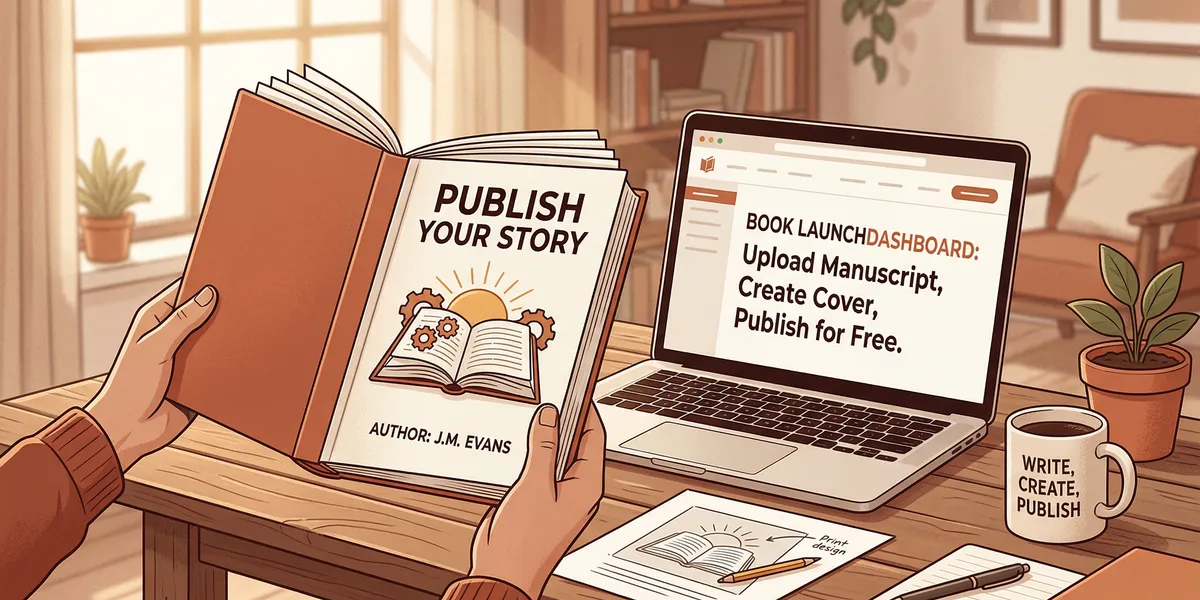
You can self-publish a book for absolutely $0. Platforms like Amazon KDP charge nothing to upload, distribute, and sell your book — they take a percentage of each sale instead of an upfront fee. If you handle writing, editing, cover design, and formatting yourself using free tools, you can go from manuscript to published book without spending a dollar.
This guide shows you exactly how to self publish a book for free at every stage of the process. You will learn which free tools work best, where the tradeoffs are, and what to invest in first when you do have a budget.
Write Your Manuscript with Free Tools
The writing phase costs nothing beyond your time. You do not need expensive software to produce a publishable manuscript.
Google Docs is the most practical free writing tool available. It saves automatically, works on any device, and makes it easy to share your manuscript with editors or beta readers later. The word count tool, built-in spell checker, and comment features give you everything you need for drafting and revision.
LibreOffice Writer is a free desktop alternative that works offline and handles .docx formatting well. If you prefer a distraction-free writing environment, FocusWriter is a free, open-source option that removes everything except your text.
For authors who want AI assistance without paying for premium tools, several free-tier options exist. Google Docs has built-in AI features, and free ChatGPT can help you brainstorm outlines, work through plot problems, or draft sections you are stuck on.
Set a daily word count goal you can maintain. Five hundred words per day produces a 45,000-word manuscript in three months. Consistency matters more than speed. For a complete walkthrough of the writing process, see our guide on how to self-publish a book.
Edit Your Book Without Paying an Editor
Professional editing is the biggest expense most self-published authors face — typically $1,000 to $3,000. Skipping it entirely is the riskiest part of the free approach, but you can get surprisingly close to professional quality with the right strategy.
Self-Editing Passes
Read your manuscript aloud from start to finish. You will catch awkward phrasing, repeated words, dialogue that sounds unnatural, and pacing problems your eyes skip over when reading silently. Do this at least twice — once for content and structure, once for grammar and flow.
Print your manuscript or change the font and spacing before each editing pass. Your brain processes text differently when the visual presentation changes, which helps you spot errors you missed on screen.
Free Editing Software
Grammarly’s free tier catches grammar, spelling, and punctuation errors. It is not as thorough as the paid version, but it handles the basics well. ProWritingAid’s free version allows you to check 500 words at a time and provides style suggestions beyond basic grammar. Hemingway Editor highlights overly complex sentences, passive voice, and readability issues.
Run your manuscript through all three tools. Each catches different problems, and together they cover significant ground.
Beta Readers
Beta readers are the most valuable free resource available to self-published authors. These are volunteer readers — usually from your target audience — who read your manuscript and provide feedback on story, pacing, clarity, and engagement.
Find beta readers in Facebook groups like “Beta Reader Connection” or on Reddit communities like r/BetaReaders. Writing communities on Goodreads also connect authors with willing readers. Offer to beta read their work in exchange.
Give your beta readers specific questions: Where did you lose interest? Which characters felt flat? Was the ending satisfying? Did any sections confuse you? Targeted questions produce far more useful feedback than “tell me what you think.”
The honest tradeoff: self-editing and beta readers will catch 70-80% of the issues a professional editor would find. The remaining 20-30% — subtle inconsistencies, style improvements, structural weaknesses — are what separate good books from polished ones. Many successful self-published authors started with the free approach for their first book and invested editing profits into professional editing for their second. For a detailed cost comparison, read our breakdown of self-publishing costs.
Design Your Cover for Free
Your cover is the single most important marketing asset your book has. On Amazon, it competes as a thumbnail against dozens of other books. A cover that looks amateur kills your sales before anyone reads a word.
Canva (Free Tier)
Canva is the best free cover design tool for most self-published authors. The free tier includes thousands of templates, stock photos, and design elements. Search “book cover” in the template library, choose a template in your genre, and customize the colors, fonts, and images.
Tips for a strong Canva cover:
- Study the top 20 bestsellers in your Amazon category before designing. Notice the color palettes, font styles, and image types that dominate your genre.
- Use a single high-contrast image rather than a cluttered collage.
- Make your title readable at thumbnail size. If you cannot read it when the cover is one inch wide, the text is too small or the font is too decorative.
- Stick to two fonts maximum — one for the title, one for the author name.
Amazon KDP Cover Creator
Amazon’s built-in KDP Cover Creator is free and produces covers that meet KDP’s exact specifications. The templates are more limited than Canva’s, but they are designed specifically for book covers and handle spine width calculations automatically for paperback editions.
Free Stock Photos
If you need images for your cover, Unsplash, Pexels, and Pixabay offer high-resolution photos with licenses that allow commercial use, including book covers. Always verify the license for each specific image before using it.
The honest tradeoff: a free cover designed in Canva will look decent if you follow genre conventions and keep the design simple. It will not look as polished as a custom cover from a professional designer ($300-$800), and experienced readers in some genres — especially fantasy, sci-fi, and romance — can spot template covers quickly. Start free, track your sales, and upgrade your cover once the book earns enough to justify the investment.
Format Your Book for Free
Formatting converts your Word or Google Docs manuscript into the file formats ebook stores and print-on-demand services require. Professional formatting costs $100-$500, but free tools handle this well.
Kindle Create (Free)
Kindle Create is Amazon’s free desktop formatting tool. It imports .docx files and converts them into properly formatted Kindle ebooks. It handles chapter detection, table of contents generation, font embedding, and image placement. The output files upload directly to KDP.
Kindle Create works best for straightforward text-heavy books. If your book has complex layouts, heavy image use, or specialized formatting needs, you may need a more flexible tool.
Reedsy Book Editor (Free)
The Reedsy Book Editor is a free online tool that formats your book for both ebook and print. It produces professional-looking interior layouts with proper chapter headings, drop caps, and page breaks. It exports to EPUB and PDF formats, which covers every major publishing platform.
Reedsy’s editor is browser-based, so your work saves to their servers. Import your manuscript, apply a formatting template, adjust the settings, and export. The entire process takes 30 minutes to an hour for a standard manuscript.
Draft2Digital’s Formatting Tool
Draft2Digital offers a free formatting tool as part of their publishing platform. Upload your .docx file, and they convert it into a cleanly formatted ebook with automatic table of contents, chapter headings, and proper styling. You do not need to publish through Draft2Digital to use their formatting tool.
Publish on Free Platforms
The major self-publishing platforms charge nothing to upload and distribute your book. They make money by taking a percentage of each sale.
Amazon KDP
Amazon KDP is the largest self-publishing platform, and most self-published authors start here. KDP is completely free to use. You upload your manuscript and cover, set your price, and Amazon handles printing, distribution, and payment.
KDP offers two royalty options: 35% or 70%, depending on your price point and distribution choices. Books priced between $2.99 and $9.99 qualify for the 70% royalty rate. KDP also provides free ISBNs for ebooks (ASINs) and paperbacks, though these ISBNs list Amazon as the publisher.
For a detailed walkthrough of the KDP process, read our guide on Amazon KDP for self-publishing.
Draft2Digital
Draft2Digital distributes your ebook to Barnes & Noble, Apple Books, Kobo, and dozens of other retailers and library systems. There is no upfront cost — they take a 10% commission on sales. This is the easiest way to get your book into stores beyond Amazon.
Other Free Options
Smashwords (now part of Draft2Digital) focuses on ebook distribution to independent retailers. Google Play Books accepts direct uploads from authors and reaches Android users worldwide. Barnes & Noble Press lets you publish ebooks and paperbacks for their Nook platform at no cost.
Going wide — publishing on multiple platforms instead of Amazon exclusively — diversifies your income but splits your sales across retailers, which can hurt your Amazon ranking. Many authors start exclusive to KDP (which qualifies you for Kindle Unlimited), build an audience, and expand to other platforms later.
For a comparison of all your options, see our guide to the best self-publishing platforms.
Market Your Book for Free
Publishing a book without marketing is like opening a store with no sign on the door. Free marketing takes more time than paid marketing, but it works.
Before Launch
Build an email list. Mailchimp’s free tier supports up to 500 contacts. Create a simple landing page offering a free chapter or related resource in exchange for email signups. An email list is the single most valuable marketing asset an author can own — it lets you contact interested readers directly when your book launches.
Establish a social media presence. Pick one or two platforms where your target readers spend time. BookTok (TikTok), Bookstagram (Instagram), and Facebook reader groups are the most active book communities. Share your writing journey, post excerpts, and engage with readers months before your book goes live.
At Launch
Optimize your Amazon listing. Your book’s title, subtitle, description, categories, and keywords determine whether readers find it in search. Study the top-selling books in your category and model your keyword strategy after theirs. Write a book description that hooks the reader in the first two sentences.
Request reviews. Send advance copies to your beta readers, email subscribers, and anyone in your network who reads your genre. Reviews — especially in the first 30 days — dramatically affect your book’s visibility on Amazon. Aim for 10-20 reviews in your first month.
Leverage free promotion days. If you enroll in KDP Select (Amazon exclusive), you get five free promotion days every 90 days. Free downloads boost your ranking, increase visibility, and generate reviews from readers who would not have found your book otherwise.
Ongoing
Post consistently on social media. Engage in reader communities without hard-selling. Write guest posts for blogs in your niche. Start a free blog or newsletter sharing content related to your book’s topic. Every piece of free content you create is a permanent discovery path back to your book.
Common Mistakes to Avoid
Skipping all editing. The number one mistake free publishers make is uploading an unedited manuscript. At minimum, run your book through Grammarly and ProWritingAid, complete two self-editing passes, and get three or more beta readers. Readers punish poor editing with one-star reviews that tank your book’s visibility permanently.
Using a generic or off-genre cover. A cover that does not match your genre’s visual conventions signals to readers that the book is amateur. Spend time studying your competition before designing. A simple, genre-appropriate Canva cover outperforms an elaborate design that does not fit the category.
Pricing too low or too high. New authors often price their ebook at $0.99 thinking the low price will attract buyers. It can, but $0.99 books earn only a 35% royalty on KDP and signal low quality to many readers. Price between $2.99 and $4.99 for your first book to hit the 70% royalty tier while remaining competitive.
Not setting up categories and keywords correctly. Amazon’s search algorithm relies on your seven keyword slots and category selections to show your book to the right readers. Research keywords using Amazon’s search bar autocomplete and tools like Publisher Rocket’s free alternatives. Wrong categories mean your book competes against titles that attract a completely different audience.
Publishing and disappearing. A book launch is not a single event — it is the start of ongoing marketing work. Authors who publish and never promote again see their sales flatline within weeks. Commit to at least 30 minutes of marketing activity per day for the first three months after launch.
When to Invest (and Where Your First Dollars Go)
The free approach works. Thousands of authors have published successful books spending nothing upfront. But if your book starts earning money — or if you have even a small budget — strategic spending dramatically improves your results.
Here is where your first dollars create the most impact, in order:
- Professional cover design ($300-$500). This single upgrade produces the biggest improvement in sales. A professional cover makes your book look like it belongs next to traditionally published titles.
- Copy editing ($500-$1,500). A professional copy editor catches what self-editing and free tools miss. This protects you from the one-star reviews that kill long-term sales.
- Amazon advertising ($50-$200 to start). A small ad budget lets you test keywords and reach readers who are actively searching for books in your genre.
If you want to accelerate the writing process itself, Chapter.pub offers AI-powered book writing tools for a one-time $97 payment — no subscription. Over 2,147 authors have used it to create more than 5,000 books. It handles drafting, structuring, and refining your manuscript, which saves weeks of writing time while keeping you in full creative control. For authors who want to move faster than the purely manual approach allows, it is a cost-effective middle ground between free and hiring a ghostwriter.
For a complete breakdown of what each stage costs when you are ready to invest, read our full guide on the cost to self-publish a book.
Frequently Asked Questions
Can I really publish a book for free on Amazon?
Yes. Amazon KDP charges nothing to create an account, upload your book, or distribute it as an ebook or paperback. Amazon makes money by taking a percentage of each sale (30% at the standard royalty rate for ebooks priced $2.99-$9.99). There are no hidden fees, setup costs, or monthly charges.
Do I need an ISBN to self-publish for free?
No. Amazon assigns a free ASIN (Amazon Standard Identification Number) to every Kindle ebook automatically. For paperbacks, KDP provides a free ISBN that lists Amazon as the publisher of record. If you want your own ISBN with your own imprint name, you will need to purchase one from Bowker ($125 for a single ISBN), but this is optional.
How long does it take to self-publish a book for free?
The timeline depends on your manuscript. If your book is already written, you can format, design a cover, and publish on KDP in a single weekend. If you are starting from scratch, expect 3-6 months for writing, 2-4 weeks for self-editing and beta reader feedback, and 1-2 days for formatting and uploading. The publishing step itself takes 24-72 hours for Amazon to review and list your book.
Will a free-published book look professional?
It can. The quality gap between free and paid publishing has narrowed significantly thanks to tools like Canva, Kindle Create, and Reedsy. Your book’s interior formatting will be indistinguishable from traditionally published titles if you use these tools correctly. The two areas where free books most often look amateur are the cover and the editing — both of which benefit enormously from even a small investment when you are ready.
Should I publish exclusively on Amazon or go wide?
For your first free-published book, Amazon KDP exclusivity (KDP Select) is usually the better starting strategy. It qualifies your book for Kindle Unlimited, which gives you access to millions of subscription readers and provides a significant visibility boost. The 90-day exclusivity period lets you test demand before deciding whether to expand to other platforms through services like Draft2Digital. Read our comparison of how to self-publish a book on Amazon for the full breakdown.