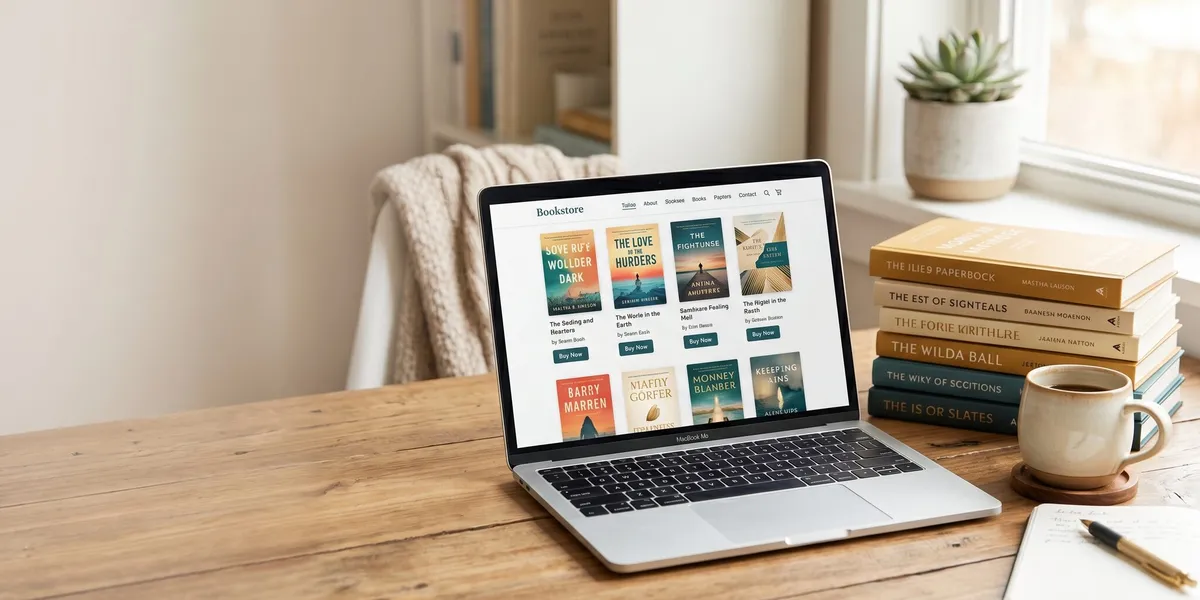
You can sell books directly from your own website and keep 90-95% of every sale — compared to the 30-65% royalty you get on Amazon or other retailers. All you need is a website, a payment processor, and a delivery method.
In this guide, you’ll learn:
- How to set up your website to accept book orders (ebooks, print, and audiobooks)
- Which platforms handle payment processing and file delivery for you
- How to price your books for direct sales vs. retail channels
- The marketing strategies that drive traffic to your store instead of Amazon
Here’s exactly how to do it, step by step.
Why Sell Books on Your Own Website Instead of Amazon?
Selling books on your own website gives you three advantages that no retailer can match: higher royalties, customer data, and creative control.
On Amazon, you earn 35-70% royalty on ebooks and roughly 40% on print after printing costs. On your own website, you keep everything minus payment processing (about 2.9% + $0.30 per transaction) and any platform fees.
That math changes your business. A $4.99 ebook on Amazon earns you $3.49 at the 70% royalty rate. The same ebook sold on your website earns roughly $4.54. Multiply that difference across hundreds or thousands of sales and you’re looking at significant additional income every year.
You also get something Amazon will never give you: the buyer’s email address. Every direct sale builds your email list, which becomes your most valuable marketing asset. Amazon keeps its customer data locked away. Your website hands it to you with every purchase.
And you control the experience. Bundle ebooks with audiobooks. Offer signed editions. Create special packages with bonus content. Run flash sales without waiting for retailer approval. Your website, your rules.
What Your Author Website Must Have Before You Start Selling
Before you add a store to your site, make sure the foundation is solid. Your author website needs these elements to convert visitors into buyers.
A professional domain name. Use YourAuthorName.com or something close. Readers trust professional domains over free subdomains.
SSL certificate (HTTPS). Non-negotiable for processing payments. Most hosting providers include this free. If your URL doesn’t show the padlock icon, no one is entering their credit card.
Mobile-responsive design. Over 60% of book buyers browse on their phones. If your store doesn’t work on mobile, you’re losing the majority of potential sales.
Clear navigation. Your book pages should be reachable in one click from the homepage. Don’t bury your store behind three menu levels.
An email capture form. Even if visitors don’t buy today, capture their email so you can sell to them later. Place opt-in forms on your homepage, blog posts, and a dedicated landing page.
Fast loading speed. Every second of load time costs you conversions. Compress images, use a quality host, and test your site speed regularly.
If you’re starting from scratch, check out our guide on how to build an author website that covers hosting, design, and setup.
Step 1: Choose Your Sales Platform
You need a platform that handles payments, delivers digital files, and (optionally) fulfills print orders. Here are the best options for authors in 2026.
Shopify
Shopify is the most popular ecommerce platform for a reason. It handles payments, inventory, digital downloads (via the Digital Downloads app), and integrates with print-on-demand services like Lulu Direct for paperback and hardcover fulfillment.
Best for: Authors who want a full-featured store with room to grow into merchandise, courses, or other products.
Cost: Plans start at $39/month. Transaction fees are 2.9% + $0.30 with Shopify Payments.
Payhip
Payhip is purpose-built for selling digital products and keeps things simple. Upload your ebook files, set a price, and Payhip handles payment processing and instant delivery. It also supports print-on-demand through a Lulu integration.
Best for: Authors who want the simplest possible setup with no monthly fees.
Cost: Free plan available (5% transaction fee). Plus plan at $29/month drops the fee to 2%.
WooCommerce
WooCommerce is a free WordPress plugin that turns your existing WordPress site into a store. Pair it with the “WooCommerce Digital Downloads” extension for ebook delivery, or connect print-on-demand through plugins like Lulu Direct or BookVault.
Best for: Authors already running a WordPress site who want to keep everything in one place.
Cost: Free plugin, but you’ll pay for hosting, a payment gateway, and potentially premium extensions.
BookFunnel + Payment Processor
BookFunnel specializes in ebook and audiobook delivery. Pair it with a payment processor like Stripe or PayPal, and you have a lightweight direct-sales setup. BookFunnel handles file delivery, reading app support, and even helps readers sideload onto Kindle.
Best for: Authors focused on ebooks and audiobooks who already have BookFunnel for reader magnets.
Cost: BookFunnel plans start at $20/year. Stripe charges 2.9% + $0.30 per transaction.
Quick Comparison Table
| Platform | Monthly Cost | Transaction Fee | Digital Delivery | Print Fulfillment | Best For |
|---|---|---|---|---|---|
| Shopify | $39+ | 2.9% + $0.30 | Via app | Yes (Lulu, etc.) | Full store |
| Payhip | Free-$29 | 2-5% | Built-in | Yes (Lulu) | Simple setup |
| WooCommerce | Hosting only | Varies by gateway | Via plugin | Yes (plugins) | WordPress users |
| BookFunnel | $20/year | Stripe/PayPal fees | Built-in | No | Ebook/audio focus |
Step 2: Set Up Payment Processing
Every platform above handles payment processing differently, but they all connect to the same core providers: Stripe and/or PayPal.
Stripe is the gold standard for author websites. It accepts credit cards, debit cards, Apple Pay, and Google Pay. Setup takes about 15 minutes, and funds typically hit your bank account in 2 business days.
PayPal adds an option for buyers who prefer it. Many international readers use PayPal as their primary payment method, so offering both maximizes your reach.
Key tip: Enable both Stripe and PayPal on your store. Some platforms make this as simple as toggling a switch. The extra payment option can increase your conversion rate by 10-15%.
You get paid directly and immediately (minus a 1-2 day processing window). Compare that to Amazon, which pays on a 60-day delay. When you sell on your own site, the money is yours within days.
Step 3: Upload and Deliver Your Ebooks
For digital book delivery, you need two things: your files in the right format and a reliable delivery system.
Prepare Your Files
Format your ebooks in EPUB and PDF at minimum. EPUB is the universal standard for ebook readers, and PDF is a backup for readers who prefer it. If you wrote your book using AI writing tools, make sure your final files are professionally formatted.
For audiobooks, use M4B (chaptered audiobook format) or MP3 files.
Pro tip: Offer all formats in a single purchase. When a reader buys your ebook, let them download EPUB, PDF, and MOBI (for older Kindles). This removes friction and reduces support requests.
Set Up Automatic Delivery
Your platform should deliver files instantly after purchase. Here’s how it works on each:
- Shopify: Install the free Digital Downloads app. Upload your files to each product listing. Buyers get a download link immediately after checkout.
- Payhip: Upload files directly to your product. Payhip sends a download email and also displays files on the order confirmation page.
- WooCommerce: Use the built-in downloadable products feature. Set a download limit and expiry to prevent abuse.
- BookFunnel: Create a BookFunnel landing page for each book. After payment (through your external processor), redirect buyers to their BookFunnel download page. BookFunnel helps readers load files onto any device.
Step 4: Set Up Print-on-Demand Fulfillment
Selling print books from your website doesn’t mean stacking boxes in your garage. Print-on-demand (POD) services print and ship each book as it’s ordered.
How POD Direct Sales Work
- A reader orders a paperback from your website
- Your store sends the order to the POD provider via API or integration
- The provider prints the book, packages it, and ships directly to the reader
- You never touch the book
Best POD Services for Direct Sales
Lulu Direct integrates with Shopify, WooCommerce, and other platforms. It prints and ships globally, and you set your own retail price (keeping the difference between your price and the print cost).
BookVault is popular with UK and European authors. It offers high-quality printing with global distribution and integrates with WooCommerce and Shopify.
Amazon KDP prints books too, but only for Amazon orders. For your own website, you’ll need Lulu Direct, BookVault, or a similar service that supports third-party fulfillment.
Pricing Your Print Books for Direct Sales
Calculate your print cost per book (typically $3-6 for a standard paperback), add payment processing fees, and set your retail price to maintain a healthy margin.
Example: If your book costs $4.00 to print and your payment processing fee is $0.75 on a $15.99 sale, you keep $11.24 per book. That same book on Amazon at $15.99 might earn you $4.50-5.50 after Amazon’s cut and print costs. Direct sales more than double your profit per unit.
Step 5: Create High-Converting Book Landing Pages
Your book landing page is your sales page. It needs to do one thing: convince the visitor to buy. Here are the author landing page elements that convert.
A compelling headline. Not just your book title — frame it around the reader’s desire. “The Thriller That 50,000 Readers Couldn’t Put Down” beats “My Novel: A Thriller” every time.
Professional cover image. Display your cover large and high-resolution. This is your most important visual asset. Show both ebook and print mockups if you sell both formats.
A gripping book description. Write your book description like sales copy. Open with a hook, build tension or promise, and end with a reason to buy now. Study the best book descriptions on Amazon for inspiration.
Social proof. Reader reviews, star ratings, press mentions, awards — anything that proves other people love your book. Even 3-5 genuine reader quotes make a significant difference.
Clear pricing and format options. Show all available formats (ebook, paperback, hardcover, audiobook, bundle) with prices. Make the best-value option visually prominent.
A prominent “Buy Now” button. Big, contrasting color, above the fold. Don’t make readers scroll to find how to purchase.
Sample chapter or preview. Let readers try before they buy. A free sample chapter converts fence-sitters into buyers.
Step 6: Price Your Books for Direct Sales
Direct-sale pricing is different from Amazon pricing. You have more flexibility because you’re not competing in a marketplace algorithm.
Ebook Pricing
For ebooks sold directly, you can match or slightly undercut your Amazon price. If your ebook is $4.99 on Amazon, consider pricing it at $4.99 on your site too — but add a bonus (a short story, a character guide, a deleted scene) to make the direct purchase more attractive.
You keep significantly more per sale either way, so even matching the Amazon price means higher revenue for you.
Print Pricing
Match your Amazon print price on your website. Readers comparison-shop, and a higher price on your site sends them back to Amazon. Some authors offer free shipping or a signed-copy premium to differentiate.
Bundle Pricing
This is where direct sales shine. Create bundles that Amazon can’t offer:
- Ebook + Audiobook: $12.99 (vs. $25+ if bought separately on Amazon and Audible)
- Complete Series Ebook Bundle: $19.99 for 5 books (vs. $24.95 buying individually)
- Signed Paperback + Ebook: $24.99 (not possible on Amazon at all)
Bundles increase your average order value and give readers a reason to buy from you instead of a retailer. For more bundle and pricing ideas, see our guide on selling signed copies independently.
Step 7: Drive Traffic to Your Book Store
Having a store is step one. Getting readers there is the real work. Here are the most effective traffic sources for author websites.
Your Email List
Your email list is your highest-converting traffic source. Subscribers already know you and your work. Send new release announcements, sale alerts, and exclusive offers to your list first.
If you don’t have a list yet, start building one today with a reader magnet — a free short story, novella, or bonus chapter in exchange for an email signup.
Social Media
Use social media to drive traffic, not make sales. Post engaging content that leads back to your website — cover reveals, excerpt graphics, behind-the-scenes writing updates, and direct links to your store.
BookTok (TikTok’s book community) and Bookstagram (Instagram) are where book buyers hang out in 2026. A single viral BookTok video can drive hundreds of direct sales.
Your Blog
Blogging builds organic search traffic that compounds over time. Write content related to your genre, your writing process, and topics your readers care about. Each post is another doorway to your store.
Paid Ads
Facebook and Instagram ads remain the most cost-effective paid traffic for authors. Target readers by genre interests, similar authors, and reading habits. Send ad traffic directly to your book landing page — not your homepage.
For a complete strategy, check out our book marketing plan guide.
Step 8: Optimize for Repeat Sales and Higher Order Values
The most profitable author websites don’t just sell one book — they maximize the value of every visitor.
Upsells at checkout. When someone adds an ebook to their cart, suggest the audiobook add-on or the complete series bundle.
Email follow-ups. After a purchase, set up an automated email sequence: a thank-you email, a “did you enjoy the book?” email, and a “you might also like” email recommending your other titles.
Reader loyalty perks. Offer exclusive content, early access to new releases, or discount codes to past buyers. Build a relationship, not just a transaction.
Merchandise. Once you have consistent sales, consider adding bookmarks, art prints, or character merchandise. Your website makes this possible — Amazon doesn’t.
For more strategies on maximizing your author income, see our guide on multiple income streams for authors.
How Much Does It Cost to Sell Books on Your Own Website?
You can start selling books on your own website for as little as $0-50 per month. Here’s the realistic breakdown:
| Expense | Cost Range |
|---|---|
| Domain name | $10-15/year |
| Web hosting | $5-30/month |
| Sales platform (Payhip free plan) | $0/month |
| Sales platform (Shopify) | $39/month |
| Payment processing | 2.9% + $0.30/sale |
| BookFunnel (optional) | $20/year |
| Email marketing (Mailchimp free tier) | $0/month |
The minimum viable setup: an existing website + Payhip’s free plan + Stripe. Total additional cost: $0/month, plus 5% per transaction.
Compare that to the 30-65% you give up on every Amazon sale, and direct selling pays for itself with your first handful of orders.
Direct Sales vs. Amazon: Should You Choose One?
You don’t have to choose. The smartest author strategy in 2026 is selling on both — using Amazon for discovery and your website for margin.
Amazon is where readers search for books. It’s a discovery engine with millions of active book buyers. Your author website is where you maximize profit from readers who already know your name.
Here’s how successful indie authors split their strategy:
- Amazon for new reader acquisition, KDP Select promotions, and Kindle Unlimited exposure
- Own website for email subscribers, repeat buyers, signed editions, bundles, and exclusive content
If you’re deciding between wide vs. exclusive publishing, adding direct sales to your mix gives you the best of both worlds. You can even stay in KDP Select for ebooks while selling print books and audiobooks directly from your site.
Over time, as your direct-sales audience grows, you may shift more volume to your website. Some full-time indie authors now earn 40-60% of their income through direct sales.
Common Mistakes to Avoid
- Making your store hard to find. Put a “Shop” or “Books” link in your main navigation. Don’t hide it in a footer menu.
- Overcomplicating checkout. Every extra step between “Add to Cart” and “Order Complete” loses buyers. Aim for a 2-3 click checkout.
- Ignoring mobile buyers. Test your entire purchase flow on a phone. If any step is awkward on mobile, fix it.
- Not collecting emails. Every visitor who leaves without buying or subscribing is likely gone forever. Capture emails aggressively.
- Pricing higher than Amazon. Readers will check. Match or beat Amazon’s price, then add value through bundles and bonuses.
- Skipping social proof. A store with zero reviews looks untrustworthy. Add reader testimonials, even if you only have a few.
Can You Use AI to Write Books and Sell Them on Your Website?
Yes. You can write a book with AI and sell it on your own website with no restrictions. Unlike Amazon KDP, which has specific disclosure requirements for AI-generated content, your own website gives you complete control over how you present and sell your work.
Our Pick — Chapter
Chapter is an AI book writing platform that helps you go from idea to finished manuscript. It handles outlining, drafting, and editing — so you spend less time fighting blank pages and more time publishing and selling.
Best for: Authors who want to write and publish books faster using AI assistance Pricing: $97 one time, 2 books included (fiction or nonfiction), 30-day money-back guarantee Why we built it: Over 10,000 authors have used Chapter to create books — and many of them sell directly from their own websites.
Whether you write every word yourself or use AI tools to accelerate the process, selling on your own website means you keep the maximum royalty on every sale. Pair Chapter with any of the sales platforms above, and you can go from idea to income in weeks instead of months.
How Long Does It Take to Set Up a Book Store on Your Website?
Setting up a basic book store on your website takes 2-4 hours for most authors. If you use Payhip or Shopify, you can have a working store accepting payments by the end of an afternoon.
Here’s a realistic timeline:
- Account setup and payment processing: 30-60 minutes
- Uploading book files and creating product listings: 30-60 minutes
- Designing your book landing page: 60-90 minutes
- Testing the purchase flow: 15-30 minutes
The ongoing work is marketing — driving traffic and building your email list. But the technical setup is genuinely straightforward.
Is Selling Books on Your Own Website Worth It?
Selling books on your own website is worth it if you have (or are building) an audience that knows your name. The math is simple: higher royalties per sale, customer data you own, and creative freedom no retailer offers.
It’s especially worth it for authors who write series (bundle the complete set), publish in multiple formats (ebook + audio + print bundles), or have an engaged email list they can market to directly.
You don’t need thousands of sales to make it worthwhile. Even 50 direct sales per month at $5 more profit per sale means an extra $250/month — or $3,000/year — in your pocket. As your audience grows, so does that number.
Start simple. Pick one platform, upload your books, and tell your email list. You can always add complexity later.
FAQ
How Much Money Can You Make Selling Books on Your Own Website?
How much money you can make selling books on your own website depends on your traffic, book prices, and conversion rate. Authors with established email lists of 1,000+ subscribers typically earn $500-5,000/month in direct sales. You keep 90-95% of each sale compared to 35-70% on Amazon, so even modest traffic produces meaningful income.
What Is the Best Platform to Sell Books on Your Website?
The best platform to sell books on your website is Shopify for authors who want a full-featured store, or Payhip for authors who want the simplest setup with no monthly cost. Both handle payment processing, digital delivery, and print-on-demand integration. Your best choice depends on your technical comfort and sales volume.
Do You Need an ISBN to Sell Books on Your Own Website?
You do not need an ISBN to sell ebooks on your own website. ISBNs are required by some retailers and distributors, but your own store has no such requirement. For print books, an ISBN is recommended if you plan to also sell through bookstores or libraries, but it’s not required for direct-to-reader sales.
Can You Sell Books on Your Website and Amazon at the Same Time?
Yes, you can sell books on your website and Amazon at the same time. Most successful indie authors do exactly this — using Amazon for discovery and their own website for higher-margin sales. The only restriction is if you enroll ebooks in KDP Select (Kindle Unlimited), which requires ebook exclusivity. Print books and audiobooks have no exclusivity requirements.
How Do You Handle Shipping for Print Books Sold on Your Website?
You handle shipping for print books through print-on-demand fulfillment. Services like Lulu Direct and BookVault print and ship books directly to your buyers when an order comes in. You never handle inventory. For signed copies, you’ll need to ship those yourself, but standard print orders are fully automated.