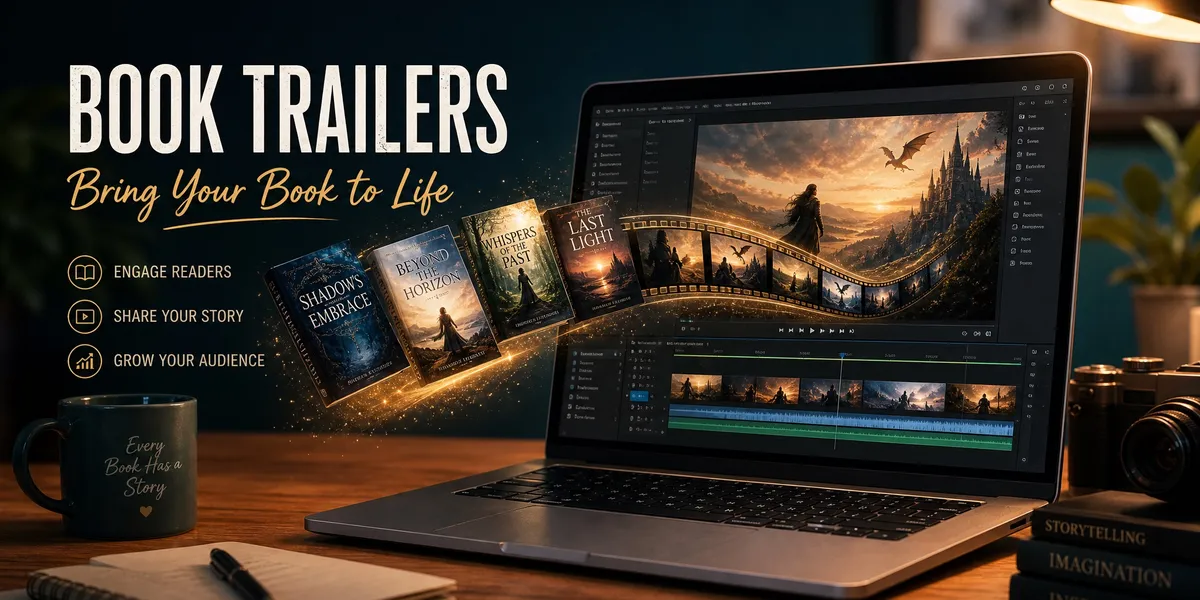
You can make a professional book trailer in under an hour — even if you have zero video editing experience. The right book trailer maker handles the hard parts (transitions, music, pacing) so you can focus on hooking readers.
In this guide, you’ll learn:
- Which book trailer makers actually work (free and paid options compared)
- The step-by-step process for creating a trailer that drives sales
- Platform-specific specs so your trailer looks perfect on TikTok, YouTube, and Instagram
- Common mistakes that make book trailers feel amateur
Here’s how to create a book trailer that makes readers hit “buy.”
What Is a Book Trailer?
Book trailer — A short promotional video (typically 30-90 seconds) that teases your book’s premise, tone, and hook to attract new readers.
Think of it as a movie trailer for your book. You combine imagery, music, and text to create an emotional experience that makes viewers want to read more. The best book trailers don’t summarize the plot — they sell a feeling.
Book trailers work because video dominates how people discover content in 2026. TikTok, Instagram Reels, and YouTube Shorts have turned short-form video into the most powerful discovery channel for authors. A well-crafted trailer gives you content for every platform from a single creative asset.
Do Book Trailers Actually Sell Books?
Book trailers sell books when they’re done well — and hurt you when they’re done poorly. The data backs this up.
Research from marketing surveys shows that roughly 45% of readers say a trailer influenced their purchase decision, and video content converts at rates above 12%. On platforms like BookTok, where author content ideas for TikTok drive massive discoverability, a compelling trailer can reach thousands of potential readers organically.
The catch: a low-quality trailer signals a low-quality book. If your trailer looks like a PowerPoint from 2008, skip it entirely. That’s why choosing the right book trailer maker matters so much.
Best Book Trailer Makers in 2026
Not every tool works for every author. Here’s what actually delivers results, organized by budget and skill level.
Free Book Trailer Makers
Canva (Free Tier) Canva’s video editor includes book-specific templates with drag-and-drop simplicity. You can import your book cover design, add animated text, drop in royalty-free music, and export in multiple aspect ratios. The free tier limits you to 5GB of storage and basic templates, but it’s enough for a solid first trailer.
Best for: Authors who want a quick, template-based trailer without spending anything.
FlexClip FlexClip offers a free book trailer maker with AI-powered tools including an image-to-video converter and text-to-video generator. The free plan includes 720p exports with a watermark. Their template library specifically targets book trailers across genres.
Best for: Authors who want AI assistance in generating visuals from their book descriptions.
Biteable Biteable gives you access to a massive stock library — over 24 million videos, images, and animations. The free plan lets you create unlimited drafts but limits exports. Their timeline editor is intuitive enough for complete beginners.
Best for: Authors who need high-quality stock footage without filming anything.
Paid Book Trailer Makers
Animaker ($12.50/month) Animaker is one of the most popular dedicated book trailer tools. With 500+ templates, animated character builders, and a full-featured timeline editor, it bridges the gap between free tools and professional software. Over 30 million people have used it for video creation.
Best for: Authors who want animation-style trailers with character illustrations.
VEED.io ($18/month) VEED runs entirely in your browser with no software downloads. It includes auto-subtitles (critical for social media where most users watch without sound), brand kits for consistent styling, and one-click resizing for different platforms.
Best for: Authors who need cross-platform optimization and subtitles built in.
InVideo ($25/month) InVideo offers 5,000+ templates with an AI script generator that can turn your book blurb into a trailer script. If you’ve already created a book blurb with AI, you can feed that directly into InVideo’s workflow.
Best for: Authors who want AI to handle the scripting and storyboarding.
AI-Powered Book Trailer Generators
Frameo.ai Frameo converts written text directly into video trailers using AI. Paste your book description, choose a style, and it generates a complete trailer with visuals, transitions, and music. No editing required.
Best for: Authors who want a fully automated, hands-off experience.
Mootion Mootion’s AI trailer creator turns scripts and text prompts into cinematic trailers. It uses multiple AI models to generate visuals, and the output quality is noticeably better than most template-based tools.
Best for: Authors who want cinematic quality without hiring a video editor.
Professional Software (Advanced)
Adobe Premiere Pro ($22.99/month) The industry standard for video editing. Premiere gives you complete control over every frame — pacing, color grading, audio mixing, effects, and titles. The learning curve is steep, but the results are unmatched.
Best for: Authors with video editing experience or budget to hire an editor.
DaVinci Resolve (Free) DaVinci Resolve offers professional-grade editing tools with a genuinely free tier — not a trial, not a limited version. The color grading tools alone rival software costing thousands. The timeline workflow is more intuitive than Premiere for beginners.
Best for: Authors willing to learn professional tools without paying for them.
Quick Comparison Table
| Tool | Best For | Price | Skill Level |
|---|---|---|---|
| Canva | Quick template trailers | Free / $13/mo | Beginner |
| FlexClip | AI-assisted creation | Free / $10/mo | Beginner |
| Biteable | Stock footage trailers | Free / $49/mo | Beginner |
| Animaker | Animated trailers | $12.50/mo | Beginner |
| VEED.io | Cross-platform optimization | $18/mo | Beginner |
| InVideo | AI script-to-trailer | $25/mo | Beginner |
| Frameo.ai | Fully automated | Varies | None |
| Mootion | Cinematic AI trailers | Varies | None |
| DaVinci Resolve | Professional editing | Free | Advanced |
| Adobe Premiere | Full creative control | $22.99/mo | Advanced |
How to Make a Book Trailer Step by Step
Follow these seven steps to go from blank screen to finished trailer. This process works with any book trailer maker on the list above.
Step 1: Define Your Hook
Your trailer needs one clear hook — the single thing that makes someone want to read your book. This is not a plot summary. It’s the emotional promise.
For fiction, that hook is usually a conflict or question: “What would you do if you woke up and everyone you loved had forgotten you existed?” For nonfiction, it’s the transformation: “Go from unpublished to bestseller in 90 days.”
Write your hook as a single sentence before you open any software. Everything else in the trailer serves this hook.
Step 2: Write a Short Script
Keep your script to 50-75 words maximum. A 30-second trailer at comfortable reading pace covers about 50 words of on-screen text. Structure it like this:
- Opening hook (1 sentence) — the emotional grab
- Setup (2-3 sentences) — just enough context to create intrigue
- Tension or promise (1-2 sentences) — raise the stakes
- Call to action (1 line) — title, author name, “Available now”
Don’t try to summarize your book. The trailer’s job is to make people curious, not informed.
Step 3: Gather Your Visual Assets
You need three types of visuals:
- Your book cover — the centerpiece of every book trailer. If you haven’t finalized yours yet, check out the best AI book cover generators first.
- Mood imagery — photos or video clips that match your book’s emotional tone. Search by feeling, not by plot. A thriller might use dark cityscapes and rain. A romance might use golden hour light and close-ups.
- Author photo (optional) — builds connection, especially for nonfiction.
Stock footage sources: Pexels, Pixabay, and Storyblocks offer royalty-free options. Most book trailer makers also include built-in stock libraries.
Step 4: Choose Your Music
Music does more heavy lifting in a book trailer than any other element. The right track can make mediocre visuals feel cinematic.
Where to find royalty-free music:
- Epidemic Sound — curated library, commercial license included
- Artlist — flat-rate unlimited downloads
- YouTube Audio Library — free, decent selection
- Built-in to most book trailer makers — convenient but limited
Match the music’s energy arc to your script: quiet opening, building tension, emotional peak at your hook, resolving into the CTA. Most trailer makers let you trim and fade tracks directly in the timeline.
Step 5: Assemble in Your Book Trailer Maker
Open your chosen tool and follow this assembly sequence:
- Drop in music first — this sets the pacing for everything else
- Add visuals to match the music’s beats — cut on downbeats for natural rhythm
- Layer text over visuals — use large, readable fonts (sans-serif works best for screens)
- Add transitions — subtle fades and cuts only. Avoid star wipes, spins, or anything flashy.
- End with your cover + CTA — hold this final frame for 3-5 seconds
Keep the total length between 30 and 60 seconds. Anything longer loses viewers on social platforms.
Step 6: Optimize for Each Platform
One trailer, multiple cuts. Export different versions for each platform:
| Platform | Aspect Ratio | Max Length | Key Tip |
|---|---|---|---|
| TikTok | 9:16 (vertical) | 60 sec | 15-30 sec gets best completion rates |
| Instagram Reels | 9:16 (vertical) | 90 sec | Add subtitles — 85% watch without sound |
| YouTube | 16:9 (horizontal) | 60-90 sec | Longer cut okay, add end screen |
| YouTube Shorts | 9:16 (vertical) | 60 sec | Same cut as TikTok works |
| 1:1 or 16:9 | 60 sec | Square format gets 35% more views | |
| Amazon Author Page | 16:9 | 90 sec | Higher quality, longer format okay |
Most book trailer makers (Canva, VEED, InVideo) let you resize to different aspect ratios with one click.
Step 7: Add Subtitles and Captions
This step is non-negotiable. Up to 85% of social media videos are watched without sound. If your trailer relies on voiceover or music to make sense, you’re invisible to most viewers.
Add text overlays for every key message. Use high-contrast colors (white text with black outline works on any background). VEED and Canva both offer auto-subtitle features that save significant time.
How to Write Your Book Before Making the Trailer
A great trailer needs a great book behind it. If you’re still in the writing phase, the smartest move is to write your book with AI assistance first, then create your trailer once you have a finished manuscript and cover.
Chapter helps you go from idea to complete manuscript — whether you’re writing fiction or nonfiction. Over 2,147 authors have used it to create more than 5,000 books. Once your book is done, you’ll have the cover art, blurb, and premise locked down — everything you need to build a trailer that accurately represents the final product.
Where to Share Your Book Trailer
Creating the trailer is half the work. Distribution is where it actually drives sales. Here are the highest-impact channels:
Social media — Post natively on TikTok, Instagram Reels, YouTube Shorts, and Facebook. Don’t just upload once — re-share with different captions and hooks over the next 4-6 weeks as part of your book launch plan.
Amazon Author Page — Upload your trailer to your Author Central profile. It appears directly on your book’s product page where buyers are already considering a purchase. Get your Amazon Author Central set up if you haven’t already.
Your author website — Embed the trailer on your homepage and book page. If you don’t have a site yet, here’s how to build an author website that converts visitors.
Email list — Include the trailer in your book launch email sequence. Video in email increases click-through rates significantly.
Paid ads — Video ads outperform static images on Facebook and Instagram. Use your trailer as the creative for Amazon ads and social campaigns. Even a small budget ($5-10/day) can test whether your trailer resonates.
Common Mistakes That Ruin Book Trailers
- Too long — If your trailer is over 60 seconds, you’ll lose most viewers. Cut ruthlessly. Shorter is almost always better.
- Too much plot — Your trailer is a tease, not a summary. Reveal just enough to create curiosity, then stop.
- Bad music choice — Generic stock music screams “amateur.” Spend time finding a track that genuinely matches your book’s tone.
- Text-heavy slides — A book trailer is a video, not a slideshow. If every frame is just text on a background, you’ve made a PowerPoint, not a trailer.
- No call to action — Every trailer must end with your book title, author name, and where to buy. Don’t assume viewers will search for it themselves.
- Wrong aspect ratio — A horizontal trailer on TikTok looks terrible. Always export in the correct dimensions for each platform.
- Skipping subtitles — Most social media users watch without sound. No subtitles means no message.
How Much Does a Book Trailer Cost?
How much does a book trailer cost? A book trailer costs anywhere from $0 to $2,000+, depending on whether you DIY or hire a professional. Here’s the breakdown:
| Approach | Cost Range | What You Get |
|---|---|---|
| Free tools (Canva, DaVinci Resolve) | $0 | Template-based, stock footage |
| Paid tools (Animaker, VEED) | $10-25/month | Better templates, AI features, no watermarks |
| Freelancer (Fiverr, Upwork) | $50-500 | Custom work, professional quality varies |
| Professional video studio | $500-2,000+ | Cinematic quality, original footage, custom music |
For most self-published authors, the sweet spot is a paid tool at $10-25/month. You get professional-looking results without the cost of hiring someone. If your book marketing budget is tight, start with free tools and upgrade once you see traction.
How Long Should a Book Trailer Be?
How long should a book trailer be? The ideal book trailer length is 30 to 60 seconds for social media, and up to 90 seconds for YouTube or your Amazon page.
Platform algorithms reward completion rate — meaning a 30-second trailer that 80% of people finish outperforms a 2-minute trailer that 20% finish. On TikTok specifically, 15-30 seconds is the sweet spot for maximum reach.
The rule of thumb: if you can say it in 30 seconds, don’t stretch it to 60.
Can You Make a Book Trailer for Free?
Can you make a book trailer for free? Yes — Canva, DaVinci Resolve, and FlexClip all offer free tiers that produce genuinely usable trailers. Canva’s free plan includes video templates, stock images, and royalty-free music. DaVinci Resolve gives you professional editing tools with no watermark and no time limit.
The tradeoff with free tools is usually resolution (720p vs 1080p), watermarks on exports, or limited stock libraries. But for a first trailer, free is absolutely good enough to test whether video marketing works for your book.
FAQ
What is the best book trailer maker for beginners?
The best book trailer maker for beginners is Canva or Animaker. Both offer drag-and-drop interfaces with book-specific templates, built-in stock footage, and royalty-free music. You can create a polished trailer in under an hour with no video editing experience required.
How do I make a book trailer for free?
To make a book trailer for free, use Canva’s free plan or DaVinci Resolve. Upload your book cover, select mood-matching stock footage from free libraries like Pexels or Pixabay, add royalty-free music from YouTube Audio Library, and export in 1080p. Keep it under 60 seconds.
Do book trailers help sell books?
Book trailers help sell books when they’re well-produced and properly distributed. Research shows approximately 45% of readers say trailers influence their purchase decisions. The key is quality — a poorly made trailer can actively hurt sales by signaling low production value.
What should I include in a book trailer?
A book trailer should include your book’s emotional hook (not a plot summary), mood-matched visuals and music, your book cover prominently displayed, and a clear call to action with the title, author name, and where to buy. Keep total on-screen text under 75 words.
How long does it take to make a book trailer?
It takes 1-3 hours to make a book trailer using template-based tools like Canva or Animaker. AI-powered tools like Frameo.ai can generate a basic trailer in under 15 minutes. Professional custom trailers using Adobe Premiere or DaVinci Resolve typically take 5-10 hours including scripting and editing.