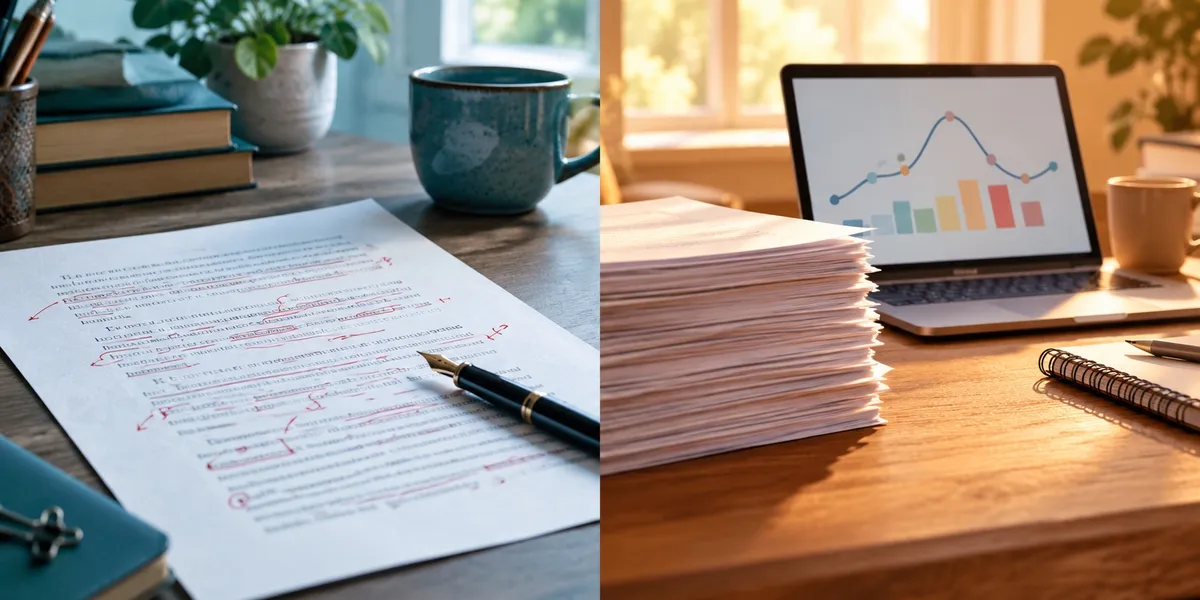
Grammarly vs Marlowe is not really a head-to-head, because the two tools fix different layers of your book. Grammarly fixes sentences: spelling, grammar, punctuation, and clarity, as you type. Marlowe fixes stories: it reads a finished novel and reports on plot, pacing, character, and theme.
In this comparison, you’ll get:
- Verified October 2026 pricing for both, and the cheapest sensible way to buy each
- What each tool actually checks, and where each one gets your manuscript wrong
- A clear pick for your situation, plus the order to use them in if you want both
Here’s the side-by-side first.
Grammarly vs Marlowe at a Glance
Grammarly is a general-purpose writing assistant that works inside your browser, Word, and email. Marlowe, from Authors A.I., is a fiction-only report service: you upload a manuscript and receive a developmental-style analysis. One lives in every text box you type in. The other reads your whole novel once.
| Feature | Grammarly | Marlowe (Authors A.I.) |
|---|---|---|
| What it is | Real-time grammar, clarity, and tone assistant | Upload-and-report manuscript analysis |
| Best at | Sentence-level correctness and proofreading | Story-level diagnosis: plot, arc, pacing, character |
| Free plan | Grammar, spelling, punctuation, tone detection, 100 AI prompts/month | Marlowe Basic: unlimited Basic reports |
| Paid price | Pro: $12/month billed annually ($144), or $30/month | $29.95 single report, $19.95/month, or $159/year |
| Usage model | Unlimited suggestions on Pro | 4 Pro reports a month, or 48 a year |
| Manuscript size | Web editor caps one document at 100,000 characters | Minimum 20,000 words, any length per credit |
| File formats | Works in-app; uploads .doc, .docx, .odt, .txt, .rtf | .docx or ePub |
| Fiction or nonfiction | Both, plus emails, essays, and business writing | Fiction only |
| Generates text? | Yes: AI prompts, rewrites, paraphrasing | No, analysis only |
| Benchmarks against published books? | No | Yes, against thousands of published novels |
Pricing comes from Grammarly’s plans page, Grammarly’s billing support article, and Authors A.I.’s pricing page, all checked October 2026.
Which Is Better for Proofreading, Grammarly or Marlowe?
Grammarly is better for proofreading, and it is not close. It flags spelling, grammar, punctuation, and unclear sentences in real time, right where you write. You accept or reject each suggestion in place, which is exactly how a proofreading pass should work.
Marlowe does touch mechanics. Its free Basic report includes a misspellings finder, a cliché finder, repetitive-word counts, adverb and adjective overuse, and dialogue analysis. But it hands you a list after the fact, not an editor you fix things inside.
That difference decides your workflow. Proofreading is thousands of tiny decisions. Grammarly puts each one under your cursor. Marlowe sends you back to your word processor to find them yourself.
What Grammarly Pro adds for authors
Grammarly Free covers the basics well enough that many authors never upgrade. Pro adds full-sentence rewrites, tone adjustment, fluency suggestions, plagiarism detection, AI-text detection, and 2,000 AI prompts a month, per its plans page.
In August 2025, Grammarly also added a set of AI agents to its Docs editor, including Reader Reactions, Proofreader, Expert Review, and Paraphraser, as Tom’s Guide reported at launch. Reader Reactions predicts what a target reader will take away or find confusing. It is built for essays and business writing, not 90,000-word novels.
Our full Grammarly review covers which Pro features earn their price for book work and which do not.
Where Grammarly fights your fiction
Grammarly is trained toward clear, standard prose. Fiction often breaks those rules on purpose: sentence fragments for rhythm, dialect in dialogue, a narrator who rambles because the character rambles.
Grammarly cannot tell an error from a choice. Expect it to flag deliberate fragments and nudge a distinctive voice toward something smoother and flatter. Treat its style suggestions as questions, and accept only the ones that are genuinely wrong.
Which Is Better for Story Structure, Grammarly or Marlowe?
Marlowe is better for story structure, because Grammarly does not analyse structure at all. Marlowe’s Pro report covers plot, narrative arc, story elements, character, conflict, theme, setting, author voice, and a list of inconsistencies to revisit. It also visualises your book’s pacing as a graph.
Grammarly reads paragraphs. It has no concept of a sagging middle, a late inciting incident, or a subplot you dropped in chapter 14. No setting changes that.
Why Marlowe’s analysis is different
Marlowe was co-developed by Dr. Matthew Jockers, co-author of The Bestseller Code, and launched in 2020. Jane Friedman covered the service in her write-up at launch.
According to Authors A.I.’s Marlowe page, the tool compares your manuscript against thousands of published novels, benchmarked within your genre, and returns the report in minutes. It also suggests comparable titles, which helps when you write a query letter or pick Amazon categories.
Marlowe’s blind spots
Marlowe reads patterns, and patterns are not meaning. Novelist Gianaclis Caldwell’s hands-on Marlowe review found that the passages it quoted for her story beats felt disconnected from their emotional context, as if it had keyed on words rather than scenes.
It also missed a point-of-view problem: one character was mid-switch from first to third person, and the report did not flag it. That is exactly the kind of structural error you would pay a developmental editor to catch.
So use Marlowe as a second opinion on structure, not a verdict. Our Marlowe review walks through each section of the report.
Grammarly vs Marlowe Pricing: What Will You Actually Pay?
Grammarly Pro costs $12 a month billed annually ($144 a year), $60 a quarter, or $30 a month. Marlowe costs $29.95 for one Pro report, $19.95 a month, or $159 a year. Both have genuinely usable free tiers.
| Plan | Grammarly | Marlowe |
|---|---|---|
| Free | $0: grammar, spelling, tone detection, 100 AI prompts/month | $0: unlimited Basic reports |
| One-off | Not offered | $29.95 for 1 Pro report |
| Monthly | $30/month | $19.95/month (4 Pro reports) |
| Quarterly | $60 every 3 months | Not offered |
| Annual | $144/year ($12/month) | $159/year (48 Pro reports) |
The cheapest sensible way to buy each
For Marlowe, buy the single report. Most novelists finish one or two manuscripts a year. Two single reports cost $59.90, far below $159. One credit covers any book length, so a 120,000-word epic costs the same as a 60,000-word thriller.
The single report skips Pro’s story structure guide and review checklist, but the core analysis is the same. The annual plan only pays off at four or more manuscripts a year.
For Grammarly, avoid monthly billing. $30 a month adds up to $360 a year, against $144 on the annual plan. If you only need it for a focused editing sprint, one quarter at $60 is the cheapest paid route. Our Grammarly pricing breakdown covers the math in detail.
How both compare to a human editor
Both tools are cheap next to professional editing, which runs into the thousands for a full novel. Our guide to what a book editor costs lays out real rates. Neither tool replaces that work; they make the paid edit go further.
Can Grammarly Check a Whole Novel Manuscript?
Grammarly can check a whole novel, but not in one pass on the web. The Grammarly web editor checks up to 100,000 characters at a time, roughly 16,000 to 18,000 words, according to Grammarly’s limitations page. A 90,000-word novel has to go in five or six pieces.
The same support page says the desktop apps for Windows and Mac have no cap beyond your text editor’s own limits. So the practical route is to run Grammarly inside Word or Google Docs, one chapter at a time.
Marlowe has the opposite constraint. It will not accept anything under 20,000 words, so you cannot use it on a partial draft or a short story collection in progress.
Which Is Safer for Your Unpublished Manuscript?
Marlowe makes the stronger privacy promise. Authors A.I. states that submissions are stored privately with no human review, and that uploaded manuscripts are never used to train any AI. It also says Marlowe never generates or rewrites text.
Grammarly’s setting is opt-out. Its Product Improvement and Training control, which lets Grammarly use your content to train its models, is on by default for individual accounts, per Grammarly’s help center. You can switch it off in your account settings.
If AI training on your novel worries you, turn that toggle off before you paste in a single chapter. Grammarly’s parent company renamed itself Superhuman in October 2025, which is why the help pages now live on a Superhuman domain. The Grammarly product itself kept its name.
Where Grammarly and Marlowe Beat Chapter
We build Chapter, an AI book writing platform, so read this knowing the bias. It also means we can be specific about what these two tools do that Chapter does not.
Grammarly proofreads everything, everywhere. It runs in your browser, email, Word, and Google Docs, catching typos in your query letter, newsletter, and back-cover copy as you type. Chapter is a book production tool. It does not sit in your inbox correcting your pitch email.
Grammarly checks for plagiarism and AI-generated text. Pro includes both detectors. Chapter offers neither, so if you need to check a manuscript against published sources, Grammarly is the tool.
Marlowe audits a book Chapter did not write. Hand it the novel you drafted by hand over three years, and it returns a structural map of that exact manuscript. Chapter plans structure before it drafts, but it does not diagnose an existing book you upload.
Marlowe benchmarks you against published novels. Its genre comparisons and comparable titles come from a large corpus of published fiction. Chapter has no equivalent market-comparison report.
Marlowe never generates a word. If you want feedback with zero chance of AI prose entering your book, a pure analysis tool is the right category. Chapter is generative by design.
Both let you start at $0. Grammarly Free and Marlowe Basic do real work without a card. Chapter is a one-time $97 purchase.
That is a genuine list. If your problem is polishing or diagnosing a manuscript that already exists, one of these tools is the right buy, and Chapter is not.
Where Chapter Fits: Before You Have a Draft to Fix
Our Product — Chapter
Chapter is AI book writing software that builds a complete, structured manuscript: outline and chapter plan first, then the prose. For fiction, it drafts 20,000 to 120,000+ words on proven frameworks like Save the Cat, Three Act Structure, the Romance Beat Sheet, and the Hero’s Journey.
Plenty of writers comparing Grammarly vs Marlowe are not stuck on editing. They are stuck on finishing. Marlowe will not read fewer than 20,000 words, and Grammarly cannot correct a chapter that does not exist yet.
Best for: authors who need a finished, structurally sound draft before any editing tool has something to work on. Pricing: $97 one time, 2 books included (fiction or nonfiction), no subscription, 30-day money-back guarantee. You keep 100% of the rights. Track record: 2,147+ authors have used Chapter to create 5,000+ books, and Chapter has been featured in USA Today and the New York Times. Why we built it: Marlowe and Grammarly can only improve a book that exists, and most unfinished books never get far enough to be edited.
Because Chapter builds the structure first, the draft you take into editing already has its beats in place. Then Marlowe confirms the shape, and Grammarly cleans the sentences. Our Chapter vs Grammarly and Chapter vs Marlowe comparisons go deeper on each pairing, and our honest Chapter review covers where Chapter falls short.
The Verdict: Grammarly or Marlowe?
Start with Chapter if you do not yet have a complete draft. Neither editing tool helps until the manuscript exists, and Chapter gets you there with the structure built in.
Choose Grammarly if your draft is structurally sound and you need clean copy before beta readers, an agent, or a copy editor. Start on Free; upgrade to Pro for one quarter if you want rewrites and plagiarism checks.
Choose Marlowe if you have a finished novel of 20,000+ words and suspect a structural problem you cannot name, such as a slow middle or a weak climax. Buy one $29.95 report, not a subscription.
Use both, in this order, if you are preparing to query or self-publish: Marlowe first for structure, then Grammarly for the final polish. Proofreading a chapter you are about to cut is wasted work.
Choose neither if you want to know how a reader feels. Both tools count patterns; neither experiences your story. An AI beta reader or human beta readers answer that question better.
Still comparing? See how Marlowe stacks up in AutoCrit vs Marlowe and Fictionary vs Marlowe, or browse the best Grammarly alternatives, including ProWritingAid vs Grammarly for fiction-specific line editing.
FAQ
Is Grammarly or Marlowe better for novelists?
Grammarly or Marlowe is better depending on which layer of your novel needs work. Grammarly is better for sentence-level proofreading: spelling, grammar, punctuation, and clarity. Marlowe is better for story-level analysis of a finished manuscript, including plot, pacing, character arcs, and theme. Many novelists use Marlowe first, then Grammarly.
Does Marlowe check grammar like Grammarly?
Marlowe does not check grammar like Grammarly. Its free Basic report flags misspellings, clichés, repeated words, and adverb overuse, but it delivers a summary list, not inline corrections. For real sentence-by-sentence proofreading, Grammarly or a similar grammar checker is still the better tool.
Is Marlowe worth it compared to Grammarly Pro?
Marlowe is worth it if you have a finished novel of at least 20,000 words and want structural feedback. A single $29.95 report costs about the same as one month of Grammarly Pro on monthly billing ($30). Grammarly Pro is worth it only if you need rewrites, plagiarism checks, or heavy proofreading across many documents.
Can Grammarly analyse plot or pacing?
Grammarly cannot analyse plot or pacing. It works at the sentence and paragraph level, checking correctness, clarity, and tone. It has no view of story structure, character arcs, or scene order. For that, you need a manuscript-analysis tool like Marlowe, AutoCrit, or Fictionary, or a human developmental editor.
Does Marlowe or Grammarly use your manuscript to train AI?
Marlowe states that uploaded manuscripts are never used to train any AI. Grammarly has a Product Improvement and Training setting that is on by default for individual accounts and lets it use your content to improve its models. You can turn that setting off in your Grammarly account.