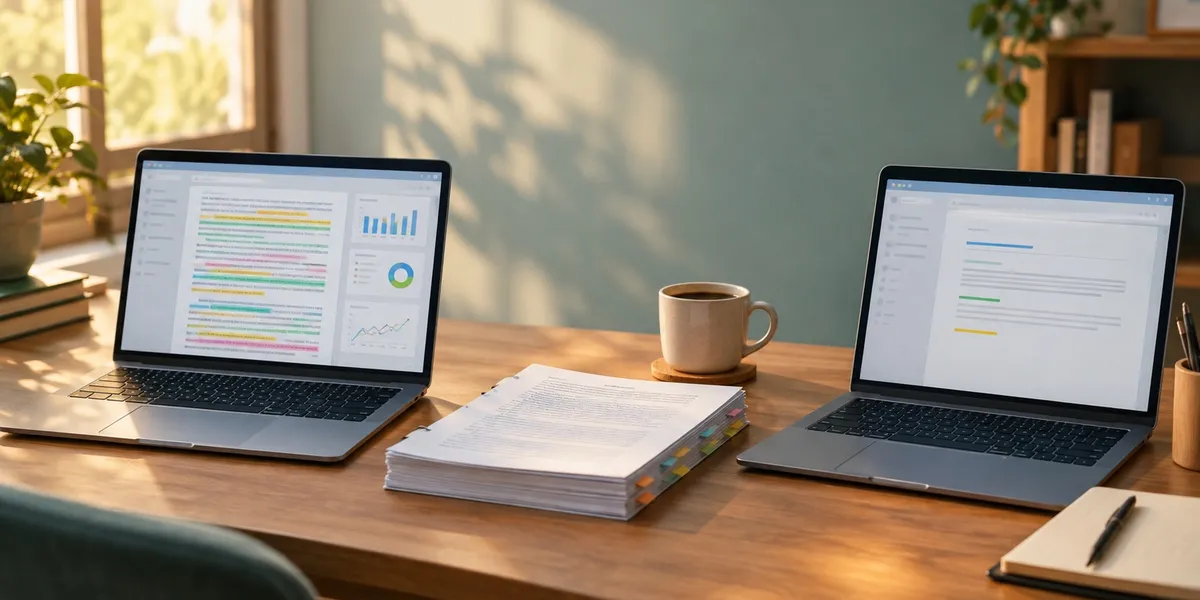
ProWritingAid wins for book-length fiction and nonfiction. Grammarly wins for everything else you write. That is the honest verdict, and almost every “which is better” argument you have read is really an argument about which of those two jobs you are doing.
In this comparison you will get:
- A side-by-side breakdown on accuracy, style depth, fiction voice, and integrations
- Real published 2026 pricing for both, including the add-on cost most reviews skip
- Which one to pick for novels, nonfiction books, academic work, and day-to-day writing
- An honest account of where both tools beat the platform we build
Here is how they actually differ.
At a Glance
| Feature | ProWritingAid | Grammarly |
|---|---|---|
| Best for | Book-length manuscripts, fiction, self-editing | Everyday writing, email, business, mechanics |
| Core approach | 25+ whole-document reports | Real-time inline corrections |
| Free plan limit | 500 words per check | Unlimited grammar and spelling |
| Fiction voice handling | Document-type presets, forgiving of style | Strict, pushes toward standard prose |
| Typo and mechanics accuracy | Good | Best in class |
| Scrivener integration | Yes | No |
| Word and Google Docs | Yes | Yes |
| Annual price | $108 to $144/year | $144/year |
| Lifetime option | $399 or $699 | None |
| Whole-manuscript AI analysis | Yes, via paid Story Credits | No |
The one-line rule: if your document is longer than 10,000 words, ProWritingAid is the better tool. If it is shorter than 1,000, Grammarly is.
What ProWritingAid and Grammarly Actually Are
ProWritingAid — a long-form writing analysis platform that runs more than 25 separate reports across an entire manuscript, surfacing prose patterns you cannot see yourself.
Grammarly — a real-time writing assistant that sits on top of whatever app you are typing in and underlines grammar, spelling, clarity and tone problems as you write.
That structural difference explains everything downstream. Grammarly is a layer. ProWritingAid is a lab.
Grammarly follows you into Gmail, Slack, Word, Google Docs, WordPress and your phone keyboard. You do not go to Grammarly. It comes to you.
ProWritingAid works the other way. You take a finished draft to it, run reports, and read the output the way you would read notes from an editor. It is a destination, not an overlay.
One piece of 2026 context that confuses people: Grammarly’s parent company renamed itself Superhuman in October 2025 after acquiring the Superhuman email client and Coda. The writing product is still Grammarly, and the rebrand changed neither pricing nor features.
Which Tool Is More Accurate at Grammar?
Grammarly is more accurate at grammar and mechanics. It catches more genuine typos, comma splices, subject-verb disagreements and misused homophones than ProWritingAid, with a lower false-positive rate on those same mechanical errors. Independent 2026 side-by-side tests consistently put Grammarly ahead on raw error detection.
This is not a close call, and pretending otherwise would make the rest of this comparison worthless.
One widely cited 2026 manuscript test found Grammarly surfaced seven genuine errors in a document where ProWritingAid caught one. Reviewers at DemandSage, Capitalize My Title and Creativindie reach the same conclusion independently.
If you honestly do not know where the comma goes, Grammarly is the tool that fixes it. That skill matters more than most writers admit, because mechanical errors are what make an agent or acquisitions editor stop reading.
The caveat: neither tool is a proofreader. Both miss context-dependent errors, and both will confidently approve a sentence that means the opposite of what you intended. See proofreading vs editing for why those are different jobs.
Which Tool Is Better for Fiction Writers?
ProWritingAid is clearly better for fiction writers. It lets you set a document type — fiction, creative, academic, technical and 40+ others — and recalibrates what it flags accordingly. Set it to fiction and it stops fighting your sentence fragments, dialect and dialogue.
Grammarly has no equivalent. Its clarity engine is tuned toward standard, concise, professional construction, which is the exact opposite of what distinctive fiction voice needs.
Run a chapter of literary fiction through Grammarly Pro and it will flag your intentional fragments as errors, suggest you shorten a deliberately long sentence, and quietly sand your voice into corporate prose. Accept every suggestion and you get clean, competent, forgettable writing.
That is not a bug in Grammarly. It is Grammarly working correctly for the audience it was built for, which is people writing emails and reports.
ProWritingAid also carries fiction-specific reports Grammarly simply does not have. Pacing analysis flags chapters where momentum stalls. Dialogue Tags shows you the eleven consecutive pages where every line is “said” or “asked”. Echoes catches the same word repeating across a scene.
On an 80,000-word novel, the pacing report can surface half a dozen slow chapters. Grammarly cannot see the chapter level at all, because it does not read documents, it reads sentences.
If you write fiction, this section alone should decide it. Pair ProWritingAid with a proper self-editing pass and you are doing work that used to cost money.
Where Grammarly Genuinely Beats ProWritingAid
Fiction is not the only thing you write, and this is where Grammarly earns its subscription.
It works everywhere, in real time. Grammarly is in your browser, your desktop apps, your email client and your phone. ProWritingAid has extensions too, but Grammarly’s coverage and responsiveness are better, and that gap widens on mobile.
The free tier is genuinely usable. Grammarly Free gives you unlimited grammar, spelling, punctuation and tone detection. ProWritingAid Free caps you at 500 words per check, plus two line-editing reports a day, which is a demo rather than a product.
For a large number of writers, Grammarly Free is all they will ever need, and it costs nothing. Say that plainly.
It is faster and less overwhelming. ProWritingAid hands you 25 reports and a summary score. That is powerful and it is also a lot of homework. Grammarly hands you three underlines and moves on.
Tone detection and rewriting are better. If you need an email to land as firm but not rude, Grammarly’s tone tools do that well. ProWritingAid has rephrasing but nothing as focused.
Plagiarism and AI-text detection. Grammarly Pro bundles both. If you are a student or an academic, that matters, and ProWritingAid’s equivalent is weaker. Students should also read the dissertation editing services breakdown before paying for either.
How the Pricing Compares
Both companies publish their prices, so here they are as of September 2026.
| Plan | ProWritingAid | Grammarly |
|---|---|---|
| Free | $0, 500-word check limit | $0, unlimited grammar and spelling |
| Mid tier, annual | Premium, $9/mo ($108/yr sale, list $10/mo) | Pro, $12/mo ($144/yr) |
| Mid tier, monthly | $30/mo | $30/mo |
| Top tier, annual | Premium Pro, $9-12/mo ($108-144/yr) | Business, $33/user/mo |
| Top tier, monthly | $36/mo | $40/user/mo |
| Lifetime | $399 Premium, $699 Premium Pro | Not offered |
Sources: ProWritingAid pricing and Grammarly plans, checked September 2026.
Three things worth flagging before you buy.
The monthly-versus-annual gap is punishing on both. Grammarly charges $30/month monthly against $12/month annually, a 150% premium for flexibility. ProWritingAid’s gap is similar. If you use either tool at all, annual is the only sensible choice, which makes the real decision a $108-144 commitment rather than a $12 one.
ProWritingAid’s lifetime licence is genuinely rare and genuinely good. $399 once for Premium. Against the annual plan that pays back in under four years, and against monthly billing in just over a year. Nobody else in this category still offers it.
Story Credits are the cost most reviews skip. ProWritingAid’s headline manuscript features — Manuscript Analysis, Plot Analysis, Character Analysis, Virtual Beta Reader, Marketability Analysis — are not included in Premium. They run on Story Credits, an add-on you buy separately. Premium members get up to 40% off, Premium Pro up to 65% off, but “off” is not “included.”
If you bought Premium expecting whole-book AI feedback, that is an extra line item. Budget for it or you will feel misled.
Can You Use Both ProWritingAid and Grammarly Together?
Yes, and most serious authors should. Run ProWritingAid first for structure, repetition, pacing and style, then Grammarly last for typos and mechanics. The order matters — fix the large problems before polishing sentences you may end up cutting.
The cheap version of this workflow is ProWritingAid Premium annually plus Grammarly Free, which runs about $108 to $120 a year total and covers both halves of the job properly.
The one real friction is that both tools want to run in the same editor at once, and stacking two live extensions in Google Docs or Word gets noisy. Turn one off while the other runs.
Which One Should You Buy?
Different writers, different answers.
Buy ProWritingAid if you:
- Write novels, memoirs or nonfiction books longer than 20,000 words
- Have a completed draft and want it measurably better
- Use Scrivener from Literature and Latte, which Grammarly does not support at all
- Want to learn why your prose is weak, not just have it patched
- Plan to write for a decade and want the $399 lifetime licence
Buy Grammarly if you:
- Write mostly email, reports, posts and short documents
- Need mechanics fixed and do not care about style analysis
- Want plagiarism or AI-text detection for academic work
- Write on mobile
- Value speed and quiet over depth
Buy neither if you: do not have a draft yet. This is the trap that catches most aspiring authors, and it is worth its own section.
Where These Tools Beat Chapter
We build Chapter, an AI book writing platform, so the fair thing is to say plainly where ProWritingAid and Grammarly beat it. There is a real list.
Neither of these is a competitor to Chapter, and Chapter is not a competitor to them. They edit prose. Chapter produces manuscripts. Those are different halves of the same problem.
Grammarly beats Chapter at line-level mechanics, and it is not close. Chapter is not a grammar checker. It has no real-time overlay, no inline underlines, no comma engine. If your draft is finished and you need it proofread, Chapter is the wrong purchase.
ProWritingAid beats Chapter at prose diagnosis. The Sticky Sentence, Echoes, Overused Words and Sentence Variation reports have no equivalent in Chapter. If you want to know why your paragraphs read flat, ProWritingAid tells you and Chapter does not.
Both beat Chapter on everything that is not a book. Your emails, your query letters, your Amazon listing, your newsletter, your LinkedIn posts. Chapter does none of that. Grammarly does all of it for free.
Both have free tiers. Chapter does not. Grammarly Free is genuinely usable indefinitely. ProWritingAid Free is limited but real. Chapter is $97 up front, and if you are not sure you will finish a book, that is a real risk you are taking.
ProWritingAid integrates with Scrivener and Word. Chapter is its own environment. If your workflow is already built around Scrivener, ProWritingAid slots in and Chapter asks you to move.
That is an honest list, and it is why the recommendation below is a sequence rather than a single product.
The Verdict
Our Product — Chapter
Chapter is built around one outcome: a finished, exportable manuscript. You pick a genre and structure, the AI drafts the full book, and you edit and export to EPUB, PDF or DOCX. Over 10,000 authors have created books on it, and the platform has been featured in USA Today and the New York Times.
Best for: getting from no manuscript to a complete draft Pricing: $97 one time, 2 books included (fiction or nonfiction), 30-day money-back guarantee Why we built it: because no amount of editing software produces a book you have not written.
Between the two tools in the title, the verdict is genuinely split and I am not going to fudge it.
ProWritingAid wins for authors. Better fiction handling, whole-document reports, Scrivener support, and a lifetime licence. If you are writing a book and you can only buy one, buy this one.
Grammarly wins for everyone else. Better mechanics, better free tier, better everywhere-integration, better tone tools. If you are writing anything other than a book, buy this one — or use it free.
Now the part that matters more than either choice. Both tools are downstream of a manuscript. Neither will write one. The most common failure in author software spending is buying editing tools before there is anything to edit, then editing the same three chapters for two years.
The sequence that works is: draft first, diagnose second, polish third. Chapter for the draft. ProWritingAid for the diagnosis. Grammarly Free for the polish. That runs $97 once plus roughly $108 a year, and it ends with a finished book rather than a very well-edited first act.
If you already have a full draft, skip Chapter entirely and buy ProWritingAid. That is the genuinely correct answer for you, and we would rather say it than sell you something you do not need. If you have been circling chapter one for a year, editing tools are not your bottleneck.
Is ProWritingAid Better Than Grammarly?
ProWritingAid is better than Grammarly for long-form and creative writing, and worse for everyday mechanics. ProWritingAid runs 25+ whole-manuscript reports and respects fiction voice. Grammarly catches more typos, works in real time everywhere, and has a far more generous free tier.
Is Grammarly Worth It if You Already Have ProWritingAid?
Grammarly is worth adding to ProWritingAid only on the free tier for most authors. Grammarly Free covers the mechanical gap ProWritingAid leaves — typos and comma errors — at no cost. Upgrade to Pro only if you need plagiarism detection, AI-text detection, or heavy business writing.
FAQ
Which is more accurate, ProWritingAid or Grammarly?
Grammarly is more accurate at grammar and mechanics, with a higher catch rate on typos and a lower false-positive rate. ProWritingAid is more accurate at style and structure, catching repetition, pacing and readability issues that Grammarly cannot see because it analyses sentences rather than documents.
Does ProWritingAid work with Scrivener?
ProWritingAid works with Scrivener through a direct integration, letting you analyse Scrivener projects without copying text out and back in. Grammarly does not support Scrivener at all, which is the single biggest practical reason novelists choose ProWritingAid over it.
Is ProWritingAid’s lifetime licence worth it?
The ProWritingAid lifetime licence is worth it if you will write for more than four years. At $399 for Premium, it pays back against the $108-144 annual plan in under four years and against $30/month billing in just over one. No comparable tool offers a lifetime option.
Is the ProWritingAid free plan usable?
The ProWritingAid free plan is not usable for books. It caps checks at 500 words and limits you to two line-editing reports per day, which is roughly two pages. Grammarly Free, by contrast, gives unlimited grammar and spelling checking and is genuinely usable long term.
Do I need either tool if I use an AI book writing platform?
You still need a line-level checker even with an AI book writing platform. Platforms like Chapter produce drafts and structure, not proofreading. The standard workflow is draft on the platform, diagnose with ProWritingAid, then run a final Grammarly Free pass before publishing.
Which is better for students, ProWritingAid or Grammarly?
Grammarly is better for students. It bundles plagiarism detection and AI-text detection in Pro, integrates with Google Docs where most coursework lives, and its free tier covers essay mechanics. ProWritingAid’s academic document mode is good but its extras are not aimed at students.
Related Reading
- ProWritingAid review — the full standalone assessment
- Grammarly review — including the Superhuman rebrand
- Grammarly alternatives — if neither of these fits
- Chapter vs Grammarly and Chapter vs ProWritingAid
- Hemingway Editor — the free third option nobody mentions
- Best AI book editor and AI proofreaders for books
- How much a book editor costs — what you are trying to avoid paying