Grammarly is the best real-time grammar and clarity checker available, and it is still the wrong tool if what you actually need is a finished book. Those two things are both true, and most Grammarly reviews only tell you one of them.
Here is the short verdict. Grammarly Free is genuinely useful and costs nothing. Grammarly Pro runs $12 per month billed annually ($144/year) or $30 per month billed monthly, according to Grammarly’s own plans page. It is worth paying for if you write a lot of short-form business prose — emails, proposals, newsletters, query letters, book descriptions. It is not worth paying for if your goal is to draft a 60,000-word manuscript, because Grammarly does not write books. It corrects sentences that already exist.
This review covers what Grammarly actually is, the specific things it beats every competitor at, the specific places it falls apart on long manuscripts, real pricing math, what verified users say, and who should walk away.
What Grammarly Actually Is
Grammarly — a cloud-based writing assistant that checks grammar, spelling, punctuation, clarity, and tone in real time across your browser, desktop apps, and mobile keyboard.
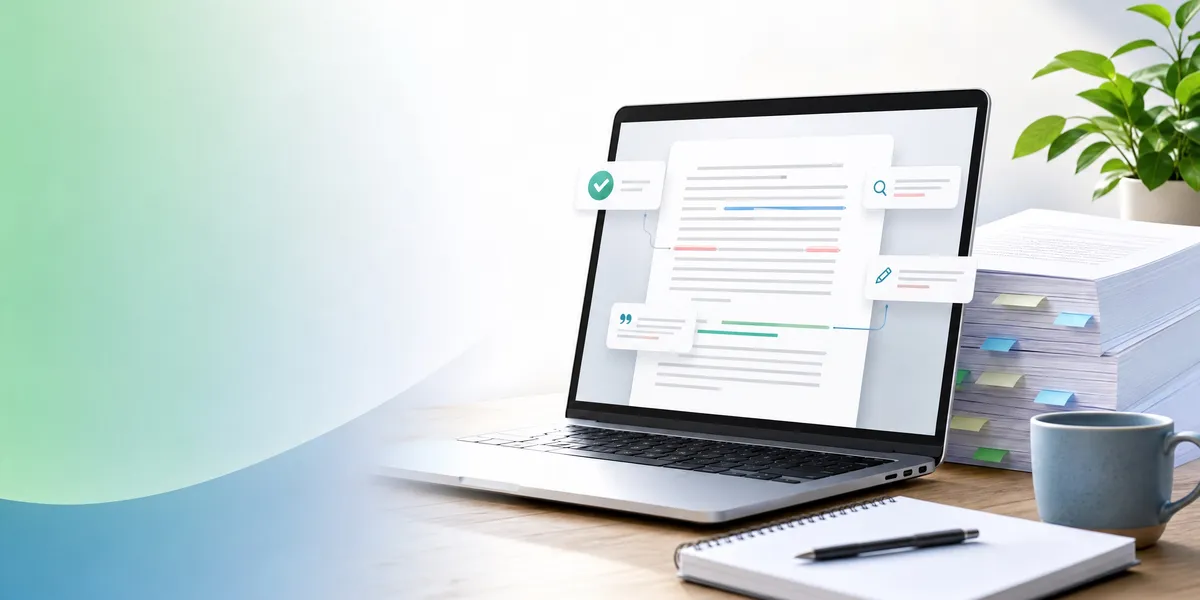
It is not a word processor. It is not a book writing platform. It is an editing layer that sits on top of whatever application you are already typing in — Gmail, Google Docs, Word, Slack, WordPress — and underlines problems as you write.
The product has three parts. A rules-and-ML grammar engine that catches mechanical errors. A clarity engine that flags wordiness, passive voice, and convoluted sentence structure. And a generative AI layer that rewrites sentences, adjusts tone, and drafts text from prompts.
One piece of 2025-2026 context that confuses people: Grammarly’s parent company renamed itself Superhuman in October 2025 after acquiring the Superhuman email client and Coda. The writing product is still called Grammarly, and the rebrand did not change its pricing or features. If you saw a headline about “Grammarly becoming Superhuman,” that was the company, not the app.
What Grammarly Does Well
Grammarly is not a weak product with good marketing. It is genuinely the category leader at what it does, and pretending otherwise would make the rest of this review worthless. Here is where it wins outright.
It catches mechanical errors better than anything else
Comma splices, subject-verb disagreement, dangling modifiers, misused homophones, inconsistent hyphenation. Grammarly’s hit rate on straightforward mechanical errors is very high and its false-positive rate on those same errors is low.
If you are the kind of writer who genuinely does not know where the comma goes, this is not a nice-to-have. It is the difference between a manuscript an editor will take seriously and one they will not.
The real-time, everywhere integration is the actual product
This is the part competitors keep failing to copy. Grammarly runs in your browser, in your desktop apps, and on your phone keyboard, and it corrects you while you type rather than after you finish.
Most writing tools require you to stop, paste your text somewhere, and read a report. Grammarly removes that step entirely. Over a year of writing, that friction difference is enormous and it is the single strongest argument for the product.
Clarity suggestions catch bloat that authors are blind to
The clarity engine flags overlong sentences, filter words, and repetitive constructions. As ScribeCount notes in its guide for indie authors, the clarity reports are the most practically useful function for authors who write bloated prose, because those are legitimate problems in long-form fiction and nonfiction alike.
You cannot see your own verbal tics. Grammarly can, and it will point at the same crutch word forty times until you notice it.
The tone detector is excellent for everything that is not prose
Query letters. Book descriptions. Newsletters to your list. Pitch emails to podcasters. Grammarly’s tone detector tells you how a piece of writing is likely to land before you send it, and for author business writing that is a real advantage.
The free tier is legitimately good
Grammarly Free covers spelling, grammar, punctuation, tone detection, and 100 AI prompts per month. Most competitors’ free tiers are demos. This one is a working product. A large percentage of authors never need to upgrade, and any honest review has to say so.
What Grammarly Does Not Do Well
It has no concept of a manuscript
Grammarly has no chapter structure, no manuscript navigation, no way to organize a long document, no scene or beat awareness. It is an overlay on a text field. A book is a structure, and Grammarly cannot see structure at all.
That means it will never tell you that chapter nine repeats chapter four, that your act two sags, or that you introduced a character’s eye colour twice with different answers. Those are the errors that actually sink books, and they are invisible to a sentence-level checker.
There are hard document limits that a novel will hit
This is the practical wall most authors run into. Per Grammarly’s own support documentation, the limits are:
| Limit type | Cap |
|---|---|
| Per 30 days | 300 documents or 150,000 words |
| Per 24 hours | 100 documents or 50,000 words |
| Web editor, single document | 100,000 characters including spaces |
| File upload size | 4 MB |
| Devices per account | 5 |
100,000 characters is roughly 16,000 to 18,000 words. A standard novel is four to six times that. You cannot check a full manuscript in one pass — you have to chop it into chunks, check each one, and reassemble. That is real, repetitive work and it is the same on the paid plan as the free one.
It fights fiction voice
This is the criticism that comes up most often from novelists and it is fair. The clarity engine optimizes for concision and standard construction, which are the two things distinctive prose deliberately breaks.
Reedsy ran Grammarly over The Great Gatsby and found it flagged rhythm-defining comma choices that Fitzgerald and his editors had made on purpose. Fragments get flagged. Dialect gets flagged. Dialogue that sounds like a real person gets flagged for being ungrammatical, because it is.
You can dismiss those suggestions, but dismissing 400 of them across a manuscript is exhausting, and the real risk is the newer writer who accepts them all and sands their voice flat.
No Scrivener integration, and the workarounds are ugly
Grammarly still offers no official Scrivener integration, while ProWritingAid does. Authors on the Literature & Latte forums report a recurring pattern: copy a chapter out of Scrivener into Grammarly and the formatting is destroyed on the way back.
If Scrivener is the centre of your workflow, this is a daily tax, not an occasional annoyance.
It does not generate a book
Grammarly’s AI can rewrite a sentence and draft a paragraph. It cannot produce a structured full-length manuscript, and it does not claim to. That is not a flaw in Grammarly — it is simply outside the product’s scope. It matters only because a lot of authors arrive at Grammarly hoping it will solve the blank page, and it will not.
How the Pricing Compares
Grammarly’s published pricing as of August 2026:
| Plan | Annual price | Monthly price | Key inclusions |
|---|---|---|---|
| Free | $0 | $0 | Grammar, spelling, punctuation, tone detection, 100 AI prompts/month |
| Pro | $12/mo ($144/yr) | $30/mo | Full-sentence rewrites, tone adjustment, plagiarism and AI-text detection, 2,000 AI prompts/month |
| Business (Superhuman suite) | $33/user/mo | $40/user/mo | Pro features bundled with Superhuman Mail and suite tools |
| Enterprise | Contact sales | — | SSO, SCIM, DLP, BYOK encryption, admin controls |
Two things worth flagging before you buy.
The monthly-versus-annual gap is unusually punishing. $30/month versus $12/month is a 150% premium for flexibility. If you are going to use Grammarly at all, the annual plan is the only sensible choice, which means the real decision is a $144 commitment, not a $12 one.
Grammarly is rarely the whole bill. If you are writing a book, Grammarly is one line item in a stack. Realistic five-year cost for an author who writes consistently:
| Cost | Grammarly Pro | Chapter (nonfiction) |
|---|---|---|
| Year 1 | $144 | $97 one-time |
| Year 3 | $432 | $97 |
| Year 5 | $720 | $97 |
| Access if you stop paying | Lost | Retained |
| Produces a manuscript | No | Yes |
That table is not a fair feature comparison — the two products do different jobs — but it is a fair money comparison, and the recurring-versus-once distinction is the part most reviews skip.
What Real Users Say
Grammarly’s user sentiment is strong and I am not going to pretend otherwise. It holds roughly a 4.7 out of 5 average across more than 11,000 verified reviews on G2, and it consistently sits at or near the top of its category there.
The praise clusters around time saved on proofreading and confidence in professional communication. The criticism clusters just as consistently around three things: suggestions that overcorrect and flatten voice, alert fatigue from constant underlining, and academic users reporting that citation handling wants to rearrange formatting that was already correct.
For authors specifically, the pattern in reviews is consistent enough to be useful: writers keep Grammarly for their business writing and either ignore it or turn it off for prose. At Home Author makes the point plainly — the algorithm does not reliably understand sarcasm, idiom, or double meaning, which are exactly the tools fiction runs on.
I am not quoting individual reviewers here because I have not verified their identities. The aggregate numbers above are checkable.
Who Should Buy Grammarly
Buy Grammarly Pro if you recognise yourself in any of these:
- You write a lot of short professional prose. Emails, proposals, LinkedIn posts, newsletters, book descriptions. This is Grammarly’s home turf and nothing beats it.
- Mechanics are a genuine weak spot. If commas and tense consistency are real problems for you, $144/year buys a permanent fix.
- You are a non-native English writer. The fluency suggestions are one of the strongest arguments for the paid tier.
- You need plagiarism or AI-text detection. Pro includes both, which matters for academic and freelance work.
- You want editing to happen without changing your workflow. The everywhere-integration is worth money on its own.
Who Should Not Buy Grammarly
Skip it, or stay on the free tier, if:
- You are trying to write a book and have not written it yet. Grammarly edits existing text. It will not help you produce a manuscript, and buying it to solve a blank-page problem is buying the wrong thing.
- You write literary or voice-driven fiction. The clarity engine actively works against distinctive prose. You will spend more time dismissing suggestions than accepting them.
- Scrivener is your primary workspace. No official integration, and the copy-paste round trip damages formatting.
- The free tier already covers you. Most authors with decent mechanics genuinely do not need Pro. Try Free for a month before you spend anything.
- You need developmental editing. Structure, pacing, and plot problems are outside Grammarly’s scope entirely. That is a job for a human editor or a structural tool.
Where Grammarly Beats Chapter
We build Chapter, so read this section knowing the bias, and read it anyway — because there are real, specific things Grammarly does that Chapter simply does not.
Real-time correction while you type. Chapter has no browser extension, no desktop overlay, no mobile keyboard. Grammarly corrects you in Gmail at 6am. Chapter cannot do that and is not trying to.
Mechanical grammar checking at Grammarly’s level. Grammarly has spent well over a decade on a dedicated grammar engine. If your goal is catching every comma splice in a document, Grammarly is better at that specific task. Full stop.
Everything that is not a book. Emails, cover letters, essays, Slack messages, tweets, academic papers. Chapter writes books. If your writing life is mostly short-form, Grammarly is the correct purchase and Chapter is irrelevant to you.
Plagiarism and AI-text detection. Grammarly Pro includes both. Chapter does not offer either.
A free tier. Grammarly Free is a working product you can use forever. Chapter has no free plan.
That is a genuine list, and if any of those five points describes your actual need, buy Grammarly and ignore the rest of this article.
The Alternative We Built
Our Product — Chapter
Chapter is AI book writing software that produces a complete, structured manuscript from a topic, audience, and set of structure preferences.
The distinction that matters is the one this whole review turns on. Grammarly improves prose that exists. Chapter produces the prose. They are not competitors so much as different stages of the same job.
How it works: structure first, then prose. Chapter builds the full informational or narrative arc — chapters, beats, argument progression — before generating a word. That is why the output reads like a book rather than a very long blog post, and it is the exact layer Grammarly has no visibility into.
Best for: authors who need a finished manuscript, not a cleaner sentence. Pricing: $97 one time, 2 books included (fiction or nonfiction), 30-day money-back guarantee Track record: 2,147+ authors have created 5,000+ books on the platform, which has been featured in USA Today and the New York Times. Client outcomes include $13,200 from a single book, $60,000 in 48 hours from a book used as a lead magnet, and a speaking booking in front of 20,000 people.
Where Chapter is honestly weaker than Grammarly: it will not fix your emails, it has no real-time overlay, it has no free tier, and it is not a line-level grammar checker. If you already have a finished manuscript and you only need it proofread, Chapter is the wrong purchase — look at AI proofreading tools for books or a dedicated book editor instead.
The honest recommendation for most authors is both, in order. Use Chapter to generate and structure the manuscript. Use Grammarly Free — or Pro if your mechanics need it — on the final line-editing pass and on all the book marketing writing that comes after. That workflow costs $97 once plus $0 to $144 a year, and it produces a book, which no amount of grammar checking will do on its own.
Is Grammarly Worth It for Fiction Writers?
Grammarly is worth it for fiction writers only on the free tier, and only for mechanics. The paid clarity and rewrite features push prose toward standard, concise construction, which is the opposite of what distinctive fiction voice needs. Use it to catch typos and comma errors, then ignore every stylistic suggestion.
Does Grammarly Work on a Full Novel Manuscript?
Grammarly does not work well on a full novel manuscript in one pass. The web editor caps a single document at 100,000 characters, roughly 16,000 to 18,000 words, and the account caps you at 50,000 words per 24 hours. A 90,000-word novel must be split into five or six chunks and checked separately.
Is Grammarly Free Good Enough?
Grammarly Free is good enough for most authors. It includes grammar, spelling, punctuation, tone detection, and 100 AI prompts per month — a working product rather than a demo. Upgrade to Pro only if you need full-sentence rewrites, plagiarism detection, or fluency support as a non-native English writer.
FAQ
How much does Grammarly cost in 2026?
Grammarly costs $0 for the Free plan, $12 per month billed annually ($144/year) or $30 per month billed monthly for Pro. The Business tier bundled with the Superhuman suite runs $33 per user per month annually. Enterprise pricing is quote-based.
Did Grammarly become Superhuman?
Grammarly did not become Superhuman. The parent company renamed itself Superhuman in October 2025 after acquiring the Superhuman email client. The writing product is still called Grammarly, and the rebrand changed neither its pricing nor its features.
Is Grammarly better than ProWritingAid for authors?
Grammarly is better for real-time correction across apps; ProWritingAid is better for authors specifically because it offers Scrivener integration and deeper long-form style reports. Grammarly still has no official Scrivener support, which is the deciding factor for many novelists.
Can Grammarly write a book for me?
Grammarly cannot write a book for you. Its AI generates sentences and short passages from prompts, but it has no chapter structure, outlining, or manuscript-length generation. For a complete manuscript you need dedicated AI book writing software rather than an editing assistant.
Does Grammarly hurt your writing voice?
Grammarly can hurt your writing voice if you accept every suggestion. Its clarity engine favours concision and standard grammar, so it flags intentional fragments, dialect, and rhythmic punctuation. Treat suggestions as questions rather than corrections, especially in fiction and line editing.
Is Grammarly safe for confidential manuscripts?
Grammarly processes your text on its servers, so anything you check is transmitted to a third party. For unpublished manuscripts under NDA or embargo, review Grammarly’s privacy terms and consider whether an offline tool suits you better. The Enterprise tier adds BYOK encryption and data loss prevention.