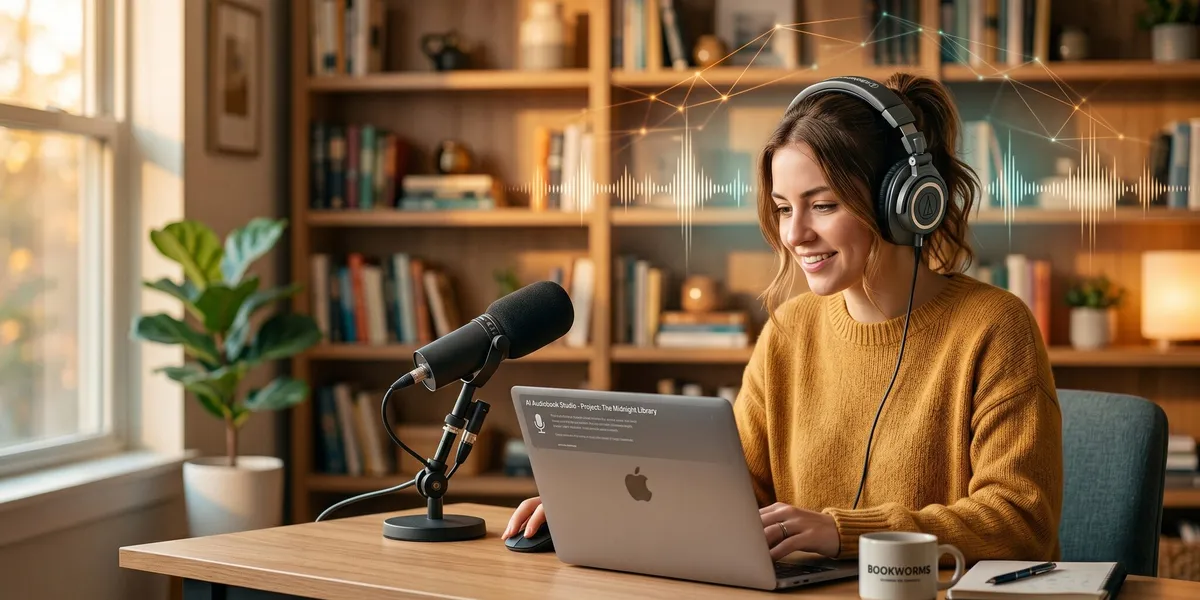
You can create a professional-quality audiobook with AI in under an hour — no recording studio, no narrator fees, and no weeks of back-and-forth production. AI narration tools in 2026 produce voices that rival mid-range professional narrators, at a fraction of the traditional cost.
In this guide, you’ll learn:
- How to prepare your manuscript for AI narration
- Which AI voice tools produce the most natural-sounding audiobooks
- The step-by-step process from text to finished audio files
- How to distribute your AI audiobook on Audible, Spotify, and Apple Books
Here’s the complete process from manuscript to published audiobook.
What Is an AI Audiobook?
AI audiobook — An audiobook narrated by artificial intelligence text-to-speech technology instead of a human voice actor, producing natural-sounding audio from your written manuscript.
AI audiobook tools convert your text into spoken audio using neural voice models trained on thousands of hours of human speech. The best platforms in 2026 — like ElevenLabs, Murf AI, and Notevibes — generate narration with realistic pacing, emotion, and inflection that listeners genuinely enjoy.
The technology has improved dramatically since early text-to-speech systems. Modern AI voices handle dialogue, chapter transitions, and tonal shifts with a natural quality that would have been unthinkable even two years ago.
Why Create an AI Audiobook?
The audiobook market hit $9.3 billion globally in 2025, according to the Audio Publishers Association, and it continues to grow in 2026. If you have a published book without an audio version, you are leaving significant revenue on the table.
Here’s why AI narration makes sense for most indie authors:
| Factor | Human Narrator | AI Narration |
|---|---|---|
| Cost | $1,000–$5,000 for a 10-hour book | $30–$200 for the same book |
| Timeline | 2–6 weeks | Under 1 hour |
| Revisions | Expensive re-records | Free regeneration |
| Updates | Requires re-hiring | Regenerate changed chapters instantly |
| Quality | Excellent (top tier) | Very good (mid-range equivalent) |
The cost difference is the biggest factor. A professional narrator charges $100 to $500 per finished hour, putting quality audiobooks out of reach for many self-published authors. AI narration drops that barrier to near zero.
You can also update your audiobook whenever you update your book. Changed a chapter? Regenerate that chapter’s audio in minutes. With human narration, every revision means scheduling and paying for another recording session.
How Much Does AI Audiobook Creation Cost?
AI audiobook creation cost ranges from $0 to $200 for a full-length book, depending on which platform you use and how many characters your manuscript contains. Most authors spend $30 to $80 for a standard 60,000-word book.
Here’s the cost breakdown by platform:
| Platform | Pricing Model | Cost for 60K Words (~8 hours audio) | Free Tier |
|---|---|---|---|
| ElevenLabs | Per-character credits | $50–$100 (Scale plan) | 10,000 characters/month |
| Murf AI | Monthly subscription | $26–$66/month | 10 minutes of generation |
| Notevibes | Per-character packs | $40–$80 | 500 characters |
| Google Cloud TTS | Per-character API | $16–$64 (WaveNet voices) | 1M characters free/month |
| Amazon Polly | Per-character API | $12–$48 (Neural voices) | 5M characters free for 12 months |
Compare that to the $1,000 to $5,000 a human narrator charges for the same project. Even the most expensive AI option costs a fraction of the cheapest human option.
The hidden cost most guides skip: your time preparing the manuscript. Budget 2–4 hours of prep work regardless of which AI tool you choose. That prep work makes the difference between a polished audiobook and one that sounds like a robot reading a Word document.
Step 1: Write Your Book (The Foundation Everything Depends On)
Before you can create an audiobook, you need a finished, polished manuscript. This is where most audiobook guides skip ahead, but the quality of your written book determines 80% of your audiobook’s quality.
Our Pick — Chapter
Chapter helps you write a complete, structured manuscript using AI — giving you the finished book that every audiobook starts with. Over 2,147 authors have used Chapter to create more than 5,000 books, with authors generating real revenue from their published work.
Best for: Writing a complete nonfiction or fiction manuscript from scratch Pricing: $97 one time, 2 books included (fiction or nonfiction), 30-day money-back guarantee Why we built it: Every audiobook starts with a great book — Chapter gets you there faster than writing from scratch or wrestling with ChatGPT prompts.
If you already have a finished manuscript, skip to Step 2. If you are still writing your book, get that done first. An audiobook is only as good as the words behind it.
Step 2: Prepare Your Manuscript for AI Narration
Your manuscript needs specific formatting before AI tools can narrate it well. Raw book files contain elements that confuse text-to-speech engines — footnotes, page numbers, headers, URLs, and formatting artifacts that produce awkward audio.
Clean your text:
- Remove all headers, footers, and page numbers
- Delete footnotes or convert them to inline text
- Remove URLs — spell out website names instead (“visit chapter dot pub” reads better than “visit h-t-t-p-s colon slash slash chapter dot pub”)
- Replace abbreviations with full words (“Dr.” becomes “Doctor”, “vs.” becomes “versus”)
- Spell out numbers under 100 (“42” becomes “forty-two”)
- Add pronunciation guides for unusual names or technical terms
Format for chapter detection:
Most AI audiobook tools detect chapters automatically. Use consistent formatting:
- Start each chapter on a new line with “Chapter 1: Title” format
- Use blank lines between sections
- Mark scene breaks clearly (use three asterisks: ***)
Handle dialogue carefully:
AI voices handle dialogue best when attribution is clear. “Said” tags help the AI understand when a character is speaking versus narration. If your book uses extensive untagged dialogue, consider adding brief attributions for the audio version.
Save your prepared manuscript as a plain .txt or .epub file. Most AI narration platforms accept both formats, though some also support .docx and .pdf.
Step 3: Choose Your AI Voice Platform
The platform you choose determines your voice quality, cost, and distribution options. Here are the best AI audiobook tools in 2026, based on actual output quality and author experience.
ElevenLabs — Best Overall Quality
ElevenLabs produces the most natural-sounding AI voices available in 2026. Their Projects feature is purpose-built for long-form audiobook narration.
- Voice library: 10,000+ pre-built voices plus voice cloning
- Multi-voice: Assign different voices to different characters
- Emotion control: Adjust tone, pacing, and emphasis per passage
- Output: MP3 or WAV, chapter-by-chapter export
- Best for: Fiction with dialogue, any book where voice quality matters most
The v3 voice engine handles emotional range and conversational tone better than any competitor. If you are narrating fiction with multiple characters, ElevenLabs is the strongest choice.
Murf AI — Best for Nonfiction
Murf AI offers a clean interface optimized for straightforward narration. The voices are professional and consistent — ideal for business books, self-help, and educational content.
- Voice library: 200+ voices across 20+ languages
- Editor: Built-in audio editor for pacing and emphasis
- Best for: Nonfiction, business books, educational content
Notevibes — Best All-in-One Platform
Notevibes handles the entire workflow from manuscript upload to distribution. You upload your file, assign voices, generate audio, and publish — all within one platform.
- Character detection: AI identifies characters and suggests voice assignments
- Per-paragraph control: Adjust voice and emotion at the paragraph level
- Built-in distribution: Publish directly to their library or export for external platforms
- Best for: Authors who want the simplest possible workflow
Amazon KDP Virtual Voice — Best for Amazon-Only Distribution
If you are already publishing on Amazon KDP, their Virtual Voice feature converts your ebook to an audiobook automatically. The voice quality is decent but not as refined as ElevenLabs or Murf.
- Cost: Free (included with KDP)
- Limitation: Only available for books published on KDP
- Quality: Acceptable for nonfiction, limited for fiction with dialogue
- Best for: Authors who want a free audiobook on Amazon with zero extra effort
Step 4: Generate Your AI Narration
The narration process follows the same general workflow regardless of which platform you choose. Here’s the step-by-step process using ElevenLabs (the most popular choice), but the principles apply to all platforms.
Upload your manuscript:
Import your prepared text file into the platform’s project workspace. ElevenLabs calls this “Projects,” Notevibes calls it the “Audiobook Workspace.” Break your book into chapters — most platforms detect chapter breaks automatically.
Select and assign voices:
- Choose a primary narrator voice for your main text
- For fiction with dialogue, assign unique voices to each character
- Preview each voice with a paragraph from your book before committing
- Listen for naturalness, pacing, and how the voice handles your specific writing style
Fine-tune the performance:
This is where AI audiobooks go from “acceptable” to “professional.” Spend time on:
- Pacing: Add pauses at chapter breaks and scene transitions
- Emphasis: Mark words that need stress (most platforms support SSML tags or built-in emphasis controls)
- Pronunciation: Correct any words the AI mispronounces — character names, place names, and technical terms often need manual fixes
- Emotion: For fiction, adjust the emotional tone of key passages — a climactic scene should not sound the same as a quiet moment
Generate chapter by chapter:
Generate audio for each chapter individually rather than the entire book at once. This lets you:
- Review quality incrementally
- Regenerate problem sections without redoing the whole book
- Maintain consistent voice quality across the full length
Preview each chapter immediately after generation. Listen for artifacts — awkward pauses, mispronunciations, or unnatural emphasis. Fix and regenerate before moving to the next chapter.
Step 5: Edit and Master Your Audio
Raw AI-generated audio needs post-production work before it is distribution-ready. The platforms handle most of this, but a few manual touches improve the final product significantly.
Within your AI platform:
- Trim silence at the start and end of each chapter
- Verify consistent volume levels across all chapters
- Check that chapter breaks include appropriate pauses (2–3 seconds between chapters)
- Listen to transitions between dialogue and narration
Optional external editing (for perfection):
If you want broadcast-quality audio, export your chapter files and do a final pass in free audio software like Audacity:
- Normalize volume across all chapters to -3dB
- Apply noise reduction if you hear any background artifacts
- Add a consistent intro/outro pause to each chapter
- Export at the required bitrate for your distribution platform (ACX requires 192 kbps MP3)
Most authors skip external editing entirely — the AI platform output is clean enough for distribution. But if you are targeting ACX/Audible specifically, their audio quality standards are stricter.
Step 6: Distribute Your AI Audiobook
Distribution is where your audiobook reaches listeners. You have several options, and your choice depends on whether you want maximum reach or maximum simplicity.
Audible/ACX
ACX is Audible’s self-publishing platform and the largest audiobook marketplace. However, ACX has specific policies on AI narration:
- ACX does not accept fully AI-narrated audiobooks uploaded as “human narrated”
- Amazon KDP’s Virtual Voice is the approved path for AI audiobooks on Audible
- If you use Virtual Voice, your audiobook appears on Audible automatically
- Royalty rates: 25% non-exclusive or 40% exclusive (7-year lock-in)
Read our full ACX vs Findaway Voices comparison for the detailed breakdown.
Findaway Voices (INaudio)
Findaway Voices (now rebranded as Voices by INaudio) distributes to 40+ platforms including Apple Books, Spotify, Kobo, Google Play, libraries, and more.
- Accepts AI narration: Yes, with disclosure
- Royalty rate: 80% of net receipts
- No exclusivity: Your audiobook goes everywhere
- Best for: Wide distribution beyond just Amazon
Direct Sales
You can also sell your audiobook directly through your own website, Gumroad, Payhip, or similar platforms. Direct sales give you 90–100% of the revenue with no platform restrictions on AI narration.
YouTube and Podcasts
Some authors upload full audiobooks or chapter samples to YouTube for discovery. This works well as a marketing channel — offer the first few chapters free to drive sales on paid platforms.
Do You Need to Disclose AI Narration?
Yes. Most distribution platforms require disclosure that your audiobook uses AI-generated narration. Here’s what each major platform requires:
- ACX/Audible: AI-narrated audiobooks must use the Virtual Voice pathway, which labels them automatically
- Findaway/INaudio: Requires you to indicate AI narration during upload
- Apple Books: Requires disclosure in metadata
- Google Play Books: Accepts AI narration with disclosure
Beyond platform requirements, transparency builds trust with listeners. Many readers are fine with AI narration — especially for nonfiction — but they want to know upfront. Include a brief note in your audiobook description: “This audiobook features AI-generated narration.”
The broader rules around AI and publishing continue to evolve in 2026. Stay current with each platform’s policies before you distribute.
Common Mistakes to Avoid
- Skipping manuscript preparation — Uploading a raw book file produces awkward narration full of mispronounced URLs, abbreviations, and formatting artifacts
- Choosing the wrong voice for your genre — A warm, conversational voice works for memoir but sounds wrong for a thriller. Preview voices with your actual text, not the platform’s demo samples
- Generating the entire book at once — Always generate chapter by chapter so you can catch problems early
- Ignoring pronunciation fixes — Character names, place names, and technical terms almost always need manual correction on the first pass
- Forgetting platform-specific audio requirements — ACX requires 192 kbps CBR MP3, mono or stereo, with specific room tone and peak volume standards. Check requirements before you export
How Long Does It Take to Create an AI Audiobook?
Creating an AI audiobook takes 2 to 6 hours total for a standard-length book (60,000–80,000 words). The actual AI generation runs in minutes, but manuscript prep, voice selection, quality review, and post-production add up.
Here’s the time breakdown:
| Step | Time |
|---|---|
| Manuscript preparation | 1–2 hours |
| Voice selection and testing | 30 minutes |
| AI narration generation | 15–30 minutes |
| Quality review and fixes | 1–2 hours |
| Export and distribution setup | 30 minutes |
| Total | 3–6 hours |
Compare that to human narration timelines: a professional narrator typically takes 2–4 weeks to record and deliver a finished audiobook. With AI, you can go from manuscript to distributed audiobook in a single day.
Can You Use Your Own Voice With AI?
Yes — most AI platforms offer voice cloning, which lets you create a digital version of your own voice for narration. ElevenLabs calls this “Professional Voice Cloning” and requires about 30 minutes of sample audio. The cloned voice then narrates your entire book with your vocal characteristics.
Voice cloning works well for authors who want a personal touch without spending days in a recording studio. You record a short sample once, and the AI handles the full narration with your voice’s tone and cadence.
This approach is especially popular with nonfiction authors who frequently appear on podcasts or give talks. Your audience already knows your voice — a cloned AI version preserves that connection while saving you hundreds of hours of recording time.
Is AI Narration Good Enough for Your Book?
AI narration quality in 2026 sits firmly in the “very good” range for most use cases. Here’s an honest assessment:
AI narration works exceptionally well for:
- Nonfiction (business, self-help, how-to, educational)
- Straightforward first-person narratives
- Books with minimal dialogue
- Short books and novellas
AI narration works but has limitations for:
- Fiction with extensive multi-character dialogue
- Books requiring distinct accents or dialects
- Children’s picture books (timing with page turns)
- Poetry collections (rhythm and cadence nuances)
Consider a human narrator if:
- Your book is literary fiction where performance is paramount
- You need authentic regional accents
- The audiobook is the primary format (not a supplement to print/ebook)
For most self-published authors, AI narration produces an audiobook that listeners enjoy and review positively. The technology continues improving monthly — what sounded robotic two years ago now sounds natural.
FAQ
How do you create an audiobook with AI?
To create an audiobook with AI, prepare your manuscript by removing formatting artifacts and fixing abbreviations, choose an AI voice platform like ElevenLabs or Murf AI, select and assign voices to your text, generate narration chapter by chapter, and distribute through platforms like Audible, Findaway Voices, or direct sales. The entire process takes 3 to 6 hours for a full-length book.
How much does it cost to make an AI audiobook?
Making an AI audiobook costs between $0 and $200 depending on your platform. Amazon KDP’s Virtual Voice is free for KDP authors. ElevenLabs costs $50–$100 for a standard book on their Scale plan. This compares to $1,000–$5,000 for professional human narration of the same book.
Does Audible accept AI-narrated audiobooks?
Audible accepts AI-narrated audiobooks only through Amazon KDP’s Virtual Voice feature, not through standard ACX uploads. You cannot upload an audiobook narrated by ElevenLabs or similar tools directly to ACX as human narration. For wider AI audiobook distribution, use Findaway Voices (INaudio), which distributes to 40+ platforms and accepts AI narration with disclosure.
What is the best AI tool for audiobook creation?
The best AI tool for audiobook creation is ElevenLabs for overall voice quality and emotional range. Murf AI excels for straightforward nonfiction narration. Notevibes offers the simplest all-in-one workflow from upload to distribution. For Amazon-only distribution with zero cost, Amazon KDP Virtual Voice is the most convenient option.
Can you clone your own voice for an audiobook?
Yes, you can clone your own voice for an audiobook using platforms like ElevenLabs Professional Voice Cloning. Record approximately 30 minutes of sample audio, upload it to the platform, and the AI creates a digital replica of your voice. The cloned voice then narrates your entire book with your natural tone, cadence, and vocal characteristics.