You can record your own audiobook at home for under $300 in equipment — and keep 100% of the creative control over how your book sounds.
In this guide, you’ll learn:
- How to set up a home studio for audiobook recording on any budget
- The exact equipment you need (and what you can skip)
- Narration techniques professional narrators use
- How to edit and master your audio to meet ACX standards
- Where to publish your finished audiobook
Here’s the complete step-by-step process.
Should You Narrate Your Own Audiobook?
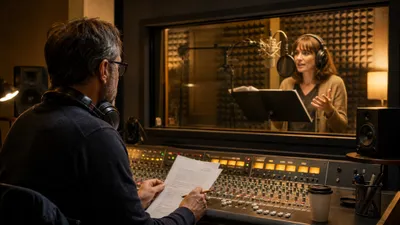
Before you invest in equipment and spend weeks behind a microphone, you should decide whether self-narration is the right choice for your book. The answer depends on your genre, your voice, and your schedule.
Self-narration works best for:
- Nonfiction authors — readers want to hear your expertise in your voice
- Memoir and autobiography — your personal story sounds most authentic from you
- Authors with a public presence — podcast hosts, speakers, and coaches whose audience already knows their voice
Consider hiring a narrator if:
- Your book has many characters requiring distinct voices (epic fantasy, ensemble fiction)
- You have a speech impediment or strong accent that might distract listeners
- You genuinely dislike the sound of your own voice and it affects your confidence
Professional narrators charge $100 to $500 per finished hour, so recording your own audiobook saves $1,000 to $5,000 on a typical 10-hour book. That alone makes self-narration worth considering.
How to Set Up a Home Studio for Audiobook Recording
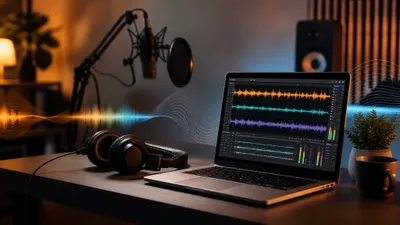
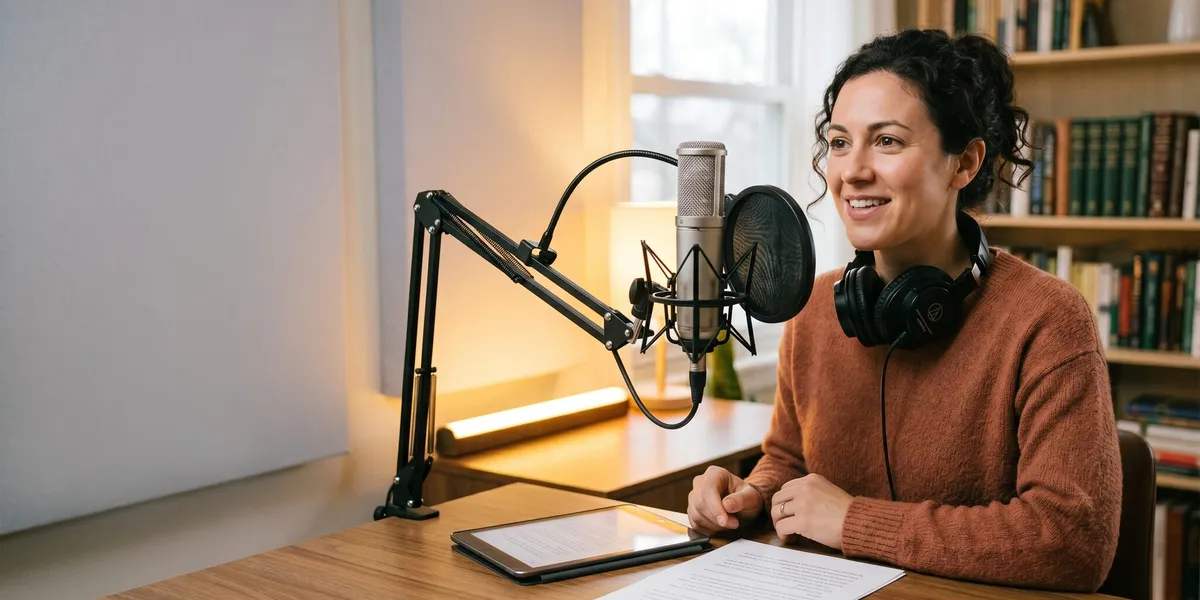
A home studio for audiobook recording requires a quiet room, basic soundproofing, and a few hundred dollars in equipment. You don’t need a professional recording booth — a walk-in closet works surprisingly well.
Choose Your Recording Space
Pick the smallest, quietest room in your home. Small rooms with soft surfaces produce the least echo. Good options include:
- Walk-in closets — clothes absorb sound naturally and they’re usually small
- Home offices — especially those with bookshelves, curtains, and carpet
- Spare bedrooms — add blankets or moving pads to walls for extra absorption
Avoid rooms with hard floors, large windows, or high ceilings. Bathrooms and kitchens are the worst options because hard surfaces bounce sound everywhere.
Soundproof Your Space
You don’t need expensive acoustic foam to get professional results. Start with what you already own:
- Hang heavy blankets or moving pads on the walls closest to your microphone
- Place a thick rug or carpet under your recording desk
- Close all windows and doors and turn off any fans, HVAC, or appliances that hum
- Cover any hard, reflective surfaces near your mic with soft material
If you want to upgrade later, acoustic foam panels cost $20-$50 for a pack that covers one wall. A portable vocal booth shield ($40-$80) wraps around your microphone and blocks reflections from three sides.
The Closet Recording Hack
Many successful audiobook narrators record inside a closet. The hanging clothes act as natural sound absorption on all sides. Push the clothes apart just enough to create space for you and your microphone, then close the door. The result is a surprisingly dead, echo-free recording environment that rivals foam-treated rooms.
What Equipment Do You Need to Record an Audiobook?
You need a quality microphone, headphones, a pop filter, and recording software. That’s it. A complete home audiobook recording setup costs between $150 and $500.
| Equipment | Budget Option | Mid-Range Option | Cost Range |
|---|---|---|---|
| Microphone | Audio-Technica ATR2100x (USB) | Rode NT1 (XLR) | $80-$270 |
| Headphones | Sony MDR-7506 | Beyerdynamic DT 770 Pro | $80-$160 |
| Pop filter | Basic mesh screen | Stedman Proscreen | $10-$60 |
| Audio interface | Not needed (USB mic) | Focusrite Scarlett Solo | $0-$120 |
| Mic stand/arm | Basic desk stand | Rode PSA1 boom arm | $15-$100 |
| Recording software | Audacity (free) | Reaper ($60 license) | $0-$60 |
| Total | $185-$770 |
Choosing Your Microphone
Your microphone is the most important purchase. For audiobook narration, you want a large-diaphragm condenser microphone — these capture the warmth and detail in the human voice.
USB microphones (plug directly into your computer):
- Audio-Technica ATR2100x — $80, great for beginners
- Blue Yeti — $100, versatile with multiple pickup patterns
- Samson Q2U — $70, solid budget choice
XLR microphones (require an audio interface):
- Rode NT1 — $270, industry standard for voice recording
- Audio-Technica AT2020 — $100, excellent value
- Rode PodMic USB — $100, works with USB or XLR
If you’re recording your first audiobook, start with a USB microphone. You can always upgrade to XLR later. The Audio-Technica ATR2100x offers both USB and XLR connections, so it grows with you.
Recording Software
Audacity is free, open-source, and handles everything you need for audiobook recording. Most self-narrating authors start here and many never switch.
Reaper costs $60 for a personal license and offers more advanced editing features, including the punch-and-roll recording technique that professional narrators swear by.
GarageBand comes free on every Mac and works perfectly for basic audiobook recording.
Whichever software you choose, record in WAV format at 44.1 kHz sample rate and 16-bit depth. You’ll convert to MP3 later during the export process.
How to Prepare Your Manuscript for Narration
Reading a book aloud is completely different from reading it silently. You need to prepare your manuscript before you sit down to record.
Mark Up Your Script
Print your manuscript or open it on a separate screen. Go through it and add narration marks:
- Forward slash (/) for natural pauses between sentences or phrases
- Underline words that need emphasis
- Highlight character dialogue in different colors so you know who’s speaking
- Circle unfamiliar words and practice pronouncing them before recording
- Note chapter transitions so you know where to start and stop each file
Practice Reading Aloud
Read your entire book aloud at least once before you press record. This step catches:
- Sentences that look fine on paper but sound awkward spoken
- Tongue-twister phrases you’ll stumble over
- Pacing issues where you naturally speed up or slow down
- Words you’ve been mispronouncing in your head
If you wrote your book with Chapter, you already have clean, well-structured prose that reads smoothly aloud. AI-assisted writing tools help you catch awkward phrasing during the drafting process, which saves hours of script prep.
How to Record Your Audiobook: Step-by-Step
Now that your space, equipment, and manuscript are ready, it’s time to record. Follow this process for each recording session.
Step 1: Set Up and Test
- Position your microphone 6 to 8 inches from your mouth, slightly off to one side (not directly in front) to reduce plosives
- Put on your headphones and monitor your audio in real time
- Record 30 seconds of silence — this is your room tone (you’ll need it during editing)
- Record a test passage and play it back, listening for echo, background noise, or distortion
- Adjust your input gain until your peaks hit around -12 to -6 dBFS during normal speaking
Step 2: Record One Chapter at a Time
Record each chapter as a separate file. ACX and most audiobook distributors require individual chapter files. Name each file clearly: Chapter_01.wav, Chapter_02.wav, and so on.
During recording:
- Stand up if possible — standing opens your diaphragm and gives you more vocal energy
- Keep a glass of water nearby (room temperature, not cold — cold water tightens vocal cords)
- Take breaks every 30-45 minutes to prevent vocal fatigue
- If you make a mistake, pause for 2 seconds, then re-read the entire sentence from the beginning — this makes editing much easier
Step 3: Use the Punch-and-Roll Technique
Punch and roll is the technique professional narrators use to fix mistakes without stopping the entire recording. Here’s how it works:
- You make a mistake mid-sentence
- Stop recording
- Roll the playback back 5-10 seconds
- Listen to your tone, pacing, and energy level
- Start recording again, matching that energy exactly
- Re-read from the beginning of the sentence
This technique keeps your tone consistent across edits. Without it, you’ll hear jarring shifts where you stopped and restarted. Most DAWs (Reaper, Audacity, GarageBand) support this workflow.
Step 4: Maintain Consistent Energy
The biggest challenge in audiobook recording is sounding exactly the same in hour 8 as you did in hour 1. Professional narrators spend around 20 hours in the studio for a single audiobook, so stamina matters.
Tips for consistent energy:
- Record at the same time each day (your voice changes throughout the day)
- Warm up your voice with humming and lip trills for 5 minutes before each session
- Aim for 2-3 hours of recording per session, not marathon 8-hour days
- Listen to your previous session’s ending before starting a new one to match your tone
How to Edit and Master Your Audiobook Audio
Editing is where your raw recordings become a polished, professional audiobook. Plan to spend 2-3 hours of editing for every 1 hour of recorded audio.
Basic Editing Workflow
- Remove mistakes — cut out flubs, false starts, and repeated sentences
- Clean up breaths — reduce (don’t eliminate) loud mouth sounds and breaths
- Normalize silence — ensure pauses between sections are consistent (0.5-1 second between paragraphs, 2-3 seconds between sections)
- Remove background noise — use noise reduction tools with your room tone sample as the noise profile
Meeting ACX Technical Requirements
ACX has strict audio specifications that every file must meet. Files that don’t pass are automatically rejected. Here are the exact requirements for 2026:
| Specification | Requirement |
|---|---|
| Format | MP3, 192 kbps CBR |
| Sample rate | 44.1 kHz |
| Channels | Mono |
| RMS loudness | -23 to -18 dBFS |
| Peak level | Below -3 dBFS (true peak) |
| Noise floor | Below -60 dBFS |
| Head silence | 0.5-1 second |
| Tail silence | 1-5 seconds |
Mastering in Audacity (Free Method)
Here’s the exact mastering chain to meet ACX specs in Audacity:
- Noise Reduction: Select your room tone sample → Effect > Noise Reduction > Get Noise Profile → Select all audio → Apply noise reduction (12 dB, sensitivity 6, frequency smoothing 3)
- Loudness Normalization: Effect > Loudness Normalization → Set to -20 RMS
- Limiter: Effect > Limiter → Set to -3.5 dB (gives you headroom below the -3 dB peak requirement)
- Export: File > Export as MP3 → 192 kbps constant bit rate, mono
Run the ACX Check plugin after mastering each file to verify your audio meets all specifications before uploading.
Should You Use AI Narration Instead?
AI audiobook narration uses text-to-speech technology to generate a synthetic voice that reads your book. In 2026, AI voices have improved dramatically — but they’re not right for every book.
AI narration works well for:
- Nonfiction books where natural conversational delivery matters less
- Authors who want to publish quickly and affordably
- Short books, guides, and reference materials
- Testing whether your book has audiobook demand before investing in professional narration
AI narration struggles with:
- Fiction requiring distinct character voices and emotional range
- Memoir and personal narrative where authenticity is everything
- Books with complex pronunciation (foreign languages, technical terms, fantasy names)
Popular AI narration tools include ElevenLabs, Murf AI, Narratemi, and Google Play Books’ auto-narration feature. Prices range from free (Google Play Books) to $30-$100 per book.
ACX now accepts AI-narrated audiobooks as long as you disclose that the narration is AI-generated and the audio meets their technical standards.
If you’re deciding between recording your own audiobook and using AI, consider this: self-narration gives you the most authentic result, while AI narration gives you the fastest result. For most authors — especially nonfiction authors — writing your book with Chapter and then self-narrating it produces the highest-quality end product.
Where to Publish Your Finished Audiobook
Once your audio files are edited and mastered, you need to distribute them to listeners. Here are the main platforms:
ACX (Audible, Amazon, iTunes)
ACX is the largest audiobook distribution platform and the gateway to Audible, Amazon, and Apple Books. You’ll reach the biggest audience here.
- Exclusive distribution: 40% royalties, available on Audible/Amazon/iTunes only
- Non-exclusive distribution: 25% royalties, but you can sell elsewhere too
- Review time: 10-30 business days after submission
Findaway Voices (Wide Distribution)
Findaway Voices distributes to 40+ retailers and library systems including Spotify, Google Play, Kobo, and OverDrive. If you want maximum reach beyond Amazon, this is your platform.
- No upfront cost
- Royalties vary by retailer (typically 50-80% of list price)
- Pairs well with non-exclusive ACX distribution
Direct Sales
You can also sell your audiobook directly through your own website using platforms like Gumroad, Payhip, or BookFunnel. Direct sales give you the highest margin (90-95%) but require you to drive your own traffic.
For a complete breakdown of all your options, read our guide to the best self-publishing platforms.
How Long Does It Take to Record an Audiobook?
Recording an audiobook takes 15 to 40 hours of total work for a typical 60,000-word book. That breaks down to roughly 6-8 hours of finished audio, 12-16 hours of raw recording time, and 12-24 hours of editing.
Here’s a realistic timeline:
| Book Length | Finished Audio | Recording Time | Editing Time | Total Time |
|---|---|---|---|---|
| 30,000 words (short) | 3-4 hours | 6-8 hours | 6-12 hours | 12-20 hours |
| 60,000 words (average) | 6-8 hours | 12-16 hours | 12-24 hours | 24-40 hours |
| 90,000 words (long) | 9-12 hours | 18-24 hours | 18-36 hours | 36-60 hours |
Most self-narrating authors spread recording over 2-4 weeks, recording 2-3 hours per day. Trying to rush through it in a single weekend usually produces inconsistent audio that you’ll need to re-record anyway.
How Much Does It Cost to Record Your Own Audiobook?
Recording your own audiobook at home costs between $150 and $500 in one-time equipment purchases. After that initial investment, every audiobook you record costs you nothing but time.
Compare that to hiring a professional narrator at $100-$500 per finished hour — a single 8-hour audiobook would cost $800-$4,000. Your equipment pays for itself with your first book.
Budget breakdown:
- Bare minimum setup: $150 (USB mic + free software + household soundproofing)
- Solid home studio: $350 (better mic + headphones + pop filter + basic acoustic treatment)
- Professional-grade home setup: $500-$800 (XLR mic + audio interface + acoustic panels + Reaper)
If you’re self-publishing on Amazon KDP, adding an audiobook version through ACX can significantly increase your book’s total revenue. Audiobook sales have grown 15-20% year over year, and listeners often buy audiobooks at higher price points than ebooks.
Common Mistakes to Avoid
- Recording in a room with echo — test your room by clapping once and listening for reverb. If you hear any, add more soft materials.
- Skipping manuscript prep — reading cold leads to stumbles, mispronunciations, and inconsistent pacing that take hours to fix in editing.
- Over-editing breaths — removing every breath sounds robotic. Reduce loud breaths, but leave natural ones in place.
- Marathon recording sessions — your voice quality drops after 3 hours. Shorter sessions produce more consistent results.
- Ignoring ACX specs until the end — master each chapter to spec as you go rather than discovering problems after recording the entire book.
- Not backing up your files — raw audio files are large and irreplaceable. Save copies to an external drive or cloud storage after every session.
What Is the Best Way to Record an Audiobook at Home?
The best way to record an audiobook at home is to set up a quiet recording space with basic soundproofing, use a quality USB or XLR microphone, and record one chapter at a time using free software like Audacity. Master each chapter to meet ACX specifications before moving on to the next.
Start with the closet recording method if you don’t have a dedicated studio space. It’s free, effective, and used by narrators who have produced bestselling audiobooks.
Can You Record an Audiobook on Your Phone?
You can technically record an audiobook on your phone, but the audio quality won’t meet professional distribution standards. Phone microphones pick up too much room noise and lack the frequency response needed for clear voice recording.
If your budget is extremely limited, a $70-$100 USB microphone plugged into your computer produces dramatically better results than any phone recording. The investment is worth it if you plan to distribute through ACX, Findaway Voices, or any major platform.
FAQ
How much does it cost to record your own audiobook?
Recording your own audiobook costs $150 to $500 in one-time equipment purchases. You need a quality microphone, headphones, and free recording software like Audacity. After the initial setup, every additional audiobook you record costs nothing but your time.
How long does it take to record an audiobook?
Recording an audiobook takes 15 to 40 hours of total work for a typical 60,000-word book. This includes 6-8 hours of finished audio, 12-16 hours of raw recording time, and 12-24 hours of editing and mastering. Most authors spread recording over 2-4 weeks.
What equipment do I need to record an audiobook at home?
To record an audiobook at home, you need a large-diaphragm condenser microphone (USB or XLR), closed-back headphones for monitoring, a pop filter to reduce plosives, and recording software like Audacity (free) or Reaper ($60). A quiet room with soft surfaces completes the setup.
Does ACX accept self-narrated audiobooks?
Yes, ACX accepts self-narrated audiobooks as long as the audio meets their technical requirements. Your files must be MP3 format at 192 kbps, with RMS loudness between -23 and -18 dBFS, peaks below -3 dBFS, and a noise floor below -60 dBFS.
Is it better to narrate your own audiobook or hire a narrator?
Self-narration is better for nonfiction, memoir, and authors with a recognizable voice. Hiring a narrator is better for fiction with many characters or if you lack recording time. Self-narration saves $1,000-$5,000 per book but requires 15-40 hours of your time. Consider your genre, voice quality, and budget when deciding.