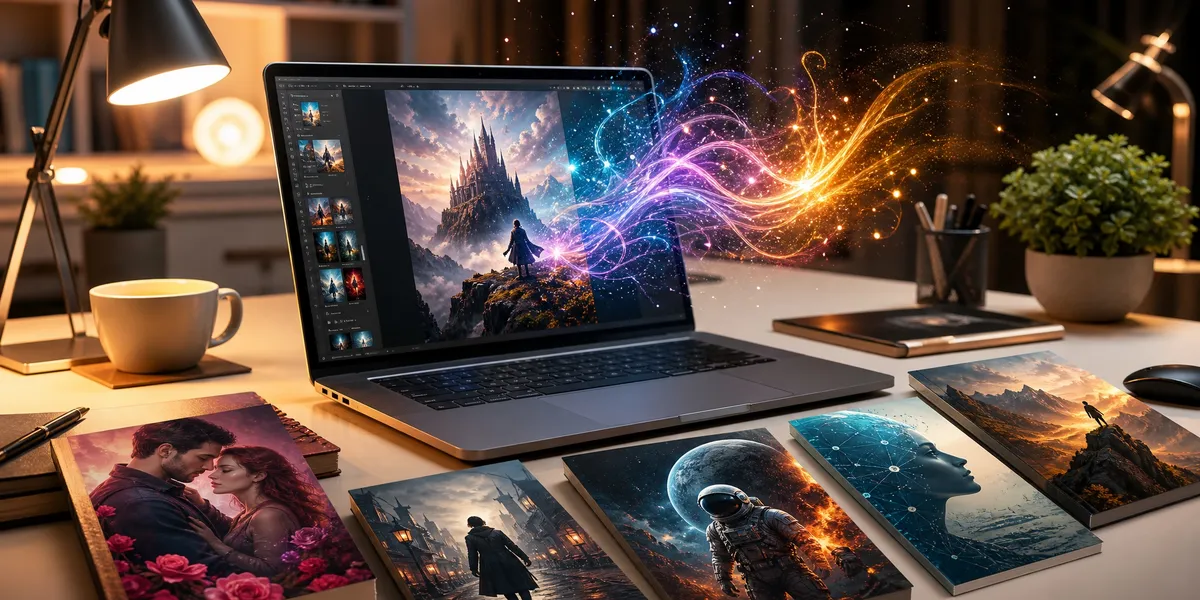
You can create a professional-looking book cover with AI in under ten minutes — but only if your prompt gives the AI the right instructions.
In this guide, you’ll learn:
- The exact prompt formula that produces cover-ready images
- Genre-specific prompt examples for romance, thriller, fantasy, sci-fi, and nonfiction
- How to avoid the most common AI cover prompt mistakes
- Which AI tools work best for different cover styles
Here’s how to write AI book cover prompts that actually work.
What Is an AI Book Cover Prompt?
An AI book cover prompt is a text description you feed into an AI image generator — like Midjourney, DALL-E, or Ideogram — to produce artwork for your book cover. The prompt tells the AI what to generate: subject, style, mood, color palette, and composition.
The difference between a prompt that produces a usable cover image and one that produces generic clip art comes down to structure. Vague prompts produce vague results. Specific, well-structured prompts produce images that look like you hired a designer.
Most authors write prompts like “a fantasy book cover with a dragon.” That gives the AI almost nothing to work with. A better prompt specifies the dragon’s pose, the color palette, the lighting, the atmosphere, and — critically — the composition that leaves room for your title and author name.
The AI Book Cover Prompt Formula
Every effective book cover prompt follows a consistent structure. Use this formula as your starting template, then adjust for your genre and style.
The formula:
[Format] + [Subject] + [Setting/Background] + [Mood/Atmosphere] + [Art Style] + [Color Palette] + [Composition Notes] + [Technical Specs]
Here’s what each element does:
- Format — Tell the AI this is a book cover, not a poster or landscape painting. Use “book cover illustration,” “front cover artwork,” or “novel cover design.”
- Subject — The central image. Be specific: “a lone woman standing at the edge of a cliff overlooking a stormy sea” beats “a woman near the ocean.”
- Setting/Background — Where the scene takes place. Include time of day, weather, and environment details.
- Mood/Atmosphere — The emotional tone. “Ominous and foreboding” produces very different results than “warm and inviting.”
- Art Style — Illustrated, photorealistic, painterly, minimalist, graphic, watercolor, oil painting, digital art. This single element changes everything.
- Color Palette — Name specific colors. “Deep crimson, midnight blue, and gold accents” gives the AI clear direction.
- Composition Notes — Where the subject sits in the frame, and where to leave empty space for text. This is the element most authors forget.
- Technical Specs — Aspect ratio (2:3 for standard book covers), resolution, and quality modifiers like “highly detailed” or “4K.”
Example Using the Formula
Weak prompt: “A fantasy book cover with a castle”
Strong prompt using the formula:
Book cover illustration, a crumbling gothic castle perched on a cliff above a churning dark sea, lightning illuminating storm clouds behind the tallest tower, ominous and foreboding atmosphere, detailed digital painting style inspired by classic fantasy art, color palette of deep purples, stormy grays, and electric blue lightning with warm amber window glow, subject centered in lower two-thirds of frame with clear negative space in the upper third for title text, portrait orientation 2:3 aspect ratio, highly detailed, dramatic cinematic lighting
The second prompt gives the AI specific direction on every visual element. The result will be dramatically better.
How to Write AI Book Cover Prompts by Genre
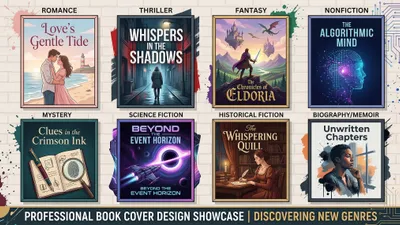
Genre conventions matter more than artistic preference when it comes to book covers. Romance readers expect certain visual cues. Thriller readers expect different ones. Your AI prompt needs to match the visual language your target readers already associate with your genre.
Research the top 50 bestsellers in your specific sub-genre on Amazon before writing a single prompt. Note the dominant colors, typography styles, illustration vs. photography, and recurring visual elements. Then build those conventions into your prompt.
Romance Book Cover Prompts
Romance covers have shifted dramatically toward illustrated styles since 2020. Illustrated characters in scene-based compositions now dominate contemporary romance, while photographic covers still work for dark romance and romantic suspense.
Contemporary romance prompt:
Book cover illustration, stylized illustration of a young couple sitting together on a cozy apartment rooftop at sunset, casual modern clothing, playful intimate body language with the woman laughing, soft warm lighting with golden hour glow, modern illustrated style with clean lines and soft shading similar to contemporary romance cover art, color palette of warm sunset pinks, soft coral, dusty rose, and golden yellow, characters positioned in center-lower portion of frame with open pastel sky above for title placement, portrait 2:3 ratio, charming romantic atmosphere
Dark romance prompt:
Book cover artwork, dramatic close-up portrait of a man in a dark tailored suit, face partially obscured by shadow, one hand adjusting his cufflink, intense moody atmosphere, photorealistic style with cinematic lighting, color palette of deep blacks, charcoal, dark burgundy accents, and subtle gold, subject positioned to the right of frame with dark negative space on the left for title text, portrait 2:3, studio-quality dramatic lighting with high contrast
Thriller and Mystery Book Cover Prompts
Thriller covers rely on atmosphere and tension. Dark color palettes, lone figures, and urban or desolate settings are standard. The key is creating a sense of unease through lighting and composition.
Psychological thriller prompt:
Book cover design, a lone silhouette of a woman walking down a foggy suburban street at night, a single streetlight casting a long ominous shadow behind her, one house in the row has all its lights on creating an eerie warm glow against the cold fog, suspenseful and unsettling atmosphere, photorealistic style with film noir lighting, color palette of cold steel blues, fog gray, sickly amber streetlight, and deep black shadows, figure small and centered in the lower third with expansive foggy sky for title placement, portrait 2:3, cinematic grain, moody and tense
Crime thriller prompt:
Book cover image, aerial view of a rain-slicked city intersection at night with red and blue police light reflections on the wet pavement, a single figure in a dark coat crossing the empty street, gritty noir atmosphere, realistic style with high contrast dramatic lighting, color palette of midnight blue, wet black asphalt, neon red and blue reflections, and harsh white streetlights, figure small in the composition with open dark space in the upper portion for bold title text, portrait 2:3, urban crime aesthetic
Fantasy Book Cover Prompts
Fantasy covers range from epic and sweeping to intimate and character-focused. The sub-genre determines the approach: epic fantasy goes grand, urban fantasy goes gritty, and romantasy blends both.
Epic fantasy prompt:
Book cover illustration, a lone warrior in worn armor standing at the edge of a vast canyon, looking across at a floating citadel suspended by massive chains above swirling magical energy, two moons visible in a twilight sky with aurora-like magical streams, epic and awe-inspiring atmosphere, detailed digital painting style with rich textures, color palette of deep royal purples, ethereal teals, burnished gold chain highlights, and warm amber magical glow, warrior positioned in the lower-left third as a small figure against the grand landscape, clear sky space in upper right for title, portrait 2:3, sweeping cinematic composition
Urban fantasy prompt:
Book cover artwork, a woman with glowing runic tattoos on her arms standing in a rainy modern city alley, magical energy crackling between her fingers, neon signs reflected in puddles mixing with supernatural light, edgy and atmospheric, digital art style blending modern urban photography with fantasy elements, color palette of neon purple and electric blue magic against dark urban grays and warm amber neon reflections, character centered with dark alley walls framing above for title space, portrait 2:3, dynamic and powerful
Sci-Fi Book Cover Prompts
Science fiction covers communicate the sub-genre through setting: space opera goes vast and starry, cyberpunk goes neon and gritty, hard sci-fi goes clean and technological.
Space opera prompt:
Book cover illustration, a massive generation ship emerging from a nebula, its hull covered in thousands of tiny illuminated windows suggesting a city inside, smaller escort ships flanking it against a backdrop of colorful cosmic gas clouds and distant stars, awe-inspiring sense of scale, detailed sci-fi concept art style, color palette of deep space black, nebula oranges and teals, cool blue ship lighting, and warm yellow window glow, ship positioned in center-lower portion angled upward with nebula and stars filling the upper space for title, portrait 2:3, cinematic sci-fi grandeur
Dystopian prompt:
Book cover design, a cracked concrete wall with faded propaganda posters peeling away to reveal a lush green vine growing through the crack, a single beam of sunlight illuminating the plant against the decaying gray wall, hopeful yet oppressive atmosphere, photorealistic style with gritty texture, color palette of concrete grays, rust, faded propaganda reds, and vibrant green plant life with warm golden light beam, wall filling most of frame with clear space at top for title, portrait 2:3, symbolic and evocative
Nonfiction Book Cover Prompts
Nonfiction covers prioritize clean design, strong typography space, and visual metaphors over complex illustrations. The cover should communicate authority and topic at a glance.
Business/self-help prompt:
Book cover design, clean minimalist illustration of a mountain peak with a simple geometric flag at the summit, a subtle dotted-line path winding up the mountain suggesting a journey or strategy, bright modern professional aesthetic, flat illustration style with subtle gradients and clean geometric shapes, color palette of confident navy blue, clean white, and a single accent color of warm amber gold, mountain positioned in the lower two-thirds with generous clean white or light gradient space in the upper third for bold title text, portrait 2:3, professional authoritative minimal design
Memoir prompt:
Book cover artwork, a weathered wooden desk viewed from above with a single open handwritten journal, a coffee cup casting a warm shadow, reading glasses, and a faded photograph partially visible, nostalgic and intimate atmosphere, photorealistic style with warm soft natural lighting, color palette of warm wood browns, cream paper tones, soft amber lighting, and muted vintage photograph tones, objects arranged in lower portion of frame with clean warm-toned space above for title and author name, portrait 2:3, personal and reflective
Common AI Book Cover Prompt Mistakes to Avoid
Even with the right formula, certain mistakes consistently produce unusable results. Here are the most common ones — and how to fix them.
1. Forgetting to Leave Space for Text
This is the number one mistake. AI generators fill every inch of the image with detail unless you explicitly tell them not to. Your book cover needs space for the title, subtitle, and author name.
Fix: Always include composition notes like “clear negative space in the upper third for title text” or “subject positioned in lower two-thirds with open sky above.”
2. Writing Narrative Prompts Instead of Descriptive Ones
AI image generators respond to visual descriptions, not stories. “A young woman discovers her grandmother’s secret and must decide whether to reveal it” tells the AI nothing about what to draw.
Fix: Describe what you see, not what happens. Focus on visual elements: poses, expressions, settings, lighting, colors.
3. Being Too Vague About Style
“A beautiful cover” is not a style direction. The AI has to guess whether you want illustrated, photorealistic, painterly, minimalist, or graphic.
Fix: Name the specific art style. If you have a reference, describe its visual qualities: “detailed digital painting” or “clean flat illustration with bold geometric shapes.”
4. Ignoring Genre Conventions
A cover that looks stunning in isolation can fail completely if it doesn’t match what readers in your genre expect. A romance cover that looks like a horror novel will not attract romance readers, no matter how beautiful the art is.
Fix: Study your genre’s top sellers before writing prompts. Build those visual conventions — color palettes, character styles, composition patterns — into every prompt.
5. Using Square Aspect Ratios
Many AI tools default to square (1:1) images. Book covers are portrait-oriented rectangles, typically 2:3 or similar proportions. A square image requires cropping, which often destroys the composition.
Fix: Always specify “portrait orientation 2:3 aspect ratio” in your prompt. In Midjourney, add --ar 2:3 at the end. In DALL-E, select the portrait option before generating.
Which AI Tool Should You Use for Book Covers?
Not all AI image generators handle book cover prompts equally. Here’s how the major tools compare for cover-specific work.
| Tool | Prompt Style | Best For | Text Handling | Aspect Ratio |
|---|---|---|---|---|
| Midjourney | Keyword-focused | Artistic, painterly covers | External tool needed | Custom (—ar 2:3) |
| DALL-E 3 | Conversational, natural language | Quick concept exploration | Limited but improving | Portrait option |
| Ideogram | Detailed descriptions | Covers needing text in image | Best AI text rendering | Custom ratios |
| Adobe Firefly | Detailed, style-referenced | Commercially safe images | Via Creative Cloud | Custom ratios |
| Canva AI | Simple descriptions | Complete cover layouts | Excellent (Canva tools) | Template-based |
Midjourney produces the highest raw image quality and excels at atmospheric, painterly styles perfect for fantasy, literary fiction, and sci-fi. However, it requires Discord and doesn’t handle text — you’ll need to add your title in Canva or Photoshop.
DALL-E 3 accepts natural language prompts, making it the easiest tool for authors who aren’t comfortable with keyword-based prompting. The quality is good but not as refined as Midjourney for artistic styles.
Ideogram is the best option if you want text rendered directly in the image, though you’ll get better results adding text separately in a design tool.
Our Pick — Chapter
If you’re writing a book and need a cover, Chapter handles both in the same workflow. Instead of generating an image in one tool, adding text in another, and formatting your manuscript separately, you go from idea to publish-ready book in a single place. Over 2,147 authors have used Chapter to create more than 5,000 books.
Best for: Authors who want the complete package — manuscript, cover, and export — without juggling multiple tools.
Pricing: $97 one-time (nonfiction) | Fiction software also available at chapter.pub/fiction-software
How to Refine Your AI Book Cover Prompts
Your first generated image will rarely be perfect. Refinement is where good covers become great ones. Here’s a systematic approach to iterating on your prompts.
Start Broad, Then Narrow
Generate 4-8 images with your initial prompt. Don’t change anything yet — just see what range of results the AI produces. Pick the image closest to your vision, then refine the prompt to push further in that direction.
Use Negative Prompts
Most AI tools support negative prompts — telling the AI what to exclude. In Midjourney, use --no followed by what you want removed. In other tools, look for a negative prompt field.
Common negative prompt additions for book covers:
--no text, words, letters, typography(prevents the AI from adding garbled text)--no watermark, signature, border, frame--no blurry, low quality, distorted
Iterate on Specific Elements
Change one element at a time between generations. If the composition is right but the colors are wrong, keep everything the same and only adjust the color palette line. Changing multiple elements simultaneously makes it impossible to track what’s working.
Save Your Winning Prompts
When you find a prompt that produces great results, save it as a template. Swap out the genre-specific elements for your next book while keeping the structural elements — composition notes, technical specs, and style descriptors — intact.
How to Turn an AI Image Into a Finished Book Cover
An AI-generated image is not a finished book cover. It’s raw artwork that needs typography, layout, and formatting before it’s ready for Amazon KDP, IngramSpark, or any other platform.
Here’s the workflow:
- Generate your cover image using the prompts and techniques above
- Bring the image into a design tool — Canva, Photoshop, or a book cover mockup generator work well
- Add your title, subtitle, and author name using fonts that match your genre
- Check the design at thumbnail size — shrink it to 100px wide and make sure the title is readable and the genre is clear
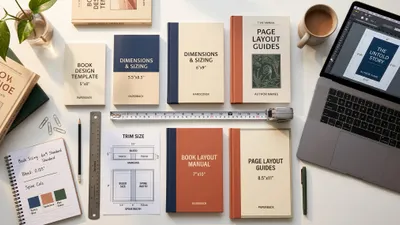
- Format to your platform’s specs — KDP has specific template sizes for every trim size
- Export at 300 DPI for print or 72 DPI for ebook-only
The typography step is where most DIY covers fail. Even with a stunning AI image, the wrong font or poor text placement will make your cover look amateur. If you’re not confident in your design skills, consider using Chapter’s built-in cover tools or hiring a designer to handle the typography on top of your AI artwork.
Can You Use AI-Generated Cover Art Legally?
Yes, you can use AI-generated images for your book cover in most situations, but the legal landscape is still evolving. Here’s what you need to know as of 2026.
Images generated by AI tools like Midjourney, DALL-E, and Adobe Firefly are generally licensable for commercial use under each platform’s terms of service. Midjourney’s paid plans grant commercial rights. DALL-E through ChatGPT Plus includes commercial use rights. Adobe Firefly is specifically designed for commercial safety.
However, the U.S. Copyright Office has ruled that AI-generated images created without sufficient human authorship may not be copyrightable. This means you can use the image, but you may not be able to prevent others from using a similar image.
Practical advice: Use AI art for your cover, but understand that your cover design as a whole — your creative choices in composition, typography, and layout — adds the human authorship element that strengthens your copyright claim.
How Long Does It Take to Create an AI Book Cover?
Creating an AI book cover from prompt to finished design typically takes 2-4 hours for your first cover and 30-60 minutes once you’ve built up a library of working prompts.
Here’s the typical time breakdown:
- Genre research and reference gathering: 30-60 minutes (first time only)
- Writing and testing prompts: 30-90 minutes
- Refining and selecting the best image: 15-30 minutes
- Adding typography and formatting: 30-60 minutes
- Final adjustments and export: 15 minutes
Compare that to 2-4 weeks and $500-2,000 for a professional designer, and the time investment is minimal. That said, a professional designer still produces better results for most genres — AI covers work best for concept testing, low-budget launches, and genres where illustrated styles are common.
AI Book Cover Prompt Templates You Can Copy
Here are ready-to-use prompt templates. Replace the bracketed sections with your specific details.
Universal Template
Book cover [illustration/artwork/design], [detailed description of central subject and their action or pose], [setting with time of day and environmental details], [emotional atmosphere description], [specific art style] style, color palette of [3-4 specific colors with descriptors], [subject position in frame] with [location of negative space for title text], portrait orientation 2:3 aspect ratio, [quality modifiers like highly detailed or cinematic lighting]
Quick Genre Templates
Romance: Subject: couple in scene-based composition. Style: modern illustration with clean lines. Colors: warm pinks, corals, sunset tones. Mood: playful, intimate, or passionate. Composition: characters center-lower, open sky or background above.
Thriller: Subject: lone figure or symbolic object. Style: photorealistic with film noir lighting. Colors: cold blues, dark grays, amber accents. Mood: tense, ominous, unsettling. Composition: figure small in frame, lots of atmospheric space.
Fantasy: Subject: character, creature, or landscape. Style: detailed digital painting. Colors: rich jewel tones — purples, teals, golds. Mood: epic, mysterious, or enchanting. Composition: dramatic scale contrast, space for ornate title.
Sci-Fi: Subject: technology, spacecraft, or futuristic setting. Style: concept art or photorealistic. Colors: space blacks, neon accents, cool metallics. Mood: awe-inspiring or ominous. Composition: grand scale with clear sky/space for title.
Nonfiction: Subject: clean visual metaphor or symbolic object. Style: minimalist flat illustration or clean photography. Colors: 2-3 confident colors, lots of white space. Mood: professional, authoritative. Composition: generous space for bold typography.
FAQ
What Is the Best AI Prompt for a Book Cover?
The best AI prompt for a book cover includes seven specific elements: format (book cover), subject description, setting, mood, art style, color palette, and composition notes leaving space for text. A prompt like “book cover illustration, [detailed subject], [setting], [mood], [style], colors of [specific palette], subject in lower two-thirds with clear space above for title, portrait 2:3” produces consistently professional results across all major AI generators.
Can I Use Midjourney for My Book Cover?
Yes, you can use Midjourney for book covers on any paid plan, which grants full commercial usage rights. Midjourney produces the highest quality artistic images among AI generators and excels at fantasy, sci-fi, and literary fiction covers. Add --ar 2:3 to your prompt for proper book cover proportions, and use a separate tool like Canva for adding your title text.
How Do I Make an AI-Generated Cover Look Professional?
To make an AI-generated cover look professional, focus on three things: match your genre’s visual conventions so readers instantly recognize the book type, leave negative space in your prompt for clean title placement, and add typography in a design tool rather than relying on AI-generated text. The typography and layout step is what separates amateur AI covers from professional-looking designs.
What Aspect Ratio Should I Use for AI Book Covers?
Use a 2:3 portrait aspect ratio for AI book cover prompts, which matches the standard proportions of most printed and digital books. In Midjourney, add --ar 2:3 to your prompt. In DALL-E, select the portrait orientation. Avoid the default 1:1 square ratio, which requires cropping and often ruins the composition you built into your prompt.
Is It Legal to Use AI Art for a Book Cover?
Yes, using AI-generated art for book covers is legal for commercial use under the terms of service of major platforms like Midjourney, DALL-E, and Adobe Firefly (paid plans). However, purely AI-generated images may have limited copyright protection under current U.S. Copyright Office guidance. Your overall cover design — including your creative choices in typography, layout, and composition — strengthens your copyright claim.