You can create a beautiful photo book in a single weekend — even if you have never designed anything before. The process comes down to five steps: choose a theme, select your best photos, design a layout, add text, and send it to print.
In this guide, you’ll learn:
- How to organize and select photos that tell a cohesive story
- Which layouts, sizes, and binding styles work best for different occasions
- How to write captions and text that make your photo book more meaningful
- The best tools and services for creating and printing your finished book
Here is the complete process from start to finish.
What Is a Photo Book?
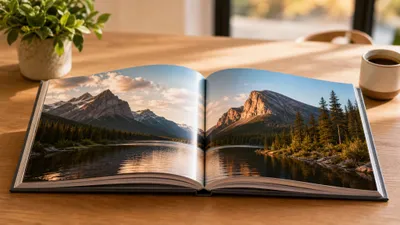
A photo book is a professionally printed, bound book featuring your own photographs arranged in a designed layout. Unlike a traditional photo album where you slide prints into plastic sleeves, a photo book prints your images directly onto high-quality paper with custom layouts, text, and backgrounds.
Photo books have become the modern replacement for old-school scrapbooks and albums. They look polished, last longer, and are far easier to share. You can create them for weddings, vacations, family milestones, baby’s first year, portfolio showcases, or as coffee table books meant to be displayed and admired.
The global photo book market reached $4.5 billion in 2025 and continues to grow as more people want physical keepsakes in an increasingly digital world. The appeal is simple: your best photos deserve better than sitting in a phone gallery.
Step 1: Choose Your Photo Book Theme and Purpose
Before you open a single photo, decide what story your book will tell. A focused theme is the difference between a curated photo book and a random dump of images.
Common photo book themes:
- Travel: A single trip or a year of adventures
- Family milestones: Weddings, baby’s first year, anniversaries, reunions
- Annual family book: The best moments from one calendar year
- Portfolio: Professional photography, art, or design work
- Memorial or tribute: Celebrating someone’s life and legacy
- Personal project: A hobby, home renovation, garden journal, or pet chronicle
Pick one theme per book. If your vacation to Italy also includes your daughter’s birthday, make those two separate books. A tighter focus creates a stronger result.
Decide on your audience too. A book you are creating as a gift for grandparents needs different photos and captions than a professional portfolio you will show to clients. Your audience shapes your photo selection, level of text, and design style.
Step 2: Gather and Organize Your Photos
Photo selection is the most time-consuming step — and the most important. A 40-page photo book needs roughly 80 to 160 photos, depending on your layout style. Start by gathering far more than you need, then edit ruthlessly.
Where to find your photos
Pull images from every source:
- Phone camera roll (iPhone, Android)
- Cloud storage (Google Photos, iCloud, Dropbox)
- Social media downloads (Instagram, Facebook)
- Digital cameras and SD cards
- Scanned prints or film negatives
- Photos from family and friends (ask them to share via a shared album)
How to select the best shots
Create a single folder on your computer called “Photo Book — [Theme]” and drag in every candidate photo. Then make a second pass with these filters:
- Delete duplicates. Keep only the best version of similar shots.
- Check resolution. Every photo should be at least 300 DPI at print size. A good rule: if the file is under 1 MB, it may look blurry when printed.
- Mix your shots. Include wide establishing shots, medium group shots, and tight close-ups. Variety keeps each page spread interesting.
- Look for emotion. Candid moments almost always outperform posed ones. The photo of everyone laughing beats the stiff group lineup.
- Test the story. Arrange your selected photos in chronological or thematic order. Does the sequence make sense? Are there gaps where a connecting photo is missing?
Pro tip: Photos print slightly darker than they appear on screen. Before finalizing your selections, bump the brightness up by 10-15% on any images that look dim. This one adjustment prevents the most common photo book disappointment.
Step 3: Pick Your Photo Book Size, Format, and Binding
Your book’s physical specifications matter more than most people realize. The wrong size or binding can undermine great photos.
Photo book sizes
| Size | Best For | Pages |
|---|---|---|
| 8x8 inches | Instagram-style squares, small gifts, baby books | 20-40 |
| 8x11 inches | Standard photo books, family albums, travel books | 20-60 |
| 11x14 inches | Coffee table books, portfolios, landscape photography | 20-80 |
| 12x12 inches | Wedding albums, large family books | 20-60 |
| 6x6 or 6x8 inches | Mini books, party favors, stocking stuffers | 10-20 |
If your photos are mostly landscape orientation, go wider (11x14). If they are mostly portrait, a taller format (8x11) works better. Square formats (8x8, 12x12) are versatile and work with any mix.
Cover types
- Hardcover: The premium choice. Durable, looks impressive on a shelf, best for gifts and display books.
- Softcover: Lighter and cheaper. Good for casual books, mini albums, or when you are making multiple copies.
- Leather or linen: Available from premium services. Ideal for wedding albums and heirloom-quality books.
Binding styles
- Perfect binding: Standard glue binding. Pages lay nearly flat. The most common and affordable option.
- Lay-flat binding: Pages open completely flat with no gutter gap. Essential for panoramic spreads and full-bleed images. Worth the upgrade for wedding and landscape books.
- Wire or spiral binding: Casual look. Good for cookbooks or reference-style photo guides.
Recommendation: For most personal photo books, start with an 8x11 hardcover with lay-flat binding. It strikes the best balance between showcase quality and cost.
Step 4: Design Your Photo Book Layout
This is where your book comes together visually. You do not need graphic design experience — but you do need a few layout principles.
Layout fundamentals
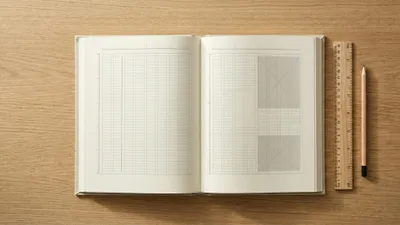
White space is your friend. Resist the urge to fill every inch of every page. A single stunning photo with generous margins has more impact than six photos crammed together. Think of white space as breathing room for your images.
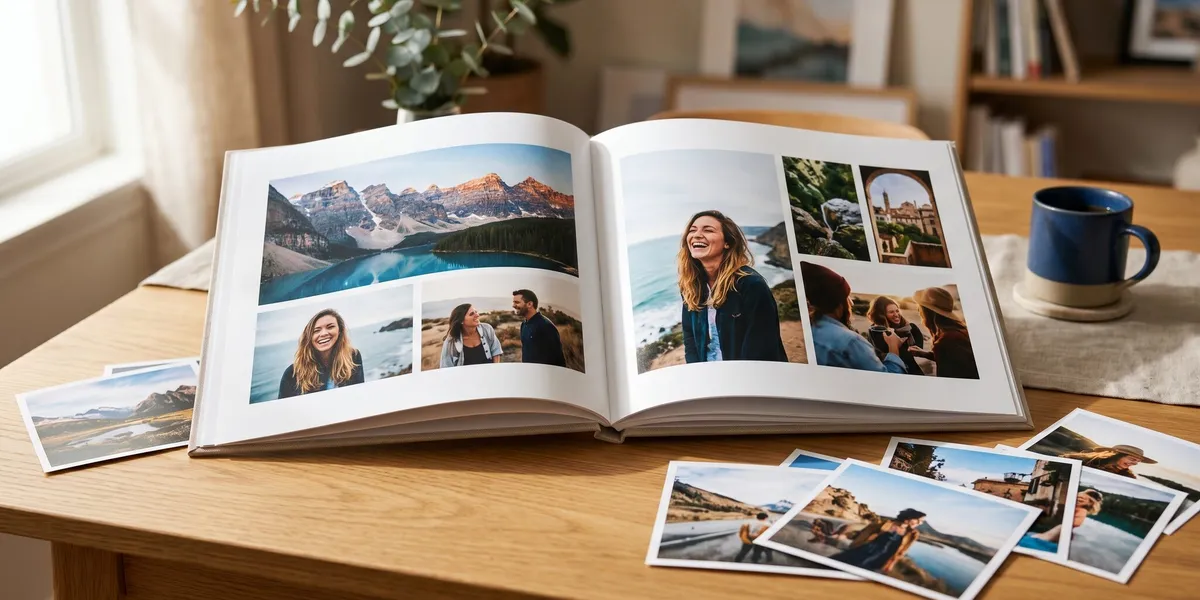
Create visual rhythm. Alternate between full-page photos, multi-image spreads, and text pages. If every page has the same four-photo grid, the book becomes monotonous. Mix it up:
- Page 1: Full-bleed single image (sets the scene)
- Page 2-3: Three photos across a two-page spread
- Page 4: Two photos with a caption block
- Page 5: Full-page single image (the hero moment)
Use a consistent color palette. Pick 1-2 background colors and stick with them throughout the book. White and light gray are safe defaults. Black backgrounds work well for dramatic or fine art photography.
Arranging photos on the page
Follow the “4 photos per page” guideline as a starting point. You can go higher for collage-style pages or lower for gallery-style impact. Just stay consistent within sections.
For two-page spreads: Place your strongest image on the right page. Readers’ eyes naturally travel left to right, so the right page gets more attention.
For full-bleed images: Make sure no important content (faces, text) falls within 0.25 inches of the edge. Printing trims are not perfectly precise, and you do not want Grandma’s face cut in half.
Tools for designing your layout
You have three main approaches:
- Online photo book makers: Shutterfly, Mixbook, Artifact Uprising, Blurb, and Apple Photos offer drag-and-drop editors with templates. Easiest option for beginners.
- Design software: Adobe InDesign, Canva, or Affinity Publisher give you full creative control. Better for portfolios and professional-quality books.
- AI-assisted tools: Some platforms auto-fill layouts based on your photo collection, then let you rearrange. This saves hours on the initial design.
Our Pick — Chapter
If your photo book includes significant written content — captions, stories behind the photos, memoir-style narratives, or family histories — Chapter helps you draft, organize, and polish that text using AI. Over 10,000 authors have used Chapter to write books, including visually rich projects where the words matter as much as the images.
Best for: Photo books with substantial text (travel narratives, family histories, memorial tributes) Pricing: $97 one-time (nonfiction) Why we built it: Because the best photo books are not just photo dumps — they are stories told through images and words together.
Step 5: Write Captions, Titles, and Text
Text transforms a photo book from a picture collection into a story. Even a few words per page add meaning that the photos alone cannot convey.
What to include
- A title page with the book’s name, date range, and a short subtitle
- Section headers if your book has chapters or themes (e.g., “Day 1: Arrival in Rome”)
- Captions under key photos — who, where, when, and one sentence about why this moment mattered
- Longer narrative blocks for milestone moments (the toast at the wedding, the first time you saw the Grand Canyon)
- A closing page with a final thought, dedication, or favorite quote
Caption writing tips
Keep captions short — one to two sentences max. Write in present tense to make moments feel alive. “Mom laughs at Dad’s terrible joke during Thanksgiving dinner, 2025” hits harder than “This was Thanksgiving.”
Include specific details. “The beach” is forgettable. “Playa del Carmen, the morning after the rainstorm when the water turned turquoise” is a memory trigger.
Do not caption every photo. Let some images speak for themselves. Over-captioning makes a book feel cluttered. Caption the photos that need context and let the beautiful or emotional ones stand alone.
If you are writing a memoir or family history alongside your photos, treat the text sections as mini-essays. Each one should be able to stand on its own as a complete thought. AI writing tools like Chapter can help you draft these narrative sections and tighten your prose.
How to Create a Photo Book Online (Using a Photo Book Maker)
Most people create photo books using an online platform. Here is the general workflow, which is similar across all major services:
- Create an account on your chosen platform (Shutterfly, Mixbook, Blurb, Apple Photos, etc.)
- Select a book size and template that matches your theme
- Upload your photos from your organized folder
- Use autofill or drag-and-drop to place photos into the template
- Rearrange and resize until each spread looks balanced
- Add text — titles, captions, dates, and any narrative sections
- Preview every page — check for cropping issues, low-resolution warnings, and typos
- Order a proof copy before printing a large batch (optional but recommended)
- Place your final order and choose shipping
The entire process takes 2-6 hours for a standard 40-page book, depending on how much customization you want.
Best Photo Book Services Compared
Choosing the right printing service depends on your priorities — quality, price, customization, or speed. Here is a quick comparison:
| Service | Best For | Starting Price | Key Feature |
|---|---|---|---|
| Shutterfly | Beginners, family albums | $30 | Frequent sales, easy editor |
| Mixbook | Custom design, creative control | $35 | Best template variety |
| Artifact Uprising | Premium quality, gifts | $59 | Lay-flat pages, recycled paper |
| Blurb | Professional portfolios, selling | $25 | Bookstore distribution option |
| Apple Photos | Apple users, simplicity | $35 | Pulls directly from Photos app |
| Google Photos | Android users, auto-suggestions | $15 | AI-curated photo selection |
| Canva | DIY designers, budget | $15 | Full design control, PDF export |
Tip: Most services run seasonal sales (holiday season, Mother’s Day, Valentine’s Day). If your timeline is flexible, wait for a 40-50% off promotion. They happen frequently.
Common Photo Book Mistakes to Avoid
These are the pitfalls that turn a good photo book into a disappointing one:
- Using low-resolution images. If a photo looks fuzzy on your phone screen, it will look worse in print. Stick to 300 DPI minimum.
- Overcrowding pages. More photos per page does not mean a better book. Give your best images room to breathe.
- Skipping the proof review. Always preview your entire book before ordering. Check every page at full zoom.
- Ignoring the spine and gutter. Photos that cross the center gutter in a non-lay-flat book will have a visible crease through the middle. Keep faces and critical details away from the spine.
- Forgetting about color accuracy. Calibrate your monitor or at least bump brightness slightly. Print and screen colors differ.
- Making it too long. A tight 40-page book is better than a bloated 100-page one. Edit your photos like you would edit a manuscript — cut anything that does not serve the story.
How Many Photos Do You Need for a Photo Book?
How many photos you need for a photo book depends on the page count and your layout style. A standard 40-page photo book needs approximately 80 to 160 photos. The range depends on how many images you place per page — minimalist layouts use 1-2 photos per page, while collage-style layouts fit 4-6.
Here is a quick reference:
| Pages | Minimalist (1-2/page) | Standard (3-4/page) | Collage (5-6/page) |
|---|---|---|---|
| 20 | 20-40 photos | 60-80 photos | 100-120 photos |
| 40 | 40-80 photos | 120-160 photos | 200-240 photos |
| 60 | 60-120 photos | 180-240 photos | 300-360 photos |
Start by selecting 2-3x more photos than you think you need. You will cut roughly half during the editing and layout process.
How Much Does a Photo Book Cost?
A photo book costs between $15 and $150+, depending on size, page count, cover type, and printing service. A basic 20-page softcover runs $15-25. A premium 60-page hardcover with lay-flat binding costs $80-150.
Cost factors:
- Size: Larger books cost more. An 8x8 book is roughly half the price of an 11x14.
- Pages: Most services charge per page beyond a base count (usually 20 pages).
- Cover: Hardcover adds $10-20 over softcover. Leather or linen adds $20-50.
- Paper quality: Standard glossy or matte paper is included. Premium papers (lustre, fine art) cost extra.
- Binding: Lay-flat binding typically adds $15-30.
- Quantity discounts: Ordering multiple copies for gifts drops the per-unit cost significantly.
Budget tip: Design your book first, then wait for a sale. Services like Shutterfly and Mixbook routinely offer 40-50% off photo books.
Can You Create a Photo Book With AI?
You can create a photo book with AI by using platforms that automatically curate, organize, and lay out your photos based on quality, faces, and dates. Google Photos, Apple Photos, and several third-party apps now offer AI-powered photo book creation that reduces hours of manual work to minutes.
AI helps with photo books in three ways:
- Photo selection: AI identifies your best shots by analyzing sharpness, composition, and faces. It filters out duplicates, blurry images, and screenshots automatically.
- Layout generation: AI arranges photos across pages using design principles — balancing full-page images with multi-photo spreads and maintaining visual variety.
- Text generation: Tools like Chapter help you write the captions, stories, and narrative text that accompany your photos. Over 10,000 authors have written books on Chapter’s platform, including photo-heavy projects like travel books and family memoirs.
AI does not replace your creative decisions — it handles the tedious parts (sorting, arranging, initial layouts) so you can focus on the storytelling.
Photo Book Ideas for Every Occasion
Need inspiration? Here are proven photo book concepts that make great projects and gifts:
- Baby’s first year: Monthly milestone photos, first steps, first words, family reactions
- Wedding album: Ceremony, reception, candids, and detail shots (rings, flowers, cake)
- Travel journal: One book per trip with maps, ticket stubs (photographed), and daily highlights
- Annual family yearbook: The best moments from January through December — make it a yearly tradition
- Pet portrait book: Your dog or cat’s greatest hits, from puppy days to present
- Grandparent gift: Curated photos of grandchildren with handwritten-style captions
- Retirement tribute: Career highlights, team photos, and messages from colleagues
- Home renovation: Before, during, and after shots documenting a remodel
- Recipe book: Family recipes paired with food photography — a modern cookbook approach
- Memorial book: Celebrating a loved one’s life through photos and stories
The best photo book ideas come from moments you already have on your phone. You do not need to stage a professional shoot. Your everyday photos — organized with intention — become something worth keeping forever.
Tips for Making Your Photo Book Look Professional
Follow these finishing touches to elevate your photo book from homemade to polished:
- Use a consistent font. Pick one serif font for headings and one sans-serif for body text. Do not mix more than two fonts.
- Align everything. Use grid lines and snap-to-guide features in your editor. Slightly off-center photos look like mistakes, not style choices.
- Create a visual hierarchy. Every two-page spread should have one dominant image and supporting images. Not every photo gets equal billing.
- Add page numbers. Small detail, big difference. It makes the book feel like a real publication.
- Design the cover last. Your cover photo should be the single strongest image in the entire book. You will not know which one that is until you have reviewed everything.
- Print a test page. Many services let you order a single proof page before committing to the full book. Use it to check color accuracy.
- Leave the last page for a colophon. A small note about when the book was made, who created it, and how many copies were printed. This turns a personal project into a keepsake.
FAQ
How long does it take to create a photo book?
Creating a photo book takes 2 to 8 hours of active work, spread across photo selection, layout design, and text writing. Most people finish a 40-page book in one weekend. The photo selection step takes the longest — roughly half your total time. Printing and shipping add 5-10 business days.
What is the best app to create a photo book?
The best app to create a photo book depends on your priorities. Shutterfly is best for beginners with frequent sales. Mixbook offers the most creative control. Artifact Uprising delivers premium print quality. For photo books with significant written content, Chapter helps you draft and polish the text sections.
Can I create a photo book from my phone?
Yes, you can create a photo book directly from your phone using apps like Shutterfly, Chatbooks, Google Photos, and Apple Photos. Mobile apps work best for simple, template-based books with minimal text. For more complex designs with custom layouts and narrative content, a desktop editor gives you better control.
What is the difference between a photo book and a photo album?
A photo book is a professionally printed, bound book with your photos integrated directly into the page design. A photo album is a binder-style book where you insert physical prints into sleeves or adhesive pages. Photo books look more polished, last longer, and allow custom layouts with text — but you cannot swap out individual photos after printing.
How many pages should a photo book have?
A photo book should have 20 to 60 pages for most personal projects. Twenty pages works for a mini book or single event. Forty pages is the sweet spot for vacations, annual family books, and milestone celebrations. Go beyond 60 pages only for comprehensive projects like wedding albums or memorial tributes. More pages means a higher cost and a heavier book.