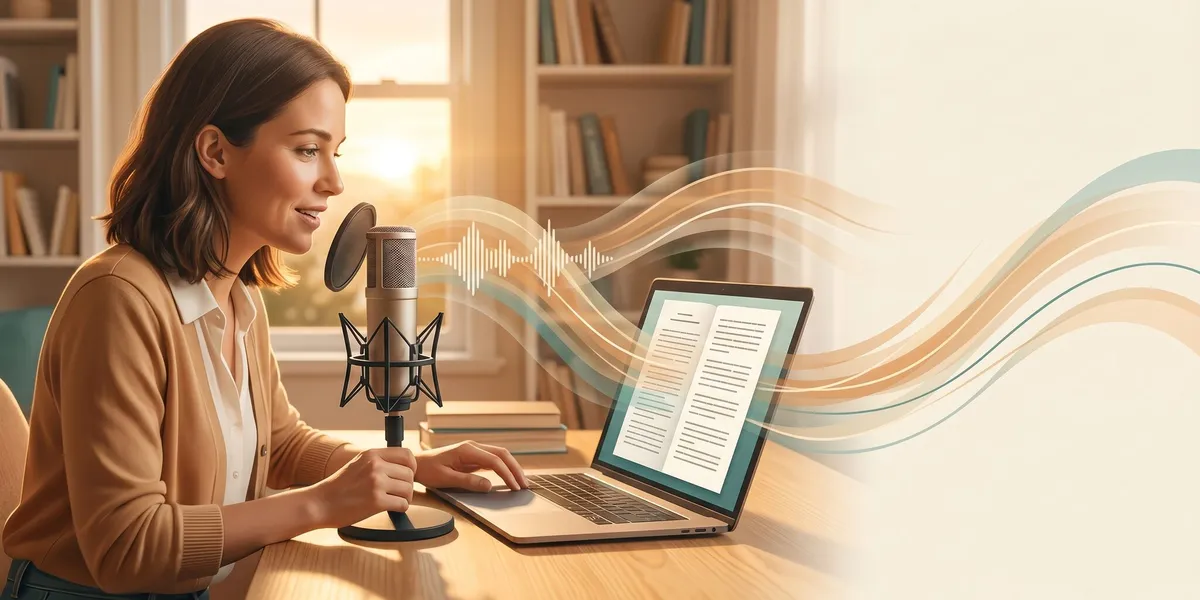
You can dictate an entire book by speaking into a microphone and letting speech-to-text software turn your words into a manuscript. Most people speak at 150 to 160 words per minute but type at only 40 to 60 — meaning dictation lets you draft 3 to 4 times faster than typing.
In this guide, you’ll learn:
- How to set up your dictation workflow from scratch
- Which software and microphones actually work for book-length projects
- The editing process that turns raw dictation into polished prose
- How to overcome the mental hurdles that stop most writers from dictating
Here’s the complete process for dictating your next book.
What Is Book Dictation?
Book dictation is the process of speaking your manuscript aloud and converting that speech into written text using software, a transcription service, or a combination of both. Instead of typing each word, you talk through your chapters while a tool captures everything you say.
This is not a new technique. Winston Churchill dictated much of his writing. Barbara Cartland dictated over 700 novels. Dan Brown and Terry Pratchett both used dictation in their workflows. The difference in 2026 is that the technology has caught up — modern speech-to-text tools produce clean, publication-ready text that requires far less editing than older systems.
There are two main approaches to dictating a book:
- Real-time dictation — You speak directly into software that converts your voice to text on screen as you talk
- Record-and-transcribe — You record audio files (on walks, at your desk, in your car) and transcribe them later
Both work. The best method depends on how your brain handles the writing process.
Why Dictate Instead of Type?
Dictation is not just a productivity hack — it fundamentally changes how you create a first draft. Here’s why thousands of authors have switched.
You Write Faster
The math is straightforward. At 150 words per minute of speaking versus 50 words per minute of typing, a 2,000-word daily target takes about 13 minutes of dictation versus 40 minutes of typing. Over the course of a full book, that time savings compounds dramatically.
Kevin J. Anderson dictated his 2-million-word bibliography while hiking in the Colorado mountains. He credits dictation with making his prolific output possible.
You Protect Your Body
Repetitive strain injuries (RSI), carpal tunnel syndrome, and chronic back pain are occupational hazards for writers who type for hours every day. Dictation removes the physical stress of typing entirely. You can dictate while standing, walking, stretching, or lying down.
If you already experience wrist or hand pain, dictation is not just a convenience — it’s a career-sustaining strategy.
You Silence Your Inner Editor
When you type, it’s easy to delete a sentence, rewrite it, delete it again, and spend 20 minutes on a single paragraph. Dictation makes that loop harder. Words flow out and stay on the page. You can’t backspace mid-thought without breaking your rhythm.
This forced forward momentum produces messier first drafts — but it produces first drafts faster. And a messy first draft you can edit beats a perfect first chapter you never finish.
You Tap Into Natural Storytelling
Humans have been telling stories aloud for thousands of years. Typing is a recent invention. When you dictate, you access a more natural, conversational voice that many readers prefer — especially in genres like memoir and narrative nonfiction where authenticity matters.
How to Dictate a Book: Step-by-Step
Step 1: Create a Detailed Outline
Dictation without an outline is like giving a speech without notes — possible, but likely to ramble. Before you record a single word, create a chapter-by-chapter outline that covers:
- Each chapter’s purpose and key points
- The scenes or arguments you’ll work through
- Transitions between sections
- Any quotes, stats, or references you’ll need to mention
Your outline does not need to be elaborate. Bullet points work. The goal is to have enough structure that when you sit down (or stand up, or start walking) to dictate, you know exactly what to say next.
For fiction writers, a scene-by-scene outline with character motivations and plot beats gives you the guardrails you need to dictate without losing the thread.
Step 2: Choose Your Dictation Software
The right software depends on your budget, operating system, and whether you prefer real-time transcription or record-and-transcribe workflows. Here are the best options in 2026:
| Software | Best For | Price | Platform |
|---|---|---|---|
| Dragon Professional | Maximum accuracy, custom vocabulary | $699 one-time | Windows |
| Whisper (OpenAI) | Free, high-accuracy offline transcription | Free | All platforms |
| Otter.ai | Record-and-transcribe workflow | Free–$16.99/mo | All platforms |
| Apple Dictation | Quick, built-in, no setup | Free | Mac/iOS |
| Google Docs Voice Typing | Free real-time dictation | Free | Browser |
| Superwhisper | Privacy-focused on-device processing | $8/mo | Mac |
Dragon Professional remains the gold standard for accuracy and is the only tool that lets you train a custom vocabulary — critical for fantasy authors with invented names or nonfiction writers with technical terminology.
Whisper by OpenAI has changed the game as a free, open-source option. It runs locally on your machine, handles multiple languages, and produces surprisingly clean transcriptions.
For most authors starting out, Google Docs Voice Typing or Apple Dictation costs nothing and gets you dictating within minutes. Upgrade to Dragon or Whisper when dictation becomes a core part of your workflow.
Step 3: Get the Right Microphone
Your microphone matters more than your software. A bad mic produces bad audio, which produces bad transcriptions — and you’ll spend more time editing than you saved by dictating.
Budget picks (under $50):
- Blue Snowball — Solid USB desktop mic for home dictation
- Any wired headset with a boom mic — Reduces background noise better than desktop mics
Mid-range picks ($50–$150):
- Blue Yeti — Studio-quality USB mic, excellent for desktop dictation
- Audio-Technica ATR2100x — Great for both desktop use and recording on the go
For mobile dictation:
- AirPods Pro or similar earbuds with built-in mics — Surprisingly good for dictating while walking
- Zoom H1n portable recorder — Record high-quality audio anywhere, then transcribe later
The key rule: Get a microphone that isolates your voice from background noise. A $30 headset mic in a noisy coffee shop will outperform a $200 desktop mic without noise isolation.
Step 4: Set Up Your Workspace and Routine
Dictation requires a different environment than typing. You need:
- A quiet space (or a good noise-isolating mic) — Background noise is the enemy of clean transcription
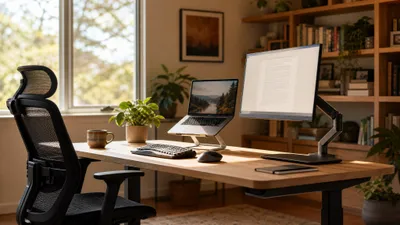
- Your outline visible — On a second monitor, printed on paper, or loaded on your phone
- A glass of water — You’ll be talking for extended periods, and a dry throat tanks your clarity
- Headphones (for real-time dictation) — Hearing yourself can feel strange at first but helps you maintain natural pacing
Set a consistent dictation schedule. Treat it like a daily writing appointment. Even 20 minutes of focused dictation produces 3,000+ words — more than most authors type in an hour.
Step 5: Learn to Speak Punctuation
This is the adjustment that trips up most new dictators. You need to say your punctuation out loud:
- Say “period” at the end of sentences
- Say “comma” for pauses
- Say “new paragraph” to start a new paragraph
- Say “open quote” and “close quote” for dialogue
- Say “dash” or “em dash” for dashes
It feels awkward for the first 30 minutes. Then it becomes second nature. Think of punctuation commands as stage directions — you’re directing the written performance of your spoken words.
Pro tip: If speaking punctuation breaks your creative flow, skip it entirely. Dictate in a stream of consciousness and add punctuation during editing. Many prolific dictators use this approach and find it faster overall.
Step 6: Dictate Your First Chapter
With your outline ready and your software running, start dictating. Here’s how to approach it:
- Announce the chapter and section — “Chapter one, section one” helps you organize the transcript later
- Read your outline bullet point — Glance at what you’re covering
- Speak naturally — Talk as if you’re explaining the concept to a friend or telling a story to someone sitting across from you
- Don’t stop to correct mistakes — The software will mishear words. Ignore it. Keep going.
- Speak in complete sentences — Fragments and trailing thoughts are harder to edit than full sentences
Aim for 20 to 30 minutes of continuous dictation per session when starting out. As you build the habit, extend to 45 to 60 minutes.
Step 7: Clean Up Your Transcript
Raw dictation will have errors. Every dictation session produces a transcript that needs cleanup. Here’s the editing workflow:
First pass — Fix transcription errors:
- Correct misheard words and homophones (“there” vs. “their”)
- Remove filler words (“um,” “uh,” “so,” “like”)
- Fix punctuation if you skipped speaking it
Second pass — Reshape the prose:
- Break long run-on passages into paragraphs
- Tighten wordy phrases (spoken language is naturally wordier than written)
- Add transitions between sections
AI-assisted editing: In 2026, you can paste your raw dictation into an AI tool and prompt it to clean up the transcript while preserving your voice. This handles the tedious first pass (fixing typos, homophones, and punctuation) in seconds instead of hours.
Our Pick — Chapter
Chapter combines AI-powered writing with human-guided editing, making it an ideal companion for dictated manuscripts. You can paste your cleaned-up dictation into Chapter and use its AI editing features to restructure, tighten, and polish your prose — while keeping your authentic voice intact.
Best for: Authors who dictate raw drafts and want AI help turning them into publishable manuscripts Pricing: $97 one-time (nonfiction) Why we built it: Over 2,147 authors have used Chapter to write 5,000+ books, and many of them start with dictated first drafts that need AI-assisted polishing.
Expect your editing time to be roughly equal to your dictation time when you’re starting out. As your dictation skills improve, editing gets faster because your raw output gets cleaner.
Best Dictation Software for Writers in 2026
If you’re evaluating tools specifically for book-length projects, here’s what matters most: accuracy, custom vocabulary support, and how the tool handles long-form content.
Dragon Professional ($699 one-time) leads on accuracy. It learns your voice patterns and specialized vocabulary over time. For nonfiction authors with technical terminology or fiction writers with invented proper nouns, Dragon’s trainable engine is unmatched. The downside: it’s expensive, Windows-only, and the company’s consumer support has declined in recent years.
OpenAI Whisper (free) runs locally on your computer and produces transcriptions that rival Dragon in accuracy — without the price tag. It works best in a record-and-transcribe workflow. You record audio, then run the file through Whisper. Multiple open-source interfaces make it accessible even if you’re not technical.
Otter.ai (free to $16.99/month) shines for the record-and-transcribe approach. Record on your phone while walking, and Otter transcribes and organizes the content. Its AI summary features help you identify which recordings contain usable material.
Google Docs Voice Typing (free) and Apple Dictation (free) are the easiest starting points. No installation, no cost. The accuracy is good enough for drafting, and you can always upgrade later.
For a full comparison of writing software options including AI-powered tools that help beyond dictation, see our detailed roundup.
How to Overcome Common Dictation Challenges
”It Feels Weird Talking to Myself”
Every dictator says this for the first week. The solution is simple: keep going. The awkwardness fades after 3 to 5 sessions. Some writers find it helps to imagine they’re telling the story to a specific person — a friend, a reader, an interviewer.
”My Dictation Is Full of Errors”
Errors decrease as you develop two skills simultaneously: your mic technique (speaking clearly, at consistent volume, with proper distance from the mic) and your software training (Dragon gets better the more you use it; Whisper performs better with cleaner audio).
If errors are consistently above 10%, the problem is usually your microphone or your environment, not the software.
”I Can’t Think and Talk at the Same Time”
Start with your outline in front of you and dictate one bullet point at a time. You’re not improvising a speech — you’re reading through a roadmap and expanding each point conversationally. As your comfort grows, you’ll need the outline less.
”Punctuation Breaks My Flow”
Two solutions: either practice until it’s automatic (usually takes 1 to 2 weeks), or skip punctuation entirely and add it during editing. Neither approach is wrong. The goal is whichever method keeps you talking.
”I Write Fantasy and the Software Can’t Handle Made-Up Names”
Dragon Professional lets you add custom words to its vocabulary. For Whisper and other tools, create a “find and replace” list after transcription. Dictate a placeholder word for each character name and replace it globally in your manuscript. For example, say “Marcus” and replace it with “Maelorin” during editing.
Tips for Faster, Cleaner Dictation
- Dictate in bursts — 20 to 30 minutes of focused dictation produces better output than 2 hours of unfocused rambling
- Warm up your voice — Read a paragraph aloud before you start dictating to get your articulation sharp
- Speak slightly slower than conversation — This gives the software cleaner input and reduces transcription errors
- Dictate at the same time each day — Consistency builds the habit faster than motivation
- Record yourself on walks — Some of the most productive dictation happens away from a desk. Use your phone’s voice recorder and transcribe later
- Use verbal bookmarks — Say “note to self” or “editing flag” when you know something needs revision, so you can search for it later
- Don’t re-read while dictating — Looking at what you’ve already dictated triggers your inner editor. Keep your eyes on the outline, not the screen
Can You Dictate a Book on Your Phone?
You can absolutely dictate a book using only your phone. Modern smartphones have built-in dictation features (Apple’s Dictation, Google’s Voice Typing, Samsung Voice Input) that are accurate enough for first-draft work.
The phone-based workflow looks like this:
- Open a note-taking app or Google Docs
- Tap the microphone icon
- Speak your chapter
- Sync the document to your computer for editing
For a record-and-transcribe approach, use your phone’s voice recorder app to capture audio, then run it through Whisper or Otter.ai on your computer. This method is perfect for dictating while walking, commuting, or exercising.
Many authors produce their entire first drafts on their phones using this approach, then transfer to writing software for editing and polishing.
How Long Does It Take to Dictate a Book?
How long it takes to dictate a book depends on your speaking speed, the book’s word count, and how much preparation you’ve done. Here are the rough numbers:
| Book Type | Word Count | Dictation Time | Editing Time | Total Time |
|---|---|---|---|---|
| Short nonfiction | 25,000 words | 3–4 hours | 15–20 hours | 2–3 weeks |
| Standard nonfiction | 50,000 words | 6–8 hours | 30–40 hours | 4–6 weeks |
| Novel | 80,000 words | 9–12 hours | 40–60 hours | 6–10 weeks |
| Epic fantasy | 120,000+ words | 14–18 hours | 60–80 hours | 10–16 weeks |
These estimates assume a speaking speed of 150 words per minute and include time for outline preparation. Your actual editing time depends on your dictation accuracy and how polished you need your first draft to be.
Compare that to typing the same word counts at 50 words per minute, and dictation saves you roughly 60 to 70% of your raw drafting time.
Dictation vs. Typing vs. AI Writing: Which Is Best?
Each method has strengths, and the best approach often combines two or all three:
| Method | Speed | Voice Preservation | First Draft Quality | Best For |
|---|---|---|---|---|
| Dictation | 150+ WPM | High — sounds like you | Rough but authentic | Authors who think aloud |
| Typing | 40–60 WPM | Medium | Clean but slow | Authors who edit as they write |
| AI Writing | Instant | Low without guidance | Varies widely | Authors who need structure and speed |
| Dictation + AI Editing | Very fast | High | Polished | Best of both worlds |
The most efficient 2026 workflow combines dictation for raw drafting with AI writing tools for editing and polishing. You speak your authentic voice, then let AI clean up the transcript, fix errors, and suggest structural improvements.
Chapter is built for exactly this workflow — you bring your voice and ideas, and the AI helps you shape them into a publishable manuscript.
FAQ
How accurate is dictation software in 2026?
Modern dictation software in 2026 achieves 95 to 99% accuracy depending on audio quality, accent, and vocabulary complexity. Dragon Professional leads with trainable accuracy, while free tools like Apple Dictation reach up to 97% accuracy. Clean audio from a quality microphone is the biggest factor in transcription accuracy.
Can you dictate a novel or just nonfiction?
You can dictate both fiction and nonfiction books using speech-to-text software. Fiction authors like Kevin J. Anderson and Barbara Cartland have dictated millions of words of novels. The key is having a detailed scene-by-scene outline so you can narrate scenes naturally without losing plot threads.
What is the best free dictation software for writers?
The best free dictation software for writers is Google Docs Voice Typing for real-time dictation and OpenAI Whisper for record-and-transcribe workflows. Both produce high-accuracy transcriptions at no cost. Apple Dictation is another strong free option for Mac and iPhone users.
How do you handle dialogue when dictating fiction?
To handle dialogue when dictating fiction, say “open quote” before a character speaks and “close quote” after. Some authors prefer to skip quotation marks entirely during dictation and add them during editing. Say the character’s name before each line of dialogue to keep track of who’s speaking — for example, “Sarah said open quote I don’t believe you close quote.”
Is dictation faster than typing for writing a book?
Dictation is 3 to 4 times faster than typing for getting a first draft on the page. Most people speak at 150 to 160 words per minute compared to 40 to 60 words per minute typing. A 2,000-word daily target takes about 13 minutes of dictation versus 40 minutes of typing, though you’ll need additional time for editing the transcript.