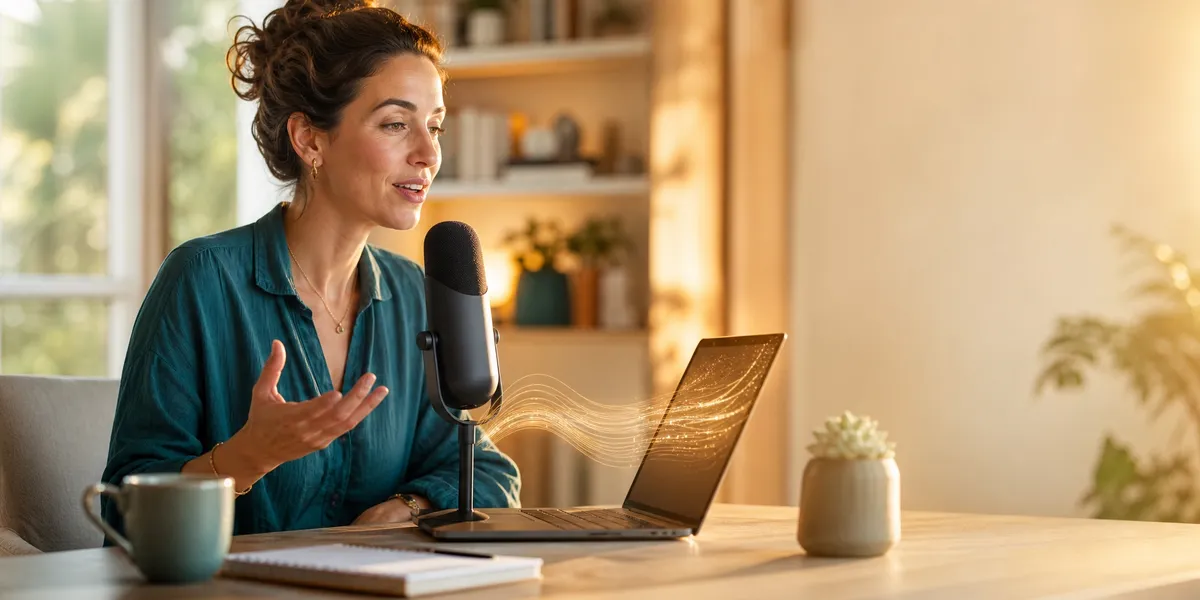
You can write a full book chapter in an hour — if you speak it instead of type it. Dictation for writers is the fastest way to get a first draft on the page, and most authors never try it.
In this guide, you’ll learn:
- How to set up a dictation workflow that actually works for book-length projects
- Which dictation software is worth your money in 2026 (and which free options hold up)
- The editing process that turns raw spoken words into polished, publishable prose
- How to combine dictation with AI writing tools for maximum speed
Here’s everything you need to start writing by voice today.
What Is Dictation for Writers?
Dictation for writers is the practice of speaking your book, article, or manuscript aloud and letting software convert your voice into text. Instead of typing each word, you talk through your ideas while speech-to-text technology handles the transcription.
This is not a new idea. John Milton dictated Paradise Lost to his daughters after losing his sight. Barbara Cartland dictated over 700 romance novels, reportedly producing up to 10,000 words per day. More recently, science fiction author Kevin J. Anderson has written millions of words by dictating into a recorder while hiking in the Colorado mountains.
The difference in 2026? The software is dramatically better. Modern speech recognition hits 97-99% accuracy out of the box, and AI-powered tools can even learn your vocabulary — including character names, made-up terms, and genre-specific jargon.
Why Should You Try Dictation?
Most people speak at 130 to 160 words per minute but type at only 40 to 60 words per minute. That is a 3x speed difference on raw output alone.
But speed is only one benefit. Here is why dictation for writers changes the game:
- You write faster. A writer producing 2,000 words per day by typing can hit 4,000 to 6,000 words per day by dictating — in the same amount of time.
- You reduce physical strain. If you deal with carpal tunnel, arthritis, or repetitive stress injuries, dictation frees your hands entirely.
- You beat writer’s block. Speaking feels less permanent than typing. You are not staring at a blinking cursor — you are having a conversation with your story.
- You write anywhere. Dictation works on your phone during a walk, in the car between errands, or on the couch when your desk feels stifling.
- Your dialogue improves. When you speak your characters’ lines aloud, unnatural phrasing becomes immediately obvious.
Indie author Monica Leonelle switched to dictation for fiction writing and increased her daily output from 1,500 words (typing) to 4,000-6,000 words (dictation) in the same timeframe. That is the kind of difference that turns a year-long book project into a three-month sprint.
How to Set Up Your Dictation Workflow (Step-by-Step)
Getting started with dictation is simpler than you think. You do not need expensive equipment or weeks of training. Here is how to set it up right the first time.
Step 1: Choose Your Microphone
Your microphone matters more than your software. Built-in laptop mics pick up too much background noise and produce lower accuracy. Here is what works:
| Microphone Type | Best For | Price Range |
|---|---|---|
| USB headset with boom mic | Home office dictation | $30-$80 |
| Lavalier (clip-on) mic | Dictating on walks or moving around | $20-$50 |
| Bluetooth earbuds with mic | Casual dictation on your phone | $25-$100 |
| Professional USB condenser | Dedicated writing studio | $80-$200 |
A $30 USB headset with a boom microphone gets you 95% of the accuracy improvement. You do not need a podcasting setup.
Step 2: Pick Your Dictation Software
You have three tiers of options in 2026. I will break down each one below in the best dictation software section.
Step 3: Train the Software (and Yourself)
Spend 15 to 20 minutes reading a passage aloud to your dictation software. Most tools use this to calibrate to your voice, accent, and speaking pace.
Then add your custom vocabulary. If you are writing fiction, feed in your character names, place names, and any invented terms. For nonfiction, add technical jargon specific to your subject. This single step eliminates most of the frustrating misrecognitions you will encounter.
Step 4: Create Your Voice Commands
Set up shorthand voice commands for formatting and punctuation:
- “New paragraph” — starts a new paragraph
- “New line” — inserts a line break
- “Open quotes / close quotes” — adds quotation marks
- “Em dash” — inserts an em dash
- “Chapter heading [title]” — formats a chapter heading
Most dictation software supports custom voice commands. Spend 10 minutes setting up the ones you use most and you will save hours of manual formatting later.
Step 5: Start with Something Low-Stakes
Do not dictate the opening chapter of your novel on day one. Start with:
- A journal entry or freewrite
- An outline or brainstorm session
- A scene you have already drafted that you want to rewrite
- An email or blog post
Give yourself two to three sessions to find your rhythm before tackling your book project. Most writers need about a week to feel natural dictating prose.
Best Dictation Software for Writers in 2026
Here is where the right tool makes all the difference. I have tested the major options for book-length writing, not just quick emails or notes.
Our Pick — Chapter
Chapter combines AI-assisted writing with voice input to help you draft, outline, and edit entire books. You speak your ideas, and the AI helps structure and expand them into polished chapters.
Best for: Authors who want dictation plus AI drafting in one workflow Pricing: $97 one time, 2 books included (fiction or nonfiction), 30-day money-back guarantee Why we built it: Because dictating into raw text is only half the battle — you still need to turn that draft into a real book. Chapter handles both.
Dragon Professional / Dragon Home
Dragon NaturallySpeaking (now called Dragon Professional Individual) has been the gold standard for dictation for over two decades. It offers up to 99% accuracy, learns your voice over time, and includes a playback feature that lets you hear your dictation alongside the transcribed text.
Best for: Writers who want maximum accuracy and are willing to invest in dedicated software Pricing: $200-$700 (one-time purchase) Standout feature: The custom vocabulary training is unmatched — after a few sessions, it handles character names and unusual terms flawlessly.
The downside? Dragon is Windows-only for the desktop version, and the price is steep. If you are on a Mac, you will need to look elsewhere.
Apple Dictation (Free)
Built into every Mac, iPhone, and iPad. Apple’s dictation has improved dramatically — it now works offline, handles punctuation automatically, and supports extended dictation sessions without the old 60-second limit.
Best for: Mac users who want a free, zero-setup option Pricing: Free (built into macOS and iOS) Limitation: No custom vocabulary training and lower accuracy on specialized terms.
For casual dictation or getting started, Apple Dictation is surprisingly capable. It will not match Dragon for book-length accuracy, but it costs nothing and requires zero setup.
Google Docs Voice Typing (Free)
Open any Google Doc, go to Tools > Voice typing, and start speaking. It is fast, free, and works in Chrome on any platform.
Best for: Writers who already live in Google Docs Pricing: Free Limitation: Requires an internet connection and offers no offline mode. Custom vocabulary is limited.
Otter.ai
Otter.ai shines for writers who want to record longer dictation sessions and clean them up later. It records your audio alongside the transcription, so you can click on any passage and hear exactly what you said.
Best for: Writers who prefer to dictate freely and edit later from a recording Pricing: Free tier (300 minutes/month) | Pro at $16.99/month
Wispr Flow
A newer option that runs natively on Mac and uses AI to adapt to your writing style. Wispr Flow learns how you write and adjusts its output accordingly — so your dictated text sounds less like a transcript and more like your natural prose.
Best for: Mac writers who want AI-enhanced dictation that matches their voice Pricing: Free tier available | Pro plans vary
Quick Comparison Table
| Tool | Platform | Accuracy | Custom Vocab | Price | Best For |
|---|---|---|---|---|---|
| Chapter | Web | High (AI-assisted) | Yes | $97 one-time | Full book workflow |
| Dragon Professional | Windows | 99% | Yes | $200-$700 | Maximum accuracy |
| Apple Dictation | Mac/iOS | 95%+ | No | Free | Quick, zero-setup |
| Google Voice Typing | Web (Chrome) | 93%+ | Limited | Free | Google Docs users |
| Otter.ai | Web/Mobile | 95%+ | Limited | Free-$16.99/mo | Record-then-edit workflow |
| Wispr Flow | Mac | 96%+ | AI-learned | Free-Paid | Style-matching dictation |
Dragon NaturallySpeaking for Writers: Is It Still Worth It?
Dragon NaturallySpeaking (Dragon Professional Individual) remains the most accurate dedicated dictation software available in 2026. If you are serious about dictating a full book manuscript, here is what you need to know.
Dragon’s biggest advantage is its learning engine. The more you use it, the more accurately it transcribes your speech — including unusual names, technical terms, and the specific way you phrase things. After two to three weeks of consistent use, most writers report accuracy rates above 98%.
The catch is that Dragon costs $200 to $700 depending on the version, runs only on Windows, and has not received a major update in several years. Nuance (the company behind Dragon) has shifted its focus to enterprise healthcare dictation.
Should you buy Dragon in 2026? If you write on Windows, plan to dictate daily, and want the highest possible accuracy, Dragon is still the best dedicated dictation tool. If you are on Mac or want a more modern, AI-enhanced experience, Chapter’s AI writing workflow or Wispr Flow are better fits.
How to Dictate a Book: The Practical Process
Knowing the tools is one thing. Here is how to actually dictate a book from start to finish.
Outline First, Dictate Second
Never start dictating without an outline. Your typing brain can pause, backtrack, and rearrange on the fly. Your speaking brain works linearly — it needs a roadmap.
Before each dictation session, review your outline for that chapter or scene. Know the three to five key beats you need to hit. Then close the outline and speak freely.
If you need help building an outline, AI tools can generate one from a simple premise in minutes.
Speak in Scenes, Not Chapters
Do not try to dictate an entire chapter in one sitting. Break your work into scenes or sections of 500 to 1,500 words. Each scene is a focused dictation session of 10 to 20 minutes.
This approach is less mentally exhausting and produces cleaner raw text because you can hold one scene’s arc in your head at a time.
Use the “Talking to a Friend” Technique
The biggest barrier to dictation is feeling awkward talking to yourself. Here is the fix: imagine you are telling the story to a friend sitting across from you.
This does three things:
- It loosens your language so it sounds natural instead of stiff
- It keeps your pacing conversational (which readers prefer anyway)
- It makes dialogue scenes easier because you are already in “speaking” mode
Writers who struggle with writer’s block often find that dictation breaks the mental logjam. Speaking feels less like “writing” and more like storytelling, which bypasses the inner critic that freezes your fingers at the keyboard.
Dictate the Messy Draft, Edit on Screen
Here is the most important mindset shift: your dictated draft is not supposed to be clean. It is raw material.
Dictation is a first draft tool. You are capturing ideas, energy, and flow. Editing happens later, on screen, with your typing brain engaged.
A typical dictation-to-publication workflow looks like this:
- Dictate the scene or chapter (10-20 minutes per scene)
- Light cleanup — fix obvious misrecognitions, add paragraph breaks (15-30 minutes)
- Structural edit — rearrange sentences, tighten prose, cut filler (30-60 minutes)
- Polish — line editing for rhythm, word choice, consistency (20-40 minutes)
This means a 3,000-word chapter takes roughly 75 to 150 minutes from dictation to polished draft. That is still significantly faster than typing and editing from scratch, which typically takes 3 to 5 hours for the same word count.
How to Edit Dictated Text
Editing dictated text is a different skill than editing typed text. Your spoken words have different weaknesses than your typed words. Here are the specific problems to watch for.
Fix Speech Patterns
When you type, you self-edit in real time. When you speak, you do not. Common speech patterns that sneak into dictated text:
- Filler phrases: “So basically,” “The thing is,” “I mean”
- Run-on sentences: Spoken sentences tend to be longer than written ones
- Repeated words: You will say “really” and “actually” far more than you would type them
- Transitional crutches: “And then,” “So after that,” “The next thing that happened”
Do a search-and-destroy pass for these patterns after every dictation session. Most writers develop the same five to ten speech habits — once you know yours, cleanup becomes fast.
Fix Misrecognitions
Even the best software gets words wrong. Common misrecognition patterns:
- Homophones: “their/there/they’re,” “its/it’s,” “then/than”
- Character names that sound like common words
- Technical terms the software has not learned yet
A find-and-replace pass for your known trouble words catches 80% of these in minutes.
Restructure for the Page
Spoken text flows differently than written text. You will need to:
- Break long spoken passages into shorter paragraphs
- Move ideas that came out of order into their logical position
- Add section headers and transitions that you skipped while speaking
- Tighten wordy phrases (“at this point in time” becomes “now”)
This restructuring pass is where your dictated draft starts feeling like a real book. It is also where AI editing tools can speed up the process significantly, helping you tighten prose and catch inconsistencies.
How to Combine Dictation With AI Writing Tools
The most powerful writing workflow in 2026 is not dictation alone or AI alone — it is both together. Here is how to combine them.
Step 1: Dictate your raw ideas. Speak freely about what the chapter covers, the key arguments or scenes, and any specific phrases or dialogue you want to include.
Step 2: Feed the dictated text to an AI writing tool. Tools like Chapter can take your rough dictation and restructure it into clean, well-organized prose — while keeping your voice and ideas intact.
Step 3: Edit the AI-enhanced draft. Review what the AI produced, adjust anything that does not sound like you, and add personal touches, anecdotes, or expertise that only you can provide.
This workflow gives you the speed of dictation (3x faster than typing), the structure of AI (no more rambling paragraphs), and the authenticity of your own voice and expertise. Over 2,147 authors have used Chapter to write books with AI, and many of them combine it with dictation for the fastest possible workflow.
Common Mistakes to Avoid
- Starting without an outline. Dictating without structure produces rambling text that takes longer to edit than it saved.
- Editing while you dictate. Resist the urge to go back and fix mistakes mid-session. Dictation speed comes from forward momentum.
- Using a bad microphone. A $30 headset dramatically outperforms your laptop’s built-in mic. This is the cheapest accuracy upgrade you can make.
- Skipping the custom vocabulary step. Five minutes of adding character names and technical terms prevents hours of correction later.
- Expecting perfect first-draft text. Dictation produces raw material. Budget time for editing — it is still faster than typing the whole thing.
How Many Words Per Hour Can You Dictate?
How many words per hour you can dictate depends on your experience level and the complexity of what you are writing. Here are realistic benchmarks:
| Experience Level | Words Per Hour (Dictating) | Words Per Hour (Typing) |
|---|---|---|
| Beginner (first week) | 1,500-2,000 | 1,000-1,500 |
| Intermediate (1-3 months) | 2,500-3,500 | 1,000-1,500 |
| Advanced (6+ months) | 4,000-6,000 | 1,000-2,000 |
These numbers include natural pauses for thinking. Professional dictation users who have practiced for six or more months typically sustain 130 to 150 words per minute during active speaking, which translates to roughly 4,000 to 5,000 words per hour of focused dictation time.
Kevin J. Anderson, with over 165 published books, reports producing 3,000 to 5,000 words per hour while dictating on hikes. That kind of output is achievable once dictation becomes second nature.
Is Dictation Right for Your Writing Style?
Dictation for writers is not for everyone, and that is fine. Here is an honest assessment of who benefits most.
Dictation works best if you:
- Think in spoken language and enjoy talking through ideas
- Write dialogue-heavy fiction or conversational nonfiction
- Deal with physical discomfort from typing (RSI, carpal tunnel, back pain)
- Want to write during commutes, walks, or other non-desk time
- Struggle with writer’s block caused by the pressure of seeing words on screen
Dictation may not work if you:
- Think visually and need to see your words forming on screen
- Write highly technical or mathematical content with lots of notation
- Work in noisy environments without a quiet space
- Prefer to revise heavily as you draft (dictation rewards forward momentum)
The good news? You can try it for free using Apple Dictation or Google Docs Voice Typing. Spend one week dictating 500 words per day. If it clicks, invest in better software. If it does not, you have lost nothing but a few hours of experimentation.
How Long Does It Take to Learn Dictation?
Learning dictation takes most writers one to two weeks of daily practice to feel comfortable, and one to three months to match or exceed their typing speed. The learning curve is real, but shorter than most people expect.
Here is a typical progression:
- Days 1-3: Awkward. You speak too slowly, over-correct, and produce less than you would by typing.
- Days 4-7: Getting comfortable. You start finding your rhythm and stop self-editing mid-sentence.
- Weeks 2-3: Matching your typing speed. The editing step is still slower as you learn to clean up spoken text.
- Month 2-3: Exceeding your typing speed. Dictation feels natural, editing becomes routine, and total output climbs.
The writers who stick with it past the first week almost always prefer it. The ones who quit usually stopped during those awkward first three days. Commit to seven full sessions before deciding.
FAQ
Can You Write a Whole Book by Dictation?
Yes, you can write a whole book by dictation. Authors like Barbara Cartland, Kevin J. Anderson, and Henry James have dictated entire novels and nonfiction books. Modern speech-to-text software makes it easier than ever to dictate a complete manuscript and edit it into publishable form.
What Is the Best Free Dictation Software for Writers?
The best free dictation software for writers is Apple Dictation for Mac and iOS users, and Google Docs Voice Typing for everyone else. Both offer solid accuracy for book-length dictation, automatic punctuation, and zero cost. For higher accuracy, paid tools like Dragon Professional remain the gold standard.
Does Dictation Actually Make You Write Faster?
Yes, dictation makes you write faster. Most people speak at 130-160 words per minute compared to 40-60 words per minute typing. In practice, this translates to a 2-3x increase in raw word output. Accounting for editing time, most dictation users still finish a manuscript 40-60% faster than typing alone.
How Do You Punctuate When Dictating?
You punctuate when dictating by speaking the punctuation aloud. Say “period,” “comma,” “question mark,” “open quotes,” or “new paragraph” as you dictate. Most modern dictation software also adds automatic punctuation based on your speech patterns, though manual commands give you more control over formatting.
Can You Use Dictation for Fiction Writing?
You can absolutely use dictation for fiction writing. Dictation is especially effective for dialogue-heavy scenes because you are already speaking the characters’ words aloud. Many fiction authors find that dictation produces more natural-sounding dialogue and helps them maintain narrative flow without the stop-and-start rhythm of typing.
Dictation is one of the fastest ways to get your book out of your head and onto the page. Whether you use a dedicated tool like Dragon, a free option like Apple Dictation, or an AI-powered workflow through Chapter, the best time to start is today. Pair dictation with AI writing tools and you might finish your book faster than you ever thought possible. Learn more about how long it takes to write a book and how to finish what you start.