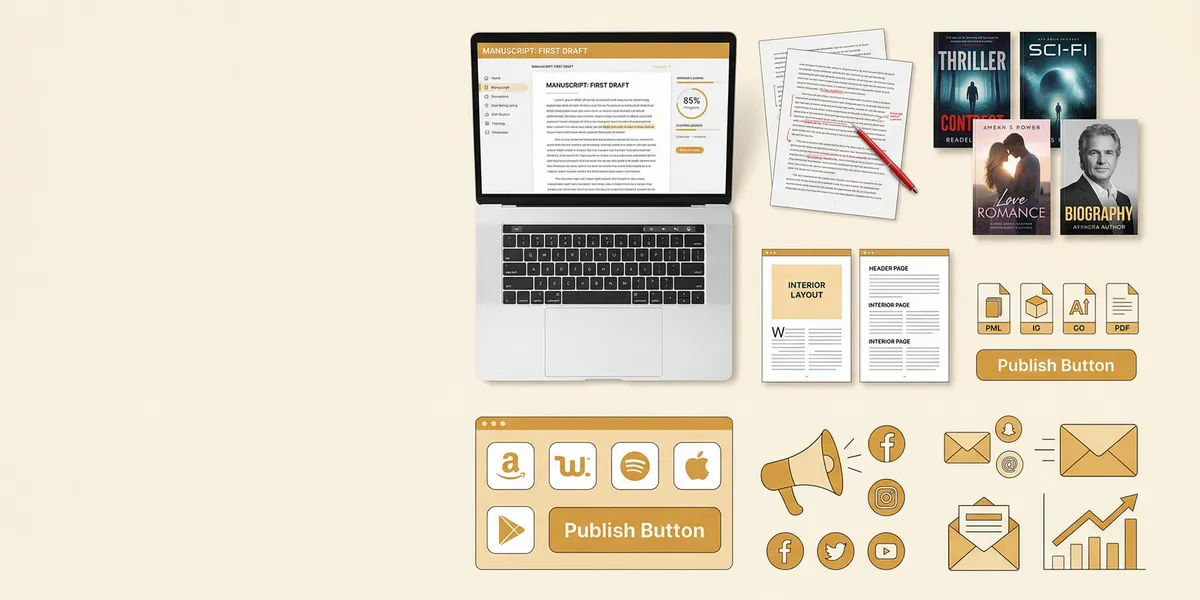
The right self-publishing tools turn a rough manuscript into a professional book that sells. This guide covers the best tools for every stage of the process — writing, editing, formatting, cover design, publishing, and marketing — so you can build a complete toolkit without overspending.
Quick Comparison
| Tool | Category | Best For | Starting Price |
|---|---|---|---|
| Chapter | AI writing | Writing a complete book with AI | $97 one-time |
| Scrivener | Writing software | Organizing complex manuscripts | $49 one-time |
| Google Docs | Writing software | Free cloud-based drafting | Free |
| ProWritingAid | Editing | Deep style and grammar checks | $30/month |
| Grammarly | Editing | Quick grammar and clarity fixes | Free / $30/month |
| Vellum | Formatting | Beautiful ebook and print formatting | $249.99 one-time |
| Atticus | Formatting | Cross-platform formatting | $147 one-time |
| Canva | Cover design | DIY book covers on a budget | Free / $15/month |
| Amazon KDP | Publishing | Maximum reader reach | Free |
| Draft2Digital | Distribution | Multi-platform ebook distribution | Free (10% cut) |
| BookFunnel | Marketing | Reader magnets and ARC delivery | $15/month |
| Mailchimp | Marketing | Author email newsletters | Free / $13/month |
Writing Tools
1. Chapter
Our Pick — Chapter
Chapter uses AI to help you write a complete nonfiction book from outline to finished manuscript. You answer questions about your topic, and the AI generates structured chapters that you refine into your voice.
Best for: Nonfiction authors who want to go from idea to complete manuscript fast
Pricing: $97 one-time (nonfiction) | Varies (fiction)
Why we built it: Most authors struggle with the blank page. Chapter eliminates that by generating structured first drafts you can shape into a polished book — over 2,100 authors have used it to create more than 5,000 books.
Chapter handles the hardest part of self-publishing: actually getting the book written. It generates chapter-by-chapter drafts based on your expertise, keeps your book organized with a logical structure, and exports clean files ready for formatting. Authors featured in USA Today and the New York Times have used Chapter to produce their books.
What it does well: Fast manuscript generation, logical book structure, nonfiction expertise capture, clean export files.
Limitations: Built specifically for books — not a general-purpose writing tool. You still need separate tools for editing, formatting, and cover design.
2. Scrivener
Best for: Authors who need powerful manuscript organization
Scrivener has been the go-to writing tool for serious authors since 2007. Its binder system lets you organize chapters, research notes, character sheets, and outlines in one project file. The corkboard view is genuinely useful for rearranging scenes and chapters visually.
Where Scrivener excels is long-form structure. You can write scenes out of order, split or merge documents freely, and compile everything into a formatted manuscript when you are done. The snapshot feature saves versions of each document so you can experiment without losing earlier drafts.
Pricing: $49 one-time (Mac/Windows), $23.99 (iOS)
Limitations: Steep learning curve. The interface looks dated compared to newer tools. No native cloud sync — you need Dropbox for cross-device access. Compile settings can be confusing for new users.
3. Google Docs
Best for: Authors who want free, simple, cloud-based writing
Google Docs works surprisingly well for drafting a book. It auto-saves to the cloud, works on any device with a browser, and makes collaboration effortless if you work with a co-author or editor. Many traditionally published authors draft their manuscripts here before moving to dedicated formatting software.
Pricing: Free
Limitations: No manuscript-specific features like Scrivener’s binder. Long documents (80,000+ words) can get sluggish. Limited offline functionality. You will eventually need to export to another tool for professional formatting.
Editing Tools
4. ProWritingAid
Best for: Deep manuscript editing and style improvement
ProWritingAid runs 25+ reports on your writing, covering everything from grammar and readability to pacing, sentence structure, and overused words. The style suggestions go beyond basic grammar checking — it catches echoes (repeated words in close proximity), flags passive voice, and identifies vague or abstract language.
The tool integrates directly with Scrivener, Google Docs, and Word. For self-publishing authors, the manuscript-length analysis is the standout feature. Most grammar checkers work sentence by sentence. ProWritingAid evaluates patterns across your entire book.
Pricing: $30/month or $120/year. Lifetime license available for $399.
Limitations: The sheer number of suggestions can feel overwhelming. Not every recommendation improves your writing — you need judgment about which to accept. Fiction writers may find some suggestions overly rigid.
5. Grammarly
Best for: Fast, accurate grammar and clarity checking
Grammarly catches grammar mistakes, spelling errors, and unclear sentences in real time. The free version handles basic grammar well. The premium version adds tone detection, word choice suggestions, and full-sentence rewrites.
For self-publishing authors, Grammarly works best as a first-pass tool. Run your manuscript through it to catch obvious errors before sending to a human editor or using a deeper tool like ProWritingAid.
Pricing: Free (basic) or $30/month (premium). Annual plans reduce the cost significantly.
Limitations: Grammarly evaluates writing at the sentence level, not the manuscript level. It cannot assess pacing, story structure, or chapter-level issues. The AI rewrite suggestions sometimes strip personality from your prose.
Formatting Tools
6. Vellum
Best for: Beautiful ebook and print formatting with zero learning curve
Vellum is the gold standard for book formatting on Mac. Import your manuscript, choose a style, and Vellum generates publication-ready ebook and print files. The output looks genuinely professional — clean typography, proper chapter headings, and consistent styling throughout.
What makes Vellum special is the preview system. You see exactly how your book will look on Kindle, iPad, Nook, and other devices in real time. Switching between trim sizes for print takes one click. The ornamental breaks, drop caps, and heading styles add polish that would take hours to achieve manually.
Pricing: $249.99 for ebooks and print (one-time purchase, Mac only)
Limitations: Mac only. No Windows version exists, though some authors use it on a Mac virtual machine. The design options, while beautiful, offer limited customization compared to tools like Adobe InDesign.
7. Atticus
Best for: Cross-platform formatting for authors without a Mac
Atticus is a browser-based writing and formatting tool that works on any operating system. It is the closest alternative to Vellum for Windows users. You can write directly in Atticus or import a manuscript from Word or Scrivener, then format it for ebook and print.
The formatting templates are clean and professional. Atticus also includes a basic writing goal tracker and a reading-time estimator, making it a combined writing and formatting tool.
Pricing: $147 one-time purchase
Limitations: Fewer formatting styles than Vellum. The writing features are basic compared to dedicated writing software. Being browser-based means it requires an internet connection.
Cover Design Tools
8. Canva
Best for: Authors creating their own covers on a budget
Canva offers thousands of book cover templates you can customize with your own text, images, and colors. The drag-and-drop editor is intuitive enough that non-designers can produce decent covers. The Pro plan unlocks a larger image library and brand kit features.
For nonfiction books especially, Canva can produce covers that look professional enough to compete on Amazon. Fiction covers — particularly in romance, fantasy, and thriller — usually need a professional designer because genre expectations are very specific.
Pricing: Free (basic) or $15/month (Pro)
Limitations: Templates look templated if you do not customize heavily. The available stock images are used by thousands of other creators. For genre fiction, a professional cover designer (typically $300-$1,500) almost always outperforms a DIY Canva cover.
9. Adobe InDesign
Best for: Professional-grade interior layout and cover design
Adobe InDesign gives you complete control over every element of your book’s design. It is the industry standard for print layout and is what most professional book designers use. If you have design skills or want to learn, InDesign produces the highest-quality output of any formatting tool.
For illustrated books, cookbooks, children’s books, and any project with complex layouts, InDesign is the right choice. The typography controls alone — kerning, tracking, baseline grids, optical margin alignment — go far beyond what Vellum or Atticus offer.
Pricing: $22.99/month (Adobe Creative Cloud single app)
Limitations: Significant learning curve. Not worth the investment for straightforward text-heavy books where Vellum or Atticus work perfectly well. Subscription pricing adds up over time.
Publishing Platforms
10. Amazon KDP
Best for: Maximum reader reach and fastest sales
Amazon KDP is the most important self-publishing platform. It controls roughly 70-80% of the global ebook market and offers free publishing for ebooks, paperbacks, and hardcovers with print-on-demand fulfillment. Authors earn 35-70% royalties on ebooks depending on pricing.
KDP Select (optional exclusivity) gives you access to Kindle Unlimited, where readers pay a monthly subscription to read unlimited books. Authors in KU earn per page read. For many genres — especially romance, sci-fi, and LitRPG — Kindle Unlimited drives more revenue than direct sales.
Read our full Amazon KDP self-publishing guide for step-by-step setup instructions.
Pricing: Free to publish. Amazon takes a percentage based on your royalty selection and book price.
Limitations: KDP Select requires 90-day exclusivity. Amazon can change terms and royalty rates at any time. Discoverability depends heavily on Amazon’s algorithm and advertising.
11. Draft2Digital
Best for: Distributing your ebook to every major retailer
Draft2Digital is an aggregator that sends your ebook to Apple Books, Barnes & Noble, Kobo, and dozens of other retailers and library systems through a single upload. It handles formatting conversion, generates back matter automatically, and provides a unified sales dashboard.
If you want your book available everywhere without managing separate accounts on each platform, Draft2Digital simplifies the process significantly. Their universal book links send readers to their preferred retailer automatically.
Pricing: Free to use. Draft2Digital takes a 10% commission on sales made through their distribution network.
Limitations: You earn slightly less per sale compared to uploading directly to each platform. Sales data can be delayed compared to direct dashboards. You are adding a middleman between you and the retailer.
12. IngramSpark
Best for: Getting your print book into physical bookstores
IngramSpark connects your book to the Ingram distribution network, which supplies books to over 40,000 retailers, libraries, and online stores worldwide. If you want your paperback or hardcover in Barnes & Noble stores, independent bookshops, and library catalogs, IngramSpark is the tool that makes it happen.
The print quality is excellent, and you get access to a wider range of trim sizes and paper options than Amazon KDP offers. Many authors use both KDP (for Amazon sales) and IngramSpark (for everywhere else).
Pricing: Free to set up. Printing costs deducted from your list price minus the retailer discount you set.
Limitations: The dashboard is less intuitive than KDP. Returns are enabled by default (bookstores expect this). You need to set appropriate retailer discounts (typically 55%) to get bookstore placement.
Marketing Tools
13. BookFunnel
Best for: Delivering reader magnets, ARCs, and building your email list
BookFunnel lets you deliver free ebooks to readers in exchange for email signups. This is the standard method indie authors use to build their mailing lists. You upload your book file, create a landing page, and BookFunnel handles delivery to every device and reading app.
It also manages ARC (Advance Reader Copy) distribution for book launches. Instead of emailing files individually, you send reviewers a BookFunnel link and they download in their preferred format.
Pricing: $15/month (Mid-List plan) for most features. Plans range from $15 to $50/month.
Limitations: The landing pages are functional but not beautiful. Integration with email providers requires some setup. The lowest plan limits the number of books you can host.
14. Mailchimp
Best for: Building and managing your author email list
Email marketing is the single most effective tool for marketing a self-published book. According to industry surveys, indie authors earning over $10,000 per month average 18,000+ email subscribers. Mailchimp offers a free plan for up to 500 contacts with basic automation.
You can set up welcome sequences for new subscribers, announce book launches, and run pre-order campaigns. The drag-and-drop email builder requires no technical skills.
Pricing: Free (up to 500 contacts) or $13/month and up for larger lists and advanced features.
Limitations: The free plan limits automation features. Mailchimp’s pricing increases quickly as your list grows. Some authors prefer author-focused alternatives like MailerLite or ConvertKit that offer better pricing for larger lists.
How We Evaluated These Tools
Every tool on this list was evaluated on four criteria:
- Ease of use — Can a first-time self-publishing author figure it out without extensive training?
- Output quality — Does the tool produce professional results?
- Value for money — Is the pricing reasonable for indie author budgets?
- Integration — Does it work well with the other tools in a typical self-publishing workflow?
We also weighted tools that can handle multiple stages of the process. Chapter, for example, covers the writing phase that most authors find hardest. Atticus combines writing and formatting. These multi-purpose tools reduce the total number of subscriptions and learning curves in your stack.
Building Your Self-Publishing Toolkit
You do not need every tool on this list. Here is a practical starting stack based on budget:
Budget-friendly stack (under $100):
- Google Docs (free) for writing
- Grammarly free tier for basic editing
- Canva free tier for cover design
- Amazon KDP (free) for publishing
Mid-range stack ($200-$400):
- Chapter ($97) for AI-assisted writing
- ProWritingAid ($120/year) for deep editing
- Atticus ($147) for formatting
- Amazon KDP + Draft2Digital for publishing
Professional stack ($500+):
- Chapter ($97) for first draft generation
- Professional editor ($500-$3,000) for developmental and copy editing
- Vellum ($249.99) for formatting
- Professional cover designer ($300-$1,500)
- KDP + IngramSpark for publishing
- BookFunnel + Mailchimp for marketing
The self-publishing market hit approximately $1.85 billion in 2024, growing at a rate that shows no signs of slowing down. With the right tools, independent authors keep more creative control and earn higher royalties than traditional publishing offers. The cost to self-publish a book ranges from nearly nothing to several thousand dollars depending on which tools you choose and whether you hire professionals.
FAQ
What self-publishing tools do I absolutely need?
At minimum, you need writing software, a way to format your manuscript, and a publishing platform. Google Docs, Atticus or Vellum, and Amazon KDP cover those three bases. Everything else — professional editing, cover design tools, marketing platforms — improves your results but is not strictly required to get your book published.
Is it worth paying for self-publishing tools?
Yes, for the tools that directly affect book quality. Formatting software like Vellum or Atticus pays for itself with the first book by eliminating the need to hire a formatter ($100-$500 per project). AI writing tools like Chapter save weeks or months of writing time. Free tools work for getting started, but paid tools produce noticeably more professional results.
Can I self-publish a book using only free tools?
You can. Google Docs for writing, Grammarly’s free tier for editing, Canva’s free plan for a cover, and Amazon KDP for publishing costs nothing. The tradeoff is time and polish. Free tools require more manual work and produce results that may look slightly less professional. Our guide on how to self-publish a book for free walks through the process step by step.
What is the best all-in-one self-publishing tool?
No single tool handles every stage perfectly. The closest options are platforms like Atticus (writing + formatting) or Reedsy (marketplace for editors, designers, and formatting). Most successful indie authors use a combination of specialized tools. Starting with Chapter for writing and Vellum for formatting covers the two most time-intensive stages.
Do I need an ISBN to self-publish?
Amazon KDP provides a free ASIN for ebooks and a free ISBN for print books, so you can publish without buying your own. However, if you want your book in bookstores through IngramSpark or want to be listed as the publisher of record, purchasing your own ISBN gives you more control over your publishing identity.