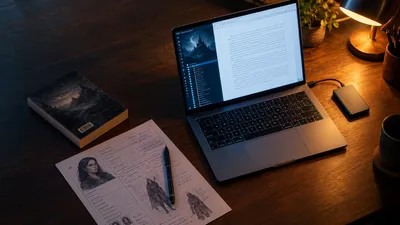
Storyist is a Mac and iPad writing app for novelists and screenwriters that combines a word processor, a corkboard of index cards, an outliner and screenplay formatting in one window. As of November 2026 it costs $59 one time on the Mac and $19.99 on iPhone and iPad, with no subscription. It is a good fit if you write every word yourself on Apple hardware, and a poor fit if you use Windows, need to co-write, or want help producing the draft.
In this Storyist review, you’ll get:
- What Storyist 4 actually does, without the marketing language
- The five things it does better than most writing apps, including ours
- The limitations that make some buyers walk away
- Real 2026 pricing for Mac and iOS, and what the full workflow costs
- A straight answer on who should buy it and who should skip it
Here is the honest assessment.
What Storyist Actually Is
Storyist — A native writing environment for macOS and iOS, made by Storyist Software LLC, that keeps your manuscript or screenplay, your index cards, and your character and setting notes inside one project file.
You open a project, pick a novel or screenplay template, and write in a rich text editor. Next to the manuscript you can open a corkboard of colour-coded index cards, an outliner, or “story sheets” for plot, characters and settings.
The current major version is Storyist 4, which launched on the App Store on March 5, 2019. The Mac App Store listing shows version 4.4.1 as the latest Mac release. The iOS listing shows version 4.7.2 for iPhone and iPad.
Storyist does not use AI. It will not draft, rewrite or suggest prose. It organizes and formats the words you type.
What Does Storyist Do Well?
Storyist does five things well: screenplay formatting, a corkboard and outliner that sit beside your draft, print-ready book layout, clean import and export, and a simple interface. It covers a lot of a Scrivener-style workflow at a lower price and with less setup.
Screenwriting is built in, not bolted on
This is Storyist’s clearest edge. The screenplay template uses Tab and Return shortcuts to switch between scene headings, action, character and dialogue. According to Storyist’s Mac feature page, “Smart Text” remembers your locations and character names and autocompletes them.
It imports and exports Final Draft (.fdx) files and Fountain, the plain-text screenplay format. You can draft a script on your iPad and hand an industry-standard file to a producer. If scripts are new to you, our screenplay writing guide covers the format itself.
Your plan sits next to your prose
The corkboard shows each scene as a colour-coded index card you can drag around. The outliner builds a structure from scratch or from an existing manuscript. Story sheets hold your plot, character and setting notes, and a “casting” tool pairs characters with photos.
The useful part is that you can keep the cards open beside the manuscript while you write. If you plan with tools like the ones in our novel outlining guide, you never have to switch apps to check where a scene goes.
It can lay out a print-ready book
The Mac version has a Book Editor that produces print-ready PDFs with front matter, verso and recto pages, trim size, margins and bleed. It ships with book templates for novels, memoirs and nonfiction preset for print-on-demand services, and it creates ePub and Kindle ebooks.
That is more publishing output than most drafting apps offer. It will not replace a professional designer, but it gets a clean interior out of the same file you wrote in.
It plays well with other formats
Storyist imports and exports RTF, HTML, plain text, OpenDocument, Word (.doc and .docx), Scrivener projects, Final Draft and Fountain. That matters if you ever leave. You can move a Scrivener project in, or move a finished manuscript out to Word for your editor.
It is simpler than Scrivener
Independent reviewers keep landing on the same point. A March 2026 review on selfpublishing.com calls Storyist easy to navigate and simpler to set up than Scrivener. If Scrivener’s learning curve put you off (our Scrivener review covers it), Storyist is the gentler route.
What Does Storyist Not Do Well?
Storyist is limited to Apple devices, has no co-writing, no grammar checking and no AI, and its iOS reviews include reports of lost formatting and overwritten work. Its research storage and export options are also thinner than Scrivener’s.
It is Apple-only. There is no Windows, Android or web version. The Mac app needs macOS 10.14 Mojave or later, and the iOS app needs iOS 17 or later. If you write on a Windows laptop at work, Storyist cannot follow you.
There is no real-time collaboration. You can share files through iCloud, Dropbox or the Files app, but two people cannot edit the same project together. Co-authors and editors work on copies.
There is no grammar or style checking. You get spell checking, smart quotes and word-count goals. Anything beyond that means pasting into a separate tool.
Research storage is basic. Scrivener lets you drop PDFs, web pages and images into a research folder. Storyist has a notebook and story sheets, but writers who switch from Scrivener report missing a place to keep PDFs and web links.
Compiling and statistics are less flexible. The Book Editor is good, but comparison reviews rate Scrivener’s Compile as more versatile, and SoftwareHow finds Storyist’s statistics and goals less powerful than Scrivener’s or Ulysses’.
Some iOS reviews describe data problems. On the US App Store, reviewers have reported that edited styles reverted and stripped formatting (2021), that the app overwrote saved work (2019), and that content vanished after an iOS update (2020). Those reports are several years old and may be fixed. Still, back up your projects.
It does not write anything for you. Storyist is a container. If your problem is that you have the plan but not the 80,000 words, Storyist will hold the plan beautifully and leave the page blank.
How Much Does Storyist Cost in 2026?
Storyist costs $59 one time for Mac when bought direct from storyist.com (or $59.99 through the Mac App Store), and $19.99 for iPhone and iPad through the App Store. There is no subscription. Both apps start with a 14-day free trial, then stay free in read-only mode.
The Mac and iOS versions are sold separately. To write on a Mac and an iPad, you pay for both.
| Option | Price (US, November 2026) | Source |
|---|---|---|
| Storyist 4 for Mac, direct | $59 one time | storyist.com store |
| Storyist 4 for Mac, Mac App Store | $59.99 in-app purchase | Mac App Store |
| Upgrade from Storyist 3 (Mac App Store) | $29.99 | Mac App Store |
| Storyist 4 for iPhone and iPad | $19.99 in-app purchase | iOS App Store |
| Upgrade from Storyist 3 (iOS) | $9.99 | iOS App Store |
| Free trial | 14 days, then read-only | Both App Store listings |
Storyist’s own store page lists the iOS app at $19. The App Store charges $19.99. We quote the App Store price because that is what you pay at checkout.
What the full workflow costs
The sticker price is not the whole bill. Here is what a typical Storyist author pays:
| Workflow | Total |
|---|---|
| Mac only | $59 |
| Mac and iPad | about $79 |
| Mac and iPad, plus a grammar checker subscription | $79 plus that tool’s annual fee |
| Mac and iPad, plus Final Draft for production work | Final Draft licence on top |
Even fully loaded, Storyist is one of the cheaper serious writing apps. Compare our Scrivener pricing breakdown if you’re choosing between the two.
What Do Real Storyist Users Say?
Real users mostly praise Storyist’s ease of use and sync, and mostly criticize support responsiveness and older iOS bugs. The iOS app holds a 4.3 out of 5 average from 397 ratings on the US App Store as of November 2026. The Mac listing has too few ratings for Apple to show a score.
Here is what the published App Store reviews say, paraphrased:
- A 2022 Mac reviewer found it easy to use and affordable, said cloud sync kept files current across devices, and said they would pick it over Final Draft for screenplays.
- A 2021 Mac reviewer said it was simple to learn and that support helped quickly.
- A July 2025 Mac reviewer liked the clean interface and reliable sync across two computers, but said a sales email went unanswered for 10 days and the user forum looked quiet, so they held off buying.
- A 2019 iPad reviewer called it more user-friendly than Final Draft but reported layout glitches in split-screen mode.
- A 2021 iOS reviewer said edited styles kept reverting and called it a deal breaker.
The pattern is consistent. People who use Storyist like how it feels. The worries are about how small the company looks from outside.
Is Storyist still being updated?
Yes. The App Store version history shows 21 Mac releases and 22 iOS releases since Storyist 4 launched in March 2019. Mac 4.4 shipped in November 2025 and iOS 4.7 in October 2025, and both have had point releases since.
The pace is slow and steady: a few updates a year, mostly compatibility and fixes. Do not expect big new features. Do expect the app to keep running on new macOS and iOS versions.
Who Should Buy Storyist?
Buy Storyist if you are an Apple user who writes both prose and scripts, or who wants Scrivener-style planning without Scrivener’s learning curve.
- Screenwriters who also write novels. One app handles both formats, with Final Draft and Fountain exchange.
- iPad writers. The iOS app is a full editor, not a viewer, and syncs through iCloud, Dropbox or any Files app provider.
- Planners who want the plan on screen. The corkboard beside the manuscript suits writers who outline scene by scene.
- Writers who want every word to be their own. No AI means nothing in the file came from a model.
- Subscription avoiders. $59 once is easier to justify than a yearly fee.
Who Should Not Buy Storyist?
Skip Storyist if you use Windows or Android, if you co-write in real time, if you rely on a big research folder, or if what you need is a finished draft rather than a place to write one.
- Windows users. There is no version for you. Look at our Scrivener alternatives for cross-platform options.
- Co-authors. Without live collaboration, you’ll be emailing files.
- Heavy researchers. Scrivener’s research binder is still the better home for PDFs and web clippings.
- Writers stuck on the blank page. Storyist gives you structure. It does not give you words.
Where Storyist Beats Chapter
We make Chapter, an AI tool that writes complete books, so here is where Storyist is honestly the better choice.
Screenplays. Chapter writes books, fiction and nonfiction. It does not format scripts or exchange Final Draft files. If you write for the screen, Storyist wins outright.
Every word is yours. Storyist contains no AI. If you love the act of drafting, or a contest, publisher or your own principles rule out AI-written prose, Storyist fits and Chapter does not.
A native Apple app with your files where you choose. Storyist runs on your Mac and iPad and stores projects in iCloud, Dropbox or any Files app provider. Its App Store privacy label says the developer collects no data. If you want your manuscript in your own folders, that matters.
Lower price for the tool itself. Storyist is $59 on Mac and $19.99 on iPad. Chapter is $97. If you only need a place to type, Storyist costs less.
Hands-on control of the page. Style sheets, a corkboard, an outliner and a Book Editor with trim size and bleed give you fine control over how the manuscript looks. Writers who enjoy that craft will find more knobs in Storyist.
The Alternative We Built
Our Pick — Chapter
Storyist organizes the book you are going to write. Chapter writes it. Chapter builds your world and plot, gives you an outline, then writes the whole novel in your voice, anywhere from 20,000 to 120,000+ words. It then reads the full manuscript back and fixes continuity slips.
Best for: Writers who have the story in their head but have not been able to get the draft onto the page Pricing: $97 one time, 2 books included (fiction or nonfiction), no subscription, 30-day money-back guarantee Why we built it: Most unfinished novels do not fail at the planning stage that Storyist handles well. They fail somewhere in the middle of the draft.
The honest comparison is about what you are missing. If you are a screenwriter, or you want to write every sentence yourself, Storyist is the better buy and you should get it.
If you have been planning in Storyist, Scrivener or Plottr for months and the manuscript still is not there, a better container will not fix that. More than 10,000 authors have used Chapter, you keep 100% of the rights, and it has been featured in USA Today and the New York Times. Our Chapter review covers its own limits, and our best novel writing software roundup puts both apps next to the alternatives.
Storyist gives you a tidy desk to write at. If what you need is the finished draft on that desk, Chapter’s fiction software writes the complete novel for $97 one time, and Chapter for nonfiction does the same for memoir and nonfiction, with 2 books included, no subscription and a 30-day money-back guarantee.
FAQ
Is Storyist worth it in 2026?
Storyist is worth it in 2026 if you write novels or screenplays on a Mac or iPad and want planning, formatting and book layout in one app for $59 one time. It is not worth it if you use Windows, need real-time co-writing, or want software that helps produce the draft itself.
Is Storyist better than Scrivener?
Storyist is better than Scrivener for screenwriting and simplicity. It formats scripts natively and is easier to learn. Scrivener is better for research storage, compiling and Windows support. Choose Storyist for a lighter Apple-only tool, and Scrivener if you need deep organization or cross-platform access. Our Chapter vs Scrivener comparison covers the AI angle.
Does Storyist have a free version?
Storyist has no permanent free version, but both the Mac and iOS apps include a 14-day free trial. After the trial, the apps stay free in read-only mode, so you can open and read projects. Editing requires the one-time purchase: $59 on Mac or $19.99 on iPhone and iPad.
Does Storyist work on Windows?
Storyist does not work on Windows. It runs only on macOS 10.14 or later and on iPhone and iPad with iOS 17 or later. There is no Android or web version. If you write on Windows, Scrivener and several browser-based tools are the closest alternatives with corkboard-style planning.
Does Storyist use AI?
Storyist does not use AI. It is a traditional writing app: a word processor, corkboard, outliner and screenplay formatter. It will not generate, rewrite or suggest prose. If you want AI drafting, look at dedicated tools; our best AI novel writing tools list compares them.