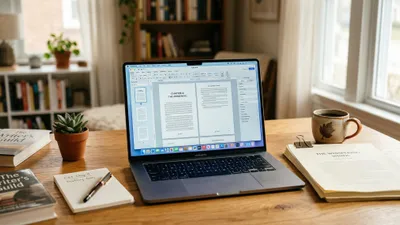
Scrivener is a $59.99 one-time-purchase writing application that is the best long-form manuscript organiser ever built, costs you roughly a working week to learn, and will not write a single sentence for you.
Whether it is worth it comes down to one question: do you have a manuscript problem or a drafting problem? Scrivener solves the first brilliantly and the second not at all.
In this Scrivener review, you will get:
- What Scrivener actually does, without the marketing language
- The four things it does better than any competitor, ours included
- The real limitations, including the one that costs most people a weekend
- The full cost of a Scrivener workflow, not just the sticker price
- Who should buy it, and who should genuinely walk away
Here is the assessment.
What Scrivener Actually Is
Scrivener — A desktop writing application that stores your book as hundreds of separate documents inside one project file, then compiles those documents into a finished manuscript on export.
That single design decision is the whole product. Most word processors treat a book as one enormous file. Scrivener treats it as a filing cabinet.
Your chapters, scenes, character notes, research PDFs, reference images, and cut material all live in the same project. You reorder chapters by dragging cards. You read the whole book as one continuous document, or one scene in isolation, without changing anything about how the file is stored.
Current versions as of August 2026 are Scrivener 3.5.2 on macOS, 3.1.6 on Windows, and 1.2.4 on iOS and iPadOS, per Literature & Latte, the small British company that has developed it since 2007.
There is no AI, no cloud editor, no collaboration layer, and no subscription. That is deliberate. Scrivener is a tool for one writer working alone on a long document over months or years.
What Scrivener Does Well
Scrivener earns its reputation on four things, and it is genuinely unmatched on all four.
The Binder. The left-hand sidebar holds every piece of your project in a nested tree. Chapters, scenes, deleted drafts, interview transcripts, a folder of photographs of the street your protagonist lives on — all in one window.
Nothing else does this properly. Google Docs makes you juggle tabs. Word makes you juggle files. Scrivener keeps a 120,000-word novel and its entire research apparatus in one place you can search instantly.
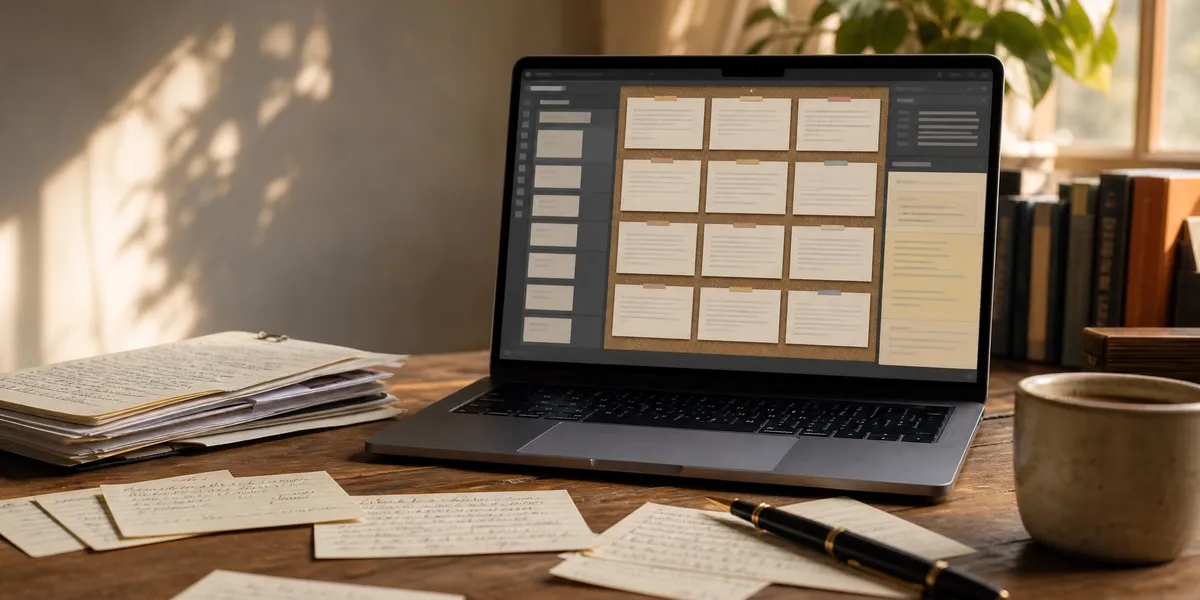
The Corkboard. Every document gets an index card with a synopsis. View a folder as a corkboard and you see your book’s structure as a grid of cards you can shuffle.
For anyone who has ever spread index cards across a kitchen table, this is that, with undo. It is the single best structural editing tool in any writing app, and it is why writers who outline a novel properly tend to end up here.
Compile. Scrivener’s export engine takes your messy project and produces a formatted manuscript — DOCX for an agent, EPUB for KDP, PDF for print, or standard manuscript format for a submission. You define the rules once and re-export forever.
Compile is powerful and it is also the part everyone complains about. Both things are true.
Snapshots. Before you rewrite a scene, take a snapshot. Scrivener stores that version permanently and lets you diff it against the current text later. Version control for prose, built in, with no Git required.
Two smaller things deserve a mention. Composition Mode blanks the screen down to a page on a background of your choosing, which is the best distraction-free mode in the category. And the project targets — words per session, words per deadline — are genuinely well designed for anyone attempting to write a book in 30 days.
What Scrivener Does Not Do Well
This is the section that determines whether you should buy it, so it is the long one.
The learning curve is real and it is the number one complaint in every review corpus. Across Capterra, G2, and GetApp, the same phrase recurs: steep learning curve. Reviewers report five to six hours just to complete the built-in tutorial, and describe adoption as a multi-week process.
An entire cottage industry of paid Scrivener courses exists because the software needs one. That is not a compliment to the software.
Compile is the specific thing that breaks people. The interface exposes formats, layouts, section types, and separators as separate concepts, and getting a clean EPUB out the first time frequently costs a full weekend. Dave Chesson at Kindlepreneur, who likes the software, calls the formatting output “just plain sad” and recommends a dedicated formatting tool instead.
Most working authors do exactly that: draft in Scrivener, export DOCX, format in Atticus or Vellum. That means Scrivener is not the last tool in your chain.
iOS sync is Dropbox or nothing. Scrivener for iOS syncs through Dropbox, and per Literature & Latte’s own sync documentation, OneDrive and Google Drive are not supported. iCloud Drive became viable only after Apple’s late-2024 changes and requires macOS Sequoia or later.
Sync failures are the most common support topic on the company’s forums. If you write across devices, budget for this to bite you at least once.
There is no Android version and no browser version. Chromebook, Android tablet, or Linux users are simply not served. There is no roadmap for this.
There is no collaboration. No real-time co-editing, no comment threads with a co-author, no shared project. If you are writing with someone, you are exporting to Word and emailing files like it is 2009.
There is no AI, and that is a real gap in 2026. No generation, no rewriting, no outlining assistance. For some authors that is the point. For most people staring at an empty binder, it means Scrivener has handed them the world’s best filing cabinet and nothing to file.
The “one-time purchase” has an asterisk. Updates are free within a major version, so 3.x releases cost nothing. But version 1 to 2 and 2 to 3 both carried paid upgrades. Scrivener 4 will almost certainly do the same. Call it a one-time purchase per era, not per lifetime.
Licences do not travel across platforms. A macOS licence does not run Windows. Buy both and you are paying twice, minus a bundle discount.
How Much Does Scrivener Cost in 2026?
Scrivener costs $59.99 for a single macOS or Windows licence, $95.98 for the macOS and Windows bundle, $23.99 for iOS and iPadOS, and $50.99 for an educational licence with institutional verification. All figures are the published Literature & Latte store prices as of August 2026.
| Licence | Price | Notes |
|---|---|---|
| macOS or Windows | $59.99 | One platform only |
| macOS + Windows bundle | $95.98 | Cheaper than two singles |
| iOS / iPadOS | $23.99 | Separate purchase, Dropbox sync |
| Educational | $50.99 | Students and academics, verified |
| Free trial | $0 | 30 days of actual use |
The trial deserves specific praise. Those 30 days are non-consecutive — the counter only ticks on days you open the application, so the trial can stretch across months. It is the most generous trial in the category and it means nobody has to take this review on faith.
Now the honest number. The sticker price is not the workflow price.
A realistic cross-platform, publish-ready Scrivener stack looks like this:
- Scrivener macOS + Windows bundle: $95.98
- Scrivener iOS, if you draft on a phone: $23.99
- Dropbox subscription for reliable sync: roughly $120 per year
- Atticus for formatting, because Compile output needs help: $147
That is $387 in year one for the full setup, versus $59.99 on the box. Most authors will not buy all of it — but almost nobody buys only the $59.99 licence and stops there.
What Real Users Say
Aggregate sentiment across the major review platforms is genuinely positive, with one consistent caveat.
Reviewers on Capterra praise the organisational power and the one-time price, while repeatedly flagging complexity. One representative summary: the learning curve is huge if you want to use all the features, and it is not always intuitive.
A frequently cited upside is community depth. Because Scrivener is built for writers, and writers write, searching for any Scrivener function returns dozens of tutorials. The documentation gap is filled by the userbase.
The recurring negatives are consistent across G2 and GetApp: complexity, occasional bugs, sync problems between devices, no collaboration, and no AI features compared with newer tools.
Overall verdict from the corpus: most reviewers feel the organisational power and lack of subscription justify pushing through the learning curve, while casual writers and anyone needing simplicity or collaboration are better served elsewhere.
Who Should Buy Scrivener
Buy Scrivener if you recognise yourself here:
- You already write. You have finished a draft before, or you have 30,000 words of one now. Scrivener multiplies existing output; it does not create it.
- Your book is structurally complicated. Multiple POVs, non-linear timelines, a dual-timeline historical, a series bible spanning six books. This is exactly what the Binder was built for.
- You are writing heavily researched nonfiction. Keeping 200 sources inside the manuscript file, searchable and linkable, is worth the price on its own.
- You hate subscriptions. $59.99 once, against $100 to $200 a year for subscription competitors, pays back inside a year.
- You are a serious plotter. If index cards and beat sheets are how you think, the Corkboard is the tool you have been improvising for years.
Who Should Not Buy Scrivener
Skip Scrivener if any of these describe you. This is not hedging — for these writers it is the wrong purchase.
- You have not finished a book yet and cannot start. Scrivener will not help. It gives you more places to organise a book you are not writing, which is often actively worse.
- You write on Android, Chromebook, or Linux. There is no version for you. Look at free browser-based options instead.
- You are co-writing. No collaboration features exist. Use Google Docs and accept the weaker organisation.
- Your book is structurally simple. A 25,000-word lead magnet or a straightforward memoir does not need a Binder. Google Docs is fine and free.
- You want the software to help with the words. Scrivener organises text. It does not produce or improve it. If your bottleneck is prose, look at AI writing tools or an editor like Hemingway.
- You need a formatted book out the other end with no fuss. Compile will fight you. Plan on a second tool.
Where Scrivener Beats Chapter
We build Chapter, so weigh this section accordingly. We are also not going to pretend Scrivener loses across the board, because it does not.
Scrivener is straightforwardly better than Chapter at four things:
Structural manipulation of a manuscript you already have. Chapter generates a structured book. Scrivener lets you take an existing 90,000-word draft apart and rebuild it — move scene 34 to chapter 2, split a chapter into three, view the whole thing as cards, and put it back together. If your problem is a finished but broken draft, Scrivener is the correct tool and Chapter is not.
Research living inside the manuscript. Scrivener holds PDFs, images, web clippings, and interview audio in the same project as your prose, side by side in a split pane. For a biography, an academic book, or a heavily sourced military history, that is a genuine workflow advantage we do not match.
Working entirely offline and owning the file forever. Scrivener is a desktop application. Your project sits on your disk, works on a plane, and opens in ten years without an account. That matters to a lot of writers and it is a real point in its favour.
Total authorial control over every word. Scrivener never writes anything. For authors bound by contest rules, publisher AI-disclosure policies, or their own principles, that is not a limitation to work around — it is the requirement, and Scrivener meets it completely.
We would rather say that plainly than lose your trust over it.
The Alternative We Built
Our Product — Chapter
Chapter takes your idea and produces a complete, structured manuscript, then exports files ready for KDP. It solves the part of book publishing that actually stops people — producing the words — rather than the part that stops almost nobody.
Best for: Authors who do not yet have a manuscript to organise Pricing: $97 one time, 2 books included (fiction or nonfiction), 30-day money-back guarantee Why we built it: Organisation tools assume the words already exist. For most aspiring authors, they do not.
The honest positioning is this. Scrivener and Chapter address different failure points, and which one you need depends entirely on where you are stuck.
If you have 90,000 words that need restructuring, buy Scrivener. We mean that — Chapter is the wrong purchase for you and you will resent it.
If you have an idea, an outline, or a draft that has not moved since March, Scrivener will not help. It will give you an exceptional filing system for a book that does not exist yet, and the learning curve will feel like progress while nothing gets written. That is the trap. Chapter builds the structural framework first and then writes the prose, which is why the output reads like a book instead of a long blog post.
Over 2,147 authors have used Chapter to produce more than 5,000 books, and the approach has been covered in USA Today and the New York Times. Chapter also exports KDP-ready files, which covers a standard novel or business book without the Compile weekend.
Plenty of authors run both. The sequence that works is Chapter to produce and export a draft, then Scrivener if the book needs deep structural surgery afterwards. At $157 combined, that is still a fraction of a developmental edit.
If you want more context before deciding, our roundup of the best novel writing software covers the wider field, and the self-publishing guide handles everything downstream of the manuscript.
Try Chapter for nonfiction ($97) | Try Chapter for fiction
FAQ
Is Scrivener worth it in 2026?
Scrivener is worth $59.99 if you already write consistently and your book is structurally complex, because nothing organises a long manuscript better. It is not worth it if your problem is producing words rather than arranging them, since Scrivener has no AI and no drafting assistance.
How long does it take to learn Scrivener?
Learning Scrivener takes roughly five to six hours for the built-in tutorial and two to four weeks to reach fluency, according to aggregated user reviews. You can write productively after an afternoon by ignoring most features. Compile is the part that takes longest and frustrates most new users.
Does Scrivener have AI features?
Scrivener has no AI features as of August 2026 — no text generation, rewriting, or AI editing of any kind. This is a deliberate design decision by Literature & Latte. It is a genuine advantage for authors under contest or publisher AI-disclosure rules, and a real gap for everyone else.
Is Scrivener a one-time purchase or a subscription?
Scrivener is a one-time purchase with no subscription. Updates are free within a major version, so every 3.x release is included. Major version jumps have historically carried paid upgrade fees, so budget for a Scrivener 4 upgrade eventually.
Can Scrivener format a book for Kindle?
Scrivener can export EPUB and MOBI files for Kindle through its Compile feature, and the files are technically valid. The default output is plain, and Compile has a steep learning curve, so many authors export DOCX and format in a dedicated tool like Atticus or Vellum instead.
Is there a free version of Scrivener?
There is no free version of Scrivener, but the trial runs 30 days of actual use rather than 30 calendar days. The counter only advances on days you open the application, so the trial can realistically stretch across several months of occasional testing.
Does Scrivener work on Android?
Scrivener does not work on Android. Literature & Latte publishes versions for macOS, Windows, and iOS/iPadOS only, with no Android or browser version and no announced plans for one. Android and Chromebook writers need a different application entirely.