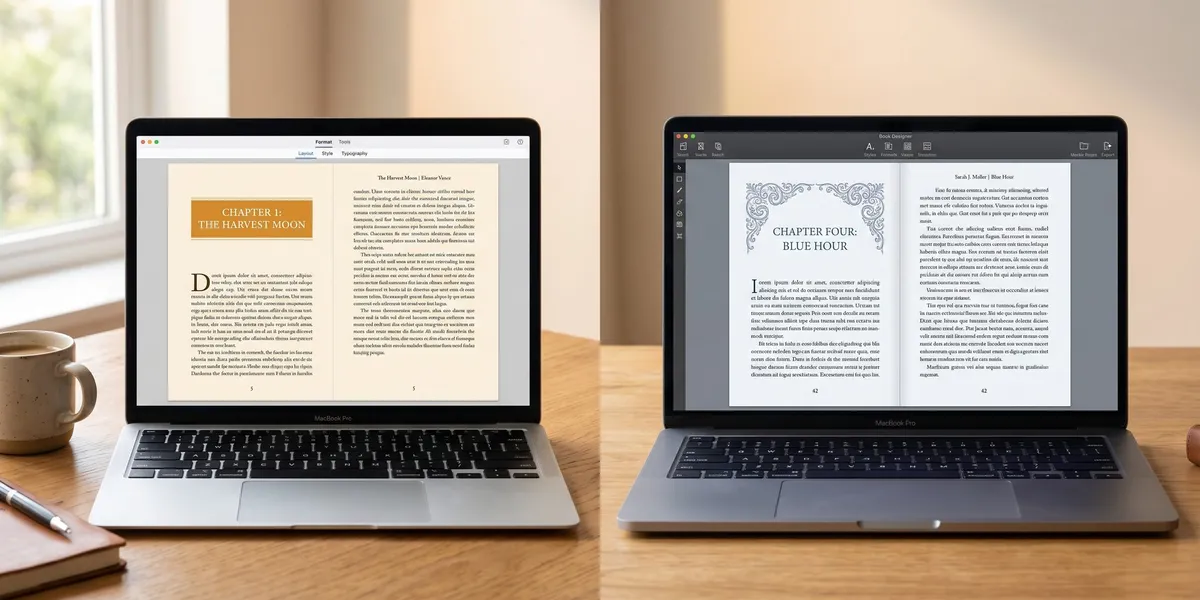
Atticus and Vellum are the two most popular book formatting tools for indie authors — but they take very different approaches to getting your manuscript print- and ebook-ready.
In this comparison, you’ll learn:
- How each tool handles formatting for ebooks and print
- Where Atticus and Vellum differ on pricing, platform support, and features
- Which tool fits your workflow, budget, and publishing goals
Here’s how they stack up side by side.
At a Glance: Atticus vs Vellum
| Feature | Atticus | Vellum |
|---|---|---|
| Price | $147 one-time | $199.99 (ebook) / $249.99 (ebook + print) |
| Platform | Windows, Mac, Linux, Chromebook | Mac only |
| Built-in Writing Editor | Yes | No |
| Font Options | 1,500+ | 26 |
| Chapter Themes | 17+ (customizable) | 26 (preset) |
| Ebook Export | EPUB, MOBI, PDF | EPUB, PDF |
| Print Export | PDF (KDP, IngramSpark) | PDF (KDP, IngramSpark) |
| Offline Use | Yes | Yes |
| Cloud Sync | Yes (cross-device) | No (local files) |
| Nonfiction Support | Strong (footnotes, callouts, tables) | Limited |
| Best For | Cross-platform authors, nonfiction, budget-conscious | Mac-only fiction authors wanting polish |
That table tells most of the story. But the details matter — especially if you’re choosing a tool you’ll use for dozens of books.
What Is Atticus?
Atticus is a combined book writing and formatting tool built by Dave Chesson of Kindlepreneur. It launched as a direct competitor to Vellum with one big difference: it works on every operating system, not just Mac.
You can write, edit, and format your book inside Atticus. It exports production-ready files for Amazon KDP, IngramSpark, and other distributors. At $147 for a lifetime license, it undercuts Vellum by over $100.
Recent updates have added text message formatting (chat-style bubbles in your book), universal book links through Booklinker, and expanded nonfiction support with better footnotes, callout boxes, and header hierarchies.
What Is Vellum?
Vellum is a dedicated book formatting application for Mac that has been the industry standard for indie author formatting since its launch. It does one thing — formatting — and does it with a polished, refined interface.
You import your manuscript (typically from Word or Scrivener), choose a style, adjust settings, and export. Vellum’s output quality is consistently praised for its clean typography and professional look, especially for fiction.
The tradeoff is clear: Vellum costs more, works only on Mac, and offers no writing or editing tools. You’re paying for formatting polish and simplicity.
Pricing: How Much Does Each Tool Cost?
Pricing is one of the biggest differences between Atticus and Vellum — and it’s not close.
Atticus charges a one-time fee of $147. That covers everything: ebook formatting, print formatting, the writing editor, and all future updates. There are no tiers, no upsells, and no subscription.
Vellum uses a tiered pricing model. Ebook-only formatting costs $199.99. Adding print formatting brings the total to $249.99. Both are one-time purchases with unlimited book exports.
If you’re on a budget — and most indie authors are — Atticus saves you $102 compared to Vellum’s full package. That money goes a long way toward cover design or editing.
Verdict: Atticus wins on price. You get more features for less money.
Platform Support: What Computers Do They Work On?
This is the dealbreaker for many authors.
Vellum only works on Mac. There is no Windows version, and the company has stated they don’t plan to build one. If you use a PC, your only option is renting a virtual Mac service — which adds $30-49/month in ongoing costs on top of Vellum’s license fee.
Atticus runs on everything. Windows, Mac, Linux, and Chromebook. It’s a web-based app that syncs across devices, so you can start formatting on your desktop and continue on a laptop. It also works offline.
If you own a Mac, you have a genuine choice between both tools. If you use anything else, Atticus is your only realistic option.
Verdict: Atticus wins. Cross-platform support isn’t a luxury — it’s table stakes for modern software.
Formatting Quality: Which Produces Better-Looking Books?
This is where things get nuanced.
Vellum’s output is gorgeous. Its 26 preset chapter themes produce clean, professional interiors that look traditionally published. The typography, spacing, and decorative elements are refined — especially for fiction. Many professional formatters still use Vellum as their primary tool.
Atticus has closed the gap significantly. Its 17+ chapter themes are customizable, and with 1,500+ fonts to choose from (vs. Vellum’s 26), you have far more creative control. For straightforward novels, both tools produce professional results. For nonfiction with complex layouts, Atticus is often the better choice.
The honest truth: if you put a Vellum-formatted novel next to an Atticus-formatted novel, most readers won’t notice a difference. The formatting quality gap that existed when Atticus launched has narrowed with each update.
Verdict: Vellum has a slight edge for fiction polish. Atticus wins for nonfiction and customization.
Writing and Editing Features
Here’s where the tools diverge most sharply.
Atticus includes a full writing editor. You can outline, draft, and edit your entire book inside the app before formatting it. It tracks word count goals, supports collaboration with editors, and integrates with ProWritingAid for grammar checking. For authors who want an all-in-one workflow, this is a significant advantage.
Vellum is formatting-only. You write your manuscript elsewhere — typically in Scrivener, Word, or Google Docs — then import it into Vellum for formatting. There’s no writing environment, no word count tracking, and no editor collaboration.
Whether this matters depends entirely on your workflow. If you already love your writing tool and just need a formatter, Vellum’s focused approach is fine. If you want to consolidate your toolchain, Atticus eliminates the need for a separate writing app.
Verdict: Atticus wins if you want an all-in-one tool. Vellum wins if you prefer dedicated tools for each job.
Ebook and Print Export Options
Both tools export production-ready files for major distributors. The differences are in the details.
Atticus exports to EPUB, MOBI (for legacy Kindle), and PDF for print. It supports KDP, IngramSpark, Draft2Digital, and other distributors. Print settings — trim size, margins, headers, footers, pagination — are handled separately from ebook formatting, which keeps things clean.
Vellum exports to EPUB and PDF. It dropped MOBI support since Amazon now accepts EPUB directly. Its print export is rock-solid, with automatic widow/orphan control and intelligent page balancing. Vellum also generates platform-specific files optimized for each retailer.
For ebook formatting, both tools handle reflowable layouts well. For print, both produce KDP-ready and IngramSpark-ready PDFs. Vellum’s automatic page balancing gives it a slight technical edge for print-heavy authors.
Verdict: Tie. Both produce professional export files for all major platforms.
Nonfiction Formatting
If you publish nonfiction, this section is the most important one for your decision.
Atticus handles nonfiction significantly better. It supports H1-H6 header hierarchies, footnotes and endnotes, callout boxes, sidebars, and complex table formatting. These features matter for textbooks, how-to guides, workbooks, and reference books.
Vellum was built for fiction first. Its nonfiction support is limited — basic headers, simple footnotes, and minimal layout options for structured content. If your book needs callout boxes, multi-level headings, or formatted tables, you’ll struggle with Vellum.
This isn’t a minor gap. For complex nonfiction projects, Atticus is the clear choice. For simple nonfiction with a linear narrative (like memoirs), either tool works fine.
Verdict: Atticus wins decisively for nonfiction.
Chapter Themes and Customization
Both tools offer pre-designed chapter themes that control how your chapter openings, headers, and decorative elements look.
Vellum offers 26 themes. They’re polished and professionally designed, but you can’t customize them beyond choosing which one to use. What you see is what you get — and what you get is consistently elegant.
Atticus offers 17+ themes with a custom theme builder. You can modify fonts, spacing, decorative elements, and layouts to create something unique. With 1,500+ fonts available, the creative ceiling is much higher.
If you want hands-off simplicity, Vellum’s curated themes are easier to work with. If you want control over every detail — or need to match a specific brand look for a book series — Atticus gives you the tools to do it.
Verdict: Depends on your preference. Vellum for curated simplicity. Atticus for creative control.
Box Sets, Parts, and Scenes
If you publish box sets, anthologies, or books with parts and scene breaks, formatting support matters.
Atticus supports box sets, parts, and scene breaks natively. You can compile multiple books into a single box set file, organize chapters under parts, and insert scene breaks with custom decorations.
Vellum also handles box sets and parts well. Its scene break formatting is clean and offers several visual options. For fiction authors publishing box sets on Kindle Unlimited, both tools do the job.
Verdict: Tie. Both handle complex book structures well.
User Experience and Performance
Day-to-day usability affects how much you enjoy (or dread) formatting.
Vellum is faster and smoother. As a native Mac app, it runs like butter. Importing a manuscript, previewing formatting, and exporting files all happen quickly with minimal lag. The interface is intuitive — most authors figure it out within minutes.
Atticus is web-based. It runs in your browser, which means it works everywhere but can feel slightly slower than a native app. Some authors report occasional clunkiness when working with very large manuscripts. The interface is more complex because it does more — writing tools, formatting tools, and collaboration features all share the same space.
For pure formatting speed and simplicity, Vellum’s focused design gives it an edge. Atticus trades some speed for versatility.
Verdict: Vellum wins on speed and simplicity. Atticus wins on versatility.
Who Should Pick Atticus?
Atticus is the better choice if you:
- Use Windows, Linux, or Chromebook — Vellum isn’t an option
- Publish nonfiction with complex formatting needs
- Want an all-in-one tool for writing and formatting
- Have a limited budget and want to save $100+
- Need cross-device access to your projects
- Publish in multiple formats and want maximum font and theme control
Who Should Pick Vellum?
Vellum is the better choice if you:
- Use a Mac exclusively and don’t need cross-platform support
- Publish fiction with standard chapter structures
- Want the fastest, simplest formatting workflow with minimal learning curve
- Already have a writing tool you love (Scrivener, Word, etc.)
- Prioritize output polish and are willing to pay more for it
Is There a Better Option Than Both?
If you’re writing a book from scratch — not just formatting a finished manuscript — there’s a third option worth considering.
Our Pick — Chapter
Chapter is an AI-powered book writing platform that handles the entire process: outlining, drafting, editing, and formatting. Instead of choosing between a writing tool and a formatting tool, you get everything in one place — with AI assistance that accelerates every step.
Best for: Authors who want to write and publish a complete book faster Pricing: $97 one time, 2 books included (fiction or nonfiction), 30-day money-back guarantee Why we built it: Most authors spend weeks switching between writing apps, formatting tools, and editors. Chapter combines all three into a single workflow — and over 2,147 authors have used it to create 5,000+ books. It’s been featured in USA Today and the New York Times.
If your main challenge is formatting a finished manuscript, Atticus or Vellum will serve you well. If you haven’t written the book yet — or want AI help with the entire process — check out Chapter.
Can You Use Atticus and Vellum Together?
Some authors use both tools in their workflow. You might write and do initial formatting in Atticus, then export and do final polish in Vellum. This approach is overkill for most projects, but it works if you want Atticus’s writing tools combined with Vellum’s output refinement.
The more common workflow is choosing one tool and sticking with it. Both offer sufficient quality for professional publishing, and switching between them adds unnecessary complexity.
How Do Atticus and Vellum Compare to Free Alternatives?
Free formatting tools like Reedsy Book Editor, Kindle Create, and Google Docs exist — but they come with tradeoffs.
Free tools typically offer limited export options, fewer design choices, and less control over typography. For your first book, a free tool can work. Once you’re publishing regularly, investing in dedicated formatting software — whether that’s Atticus at $147 or Vellum at $249.99 — pays for itself quickly in time saved and professional results.
For a deeper look at free options, check our guide to best free writing software.
The Verdict: Atticus vs Vellum
Atticus wins for most indie authors in 2026. It costs less, works on every platform, includes writing tools, and handles nonfiction better. The formatting quality gap that once justified Vellum’s premium price has largely closed.
Vellum still wins a narrow category: Mac-only fiction authors who want the fastest, most polished formatting experience and don’t mind paying more for it.
For everyone else — Windows users, nonfiction authors, budget-conscious publishers, and authors who want an all-in-one tool — Atticus is the smarter pick.
And if you’re still in the writing phase, Chapter handles writing, editing, and formatting in a single AI-powered platform — for less than either Atticus or Vellum costs.
FAQ
Is Atticus Better Than Vellum?
Atticus is better than Vellum for most authors because it costs $102 less, works on Windows, Mac, Linux, and Chromebook, and includes a built-in writing editor. Vellum remains better for Mac-exclusive fiction authors who prioritize formatting polish over features.
Does Vellum Work on Windows?
No, Vellum does not work on Windows and the company has no plans to release a Windows version. Windows users must either rent a virtual Mac service ($30-49/month) or choose an alternative like Atticus, which runs natively on all platforms.
Is Atticus Worth the Money?
Yes, Atticus is worth the $147 investment for any author publishing more than one book. It combines writing and formatting tools in a single platform, exports to all major distributors, and includes lifetime updates at no extra cost. Most authors recoup the cost within their first book.
Can I Switch From Vellum to Atticus?
Yes, you can switch from Vellum to Atticus by exporting your manuscript as a Word document or EPUB, then importing it into Atticus. Your content transfers cleanly, though you’ll need to reapply formatting choices like chapter themes and fonts in the new tool.
What Is the Best Book Formatting Software in 2026?
The best book formatting software in 2026 depends on your needs. Atticus is the best all-around choice for most indie authors. Vellum remains top-tier for Mac fiction authors. And Chapter is the best option if you want AI-assisted writing and formatting in one platform.