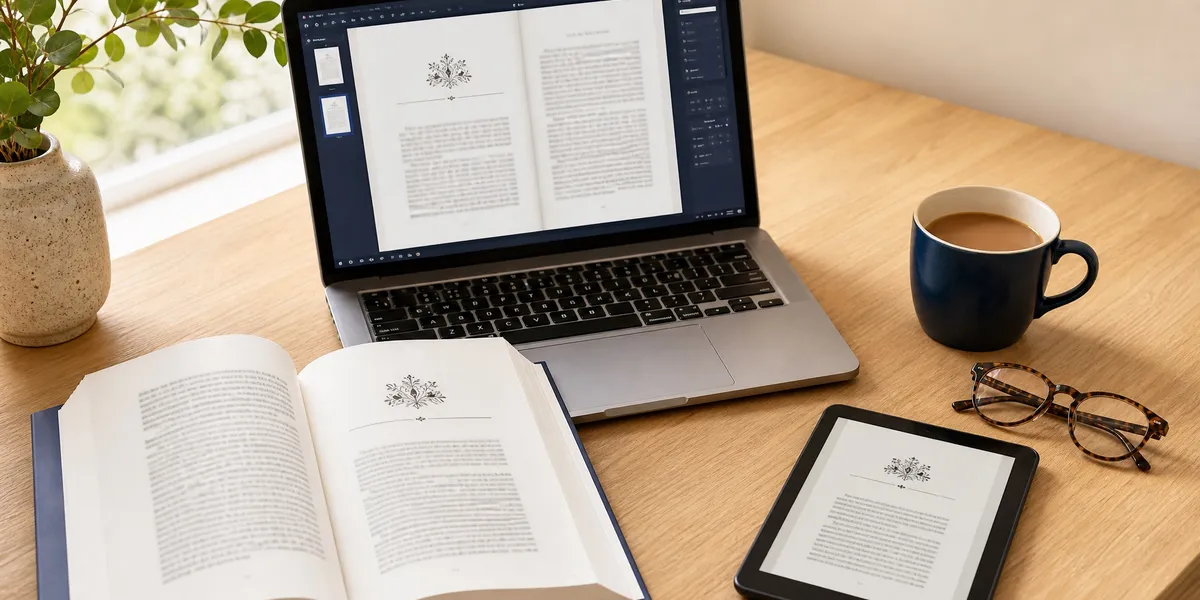
Atticus is a $147 one-time-purchase book formatting tool that also includes a basic writing editor. It is the best cross-platform formatting software available, it is genuinely worth the money if your manuscript is already finished, and it will do almost nothing for you if it is not.
That last sentence is the whole review. Everything below is the evidence.
In this Atticus review, you will get:
- What Atticus actually does, stripped of marketing language
- The five things it does better than any competitor, including ours
- The real limitations, including two that will cost you a weekend
- The total cost of an Atticus workflow, not just the sticker price
- A straight answer on who should buy it and who should walk away
Here is what you are actually buying.
What Atticus Actually Is
Atticus — A browser-based book formatting application that converts a finished manuscript into print-ready PDF and retailer-ready EPUB files, with a lightweight writing editor attached.
The order of those two things matters more than the marketing suggests. Atticus is a typesetting tool first. The writing editor exists so you do not have to leave the app, not because it competes with a real drafting environment.
It runs as a Progressive Web App, which means it works in a browser on Windows, Mac, Linux, and Chromebook, and caches locally for limited offline use. That cross-platform reach is its single most important design decision, and we will come back to why.
You pay $147 once. There is no subscription, no per-book fee, and no export limit. According to Atticus.io, the purchase includes lifetime updates and unlimited books and pen names, backed by a 30-day money-back guarantee.
What Atticus Does Well
Atticus does five things better than most of the market, and two of them it does better than anything else at any price.
Cross-platform formatting that actually looks professional
This is the headline. For years, the gold standard for indie book interiors was Vellum, and Vellum is Mac-only. Windows authors either rented a cloud Mac, borrowed a friend’s laptop, or paid a formatter $200 to $400 per book.
Atticus ended that. It ships 17 base themes with over 1,200 styling combinations, plus a custom theme builder for drop caps, ornamental scene breaks, running headers, and chapter title treatments.
The output holds up. A print PDF from Atticus uploaded to Amazon KDP looks like a book someone paid for, not like a Word document that grew up.
Genuine control over complex book structures
Most formatting tools assume you are writing a novel with 40 identical chapters. Atticus does not.
It handles volumes and parts, footnotes, H2 through H6 heading hierarchies, callout and sidebar boxes, full-bleed images, and dedicated large-print layouts. If you are formatting a cookbook, a textbook, a workbook, or nonfiction with heavy apparatus, this matters enormously.
That structural range is the reason it beats the simpler one-click formatters. Our large print book formatting guide covers why that particular feature is worth more than authors expect.
Device preview before you commit
Atticus previews your book as it will render on iPhone, iPad, Kindle Paperwhite, Kindle Oasis, and Galaxy devices, side by side.
This is not a gimmick. Ebook rendering differs meaningfully across readers, and catching a broken scene break on a Kindle preview before upload saves a re-upload cycle and a 72-hour review wait. The ebook formatting guide explains what usually breaks and why.
One-time pricing with no meter running
$147, once, forever. No subscription. No credit balance. No API fees layered on top.
In a software category drifting almost universally toward $20 to $60 per month, buying a tool outright and owning it is increasingly rare. Over a five-year publishing career, Atticus costs less than three months of most subscription writing suites.
No AI anywhere in the pipeline
Atticus has no AI writing features at all. For most authors that is a gap. For some, it is the entire selling point.
If you write literary fiction, submit to contests with AI-disclosure rules, work under a traditional publishing contract with AI clauses, or simply want a tool that does not touch your prose, Atticus is a clean, uncomplicated answer. Every word in the file is yours because the software cannot produce any.
What Atticus Does Not Do Well
Now the honest part. These are real, they are documented, and two of them have cost authors actual deadlines.
The writing editor is not a writing tool
Atticus markets itself as an all-in-one writing and formatting solution. The formatting half is excellent. The writing half is a text box with chapter drag-and-drop, a word counter, and goal tracking.
There is no corkboard, no research pane, no split-screen document comparison, no version snapshots, and no compile settings. If you are used to Scrivener or a full drafting environment, you will find Atticus thin and go back to your old app. Most authors who buy Atticus draft elsewhere and import a DOCX.
Stability is its persistent weak point
This is the complaint that shows up most consistently in independent reviews. Multiple 2026 reviews, including a detailed hands-on review from Kindlepreneur and one from Publishing.co.uk, document PDF exports hanging, sync errors, and occasional EPUB files rejected on first upload.
It is not constant, and it is not most projects. But it is frequent enough that experienced Atticus users keep manual DOCX backups and never leave export until the night before launch.
Offline mode is limited, not real
The Progressive Web App caches for offline work, but it is not an installed desktop application. Sync conflicts happen. Exports generally want a connection. If you write on planes or in places with unreliable internet, plan around this rather than trusting it.
Missing pieces for professional print
Atticus does not generate EAN-13 barcodes, so you source those separately. It also does not export PDF/X-1a, which offset printers and some IngramSpark workflows expect. For KDP print-on-demand this never comes up. For an offset run of 2,000 copies, it means a post-processing step.
It cannot help you finish the book
This is the largest limitation and the one Atticus never claims to solve. Atticus is downstream of the actual problem. It assumes a finished manuscript exists.
Most authors who never publish do not fail at formatting. They fail at the 60,000 words before it.
How the Atticus Workflow Actually Works
The Atticus workflow has four steps, and knowing them up front tells you whether the tool fits how you already work.
Step one — import. You upload a DOCX. Atticus splits it into chapters based on your heading styles. If your manuscript uses proper Heading 1 styles for chapter titles, this takes seconds. If you formatted chapter titles by hand with bold text and centered alignment, you will spend an hour splitting chapters manually.
That single detail decides whether your first Atticus session takes ten minutes or an afternoon. Style your headings properly before you import.
Step two — front and back matter. You add title page, copyright page, dedication, acknowledgements, and author bio through structured templates rather than typing them into the manuscript. Atticus places them correctly and handles the page numbering conventions that trip up manual formatting.
Step three — theme. You pick a base theme and adjust. This is the enjoyable part and also the part that eats time, because 1,200 combinations is a lot of rope. Experienced users pick a theme in five minutes and move on. First-time users lose two hours to drop cap variations.
Step four — export and check. You export PDF for print and EPUB for ebook, then check both. Always open the print PDF at full size and page through it before uploading. Atticus occasionally produces a widow, orphan, or awkward page break that looks fine in preview and obvious in the final file.
For the KDP-specific requirements on trim size, bleed, and margins, our guide to formatting a book for KDP covers the settings Atticus asks you for.
How Long Does It Take to Format a Book in Atticus?
Formatting a book in Atticus takes two to four hours for your first book and 30 to 60 minutes for every book after that. The first project carries the learning curve — chapter splitting, theme selection, and front matter setup. Once you have a theme you like, you can reuse it across your entire catalogue.
That compares favourably to the three to ten business days a freelance formatter typically quotes, which is the real argument for owning the tool if you publish on a schedule.
How the Pricing Compares
The sticker price is not the workflow cost. Here is what the full stack actually costs.
| Tool | Price | What it covers | What you still need |
|---|---|---|---|
| Chapter (our product) | $97 one-time | Manuscript generation, structure, KDP-ready export | Interior design polish for complex layouts |
| Atticus | $147 one-time | Formatting, export, basic editor | A finished manuscript, barcode, PDF/X-1a |
| Vellum | $249 (ebook + print) | Formatting, export, Mac only | A Mac, a finished manuscript |
| Scrivener | $59.99 | Drafting, research, organization | A separate formatting tool |
| Freelance formatter | $200 to $400 per book | Formatting, per book | A finished manuscript, every time |
The honest read on Atticus at $147: if you publish more than one book, it beats a freelance formatter on the second title and every title after. If you publish exactly one book and it has a simple layout, a $250 formatter with no learning curve may genuinely be the better deal.
Realistically, most authors end up buying two tools. A drafting environment and a formatting environment. Our book formatting software comparison breaks down that split in more detail, and the Atticus vs Vellum comparison covers the head-to-head if you are choosing between the two formatters specifically.
What Real Users Say
Independent review aggregation across G2, Capterra, and Trustpilot puts Atticus in the 4.4 to 5 out of 5 range as of mid-2026, which is high for a tool with documented stability issues.
The pattern in the reviews is consistent and worth naming. Authors love the output and tolerate the process. Reedsy’s review and the Book Design Templates assessment both land on a version of the same verdict — strong formatting at a fair price, with a basic editor that will not replace your primary writing app.
That is the fairest one-line summary of Atticus that exists, and it comes from reviewers with no reason to be kind.
Who Should Buy Atticus
Buy Atticus if you fit one of these:
- You have a finished manuscript and a Windows or Linux machine. This is the clearest case in the entire market. Vellum is unavailable to you and Atticus is the best remaining option by a wide margin.
- You publish more than one book. The per-book economics beat hiring a formatter from title two onward.
- Your book has a complex interior. Cookbooks, workbooks, textbooks, illustrated nonfiction, and large-print editions are where Atticus earns its price.
- You want zero AI involvement in your prose. Atticus has none, by design.
- You already draft in Scrivener, Word, or Google Docs and just need the last mile. Import DOCX, format, export. This is the workflow Atticus was built for.
Who Should Not Buy Atticus
Skip Atticus if any of these describe you:
- Your manuscript is not finished. Buying a formatting tool to motivate yourself to write is a well-documented way to spend $147 on procrastination. Formatting is a two-day problem. Writing is a six-month one.
- You are on a Mac and want the best possible output regardless of price. Vellum is still marginally cleaner out of the box. Pay the extra $102 and skip the learning curve.
- You are publishing exactly one simple novel. A $250 freelance formatter delivers a finished file with no software to learn.
- You want an AI writing assistant. Atticus does not have one and is not adding one.
- You need PDF/X-1a for an offset print run. Budget a post-processing step or use a professional service.
Where Atticus Beats Chapter
We build Chapter, so treat this section with appropriate skepticism. We are also not going to pretend Atticus loses on everything, because it does not.
Atticus is straightforwardly better than Chapter at three things:
Interior typesetting control. Chapter produces KDP-ready export files. Atticus produces designed book interiors. Those are different products. If you want a specific drop cap, a custom ornamental scene break, precise gutter margins for a 500-page trim size, or a running header that changes between parts, Atticus gives you that control and Chapter does not.
Complex layouts. Full-bleed images, callout boxes, footnote handling, and large-print editions are Atticus features. If you are writing a cookbook or an illustrated workbook, Atticus is the right tool and we would tell you so.
Total author control over every word. Chapter generates prose that you then edit. Atticus never writes anything. For authors who want no AI in the manuscript at all, that is not a limitation to work around — it is the requirement, and Atticus meets it cleanly.
We would rather say that plainly than lose your trust over it.
The Alternative We Built
Our Product — Chapter
Chapter generates a complete, structured manuscript from your idea, then exports files ready for KDP upload. It solves the part of publishing that stops most people — producing the book — rather than the part that stops almost nobody.
Best for: Authors who do not yet have a finished manuscript Pricing: $97 one time, 2 books included (fiction or nonfiction), 30-day money-back guarantee Why we built it: Formatting tools assume the hard part is already done. For most aspiring authors, it is not.
The honest positioning is this. Atticus and Chapter solve adjacent problems, and which one you need depends entirely on where you are stuck.
If you have 80,000 finished words sitting in a DOCX, Chapter is the wrong purchase. Buy Atticus. We mean that.
If you have an idea, an outline, or a half-finished draft that has not moved in eight months, Atticus will not help you. It will format the nothing you have very attractively. Chapter builds the structural framework first, then writes the prose, which is why the output reads like a book rather than a long article. Over 2,147 authors have used it to produce 5,000-plus books, and the approach has been covered in USA Today and the New York Times.
Chapter also produces KDP-ready files, which covers the standard novel or business book without a second tool. For a straightforward interior, that is the whole workflow at $97 instead of $244.
Where authors buy both — and plenty do — the sequence is Chapter to write and export, then Atticus if the book needs real interior design. That is a legitimate stack, and $244 total for a publishable book is still less than a single freelance formatting pass.
If you want the fuller picture on how AI drafting actually works in practice, our guide to writing a book with AI walks through the workflow, and the self-publishing guide covers everything downstream of the manuscript.
Try Chapter for nonfiction ($97) | Try Chapter for fiction
FAQ
Is Atticus worth $147?
Atticus is worth $147 if you have a finished manuscript and publish on Windows, Linux, or Chromebook, where it is the best formatting option available. It is not worth $147 if your book is unwritten, since Atticus formats manuscripts rather than producing them.
Is Atticus better than Vellum?
Atticus is better than Vellum on price ($147 versus $249) and platform support, since Vellum is Mac-only. Vellum still produces marginally cleaner default output with a smoother workflow. On a Mac with budget to spare, Vellum wins. Everywhere else, Atticus wins.
Can Atticus replace Scrivener?
Atticus cannot fully replace Scrivener for drafting. Its editor lacks a corkboard, research pane, version snapshots, and compile settings. Most authors draft in Scrivener or Word, then import a DOCX into Atticus purely for formatting and export.
Does Atticus have AI writing features?
Atticus has no AI writing features as of August 2026. It offers no generation, rewriting, or AI editing tools of any kind. This is a deliberate design choice and a genuine advantage for authors under contest or publisher AI-disclosure rules.
Does Atticus work offline?
Atticus works offline only partially. It is a Progressive Web App that caches locally, not an installed desktop application. Sync conflicts and export failures are documented when connectivity is unreliable, so keep manual DOCX backups if you write without internet.
Is there an Atticus free trial?
Atticus has no free trial. It offers a 30-day money-back guarantee, no questions asked, which functions as a trial with the purchase up front. Format a real chapter within that window rather than only exploring the interface.