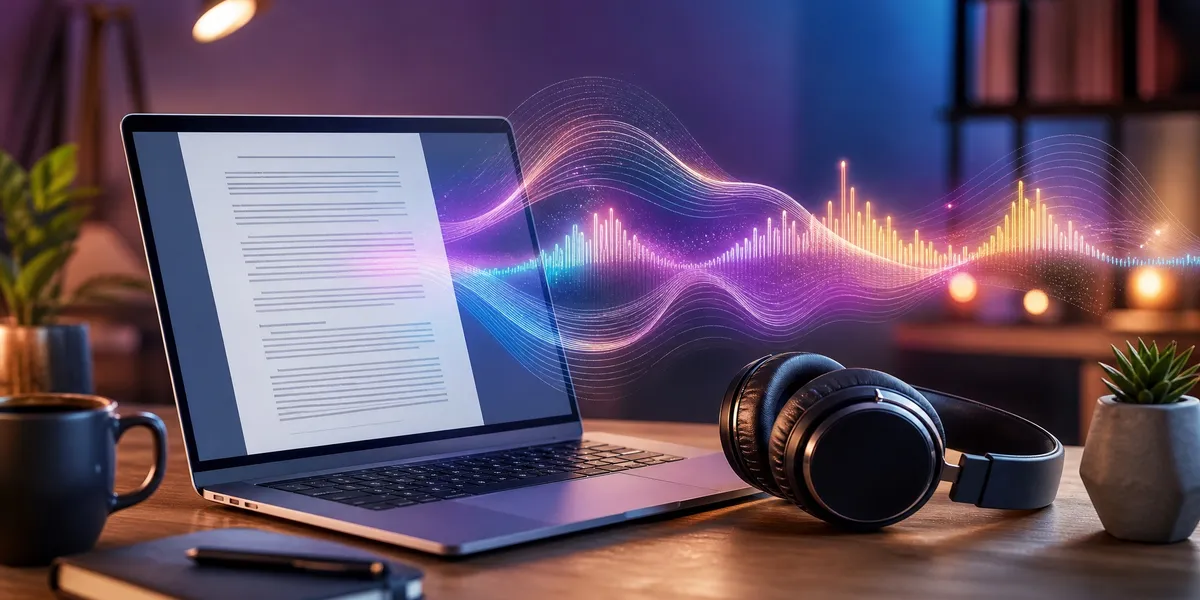
You can turn any PDF into a professional-sounding audiobook in under an hour using AI narration tools — no recording studio, no voice actor, no technical skills required.
In this guide, you’ll learn:
- How to extract clean text from any PDF (including scanned documents)
- Which AI voices sound most natural for long-form audiobook narration
- The exact step-by-step process from PDF upload to finished audio file
- How to format and distribute your audiobook on major platforms
Here’s how to make an audiobook from a PDF, start to finish.
Can You Really Make an Audiobook From a PDF?
Yes — and it’s easier than most people think. Modern AI text-to-speech tools can convert a PDF manuscript into narrated audio that sounds remarkably close to human narration. The technology has improved dramatically since 2024, with current AI voices handling breathing, emphasis, emotional tone, and pacing naturally.
The cost difference is staggering. Traditional audiobook production with a human narrator runs $1,000 to $5,000 for a typical 10-hour book. AI narration costs between $8 and $99 for the same length — a 90%+ reduction.
Whether you’re an author who wants to expand into audio, a student converting textbooks for study, or someone who simply prefers listening over reading, the process follows the same basic steps.
Step 1: Prepare Your PDF for Conversion
The quality of your audiobook depends heavily on how clean your source PDF is. A well-formatted PDF produces smooth, natural narration. A messy one creates awkward pauses, mispronunciations, and skipped content.
Check Your PDF Type
Your PDF falls into one of two categories, and each needs different handling:
- Text-based PDFs contain selectable, copyable text. These convert directly — just upload and go.
- Scanned/image-based PDFs are essentially photographs of pages. These need OCR (Optical Character Recognition) processing first to extract the text.
To check which type you have, try selecting text in your PDF viewer. If you can highlight individual words, it’s text-based. If the entire page selects as one block (or nothing selects at all), it’s scanned.
Clean Up Before Converting
Before uploading your PDF, take five minutes to fix common issues that trip up AI narrators:
- Remove headers and footers — Page numbers and running headers get read aloud as part of the text, breaking the flow.
- Delete table of contents pages — The narrator will read every page number and chapter title awkwardly.
- Check for special characters — Symbols, footnote markers, and URLs often produce garbled narration.
- Simplify complex tables — AI narrators struggle with multi-column tables. Convert them to descriptive text if possible.
- Remove hyperlinks — Long URLs get read character by character, which sounds terrible in audio.
If your manuscript started as a Word document, you’ll get better results converting from the original .docx file rather than the PDF. Most AI narration tools accept both formats.
Step 2: Choose the Right AI Voice for Your Audiobook
Picking the right voice is the single most important decision in this process. A great voice makes listeners forget they’re hearing AI. A bad one makes them hit stop within 30 seconds.
Best AI Voice for Audiobooks in 2026
Here are the top AI narration platforms, ranked by voice quality for long-form audio:
Our Pick — Chapter
If you’re writing your book from scratch, Chapter helps you go from idea to finished manuscript — and from there, converting to audiobook is straightforward. Write your book with AI assistance, export a clean PDF or manuscript file, and feed it directly into any narration tool below.
Best for: Authors who want to write AND produce their book in one workflow Pricing: $97 one time, 2 books included (fiction or nonfiction), 30-day money-back guarantee Why we built it: Most people searching “how to make an audiobook from a PDF” have a manuscript that needs both editing and audio conversion — Chapter handles the writing side so you can focus on production.
Top AI Narration Tools for PDF-to-Audiobook
| Tool | Best For | Voice Count | Price Range |
|---|---|---|---|
| ElevenLabs | Fiction with dialogue | 100+ custom | $5-$99/mo |
| Murf AI | Full customization | 200+ voices | $23-$79/mo |
| Speechify | Beginners | 1,000+ voices | Free-$139/yr |
| NaturalReader | Multilingual books | 140+ voices | Free-$99/yr |
| Google Play Auto-Narration | Free ebook conversion | Limited | Free |
| Narakeet | Budget projects | 900 voices | Pay-per-use |
ElevenLabs produces the most natural-sounding narration in blind listening tests. Their models handle fiction dialogue convincingly, with noticeable shifts in tone between narration and character speech. Voice cloning lets you create a unique voice for your book.
Murf AI stands out for customization depth. The “Say It My Way” feature lets you record your own rendition of a line — the AI then replicates your exact intonation, pace, and emphasis. Over 200 voices across multiple languages.
Speechify is the easiest option for beginners. Upload your PDF, pick a voice, and listen immediately. The free tier works for personal use, but their terms restrict commercial audiobook distribution even on paid plans — check the fine print.
NaturalReader handles multilingual content well with 140+ voices across 25+ languages. The free version limits you to three English voices.
For a deeper comparison of all available tools, see our full AI audiobook generator guide.
Step 3: Extract Text and Upload Your PDF
Once you’ve chosen your tool, the actual conversion process is surprisingly simple. Most platforms follow the same workflow.
For Text-Based PDFs
- Upload your PDF directly to the narration platform. Most accept files up to 100MB.
- Review the extracted text in the editor. Check for formatting artifacts — extra line breaks, merged paragraphs, or missing punctuation.
- Fix any errors before generating audio. It’s much faster to edit text than to re-generate hours of narration.
For Scanned PDFs (OCR Required)
- Run OCR first using Adobe Acrobat, Google Docs, or a dedicated OCR tool.
- Proofread the OCR output — scanned documents often produce errors with unusual fonts, handwriting, or low-quality scans.
- Export as clean text or .docx, then upload to your narration tool.
A critical detail most guides skip: font size consistency matters for OCR accuracy. In most documents, the important content shares a similar font size and family. Headings are bigger and bolder, while page numbers and captions are smaller. Smart OCR tools focus on the main content automatically, but cheaper tools may jumble everything together.
Step 4: Configure Voice Settings and Generate Audio
This is where your audiobook comes to life. Don’t just hit “convert” with default settings — a few adjustments make a dramatic difference.
Voice Settings That Matter
- Speed: Most audiobook listeners prefer 1.0x to 1.1x speed for fiction and 1.1x to 1.3x for nonfiction. Set your base speed accordingly.
- Pitch: A slightly lower pitch generally sounds more authoritative for nonfiction. For fiction, match the pitch to your narrator character.
- Emotion/tone: Modern AI voices (especially ElevenLabs and Murf) offer emotion controls. For memoirs, dial up warmth. For thrillers, increase intensity.
- Pauses: Add longer pauses between chapters and sections. Most tools let you insert custom breaks.
Chapter-by-Chapter vs. Full-Book Conversion
For books under 30,000 words, full-book conversion usually works fine. For longer works, convert chapter by chapter. This gives you:
- Better quality control per section
- Easier editing if something sounds wrong
- Smaller file sizes to work with during review
- The ability to adjust voice settings per chapter (useful for books with multiple POV characters)
Audiobook Narration Tips for Better Results
Mark dialogue clearly. AI narrators handle dialogue better when quotation marks are consistent and dialogue tags (“she said,” “he whispered”) are present. If your manuscript uses em-dashes or unconventional formatting for speech, the AI may not distinguish character voices properly.
Break up long paragraphs. Dense blocks of text produce monotone narration. Shorter paragraphs give the AI natural breathing points and tonal variation.
Spell out abbreviations. “Dr.” should be “Doctor.” “St.” should be “Street” or “Saint” depending on context. AI voices have improved at handling abbreviations, but explicit text always produces cleaner audio.
Add pronunciation guides. For character names, place names, or invented words (common in fantasy novels), most tools let you add custom pronunciation rules. Do this before generating — re-recording because “Caelestria” is mispronounced throughout 12 chapters is painful.
Step 5: Review and Edit Your Audio
Never publish AI-generated audio without reviewing it. Even the best tools produce occasional issues.
What to Listen For
- Mispronounced words — especially proper nouns, technical terms, and foreign words
- Awkward pacing — sentences that run together or have unnatural pauses
- Tone mismatches — the narrator sounding cheerful during a sad scene, or flat during an exciting one
- Artifacts — clicks, pops, or digital glitches (rare in 2026 tools, but they happen)
- Skipped content — sections the tool missed during conversion
Listen at 1.5x speed to save time during review. You’ll catch pronunciation and pacing issues just as easily at faster playback.
Editing Options
Most narration platforms include basic audio editors. For more control, export individual chapters and edit in free tools like Audacity or GarageBand. Common edits include:
- Trimming silence at chapter beginnings and endings
- Adjusting volume levels between chapters for consistency
- Adding room tone (subtle background ambiance) to eliminate the “too clean” digital sound
- Inserting chapter markers for player navigation
Audiobook File Format Requirements
The standard audiobook format is M4B — it supports chapter markers, bookmarks, and cover art, which MP3 does not. However, distribution platforms each have their own requirements.
| Platform | Preferred Format | Sample Rate | Bit Rate | Max File Size |
|---|---|---|---|---|
| ACX (Audible) | MP3 | 44.1 kHz | 192 kbps | 170 MB/file |
| Findaway Voices | WAV or FLAC | 44.1 kHz | N/A | No limit |
| Google Play | M4B or MP3 | 44.1 kHz | 128+ kbps | 2 GB |
| Apple Books | M4B | 44.1 kHz | 256 kbps | 2 GB |
| Kobo | MP3 | 44.1 kHz | 128+ kbps | No limit |
Key details:
- MP3 is the most universally compatible format. Every platform accepts it.
- WAV offers the highest quality but creates massive files (roughly 10x larger than MP3).
- M4B is purpose-built for audiobooks — it supports bookmarks so listeners can resume where they left off.
- FLAC provides lossless compression — studio quality at smaller file sizes than WAV.
ACX has the strictest requirements. Each file must be between 3 and 120 minutes, include 0.5 to 1 second of room tone at the beginning and end, and meet specific RMS and peak level targets. Their audio submission requirements page details every specification.
For a complete breakdown of where to distribute, check our ACX alternatives guide and audiobook pricing guide.
How Long Does the Audiobook Production Timeline Take?
Most authors can go from PDF to finished audiobook in 2-8 hours using AI narration. Here’s a realistic timeline for a 50,000-word book (roughly 6 hours of audio):
| Step | Time Estimate |
|---|---|
| PDF preparation and cleanup | 30-60 minutes |
| Voice selection and testing | 15-30 minutes |
| AI narration generation | 30-90 minutes |
| Review and quality check | 2-4 hours |
| File formatting and export | 15-30 minutes |
| Total | 3.5-7 hours |
Compare that to traditional audiobook production: hiring a narrator (2-4 weeks of searching), recording (40+ studio hours for a 6-hour book), editing and mastering (20+ hours), and quality review (another week). The traditional timeline runs 2-3 months minimum.
The AI approach compresses months into a single afternoon. Even with careful review and re-generation of problem sections, you can have a distribution-ready audiobook within a day.
How to Distribute Your Finished Audiobook
Once your audiobook files are polished and formatted, you need to get them onto platforms where listeners can find them.
Major Distribution Channels
- ACX/Audible — The largest audiobook marketplace. Offers exclusive (40% royalty) or non-exclusive (25% royalty) distribution. Read our full ACX breakdown.
- Findaway Voices (INaudio) — Distributes to 40+ platforms including libraries. 80% royalty with no exclusivity requirement. The best option for going wide.
- Google Play Books — Offers free AI auto-narration if you have an ePub. Otherwise, upload your own audio files.
- Apple Books — Direct upload through Apple Books for Authors. 52.5% royalty rate.
- Kobo — Growing audiobook marketplace, especially strong in Canada and international markets.
For most indie authors, the smartest strategy is distributing through Findaway Voices for wide reach while separately uploading to ACX non-exclusive for Audible presence. This gives you maximum coverage without locking your audiobook rights into a 7-year exclusive deal.
Pricing Your Audiobook
Audiobook pricing depends on your runtime and distribution platform. Most self-published audiobooks sell best between $14.95 and $24.95. Our complete audiobook pricing guide covers platform-specific pricing strategies, credit-based models, and how to maximize your per-sale royalty.
Should You Use AI Narration or Record It Yourself?
This is the big question every author faces. Here’s a honest comparison.
Choose AI narration if:
- Your budget is under $500
- You need the audiobook produced quickly (days, not months)
- Your book is nonfiction, self-help, or business content
- You don’t have a strong preference for a specific voice
- You want to test whether an audiobook version of your book sells before investing in professional production
Choose self-recording or hiring a narrator if:
- Your book is fiction with extensive dialogue and multiple characters
- Voice performance is central to the reader experience (memoir, poetry)
- You plan to submit for audiobook awards
- Your budget allows $2,000-$5,000 for professional production
- You want complete creative control over every inflection
If you’re considering self-recording, you’ll need the right equipment. Our best microphone for audiobook recording guide covers everything from budget USB mics to professional condenser setups.
The middle ground that’s becoming increasingly popular: use AI narration for your first audiobook release, gauge listener response and sales, then invest in professional narration for a second edition if the book performs well. This approach eliminates the financial risk of a $3,000+ production for a book that might sell 50 copies in audio.
Common Mistakes to Avoid
- Skipping the PDF cleanup step — Dirty source files produce embarrassing narration errors. Headers, page numbers, and URLs read aloud destroy the listening experience.
- Choosing a voice based on a 10-second sample — Listen to at least 2-3 minutes of continuous narration before committing. Many voices sound great in short clips but become grating over hours.
- Ignoring platform-specific file requirements — ACX will reject your files if they don’t meet exact technical specifications. Format correctly the first time.
- Publishing without a full listen-through — Even one mispronounced character name repeated 200 times will tank your reviews.
- Using Speechify for commercial audiobooks — Their terms of service restrict commercial use. Audio generated through Speechify cannot legally be sold as audiobooks, even on paid plans. Read the fine print.
Can You Make Money Selling AI-Narrated Audiobooks?
Yes — if you own the content rights and use the right tools. The audiobook market continues to grow, and listeners increasingly accept AI narration for nonfiction and certain fiction genres.
More than 10,000 authors have used Chapter to write books. Many of those authors have expanded into audiobook editions, adding a revenue stream that requires minimal additional investment.
One author generated $13,200 from a single book launch. Another made $60,000 in 48 hours. Adding an audiobook version to an existing title increases your total addressable market — roughly 50% of book consumers now listen to audiobooks at least occasionally.
The key is owning your content. If you wrote the book (or wrote it with AI assistance), you hold the rights to create an audiobook edition. Just make sure your AI narration tool’s license permits commercial distribution of the generated audio.
FAQ
How Do You Convert a PDF to an Audiobook for Free?
You can convert a PDF to an audiobook for free using Google Play Books’ auto-narration feature, which converts ePub files into narrated audio at no cost. Other free options include NaturalReader’s free tier (limited to three voices), Adobe Acrobat Reader’s Read Out Loud feature, and macOS Preview’s built-in speech function via System Settings > Accessibility > Spoken Content. Free tools work well for personal listening but may restrict commercial distribution.
What Is the Best AI Voice for Audiobook Narration?
The best AI voice for audiobook narration in 2026 is ElevenLabs for fiction and Murf AI for nonfiction. ElevenLabs produces the most natural-sounding dialogue and character voice differentiation. Murf AI offers the deepest customization options, including the ability to record your own line readings and have the AI replicate your exact intonation. Both platforms support voice cloning for a fully personalized narrator.
How Long Does It Take to Turn a PDF Into an Audiobook?
Turning a PDF into an audiobook takes 2 to 8 hours using AI narration tools, depending on book length and how thorough your review process is. A 50,000-word book (roughly 6 hours of audio) typically requires 30-60 minutes for PDF preparation, 30-90 minutes for AI generation, and 2-4 hours for quality review. Compare that to 2-3 months for traditional production with a human narrator.
Is It Legal to Create an Audiobook From a PDF?
Creating an audiobook from a PDF is legal if you own the rights to the content or have permission from the rights holder. Authors converting their own manuscripts have full rights to produce audiobook editions. Converting copyrighted material you didn’t write (like a published book you bought) for personal listening falls under fair use in most cases, but distributing or selling that audio would be copyright infringement.
What Audio Format Should I Use for My Audiobook?
The best audio format for audiobooks is M4B because it supports chapter markers and bookmarks — features listeners expect. For maximum platform compatibility, export as MP3 at 44.1 kHz and 192 kbps, which every major distributor accepts. If you’re targeting ACX specifically, follow their strict requirements: MP3 format, 192 kbps, with 0.5-1 second of room tone at the start and end of each file.