novelWriter is a free, open-source novel editor for Windows and Linux that stores your book as plain text files. It is one of the best-maintained free writing apps available, with steady releases through 2026. It also asks you to learn a little markup, and it no longer ships a Mac app.
If you write fiction, like simple text, and want your notes cross-referenced against your scenes, it costs nothing to try. If you want a polished word processor, a mobile app, or help getting the words written, look elsewhere.
In this novelWriter review, you’ll get:
- What novelWriter actually does, checked against its official site, documentation and code repository as of November 2026
- The real limitations, including the Mac situation the developers describe on their own download page
- What the few published novelWriter reviews say
- Where novelWriter beats our own product, and where it doesn’t
Here is the honest assessment.
What novelWriter Actually Is
novelWriter — A free desktop text editor for planning and writing novels as many small plain text documents, released under the GNU General Public License v3 and built in Python with the Qt toolkit.
The official site calls it a plain text editor for novels. Veronica Berglyd Olsen started it in 2018 while she was a postdoc at CERN, because the good fiction tools she found had dropped Linux. In 2026 the project moved to a small group called The Saga Software Project.
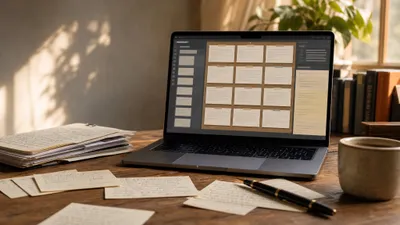
You get a project tree on the left, a text editor in the middle, and an optional viewer on the right for reading your notes while you write. Formatting uses Markdown-style marks such as **bold** and _italic_, and headings define your chapters and scenes.
A note on method: we built this review from novelWriter’s website, its documentation, its GitHub releases and commit history, and published user reviews. We cite every claim. Where we could not confirm something, we say so.
What novelWriter Does Well
novelWriter is strongest at keeping a big, messy novel organised without forms, databases or lock-in. Its tags system and its build tool do things most free editors don’t even attempt.
Tags and references instead of forms. You create a character note and give it a tag like @tag: Jane. Then, in any scene, you write @pov: Jane or @location: Harbour. The Tags and References documentation calls this “one of the core features” and lists keywords for point of view, focus character, other characters, plots, time, locations, objects and more.
An outline built from your own text. Those references feed an Outline View that shows every chapter and scene with its synopsis, characters and locations in columns. You never fill in a separate spreadsheet. If you outline a novel as you go, the outline stays in sync with the draft.
Clickable cross-references. Tags are clickable in the viewer and control-clickable in the editor. Any note you open shows a list of every scene that points back to it, so you can check where a character has appeared in seconds.
A serious export tool. The Manuscript Build tool assembles your documents into one file. It writes Open Document (.odt and .fodt), Word (.docx), PDF, HTML, Markdown, its own markup format, and since September 2026, EPUB. You can save several build definitions, such as a full manuscript, an outline of your notes, or a character bible.
Plain text files you own. Each document is a small text file in your project folder, plus an XML project file. The storage docs explain that this makes the project easy to sync between computers and suitable for version control such as Git.
Built-in backups. If you set a backup folder, novelWriter writes a date-stamped zip of your project every time you close it, according to the project settings docs. You can also run a backup manually from the Tools menu.
Writing goals and session stats. Release 2026.2 added project writing goals with colour-coded daily progress bars. novelWriter also logs every writing session, including idle time, and can show your dialogue-to-prose ratio for the manuscript.
Comfort features. You get Focus Mode (F8), dark and light themes, colour-blind-friendly themes added in 2026.1, dialogue highlighting, spell checking, Vim mode, and split-and-merge tools for documents.
What novelWriter Does Not Do Well
This section matters more than the last one. novelWriter’s limits are real, and several of them are deliberate design choices you have to accept.
No current Mac app. The download page says macOS releases are discontinued for now because no one is available to maintain them. The last Mac installers shipped with version 2.8.2 in January 2026. On a Mac today, you install the Python package with pipx and run it from there, which is fine for developers and a wall for most novelists.
You write in markup, not a word processor. novelWriter is not “what you see is what you get”. Headings start with #, comments start with %, and metadata lines start with @. A formatting toolbar and auto-complete help, but the editor never looks like a finished page.
Fiction only, by design. The introduction says novelWriter is “not suitable for technical writing” and is not meant for organising research. Its notes are mainly for character profiles and plot outlines, and the docs recommend a separate note-taking tool for research.
The tags system has a learning curve. The documentation itself admits the system is “not always obvious to new users” and suggests creating the example project to see it working. Expect an evening of setup before it pays off.
Basic export styling. The docs describe the Word file as “a fairly basic format” and the HTML and EPUB files as having minimal styling. That’s fine for a submission manuscript, but you will still need a formatting tool for a print-ready interior.
No import from other apps. We found no tool in the documentation for importing Word or Scrivener projects. Moving an existing book in means pasting it in and splitting it into documents yourself.
No mobile, no sync service, no collaboration, no AI. There is no Android or iOS app, no built-in cloud sync, and no shared editing. Sync works only through your own tool, such as Dropbox or Git. And novelWriter will not write a sentence for you.
Upgrades are one-way. The 2026.2 release notes warn that it upgrades your project format, after which older versions can’t open it. Keep a backup before each major update.
Is novelWriter Still Maintained?
Yes, and actively. The GitHub repository received commits in mid-November 2026, and version 2026.2 Patch 3 shipped on November 14, 2026. A release candidate for version 2026.3 followed the next day.
The release history lists eleven major releases since version 2.0 in November 2022, most with several patches. The 2026.3 release candidate notes add a new Story View to replace the Outline panel, basic right-to-left language support, lists, and new page layout options for printing.
The repository has about 3,200 GitHub stars and about 90 open issues as of November 2026. One maintainer still writes most of the code, which is the main long-term risk, but the move to a project organisation was made to bring in more collaborators.
How the Pricing Compares
novelWriter is free. There is no paid tier, no subscription and no account. The GPL v3 licence lets you use, copy and change it, and the project accepts donations through Ko-fi.
Your real costs are time and setup. You learn the markup and the tags. On a Mac, you need a working Python environment. You also provide your own backup destination and sync tool.
| Tool | Price (as published) | Writes prose for you | Platforms |
|---|---|---|---|
| Chapter (Our Product) | $97 one time, 2 books | Yes | Web |
| novelWriter | Free (GPL v3) | No | Windows, Linux; Mac via Python |
| Scrivener | From $59.99 one time | No | Mac, Windows, iOS |
| Manuskript | Free (GPL v3) | No | Windows, Linux; Mac from source |
| bibisco | Free Community Edition; $69 Supporters Edition | No | Windows, Mac, Linux |
For more options at no cost, see our best free writing software roundup.
What Real Users Say
There are very few formal novelWriter reviews. Most opinion lives on AlternativeTo, personal blogs and the project’s own GitHub Discussions.
- AlternativeTo shows 35 likes and three written reviews as of November 2026. A February 2026 reviewer praised the export formats, themes, offline use and time tracking on Windows 11 and Linux. A 2020 reviewer liked that metadata stays out of the finished text. A 2023 reviewer could not run it on Windows 7, which the current installer no longer supports anyway (it needs Windows 10 or newer).
- A Fedora Linux blogger published a novelWriter tutorial and review in August 2026 after switching from LibreOffice. The post praises the split files and word counts, but finds the file naming awkward to reach from Android, and setting up multiple stories in one project confusing at first.
- GitHub carries a steady stream of feature requests and bug reports in its Issues and Discussions. The release notes credit fixes, themes and translations to outside contributors.
The pattern is consistent. People who like plain text and structure like novelWriter a lot. The complaints are about platforms and file handling, not crashes.
Who Should Use novelWriter
novelWriter is a strong pick if you:
- Write fiction on Linux or Windows and want a free, native, maintained app
- Like Markdown or plain text and dislike fighting a word processor’s formatting
- Track a large cast, many locations or multiple POVs and want an outline that updates itself
- Want your book in open files you can back up, sync and put under version control
- Need a no-AI toolchain for a contest or publisher that bans generated text
Who Should Not Use novelWriter
Skip novelWriter if you:
- Use a Mac and don’t want to install Python packages from the command line
- Want a page that looks like a printed book while you type
- Write nonfiction, academic work or research-heavy projects, which the developers say it isn’t built for
- Need to write on a phone or tablet, or co-write with someone else
- Already have the outline and characters, and your real problem is getting 80,000 words onto the page
That last group is larger than most people admit. A better editor does not finish a book.
Where novelWriter Beats Chapter
We make Chapter, so here is where novelWriter is plainly better.
It’s free and open source. Chapter costs $97 and has no free tier or trial. novelWriter costs nothing, and the GPL lets you read and change every line of the code.
Your files stay plain text on your own disk. A novelWriter project is a folder of text files any editor can open in 20 years. Nothing depends on a company staying in business.
Every word is yours. novelWriter has no AI at all. If you’re entering an AI-prohibited contest, submitting to a publisher that bans generated text, or simply want to write every sentence, it is the right tool and Chapter is not.
Its cross-referencing is deeper. Tagging every scene with POV, characters, locations and plot threads, then seeing it all in one outline, is a manual discipline. For a sprawling multi-POV series, that hand-built index is genuinely valuable, and you control every entry.
It gives you build control. Several saved build definitions, seven-plus output formats, and filters for what to include give you fine control over what leaves your project.
If any of those is what you care about most, use novelWriter. We mean that.
The Alternative We Built
Our Pick — Chapter
Chapter builds your world and plot into an outline you approve, then writes the whole novel in your voice and runs automated continuity checks on it. It solves the step most unfinished novels die on: writing the book, not organising it.
Best for: Novelists who have a story idea or an outline but no finished draft Pricing: $97 one time, 2 books included (fiction or nonfiction), 30-day money-back guarantee Why we built it: Organising tools assume the hard part is keeping track of the book. For most writers, the hard part is the 80,000 words.
novelWriter and Chapter do different jobs. novelWriter gives you a clean, well-organised place to type and leaves the typing to you. Chapter does the drafting, which you then shape and revise.
More than 10,000 authors have used Chapter, and it has been featured in USA Today and the New York Times. There’s also no markup to learn and no Python package to install on a Mac.
The honest stack for many writers is both. Draft in Chapter, then revise in whatever editor you love, including novelWriter. Our Chapter vs Scrivener comparison and the Chapter review hold our product to the same standard as this one. For the wider field, see the best novel writing software and Scrivener alternatives, and if you’re starting from zero, how to write a novel.
novelWriter gives you a free, tidy place to write; it doesn’t write the book. If you want the novel drafted from your idea, Chapter’s fiction software costs $97 one time with 2 books included and a 30-day money-back guarantee, and Chapter for nonfiction works the same way.
FAQ
Is novelWriter really free?
Yes, novelWriter is completely free. It’s released under the GNU GPL v3, so there’s no paid version, subscription or account. You can download it from novelwriter.io or GitHub, use it for any number of novels, and even change the source code. The project accepts optional donations.
Does novelWriter work on Mac?
novelWriter runs on Mac only through Python in 2026. The developers discontinued Mac installers from release 2026.1 because no one is available to maintain them. The last Mac app was version 2.8.2. You can still install the Python package with pipx and run the latest release.
Is novelWriter better than Scrivener?
novelWriter beats Scrivener on price, openness and Linux support: it’s free, open source and native on Linux. Scrivener is the more polished, visual option, with corkboard, rich text and an iOS app. If budget, plain text or Linux decides it, pick novelWriter. If you want a finished-looking page, read our Scrivener review.
Can novelWriter export to Word or EPUB?
Yes, novelWriter exports to Word (.docx) and EPUB. Its Manuscript Build tool also writes Open Document, PDF, HTML and Markdown. EPUB arrived in release 2026.2 in September 2026. The developers describe the Word and EPUB styling as basic, so use a formatting tool for a print-ready interior.
Is novelWriter still being updated?
Yes, novelWriter is actively maintained in 2026. Version 2026.2 Patch 3 shipped on November 14, 2026, and a 2026.3 release candidate followed a day later with a new Story View and right-to-left language support. Eleven major releases have shipped since November 2022.