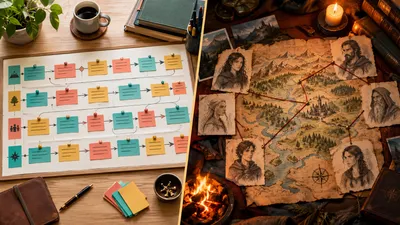
Scrivener vs Plottr is not really a fight between rivals. Plottr plans your novel on a visual timeline but has no place to write it. Scrivener is where you write and assemble the manuscript, with lighter planning tools built in. If you can only buy one, buy Scrivener. If your real problem is getting the draft done, neither tool writes a word for you, and that is where Chapter comes in.
In this comparison, you’ll get:
- A side-by-side table of what each tool does, what it costs, and what it leaves out
- An honest look at where Scrivener and Plottr each beat Chapter, our own product
- The real cost of the popular “plan in Plottr, write in Scrivener” stack
- A clear pick for plotters, pantsers, and writers who keep stalling mid-draft
Here is how the two tools compare.
Scrivener vs Plottr at a Glance
Scrivener is a manuscript writing and organising app. Plottr is a visual story planning app. They overlap on outlining and character notes, but only Scrivener holds your actual prose, and only Plottr shows parallel plotlines on a timeline. Prices below were checked against each vendor’s official pages.
| Feature | Scrivener | Plottr |
|---|---|---|
| Main job | Drafting and organising the manuscript | Visual outlining and story bible |
| Write your manuscript inside it | Yes | No |
| Visual plot timeline | No built-in timeline | Yes, colour-coded plotlines |
| Plot structure templates | Project templates, no beat sheets | Dozens of structure templates |
| Series planning | One project per book | Series view across books |
| Export | Word, PDF, ePub, Final Draft and more | Word and Scrivener files |
| AI features | None | None (“No AI” on every tier) |
| Price | $59.99 one time per platform | $60 a year or $150 lifetime |
| Free trial | 30 days of actual use | 30 days |
| Platforms | Mac, Windows, iPhone and iPad | Mac and Windows (Pro adds browser) |
Sources: Plottr pricing (checked October 2026) and Literature & Latte’s Scrivener store (checked September 2026, see our full Scrivener pricing breakdown).
What Is the Difference Between Scrivener and Plottr?
The difference between Scrivener and Plottr is where your words live. Scrivener stores every chapter, scene and research file in one project and compiles them into a finished manuscript. Plottr stores scene cards, characters and places, then exports them to a writing app. Plottr itself describes Scrivener as the “professional writing application” in its own help docs.
Plottr — Visual outlining software that lays your novel out as scene cards on a timeline, one row per plotline.
Scrivener — A long-form writing app that splits a manuscript into scenes inside a binder, then compiles them into one formatted document.
That split shapes everything else in this comparison. You do not choose between them the way you choose between two word processors. You choose which job you need software for.
Planning and Outlining: Where Plottr Wins
Plottr wins on planning because it shows you the whole shape of your book at once. Each plotline gets its own colour-coded row, and scenes sit in columns by chapter. You can see that your B-plot vanishes for eight chapters, or that two POV characters never cross paths, in one glance.
Plottr also ships with plot structure templates you can drop straight onto the timeline. If you plan with a Save the Cat beat sheet or three-act structure, the beats appear as cards you fill in, not a blank page.
Its series view is the other standout. Writers of long fantasy or romance series can track characters, places and threads across several books in one place. Scrivener keeps each book in its own project, so cross-book continuity lives in your head or a separate file.
Scrivener does have planning tools. The corkboard shows each scene as an index card, and the outliner shows synopses, word counts and status in a table. Both are good. Neither shows parallel plotlines side by side, and Scrivener has no built-in timeline view.
If you are a committed plotter writing multi-POV fiction, Plottr’s timeline is the better planning surface. Our Plottr review covers its templates and story bible in more depth.
Drafting and Manuscript Management: Where Scrivener Wins
Scrivener wins on drafting because Plottr has no manuscript editor at all. You can write notes on a scene card, but there is no place to draft 90,000 words of prose. Scrivener was built for exactly that job.
The binder lets you split your book into scenes and move them freely. Snapshots save earlier versions of a scene before you revise it. Research files, PDFs and images sit beside your draft, so you never leave the app to check a detail.
Compile is Scrivener’s most underrated feature. It turns hundreds of scene files into one formatted Word document, PDF or ePub, as described on Scrivener’s official overview. That is how you get from scattered scenes to a manuscript an editor or agent can read.
The trade-off is the learning curve. Scrivener has a reputation for being powerful but dense, and many writers use a fraction of it. Our guide to using Scrivener for book writing walks through the parts that matter.
Can You Use Plottr and Scrivener Together?
Yes, you can use Plottr and Scrivener together, and Plottr is built for it. Plottr exports your timeline as a Scrivener file containing your chapters, scenes, scene card details, characters, places and notes. You then open that file in Scrivener and start drafting into the scene structure you planned.
Plottr’s export documentation confirms the Scrivener and Word export, and Plottr can also import an existing Scrivener project. This “plan in Plottr, write in Scrivener” workflow is the most common way novelists use the two.
Here is the catch most comparisons skip. The connection is a one-time export, not a live sync. Plottr’s docs describe export and import actions, with no continuous syncing between the apps.
Once you start drafting, your story changes. A subplot dies, a character merges with another, the midpoint moves. Those changes happen in Scrivener, and your Plottr timeline goes stale unless you update it by hand. Plotters who rely on the timeline mid-draft end up maintaining two copies of the same book.
That is manageable if you plan once and then draft. It is a real cost if you revise structure often.
Scrivener vs Plottr Pricing
Scrivener costs $59.99 once for Mac or Windows. Plottr costs $60 a year or $150 for a lifetime licence at the base tier. Running both, the common setup, costs about $210 up front with Plottr’s lifetime licence, or $59.99 plus $60 every year on a subscription.
| Plan | Scrivener | Plottr |
|---|---|---|
| Entry price | $59.99 one time (Mac or Windows) | $60 a year |
| Lifetime option | Same $59.99 licence | $150 base, $599 Pro |
| Mobile | $23.99 for iPhone and iPad | Pro tier browser app |
| Collaboration | None built in | Pro from $9.99 a month |
| Free trial | 30 days of use | 30 days |
Plottr Pro ($9.99 a month, $99 a year, or $599 lifetime) adds the browser app, cloud sync and collaboration, per the Plottr pricing page. Most solo novelists do not need it.
Scrivener has no subscription at all, which is rare in 2026. If you own a Mac and an iPad you pay for two licences, but you still never pay again for that version. The iOS app is a separate App Store purchase.
On value alone, Scrivener is the better buy. It does a whole job for less money. Plottr’s lifetime licence is fair if you will actually plan in it, and poor value if the timeline turns into another way to avoid drafting.
Where Scrivener and Plottr Beat Chapter
Chapter is our product, so here is an honest list of what these two tools do better. If any of these matter most to you, take them seriously.
Plottr’s visual timeline is better than anything in Chapter for complex plotting. Chapter structures your book, but it does not give you a colour-coded, drag-and-drop board of parallel plotlines. If you write braided multi-POV fantasy and think best by moving cards, Plottr is the stronger planning tool.
Plottr’s series view has no Chapter equivalent. Tracking a cast and world across a seven-book series is what Plottr was designed for. Chapter works one book at a time.
Scrivener gives you total manual control. Every word in a Scrivener project is one you typed. If you want to handcraft every sentence and organise a sprawling manuscript your own way, Scrivener is the better environment. Chapter is built to draft with you, which is the opposite philosophy.
Both tools are AI-free, and Plottr says so on every plan. Some writers, and some publishers, want no AI anywhere near the manuscript. If that is you, Chapter is the wrong tool, and Scrivener or Plottr is the right one.
Both have free trials. Chapter does not. Scrivener gives you 30 days of actual use and Plottr gives you 30 days. Chapter has no free tier or free trial. It does have a 30-day money-back guarantee, but you pay first.
Scrivener’s compile options are broader. Scrivener exports to Word, PDF, ePub, Final Draft and more, with deep formatting control. If you need screenplay output or very specific submission formatting, Scrivener does more.
Scrivener runs offline on iPhone and iPad. If you draft on the train or in a cabin with no signal, Scrivener’s desktop and iOS apps work without a connection.
The Option That Writes the Book: Chapter
Our Product — Chapter
Scrivener and Plottr both assume the hard part is organisation. For most writers who never finish, the hard part is the draft itself. Chapter plans the structure of your book and then drafts the full manuscript with you, chapter by chapter, so you are editing a real book instead of staring at a perfect outline.
Best for: Writers who have the idea, and maybe the outline, but keep stalling before a finished draft. Pricing: $97 one time, 2 books included (fiction or nonfiction), 30-day money-back guarantee. No subscription, and you keep 100% of the rights. Why we built it: Planning tools made outlining easier, but they never solved the gap between a plan and a manuscript.
Look at the cost. Plottr’s lifetime licence plus Scrivener is about $210, and after you pay it you still have to write every sentence yourself. Chapter is $97 for two complete books.
More than 2,147 authors have used Chapter to create over 5,000 books. Chapter has been featured in USA Today and the New York Times, and authors have used their books to earn $13,200 from a single title and $60,000 in 48 hours.
Chapter is not a replacement for Plottr’s timeline or Scrivener’s binder if you love working in them. It is the answer if the outline is done and the manuscript is not. Our Chapter vs Plottr and Chapter vs Scrivener comparisons go deeper on each matchup.
Try Chapter for fiction ($97) | Try Chapter for nonfiction ($97)
The Verdict: Scrivener or Plottr?
Choose Scrivener if you need one tool and you plan to write every word yourself. It drafts, organises and compiles, it costs $59.99 once, and its corkboard handles light outlining well enough for most novels.
Choose Plottr if you are a heavy plotter writing multi-POV or series fiction, and you already have somewhere to write. Buy the $150 lifetime licence after using the 30-day trial, not the subscription.
Choose both if you plan intensively and draft in long stretches. Accept that you will update the timeline by hand once drafting starts.
Choose Chapter if your outlines keep turning into unfinished books. It is our product, and for that writer it is the better overall pick: it handles the structure and the draft for $97, with two books included.
If you write by discovery rather than outline, read our guide to pantsing vs plotting before you buy any planning tool. You may not need Plottr at all.
FAQ
Is Scrivener better than Plottr?
Scrivener is better than Plottr if you need one tool to write your book, because Plottr has no manuscript editor. Plottr is better for visual plot planning, with colour-coded timelines and structure templates. Most novelists who own Plottr still draft in Scrivener or Word.
Can Plottr replace Scrivener?
Plottr cannot replace Scrivener, because Plottr has no place to write your manuscript. It holds scene cards, characters, places and notes, then exports them to Scrivener or Word for drafting. If you want a single app, Scrivener or an all-in-one writing tool is the better choice.
Does Plottr export to Scrivener?
Yes, Plottr exports to Scrivener. The export creates a Scrivener project file with your chapters, scenes, scene details, characters, places and notes. It is a one-time export, not a live sync, so changes you make in Scrivener during drafting do not flow back to your Plottr timeline.
Is Plottr worth it if I already have Scrivener?
Plottr is worth it alongside Scrivener if you write complex multi-POV or series fiction and struggle to see your plotlines. Scrivener’s corkboard covers basic outlining. Use Plottr’s 30-day free trial first, then buy the $150 lifetime licence only if you keep using the timeline.
Do Scrivener or Plottr have AI writing features?
Neither Scrivener nor Plottr has AI writing features. Plottr lists “No AI” on every pricing tier, and Scrivener’s official feature page mentions no AI tools. If you want help drafting the manuscript itself, you need a separate tool such as Chapter, which plans and drafts your book.
For more options, compare the field in our best novel writing software roundup, or see Plottr alternatives and Scrivener alternatives.