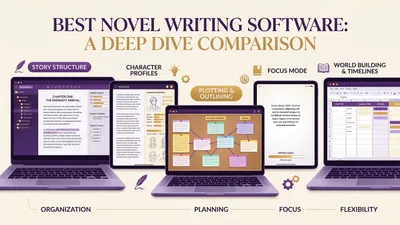
The best book outlining software depends on one question: do you want help planning your book, or help finishing it? If you want a visual board to plot by hand, Plottr is the strongest dedicated tool. If you want the outline turned into a finished, checked manuscript, Chapter is our pick.
In this guide, you’ll get:
- Nine outlining tools compared on structure, visuals, AI and price (all prices checked October 2026)
- A plain section on where these tools beat Chapter, our own product
- A quick table and a “which one fits you” breakdown
Here’s the full list, starting with the tool we built.
Quick comparison table
| Tool | Best for | Outlining style | AI | Price (Oct 2026) |
|---|---|---|---|---|
| Chapter (Our Product) | Turning an outline into a finished book | Researched outline you approve, then write | Yes, built in | $97 one time, 2 books |
| Plottr | Visual plotters and series writers | Drag-and-drop timeline, 30+ templates | No | From $60/yr or $150 lifetime |
| Scrivener | Outlining and drafting in one file | Corkboard, outliner, binder | No | $59.99 (Mac or Windows) |
| Campfire | Worldbuilders | Modules: timeline, arcs, characters | No | Free plan; $12/mo standard |
| Dabble | Plotting while you draft | Plot Grid beside the manuscript | Not a focus | From $19/mo; 14-day trial |
| Novelcrafter | AI-assisted plotting on your own terms | Grid, matrix, outline + Codex | Bring your own model | $4–$20/mo; 21-day trial |
| Milanote | Brainstorming before structure | Free-form visual boards | Not a focus | Free (100 items); $9.99/mo |
| Aeon Timeline | Complex chronology | Date-based timelines | No | $65 perpetual license |
| Notion | DIY databases | Custom tables and boards | Paid add-on | Free; Plus $10/seat/mo |
What is book outlining software?
Book outlining software is a tool that helps you plan your book’s structure before or while you write. It organizes chapters, scenes, plot threads, characters and timelines in one place, so you can see the whole book at once and move pieces around before they’re buried in a 90,000-word draft.
Outlining tools fall into three camps:
- Visual planners (Plottr, Milanote, Aeon Timeline) give you boards, cards and timelines
- Writing apps with outlining built in (Scrivener, Dabble, Campfire, Novelcrafter) keep the plan next to the draft
- AI tools (Chapter, plus the generators in our best AI book outline generator roundup) draft the outline for you
If you’re still learning the craft side, read how to outline a novel or how to outline a nonfiction book first. The software matters less than knowing what a good outline contains.
1. Chapter — best for turning an outline into a finished book
Our Pick — Chapter
Chapter researches your topic (or builds your world and plot for fiction), then produces an outline structured like the bestsellers in your category or genre. You review and approve that plan before a single chapter is written. Then Chapter writes the book in your voice and runs its DoubleCheck pass, which compares each chapter back against the outline you approved.
Best for: Authors who want the outline to become a finished manuscript, not a plan that sits in a folder. Pricing: $97 one time, 2 books included (fiction or nonfiction), 30-day money-back guarantee. No subscription. Why we built it: Most outlines never become books. We built Chapter to close the gap between “plan approved” and “draft done.”
Chapter’s outlining step isn’t a blank board. You answer questions about your book, and Chapter researches the subject and returns a chapter-by-chapter plan. Planning and outlines are unlimited, so you can regenerate and adjust until the structure feels right.
For fiction, Chapter keeps a story database of your characters, world and plot. It tracks who’s alive, where and when, so a character’s eye color doesn’t drift between chapter 3 and chapter 30. That continuity tracking is what an outline is supposed to protect, and it’s where most hand-built outlines break down mid-draft.
More than 10,000 authors have used Chapter to write their books, and it has been featured in USA Today and the New York Times. Both the nonfiction software and fiction software use the same outline-first workflow.
Honest limitation: Chapter is not a visual plotting board. There’s no corkboard, colored plotline lanes or drag-and-drop timeline. If you love arranging index cards yourself, pair a visual tool with Chapter or pick one of the tools below. We compare the two approaches directly in Chapter vs Plottr.
2. Plottr — best dedicated visual outlining tool
Best for: Plotters who think in timelines, and series writers juggling several books.
Plottr is the most complete pure outlining app on this list. You build a drag-and-drop timeline of scene cards, sort them into plotlines for the main plot, subplots and character arcs, and color-code everything. It ships with 30+ plot and scene templates, including the Hero’s Journey, Snowflake Method and Three Act Structure.
Its series tools stand out. You can hold unlimited books in one series, view a timeline across the whole series, and keep a story bible of characters and places. When you’re ready to draft, Plottr exports your outline, characters and notes to Microsoft Word or Scrivener.
The limitation is that Plottr stops at the plan. It has no manuscript editor and no AI writing, so you still draft somewhere else. Full plan breakdowns are in our Plottr pricing guide, and if it isn’t clicking, see Plottr alternatives.
Pricing: Plottr’s pricing page lists Plottr at $60/year or $150 lifetime, Plottr Pro at $9.99/month, $99/year or $599 lifetime. There’s a 30-day free trial.
3. Scrivener — best for outlining and drafting in one place
Best for: Long-form writers who want structure and manuscript in the same project file.
Scrivener has been the default serious writing app for years, and its outlining tools are a big reason. The corkboard gives every section a virtual index card, and moving a card moves the actual text. The outliner view shows synopses, word counts and metadata in rows you can reorder.
That tight link between plan and prose is Scrivener’s edge. When you restructure the outline, your manuscript restructures with it. No export step, no copy-and-paste.
The downside is a steep learning curve and a dated interface. Scrivener also has no built-in AI and no dedicated plot templates. Our full Scrivener review covers the compile system and the trade-offs, and Chapter vs Scrivener compares it to an AI workflow.
Pricing: $59.99 for macOS or Windows (separate licenses), $23.99 on iOS, with a 30-day free trial that counts days of actual use.
4. Campfire — best free option for worldbuilders
Best for: Fantasy and sci-fi writers whose outline includes maps, magic systems and cultures.
Campfire is modular. Alongside a manuscript editor, it offers Timeline, Arcs, Characters, Relationship webs, Maps, Magic Systems, Languages and more. For outlining, the Timeline and Arcs modules carry most of the load, and the rest of the modules keep your worldbuilding linked to the plan.
The free plan is genuinely usable for a first book. According to Campfire’s pricing page, it includes every module with limits: 25,000 manuscript words, 10 characters, 20 timeline events and 3 arcs. A tightly plotted short novel can fit inside that.
The trade-off is that Campfire’s plotting is less structured than Plottr’s. There are no named beat-sheet templates out of the box, so you bring the structure yourself. Read our Campfire review for the full picture.
Pricing: Free plan with limits; Standard at $12/month (a discounted rate the page shows against $19). Annual and lifetime options are also available.
5. Dabble — best for plotting while you draft
Best for: Writers who outline loosely and adjust the plan as the draft evolves.
Dabble puts a Plot Grid beside your manuscript. It lays your scenes against your plot threads so you can see which threads each chapter moves forward. Story notes and character profiles live in the same project, so you never leave the app to check a detail.
It’s clean, cloud-based and much easier to learn than Scrivener. That simplicity is also the limit: the Plot Grid is less flexible than Plottr’s timelines, with no template library and no series view. Our Dabble vs Plottr comparison gets into exactly where each one wins.
Pricing: Per Dabble’s pricing page, Writer is $19/month, Author $29/month, Bestseller $49/month, or $699 for Lifetime Author. Annual billing saves 20%. There’s a 14-day free trial, no card required. Details are in our Dabble review.
6. Novelcrafter — best for AI-assisted plotting on your terms
Best for: Tech-comfortable writers who want AI help but want to pick the model and keep control.
Novelcrafter’s Plan view offers three ways to see your outline. The Grid lets you drag acts, chapters and scenes into order. The Matrix is a spreadsheet-style view of the whole story. The Outline is a plain single page. The Codex acts as a story bible that tracks characters, locations and lore.
Its AI features are bring-your-own-key. On the Hobbyist plan and up, you connect your own AI provider (or a local model) and use Scene Beats to tell the AI what should happen next. That’s powerful, but you pay for the AI separately and you do the prompting yourself.
Pricing: Novelcrafter runs from Scribe at $4/month (no AI) to Specialist at $20/month, with a 21-day free trial and no free plan. See our Novelcrafter review for how the AI costs add up.
7. Milanote — best for brainstorming before you structure
Best for: Visual thinkers in the messy early stage, before a formal outline exists.
Milanote is a free-form board tool. You drop notes, images, links and to-do lists anywhere, group them into columns, and connect them with arrows. Writers use it for mood boards, character collages and early scene ideas.
It’s not built for books specifically. There are no chapters, word counts or plot structures, so you’ll outgrow it once the outline firms up. Think of it as the step before outlining software, not a replacement for it.
Pricing: Free for 100 notes, images or links and 10 file uploads. The paid plan is $9.99/month billed annually or $12.50 month to month, per Milanote’s plans page.
8. Aeon Timeline — best for complex chronology
Best for: Thrillers, mysteries, historical fiction and multi-POV books where dates must line up.
Aeon Timeline plots events on a real calendar. You can track character ages, overlapping events and who was where on which day. If your twist depends on a precise sequence, this is the tool that catches the contradiction before your reader does.
It syncs with Scrivener and Ulysses, so you can keep the timeline and the manuscript connected. The catch is that it’s a specialist tool. It won’t help you choose a story structure or pace your acts.
Pricing: Aeon Timeline is a $65 perpetual license with a year of updates, then an optional $35/year update plan. There’s a 14-day trial, and one license covers up to five devices.
9. Notion — best free DIY outlining system
Best for: Writers who already live in Notion and enjoy building their own system.
Notion lets you build an outline as a database: one row per chapter, with properties for POV, status, word count and plot thread. You can flip the same data into a board, table or calendar view. Our Notion for writers guide shows how to set it up.
The flexibility is the cost. You design everything, and nothing is built for fiction or nonfiction structure. Full Notion AI features also sit on the Business plan, not the cheaper Plus plan, which only includes a trial.
Pricing: Free plan; Plus at $10/seat/month and Business at $20/seat/month, per Notion’s pricing.
Where these tools beat Chapter
Chapter is our product and our top pick, but it isn’t the best tool for every outlining job. Here’s where the others genuinely win.
- Visual, hands-on plotting. Plottr, Scrivener’s corkboard and Milanote let you physically arrange scenes. Chapter gives you a researched outline to review and adjust, not a board of cards to drag around. If the act of plotting by hand is how you think, Chapter won’t replace that.
- Plot templates you apply yourself. Plottr ships 30+ named templates. Chapter structures your outline on bestsellers in your category, but you don’t pick a Snowflake or Save the Cat template from a menu. (If you want that framework, our Save the Cat beat sheet guide works with any tool.)
- Free entry. Campfire, Milanote and Notion have free plans, and most others offer trials. Chapter has no free tier or trial. You get a 30-day money-back guarantee instead, but you still pay $97 up front.
- Writing every word yourself. If you want software that organizes your own drafting, Scrivener and Dabble are built for that. Chapter writes the draft from your approved outline. Some authors want that; some don’t.
- Deep worldbuilding and precise dates. Campfire’s maps, magic systems and languages, and Aeon Timeline’s calendar-based chronology, go further than Chapter’s story database for those specific jobs.
- Manual series planning. Plottr’s series view shows a timeline across every book in a series. We haven’t found a documented equivalent on Chapter’s product pages, so we won’t claim one.
Where Chapter wins is the step none of these tools take: turning the approved outline into a complete book, then checking every chapter against it. If your problem is unfinished drafts rather than unplanned ones, that’s the step that matters.
Best free book outlining software (and what free gets you)
The best free book outlining software is Campfire if you’re building a world, Notion if you want a custom outline database, and yWriter or Manuskript if you want a free desktop app that organizes your book into chapters, scenes and characters. Milanote’s free plan covers early brainstorming. Each free version has a ceiling, so check it first.
| Tool | What’s free | The catch | Paid upgrade |
|---|---|---|---|
| Campfire | Every module, with caps | 25,000 manuscript words, 10 characters, 20 timeline events, 3 arcs | Standard, $12/month |
| Notion | Unlimited pages and blocks for one person | You build the system yourself; Notion AI is a trial only | Plus, $10/seat/month |
| yWriter | Full Windows app that breaks your novel into chapters and scenes | Free on Windows only; Mac and mobile versions cost a small fee | None on Windows (registration optional) |
| Manuskript | Open-source outliner, Snowflake-method novel assistant, character tracking | Downloads for Windows and Linux only | None |
| Milanote | 100 notes, images or links and 10 file uploads | No chapters, scenes or word counts | $9.99/month billed annually |
Free is enough when one book fits inside the limits. A single novel or nonfiction book with a manageable cast can live in Campfire’s free plan, a Notion database or yWriter for as long as you need. yWriter’s own page says it’s free to download and use, and Manuskript is open source. If you’d rather start on paper, our free book outline template works with any of them.
Free stops being enough when the caps start shaping your story. If you need an eleventh character in Campfire, named plot templates, or a timeline across a whole series, a paid tool earns its price. Plottr’s 30-day free trial lets you test that on a real outline before you pay.
Chapter has no free plan or trial. It’s $97 one time for 2 books, and it’s the option for when you want your outline turned into a finished draft.
How to choose the right outlining software
The right tool depends on how you plot and what you want at the end.
| If you… | Choose |
|---|---|
| Want a finished manuscript from your outline | Chapter |
| Plot visually and write series | Plottr |
| Want outline and draft in one file | Scrivener |
| Build big fantasy or sci-fi worlds on a budget | Campfire |
| Plot loosely and adjust as you draft | Dabble |
| Want AI help with your own API key | Novelcrafter |
| Are still brainstorming | Milanote |
| Have a timeline-heavy plot | Aeon Timeline |
| Want a free, custom system | Notion |
Not sure whether you’re a planner at all? Pantsing vs plotting explains both approaches. And if you only need a quick outline without new software, start with our free book outline template or the free AI book outline generator options.
Is AI outlining software better than manual plotting tools?
AI outlining software is faster, while manual plotting tools give you more direct control. AI tools like Chapter produce a full chapter structure in minutes from your idea. Manual tools like Plottr make you build each card yourself, which is slower but helps some writers understand their story more deeply.
Many authors combine the two. They generate a first structure with AI, then refine it by hand. Our best AI book outline generator roundup compares the AI-only options, including ChatGPT, Claude and Squibler, in more depth than this broader list.
Do you need outlining software at all?
You don’t strictly need outlining software. Plenty of books were plotted on index cards and legal pads. Software earns its place when your book is long, has many threads, or spans a series, because that’s when paper outlines get lost or go stale.
A good test: if you’ve ever lost track of a subplot, a character detail or a timeline mid-draft, a tool will pay for itself. If your outline fits on one page and stays accurate, a document or template is enough.
How we evaluated
We looked at each tool on five criteria:
- Outlining depth. Can you structure chapters, scenes and plot threads?
- Visual clarity. Can you see the whole book at once?
- Path to a draft. How easily does the outline become a manuscript?
- Price and trial. What does it cost, and can you try it first?
- Learning curve. How fast can a new author start plotting?
All prices and features were checked on each tool’s official site in October 2026. Prices change often, so confirm on the vendor’s page before you buy.
FAQ
What is the best book outlining software?
The best book outlining software for most authors is Chapter if you want your outline turned into a finished book, and Plottr if you want a dedicated visual plotting board. Scrivener suits writers who want outline and draft together, and Campfire is the strongest free option for worldbuilding.
Is there free book outlining software?
Yes. Campfire, Notion, yWriter, Manuskript and Milanote all have free versions; see our free picks for what each one’s free plan actually covers.
Is Plottr better than Scrivener for outlining?
Plottr is better than Scrivener for pure visual outlining, with drag-and-drop timelines, plotlines and 30+ templates. Scrivener is better when you want outline and manuscript in one file, since its corkboard reorders your actual text. Many writers outline in Plottr, then export the outline into Scrivener.
Can AI outline a book for you?
Yes, AI can outline a book for you. Tools like Chapter research your topic and produce a chapter-by-chapter outline structured on bestsellers in your genre, which you approve before writing starts. General chatbots can outline too, but you’ll need to prompt carefully and track continuity yourself.
What’s the best outlining software for a book series?
The best outlining software for a book series is Plottr, thanks to its series view that shows a timeline across every book and a shared story bible. Novelcrafter also supports series in every plan, and Aeon Timeline helps when chronology across books must stay exact.