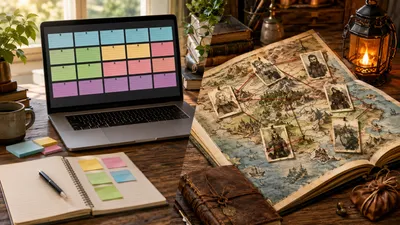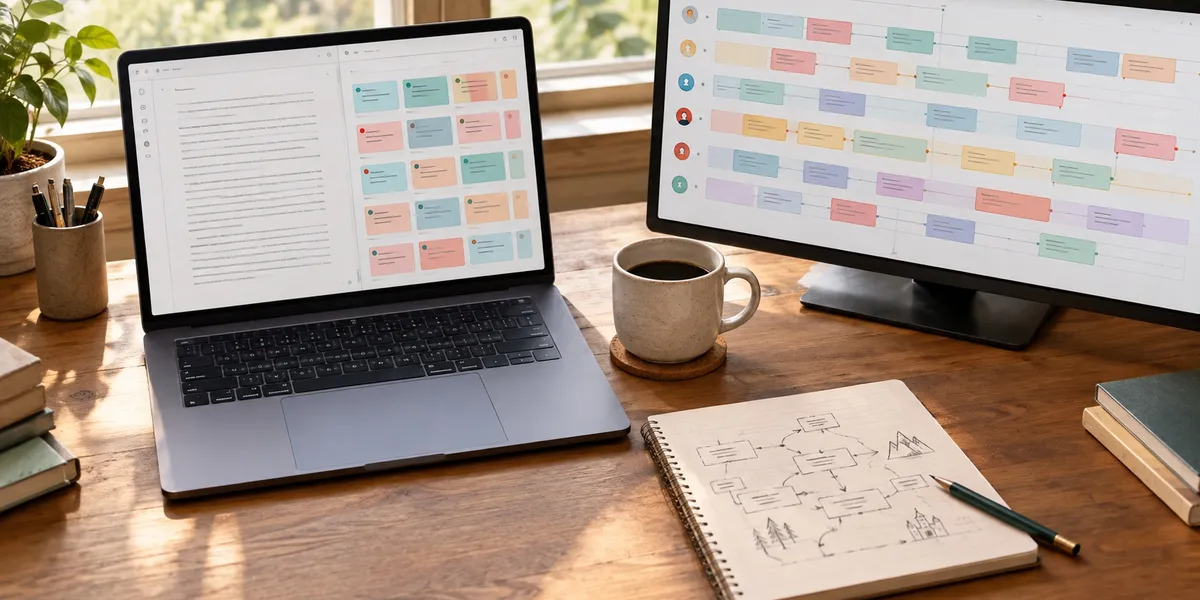
Dabble vs Plottr comes down to one question: do you want to plan and write in one app, or do you want the best dedicated plotting board money can buy? Dabble is a subscription writing app with a Plot Grid built in. Plottr is visual outlining software with no writing area, sold from $60 a year or $150 for life.
In this comparison, you’ll get:
- A side-by-side table of features, pricing and limits, checked against both official pricing pages in September 2026
- A plain answer on which plotting interface is better for multi-POV, series and simple books
- A three-year cost breakdown, including the extra tools each one still needs
- An honest look at a third option, and where Dabble and Plottr both beat it
Here is how the two tools stack up.
Dabble vs Plottr at a Glance
| Feature | Dabble | Plottr |
|---|---|---|
| What it is | Writing app with plotting built in | Dedicated visual outlining tool |
| Writing area | Yes, full manuscript editor | No, you export and draft elsewhere |
| Plotting view | Plot Grid (scenes as rows, plotlines as columns) | Timeline (scenes left to right, plotlines as stacked rows) |
| Story structure templates | A small set of starter templates | 30+ templates, including Save the Cat and Romancing the Beat |
| Series support | Several books in one project | Series view plus a timeline for each book |
| Cheapest entry | $19/month (Writer) | $60/year (base) |
| Lifetime option | $699 (Author features) | $150 (base) or $599 (Pro) |
| Free trial | 14 days, no card | 30 days |
| Refunds | Not stated on the pricing page | No refunds after purchase |
| Browser and cloud sync | Every plan | Pro tier only |
| Export | Word, Google Docs, Markdown, web; PDF via print | Word and Scrivener |
| AI features | None | None, “No AI” on every tier |
| Best for | Writers who want one app from outline to draft | Committed plotters with complex or series books |
Pricing and features above come from Dabble’s pricing page, Plottr’s pricing page and Plottr’s features page, checked on 30 September 2026. Both companies change prices, so check again before you pay.
What Is the Difference Between Dabble and Plottr?
The core difference — Dabble is a writing app that also plots, while Plottr is a plotting app that never writes. Dabble keeps your outline, notes and manuscript in one place. Plottr builds a detailed plan that you export to Word or Scrivener to draft.
In Dabble, each card on the Plot Grid links to a real scene in your manuscript. Click the card, and you land in the text. Your plan and your draft stay in sync because they are the same document.
In Plottr, the timeline is the product. You fill scene cards, tag characters and places, then export an outline. The writing happens somewhere else, and keeping that draft matched to the plan is your job.
For the deeper single-tool view, read our full Dabble review and Plottr review.
Plot Grid vs Timeline: Which Plotting View Is Better?
Plottr’s timeline is the stronger pure plotting interface; Dabble’s Plot Grid is the more practical one. Plottr shows parallel plotlines more clearly and handles far more structure. Dabble’s grid is simpler, but every card connects straight to the scene you are writing.
How Dabble’s Plot Grid works
The Plot Grid is a table. Scenes run down the rows and your plotlines run across the columns: main arc, romance, villain, each point-of-view character.
You fill cells with short notes and colour-code them with labels. A thread that goes quiet for eight chapters shows up as a column of empty cells, which makes it easy to spot a subplot you forgot about.
The big advantage is the link to your manuscript. You never have to remember that “Scene 14” on your plan means a particular scene in a separate file.
How Plottr’s timeline works
Plottr turns the grid on its side. Time runs left to right, and each plotline gets its own colour-coded row of scene cards stacked beneath the others.
Drag a card from chapter 14 to chapter 6 and the whole board adjusts. You can filter the timeline by character tag to see one person’s arc in isolation, then flip to an automatically generated outline view.
For a book with four viewpoint characters crossing paths on a schedule, that view is hard to beat. Our guide to writing multiple POV covers why seeing every arc at once matters.
Which view should you choose?
Pick Plottr if you think about structure visually and your book has three or more plotlines that braid together.
Pick Dabble if your book is more linear, or if the thought of keeping an outline and a separate manuscript in step already sounds tiring.
Does Plottr Have a Writing Area?
No, Plottr does not have a writing area. You cannot draft chapters inside it. Plottr exports your outline, characters, places and notes to Microsoft Word or Scrivener, and you write the book there. Dabble includes a full manuscript editor on every plan.
This is the biggest practical gap between the two tools, and it cuts both ways.
If you already love writing in Scrivener or Word, Plottr slots in neatly. It even imports projects from Scrivener, according to Plottr’s features page, so you can move a plan back and forth.
If you do not have a drafting setup you like, Plottr adds a second app and a second bill. Kindlepreneur’s Plottr review reaches the same conclusion: it is a planning tool, not a writing tool.
Dabble’s editor is clean and capable. You get focus mode, dark mode, adaptive word-count goals that recalculate when you miss a day, version history and co-authoring. On the Author tier, you also get grammar and style checks, comments and track changes.
Which Has Better Story Structure Templates?
Plottr has much better story structure templates. It ships more than 30 plot and scene templates, including the Hero’s Journey, the Snowflake Method, the Story Circle, three-act structure and Romancing the Beat. Dabble offers a small set of starter templates and leaves most structure to you.
Plottr’s templates are not empty boxes. Each beat comes pre-labelled with what that part of the story needs to do. That makes Plottr a surprisingly good teacher if you have read about the Save the Cat beat sheet but never managed to apply it to your own book.
Dabble’s own Dabble vs Plottr comparison admits Plottr offers a much wider range of templates with more built-in guidance. When a company says that about its competitor, you can take it as settled.
Reedsy’s Dabble review makes the same point from the other side: plenty of plotting features, little structural guidance. If you already know how to outline a novel, Dabble’s blank grid feels like freedom. If you do not, it can feel like staring at a spreadsheet.
Which Is Better for Writing a Series?
Plottr is better for planning a series. Its series view lets you add as many books as you like to one project, with a timeline for the whole series and one for each book. Dabble can hold several books in one project, but it has no dedicated series-level plotting view.
This matters most for fantasy, romance and mystery series where characters, places and threads carry across five or ten books.
In Plottr, your character and place databases become a long-running story bible. You add custom attributes, tag scenes, and filter across the entire series. Our guide to writing a series bible explains why that record saves so much rewriting later.
Dabble handles a series well enough in practice. Dabble’s export guide notes that a project can hold more than one book, and your Story Notes are shared across them. What you lose is the bird’s-eye view of every book’s plotlines at once.
Is Dabble or Plottr Better for Beginners?
Dabble is easier for beginners to start using; Plottr is better for beginners who want to learn structure. Dabble works like Google Docs with a plot board attached, so you can be writing within ten minutes. Plottr takes longer to set up, but its templates teach you how stories are built.
That split depends on what “beginner” means for you.
If you are a new writer who wants to write, Dabble removes friction. Chapters and scenes drag and drop, notes live in a sidebar, and nothing forces you to plan before you start. That suits writers somewhere between the two camps in our pantsing vs plotting guide.
If you are a new writer who keeps stalling in the middle of a book, Plottr’s templates may be the fix. Filling in beat by beat shows you where your story sags before you write 40,000 words into it.
One warning applies to both. Plotting software is satisfying to fill in, and a full board can feel like progress. A plan is not a book. Set a date to stop plotting and start drafting.
Collaboration, Sync and Devices
Dabble wins on sync and collaboration at the entry price. Every Dabble plan runs in the browser, syncs across devices and includes co-authoring. Plottr’s base licence is a desktop app for Windows and Mac. Cloud sync, the browser app and real-time collaboration all need Plottr Pro.
- Writing on several devices: Dabble handles this on every plan, including phones and tablets through the browser.
- Co-writing a book: Dabble includes co-authoring from $19 a month. Plottr needs Pro, at $99 a year or $599 for life.
- Working offline: Plottr’s base desktop app works offline with automatic on-device backups. Dabble’s desktop apps cache your work and sync when you reconnect.
- Sharing with beta readers: Dabble’s Author tier adds beta-reader and editor support. Plottr has no reader-sharing layer; commenting is listed as coming soon.
Our Plottr review also covers recurring reviewer complaints about Plottr’s cloud sync and mobile reliability. Keep backups whichever tool you choose.
Import and Export: Getting Your Book In and Out
Dabble imports and exports manuscripts; Plottr imports and exports plans. Dabble takes in Word, Markdown, HTML and RTF files and exports to Word, Google Docs, Markdown and the web. Plottr exports your outline to Word and Scrivener. Neither tool produces EPUB or print-ready book files.
According to Dabble’s import guide, a Word file imports most cleanly, and Dabble splits it into chapters and scenes from your headings. That makes moving an existing draft in far less painful than it used to be.
On the way out, Dabble offers two styles: standard manuscript format for agents, or your own in-app formatting. For a PDF, you print and choose “Save as PDF”. There is no EPUB option.
So if you self-publish, both tools stop before the finish line. You will still need a formatting tool, such as the one in our Atticus review, to turn a Word file into an ebook and a print interior.
Dabble vs Plottr Pricing
Plottr is far cheaper than Dabble on paper, but not always in practice. Plottr’s base lifetime licence costs $150, against $699 for Dabble’s lifetime plan. But Plottr has no writing area, so you also need a drafting app, and Plottr Pro costs $599 for life.
Here are the published prices as of 30 September 2026.
Dabble (pricing page):
| Plan | Monthly | What it adds |
|---|---|---|
| Writer | $19 | Plot Grid, Story Notes, goals, focus mode, sync, co-authoring |
| Author | $29 | Grammar and style checks, comments, track changes, beta-reader support |
| Bestseller | $49 | DabbleU Academy workshops and course library |
| Lifetime Author | $699 once | Author features for life |
Paying annually saves 20% on the monthly plans. Students and teachers can get 30% off through Dabble’s academic partner.
Plottr (pricing page):
| Plan | Monthly | Annual | Lifetime |
|---|---|---|---|
| Plottr | None | $60 | $150 |
| Plottr Pro | $9.99 | $99 | $599 |
| Pro + Community | $14.99 | $129 | $649 |
Plottr states it does not give refunds after purchase, so use the full 30-day trial before you buy.
What each tool really costs over three years
The sticker price is not the workflow price. Here is what a working setup costs across three years:
| Setup | Year one | Three years | Still missing |
|---|---|---|---|
| Dabble Writer, annual | ~$182 | ~$547 | Ebook formatting tool |
| Dabble Author, annual | ~$278 | ~$835 | Ebook formatting tool |
| Dabble Lifetime Author | $699 | $699 | Ebook formatting tool |
| Plottr lifetime + Scrivener | ~$210 | ~$210 | Ebook formatting tool |
| Plottr Pro lifetime + Scrivener | ~$659 | ~$659 | Ebook formatting tool |
The Scrivener figure assumes a one-time licence of roughly $60; our Scrivener pricing guide has the details.
The cheapest complete plan-and-draft setup is Plottr’s base lifetime licence plus Scrivener. And if you would stay on Dabble’s Author plan for more than two and a half years, the $699 lifetime plan is the better deal.
Where Dabble Wins
Dabble is the better choice in five situations:
- You want one app, not two. Plotting, notes and drafting live together, and every Plot Grid card links to its scene.
- You write on several devices. Browser access and sync come with every plan, not just a premium tier.
- You co-write or work with an editor. Co-authoring is on every plan, and the Author tier adds comments and track changes.
- You want word-count goals that adapt. Dabble recalculates your daily target when you miss a day or run ahead.
- You do not plot in great detail. A light grid and a good editor suit writers who plan a little and discover the rest.
Where Plottr Wins
Plottr is the better choice in five different situations:
- Your book has braided plotlines. Multi-POV fantasy, dual-timeline mysteries and ensemble romance are exactly what the timeline was built for.
- You are planning a series. The series view and shared story bible make a ten-book saga manageable.
- You want to learn structure. More than 30 pre-labelled templates teach you as you fill them in.
- You already draft in Scrivener or Word. Plottr exports straight into your existing setup.
- You hate subscriptions. $150 once is the lowest lifetime price in this comparison by a wide margin.
The Verdict: Is Dabble Better Than Plottr?
Dabble is better than Plottr if you want to plan and write in one place. Plottr is better than Dabble if plotting is the hard part and you already have somewhere you like to write. Neither is better for everyone.
Our picks for each writer:
- Multi-POV, series or heavily structured fiction: Plottr, base lifetime licence, plus Scrivener or Word.
- Linear novels and writers who hate switching apps: Dabble Writer, paid annually.
- Co-authors: Dabble, since co-authoring is on every plan.
- Tight budget, no subscriptions: Plottr at $150 once.
- Writers who want to learn story structure: Plottr, for the templates.
- Nonfiction authors: neither. Both are built around fiction plotting, and a business book has no subplots to map.
What If Your Problem Is Finishing the Draft?
Both Dabble and Plottr assume the hard part is organising your book. For many writers, the hard part is producing the 80,000 words. If you already have two outlines and no finished manuscript, a third plotting tool will not change that.
That is the problem we built Chapter to solve.
Our Pick — Chapter
Chapter plans your book on a proven story structure and then drafts the complete manuscript. The fiction product produces 20,000 to 120,000+ word novels and runs automated DoubleCheck passes for continuity and plot holes. The nonfiction product produces 80 to 250 page books with KDP-ready files. Over 2,147 authors have used Chapter to create 5,000+ books, and it has been featured in USA Today and the New York Times.
Best for: Writers with a book idea, or even a full outline, but no finished draft Pricing: $97 one time, 2 books included (fiction or nonfiction), 30-day money-back guarantee, and you keep 100% of the rights Why we built it: Plotting tools assume the plan is the bottleneck. For most unfinished books, the bottleneck is the draft.
At $97 once, Chapter costs less than a single year of Dabble Author and less than Plottr’s base lifetime licence plus Scrivener. Our Chapter review holds our own product to the same standard as this comparison.
Where Dabble and Plottr beat Chapter
We would rather tell you this plainly than have you find out after buying.
- Chapter has no visual plotting board. There is no Plot Grid and no timeline. You cannot drag a scene card across a board and watch your plotlines rearrange. If you think about structure spatially, both Dabble and Plottr give you something Chapter does not have at all.
- Chapter is not a series bible. It works one book at a time. Plottr’s series view and shared character database are far better for keeping a ten-book saga consistent.
- Chapter is AI writing software, and both rivals are not. Dabble has no AI writing features and says it will not train AI on your work. Plottr lists “No AI” on every tier. If you are entering an AI-prohibited contest, working under a publisher AI clause, or simply want to write every sentence yourself, Chapter is the wrong tool and either rival is the right one.
- Chapter is not a daily writing desk. Dabble’s editor, focus mode, adaptive goals and version history are built for writing a little every day. Chapter is built to produce a draft that you then revise.
- Chapter has no collaboration layer. Co-authors and writers who work closely with an editor will find Dabble much more comfortable.
- Chapter does not teach you structure. It applies a structure for you. If your goal is to become a writer who can plot a book on your own, filling in Plottr’s templates beat by beat will teach you more.
AI-generated text also carries a disclosure duty. Amazon’s KDP content guidelines ask you to tell Amazon when your book contains AI-generated content, however much you revise it.
How Chapter fits with Dabble or Plottr
For many writers, the honest answer is a combination rather than a winner. Plan in Plottr’s free trial, draft in Chapter, then revise the manuscript in Dabble or Word in your own voice.
Our head-to-head posts go deeper: Chapter vs Dabble and Chapter vs Plottr. For the wider field, including Scrivener and Campfire, see our best novel writing software roundup.
Try Chapter for fiction ($97, 2 books) | Try Chapter for nonfiction ($97, 2 books)
What Are the Best Alternatives to Dabble and Plottr?
The best alternatives to Dabble and Plottr are Scrivener, Campfire and Chapter, depending on what you need. Scrivener suits deep organising, Campfire suits worldbuilding, and Chapter suits writers who need a finished draft.
- Scrivener — the deepest writing and organising app, with a corkboard and outliner. It has a steeper learning curve. See our Scrivener review.
- Campfire — modular worldbuilding, with maps, timelines, magic systems and more. See our Campfire review.
- Chapter — for writers who need a finished draft rather than a better plan.
FAQ
Is Dabble better than Plottr?
Dabble is better than Plottr if you want to plot and write in one app. Its Plot Grid links straight to your manuscript. Plottr is better for complex, multi-POV or series plotting, with a stronger timeline and 30+ story templates, but it has no writing area, so you draft elsewhere.
Is Plottr cheaper than Dabble?
Plottr is cheaper than Dabble on sticker price. Plottr’s base lifetime licence costs $150, against $699 for Dabble’s lifetime plan or $19 a month for Dabble Writer. But Plottr has no writing area, so budget for a drafting app such as Scrivener on top of it.
Can you use Dabble and Plottr together?
Yes, you can use Dabble and Plottr together, but most writers do not need both. You would plan on Plottr’s timeline, then import the exported Word outline into Dabble to draft. That makes sense for complex series, but you pay for two tools with overlapping plotting features.
Does Dabble or Plottr use AI?
Neither Dabble nor Plottr uses generative AI. Dabble says it has no AI writing features and will not train AI on your work. Plottr lists “No AI” on every pricing tier. That makes both suitable for contests or publishers that forbid AI-generated text.
Which is better for a first novel, Dabble or Plottr?
For a first novel, Dabble is usually the better choice because you can plan and write in one simple app within minutes. Choose Plottr for a first novel only if you keep stalling mid-book and want story structure templates to guide your outline before drafting.