The best Plottr alternative depends on which part of Plottr you are replacing: Aeon Timeline for a stronger timeline, Dabble for plotting and drafting in one app, Manuskript or Obsidian if you want it free, and Chapter if your outline is done and your manuscript is not. Every price below was checked against the vendor’s own page in October 2026.
In this guide, you’ll get:
- Nine Plottr alternatives, each matched to a specific reason for switching
- Verified 2026 pricing, including free tiers, trials and lifetime licences
- A comparison table you can scan in thirty seconds
- An honest section on where Plottr, and these alternatives, beat our own product
Start by naming what Plottr is not doing for you.
Why Look for a Plottr Alternative?
Most writers look for a Plottr alternative for one of four reasons: Plottr has no writing area, the browser app and collaboration cost extra, the timeline is overkill for a linear book, or planning has quietly replaced writing.
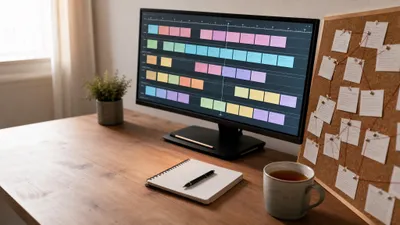
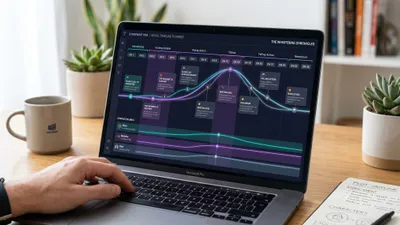
Plottr is a good product. Its visual timeline of colour-coded scene cards is the clearest way to see parallel plotlines, and it ships with 30-plus story-structure templates. Our full Plottr review covers what it does best.
But Plottr is an outlining tool, not a book. You export the plan and write somewhere else. Pick your reason, then jump to the tool that answers it.
| If your problem is… | Look at |
|---|---|
| Your outline is done but the book is not | Chapter |
| You want a more powerful timeline | Aeon Timeline |
| You want plotting and drafting in one app | Dabble or Scrivener |
| You need deep worldbuilding, not just plot | Campfire |
| You want AI help inside a story bible | Novelcrafter |
| You think visually, like a pinboard | Milanote |
| You want it free, permanently | Obsidian or Manuskript |
1. Chapter — Best If Your Outline Is Done and the Draft Is Not
Our Pick — Chapter (Our Product)
Chapter is AI book writing software that plans your book on a proven story structure and then writes the full manuscript. You submit your idea, approve the outline it proposes, and get back a complete 20,000 to 120,000+ word novel, followed by an automated continuity pass that checks character consistency and timelines.
Best for: Writers who already have characters and a plot, or a finished Plottr board, but no finished draft.
Pricing: $97 one time, 2 books included (fiction or nonfiction), 30-day money-back guarantee. No subscription, no free tier, no free trial.
Why we built it: Most stalled books are not stalled at the outline. They stall at the 60 empty scenes the outline creates.
Chapter is on this list for a different reason than every other tool. The other eight replace Plottr. Chapter replaces the step Plottr leaves you with: turning a plan into prose.
You give Chapter your premise, genre and characters, or paste in the beats from your Plottr board. It proposes a structured outline for you to approve, then drafts the book. Over 2,147 authors have used Chapter to create 5,000+ books, and it has been featured in USA Today and the New York Times.
Honest limitations: Chapter has no timeline board. You cannot drag scene cards across parallel plotline rows. It is also AI writing software, so it is the wrong tool if you want to write every sentence yourself. Our Chapter vs Plottr comparison goes deeper on that trade-off.
Try Chapter for fiction ($97) | Try Chapter for nonfiction
2. Aeon Timeline — Best Plottr Alternative for Timelines
Best for: Mystery, thriller and multi-POV authors who need a true chronological timeline, not just a scene board.
Aeon Timeline is the most direct Plottr alternative, and for complex chronology it is the stronger tool. It lets you view your story chronologically, in narrative order, or by character arc, and track dependencies between events.
That distinction matters. Plottr’s timeline shows the order of scenes in your book. Aeon can also show the order events actually happened in your world, which is what you need when a flashback, an alibi or a second timeline has to line up.
Aeon also syncs with Scrivener or Ulysses, so you can plan in Aeon and draft in Scrivener without retyping.
Honest limitations: The learning curve is steeper than Plottr’s, and it has fewer genre story templates out of the box. For a linear single-POV romance, it is more tool than you need.
Pricing: $65 perpetual licence with one year of updates, then an optional $35 a year to keep updating. Use it on up to five devices across Mac, Windows and iOS. 14-day free trial (Aeon pricing, October 2026).
3. Dabble — Best for Plotting and Writing in One App
Best for: Writers who like plotting but hate exporting the plan into a second app.
Dabble is a writing app with a Plot Grid built in. Scenes run down the rows, plotlines run across the columns, and every card links to a real scene in your manuscript. Click a card and you land in the text.
That is the fix for Plottr’s biggest gap. Your plan and your draft are the same document, so they cannot drift apart. Our Dabble vs Plottr comparison shows both views side by side.
Honest limitations: The Plot Grid is simpler than Plottr’s timeline and has nothing like Plottr’s template library. Dabble is also subscription-first, so it costs more over time.
Pricing: Writer $19 a month (includes the Plot Grid), Author $29, Bestseller $49, or $699 lifetime for Author features. Annual billing saves 20%. 14-day free trial, no card required (Dabble pricing). See our Dabble review for the full breakdown.
4. Scrivener — Best for Outlining and Drafting Long Books
Best for: Writers who want a powerful drafting environment with a corkboard and outliner built in.
Scrivener is the tool most Plottr users already draft in. Its corkboard turns every scene into an index card, and its outliner shows synopsis, status and word count in columns. For many writers, that is enough plotting.
It is also a one-time purchase, which suits writers who left Plottr because of subscription creep. Our Scrivener review covers the learning curve honestly.
Honest limitations: Scrivener has no visual timeline and no parallel plotline rows. The corkboard shows one level of structure at a time. Pair it with Aeon Timeline if chronology matters.
Pricing: $59.99 one time per platform for Mac or Windows, $23.99 for iOS (Literature & Latte store). The free trial runs for 30 days of actual use. More detail in our Scrivener pricing guide.
5. Campfire — Best for Worldbuilding-Heavy Fiction
Best for: Fantasy and science fiction authors whose problem is lore, not plot.
Campfire is a modular planning platform with separate modules for characters, timelines, maps, encyclopedias, magic systems, languages and a manuscript editor. Its relationship webs and multiple parallel timelines go well beyond Plottr’s character database.
If you were using Plottr’s Places and Notes tabs as a makeshift wiki, Campfire is the upgrade. Our Campfire review covers each module.
Honest limitations: Campfire’s plot tools are weaker than Plottr’s timeline, and its manuscript editor is basic. It is a story bible first. Our Campfire alternatives guide covers what to pair it with.
Pricing: Free tier with limited access to every module, including 20 timeline events. Full access is advertised at $12 a month against a $19 list price, with annual and lifetime options (Campfire pricing).
6. Novelcrafter — Best for an AI-Assisted Story Bible
Best for: Writers who want AI help drafting scenes but want to control every prompt.
Novelcrafter combines a manuscript editor, a planning view and the Codex, a linked story bible. When you write a scene involving a character, it can pull that character’s Codex entry into the AI prompt automatically.
Plottr has no AI at all, and says so proudly. Novelcrafter is the alternative for Plottr users who want structure plus AI-drafted scene beats. Our Novelcrafter review explains the setup.
Honest limitations: AI features need your own API key from a provider like OpenAI or Anthropic, which adds a second bill and a learning curve. The planning view is not a visual timeline.
Pricing: Scribe $4 a month (no AI), Hobbyist $8 (bring your own key), Artisan $14, Specialist $20 (adds collaboration). Annual billing gives two months off. 21-day free trial, no card required (Novelcrafter pricing).
7. Milanote — Best for Visual Thinkers
Best for: Writers who plan with mood boards, images and sticky notes rather than rows and columns.
Milanote is a visual whiteboard. You drag notes, images, links and to-do lists onto boards, nest boards inside boards, and arrange them freely. Many writers use it for character boards, aesthetics and loose scene planning.
If Plottr’s grid felt too rigid, Milanote is the opposite. Nothing is forced into a timeline until you put it there.
Honest limitations: Milanote is not writing software. It has no story templates, no plotline rows and no manuscript. You will still need a drafting app.
Pricing: A free plan capped at 100 notes, images or links and 10 file uploads, with a paid plan from about $9.99 a month billed annually, per Software Advice’s Milanote profile. Check Milanote’s own site before buying.
8. Obsidian — Best Free Plottr Alternative for Tinkerers
Best for: Writers comfortable building their own system from linked Markdown notes.
Obsidian is a free note-taking app that stores everything as plain text files on your own computer. You link characters, locations and scenes with wiki-style links, and community plugins add kanban boards, canvases and long-form manuscript tools.
The files are yours forever, in a format any app can open. That is a real advantage over a proprietary Plottr project file. Our Obsidian for writers guide shows a working setup.
Honest limitations: Nothing works out of the box. You assemble the plotting system yourself, and that setup time can become its own form of procrastination.
Pricing: Free for personal use with no sign-up. Optional Sync costs $4 a month and Publish $8 a month, billed annually.
9. Manuskript — Best Free, Open-Source Option
Best for: Writers on a zero budget who want outlining and drafting in one desktop app.
Manuskript is free, open-source writing software. It includes a hierarchical outliner, plot and character tracking linked to your story, a world section, a distraction-free mode, and built-in support for the Snowflake Method.
For a writer who wants Plottr’s planning plus a place to write, at no cost, it is the most complete free option.
Honest limitations: Development is slow. The latest release, version 0.17.0 in June 2025, focused on crash fixes rather than new features. The interface is dated and there is no visual timeline.
Pricing: Free.
Plottr Alternatives Comparison Table
| Tool | Best For | Visual Timeline | Writing Area | Price (Oct 2026) |
|---|---|---|---|---|
| Chapter (Our Product) | Turning a plan into a finished book | No | Writes the full draft | $97 one time, 2 books |
| Aeon Timeline | True chronology, multi-POV | Yes, strongest | No (syncs to Scrivener) | $65 perpetual |
| Dabble | Plot and draft in one app | Plot Grid | Yes | $19/mo or $699 lifetime |
| Scrivener | Long-form drafting | Corkboard only | Yes | $59.99 one time |
| Campfire | Worldbuilding | Timeline module | Basic | Free, or $12/mo |
| Novelcrafter | AI-assisted story bible | No | Yes | $4–$20/mo |
| Milanote | Visual boards | Freeform | No | Free plan, paid from ~$9.99/mo |
| Obsidian | DIY linked notes | Via plugins | Yes | Free |
| Manuskript | Free outliner plus editor | No | Yes | Free |
| Plottr (for reference) | Visual outlining | Yes | No | $60/yr or $150 lifetime |
Where Plottr and These Alternatives Beat Chapter
Plottr and several tools above beat Chapter at three things: hands-on visual plotting, writing every word yourself, and learning story structure by doing it. If any of those is what you want, Chapter is the wrong pick, and we would rather say so.
Visual timeline plotting. Chapter has no timeline board. Plottr lets you drag a scene card from chapter 14 to chapter 6 and watch every plotline rearrange. Aeon Timeline goes further, showing chronological and narrative order side by side. If you think about structure spatially, these tools give you something Chapter does not have.
An AI-free toolchain. Plottr lists “No AI” on every plan. If you are entering an AI-prohibited contest, working under a publisher AI clause, or simply want to write every sentence, Plottr, Scrivener, Aeon or Manuskript is the right answer. Amazon also asks you to disclose AI-generated content under its KDP content guidelines.
Learning structure. Plottr’s 30-plus pre-labelled templates teach Save the Cat or three-act structure as you fill them in. Chapter applies structure for you, which is faster but teaches you less.
Free and permanent access. Obsidian and Manuskript cost nothing. Chapter has no free tier and no free trial. Its 30-day money-back guarantee is the closest thing to one.
Where Chapter wins is the step after all of this. A finished outline is still a book you have not written.
How to Choose the Right Plottr Alternative
The right Plottr alternative is the one that fixes your actual bottleneck. Ask yourself which of these three sentences is true, then pick accordingly.
- “I need a better plan.” Choose Aeon Timeline for complex chronology, Campfire for worldbuilding, or Milanote for loose visual planning.
- “I need my plan and draft in one place.” Choose Dabble, Scrivener, Novelcrafter or Manuskript.
- “I have a plan and no book.” Choose Chapter. Another planning tool will not fix a drafting problem.
If you write braided multi-POV fiction, our guide to writing multiple POV explains why a timeline view earns its keep. If you are unsure whether you even need an outline, read pantsing vs plotting first.
Is There a Free Alternative to Plottr?
Yes, there are free alternatives to Plottr. Manuskript is free, open-source software with an outliner, plot tracking and a manuscript editor. Obsidian is free for personal use and can mimic a plotting board with plugins. Campfire and Milanote both offer capped free plans.
Plottr itself has no free plan, but its 30-day free trial is long enough to outline a full book. The Snowflake Method on a single page also does much of the same work for nothing.
Can You Use Plottr With Another Tool?
Yes, and for many writers a two-tool stack beats any single replacement. Plottr exports outlines to Word and Scrivener, so the classic pairing is Plottr for planning and Scrivener for drafting, roughly $210 combined in one-time licences.
The faster pairing is Plottr plus Chapter. Plan in Plottr, give Chapter your characters and beats, approve the outline it proposes, then revise the draft against your board. Our guide to outlining a novel covers what a usable outline needs before you hand it off.
How We Evaluated These Plottr Alternatives
We judged each tool against the four reasons writers leave Plottr: missing writing area, cost of collaboration and cloud access, timeline complexity, and planning that never turns into a draft.
Every price was checked on the vendor’s own pricing page in October 2026, except Milanote, whose public pricing we could only confirm through a third-party profile. Feature claims come from vendor documentation and our earlier hands-on reviews of Plottr, Dabble, Scrivener, Campfire and Novelcrafter.
Chapter is our product. We ranked it first because it solves a problem no other tool on this list attempts, and we listed the cases where it is the wrong choice.
FAQ
What is the best alternative to Plottr?
The best alternative to Plottr depends on your goal. Aeon Timeline is the best like-for-like replacement for timeline plotting. Dabble is best if you want plotting and drafting in one app. Chapter is best if your outline is finished and you need the complete manuscript written.
Is Aeon Timeline better than Plottr?
Aeon Timeline is better than Plottr for complex chronology, because it shows both chronological and narrative order and tracks dependencies between events. Plottr is better for fast, template-led outlining with genre story structures. Aeon costs $65 perpetual, against Plottr’s $150 base lifetime licence.
Does Plottr have a writing area?
No, Plottr does not have a writing area. It is an outlining and story-bible tool that displays your book as a visual timeline of scene cards. You export your outline to Word or Scrivener to draft. Dabble, Scrivener and Novelcrafter combine plotting and drafting in one app.
How much does Plottr cost in 2026?
As of October 2026, Plottr costs $60 a year or $150 lifetime for the base Windows and Mac plan. Plottr Pro, which adds the browser app, cloud sync and collaboration, costs $9.99 a month, $99 a year or $599 lifetime. Every plan includes a 30-day free trial.
Is Plottr worth it compared to the alternatives?
Plottr is worth it if you are a committed outliner writing a structurally complex, multi-POV novel and you already have a drafting app. At $150 lifetime it is fair value for that writer. If your real bottleneck is finishing the draft, a drafting tool or Chapter is the better spend.