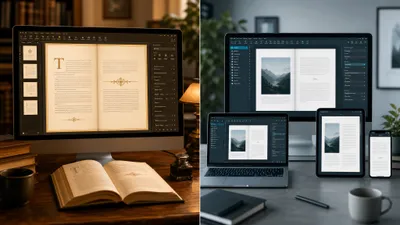
The best Kindle Create alternative depends on why you are leaving. For a cross-platform formatter that exports files any store accepts, pick Atticus ($147 one time). On a Mac, Vellum gives the cleanest output. For free, Reedsy Studio and Draft2Digital cover most novels.
In this guide, you’ll get:
- 8 Kindle Create alternatives, with prices checked on each vendor’s site in November 2026
- Which one fits Windows, Mac, a zero budget, or a complex print interior
- An honest section on where these tools beat our own product
- A quick test for whether you should leave Kindle Create at all
Start with the reason, because it decides the answer.
Why Authors Look for a Kindle Create Alternative
Most authors leave Kindle Create for one of four reasons: they want to sell beyond Amazon, they need layout control it does not offer, their book has tables or footnotes it cannot edit, or they want a nicer-looking paperback. Each reason points to a different tool.
Kindle Create is Amazon’s free desktop formatter for Windows and Mac. It turns a finished DOCX into a KPF file for KDP, plus a simple paperback. Our full Kindle Create review covers how it works step by step.
Here is what KDP’s own Kindle Create help page lists as limits, as of November 2026:
- EPUB export works for reflowable books only, and that EPUB drops image bleeds, drop caps taller than three lines, and chapter-start images
- Tables, lists and footnotes cannot be edited inside the app, and embedded tables can break the import
- Cover formatting is not supported, so you design covers elsewhere
- Image captions are not supported in reflowable books
One myth worth correcting: many older articles say Kindle Create locks you into Amazon with no EPUB at all. The KPF file is still Amazon-only, but a reflowable novel can now export an EPUB for Apple Books or Kobo. Fixed-layout and comic projects cannot.
Quick test: if your book is a plain-text novel or memoir sold only on Amazon, stay with Kindle Create. If you have a cookbook, a textbook with tables, or plans to go wide, keep reading.
1. Chapter — Best If the Manuscript Is Not Finished Yet
Our Pick — Chapter
Chapter is AI book writing software. It builds the structure of your book first, then writes a complete, organized manuscript in your voice, for nonfiction or fiction. It is a writing platform, not a typesetting tool.
Best for: authors whose book is an outline, a half-draft, or an idea that has stalled Pricing: $97 one time, 2 books included (fiction or nonfiction), 30-day money-back guarantee Why we built it: every formatter on this list assumes the book already exists, and writing it is where most authors get stuck.
Be clear on what Chapter is before you buy. It does not replace Kindle Create’s job of styling chapter headings and building a KPF file. If you have 80,000 finished words in Word, a formatter from slots 2 to 8 is the right purchase.
Chapter belongs here for the other reader: the one researching formatting tools while the manuscript sits at 15,000 words. Formatting takes a weekend. Writing takes months, and no template fixes an unfinished draft.
More than 10,000 authors have used Chapter, and it has been featured in USA Today and the New York Times. Our Chapter review lists who it does not suit.
If your manuscript is finished and you want the publishing work done for you, Chapter also sells Publishing AI. As of November 2026, it costs $997 a year for unlimited books and covers formatting for Kindle, paperback and hardcover, a cover, 3 ISBNs per book and the Amazon listing. That is a different price class from a free formatter, so it only makes sense if you publish several books.
2. Atticus — Best All-Round Replacement on Any Computer
Best for: Windows, Linux and Chromebook authors who want Vellum-style output
Atticus is the closest like-for-like upgrade from Kindle Create. You import a DOCX, pick a theme, and export both an EPUB and a print-ready PDF that any retailer or printer accepts.
Its site lists it as a one-time $147 purchase covering ebook and print, with free updates and a 30-day money-back guarantee. It runs on Windows, Mac, Linux and Chromebook, and in the browser as a Progressive Web App.
Honest limitation: its themes are good, not exceptional. Mac users who care most about typography often prefer Vellum, as our Atticus vs Vellum comparison explains.
Pricing: $147 one time (as of November 2026)
3. Vellum — Best Output Quality for Mac Users
Best for: Mac authors who want the most polished interior with almost no learning curve
Vellum is the formatter many professional indie authors swear by. Its themes are elegant, its previews are accurate, and it exports store-specific ebook files plus a print PDF.
As of November 2026, Vellum lists Vellum Ebooks at $199.99 and Vellum Press at $249.99, which adds paperbacks. It requires macOS 14 or newer. You can download it free and build your book, then pay when you are ready to publish.
The catch is simple: no Windows version. Windows users can rent a cloud Mac, but at that point Atticus is cheaper and easier. See our Vellum pricing breakdown for the full cost picture.
Pricing: $199.99 ebooks only, $249.99 with print (one time)
4. Reedsy Studio — Best Free Browser-Based Option
Best for: first-time authors who want a professional EPUB and print PDF for $0
Reedsy Studio is a free online editor that typesets your manuscript into an EPUB and a print-ready PDF. It runs in any browser, so it works on Chromebooks and older laptops that Kindle Create cannot.
The core writing and formatting tools are free. Reedsy sells optional upgrades, listed at $4.99 a month for Studio Essential and $7.99 a month for outlining tools, with a 30-day trial. You do not need either to format a book.
Limits: fewer themes than Atticus or Vellum, and less control over fine print details. For a straightforward novel, it beats Kindle Create by giving you a portable EPUB and a real print PDF at no cost.
Pricing: free (optional add-ons from $4.99 a month)
5. Draft2Digital — Best Free Formatter If You Plan to Go Wide
Best for: authors who want to sell on Apple Books, Kobo, Barnes & Noble and libraries
Draft2Digital is a distributor that formats your Word file automatically. It adds a working table of contents, chapter breaks and end matter, and its site says you may download the EPUB and use it “at your discretion.”
Formatting itself costs nothing. Since 2026, new accounts pay a one-time $20 activation fee, and accounts earning under $100 a year pay $12 annually. D2D takes about 10% of ebook royalties on books it distributes. Our Draft2Digital pricing guide breaks this down.
The trade-off is control. The templates are fully automated, so you cannot fine-tune spacing or styles. If you are weighing Amazon exclusivity against wide sales, read our guide to Kindle Unlimited vs wide distribution first.
Pricing: free formatting; $20 activation, 10% of distributed ebook royalties
6. Scrivener — Best for Writing and Formatting in One Tool
Best for: long or complex books you are still drafting, especially nonfiction and series
Scrivener is a writing app first. Its Compile feature turns your project into an EPUB, Kindle file, PDF or Word document, so you never need a separate formatter.
As of November 2026, the official store lists a Standard Licence at $59.99 per platform (macOS or Windows), with a free trial. There is no subscription.
Be honest with yourself about the learning curve. Compile is powerful but fiddly, and its default output looks plainer than Vellum or Atticus. Many authors draft in Scrivener and format elsewhere. Our Scrivener pricing guide covers the license options.
Pricing: $59.99 one time per platform
7. Affinity by Canva — Best Free Tool for Custom Print Layouts
Best for: illustrated books, cookbooks and workbooks that need full design control
In October 2025, Canva merged Affinity Designer, Photo and Publisher into one app and made it free. The Affinity site describes it as “free for individuals” and lists Mac, Windows and iPad versions. Downloads go through a Canva account.
Affinity gives you the page-layout control that InDesign offers, without the Adobe subscription. That solves Kindle Create’s weakest area: tables, sidebars, captions and image-heavy pages for print.
The downside is time. It is a design tool, not a formatter, so you build every page yourself. We could not confirm EPUB export on Affinity’s site, so plan on a second tool for the ebook. If you are used to InDesign workflows, our InDesign book templates guide translates well.
Pricing: free for individuals (as of November 2026)
8. Calibre — Best Free Tool for Converting and Fixing Ebook Files
Best for: technical authors who want to convert or hand-edit an existing EPUB
Calibre is free, open-source ebook software. It converts between dozens of formats and includes an editor for EPUB and Kindle files. Pair it with Sigil, another free EPUB editor, for code-level fixes.
Calibre does not design books. It will not give you pretty chapter headings from a Word file. Use it after another tool, to repair a broken EPUB or convert a file, which our guide to EPUB vs MOBI formats explains in context.
Pricing: free
Kindle Create Alternatives Compared
| Tool | Best For | Price (Nov 2026) | Platforms | Exports |
|---|---|---|---|---|
| Chapter (Our Product) | Writing the manuscript | $97 one time, 2 books | Browser | Manuscript, not a formatter |
| Atticus | All-round formatting | $147 one time | Win, Mac, Linux, Chromebook, web | EPUB, print PDF |
| Vellum | Best-looking output | $199.99 / $249.99 | Mac only | Ebook files, print PDF |
| Reedsy Studio | Free formatting | Free | Browser | EPUB, print PDF |
| Draft2Digital | Going wide | Free formatting, $20 activation | Browser | EPUB, print PDF |
| Scrivener | Write and compile | $59.99 per platform | Mac, Win | EPUB, Kindle, PDF, Word |
| Affinity | Custom print layouts | Free | Mac, Win, iPad | Print PDF |
| Calibre | Converting files | Free | Win, Mac, Linux | Many formats |
| Kindle Create | Amazon-only novels | Free | Win, Mac | KPF, EPUB (reflowable only) |
Where These Tools Beat Chapter
Every formatter on this list beats Chapter at formatting, because formatting is their entire job. Chapter is an AI book-writing platform. If your manuscript is finished, these tools solve your problem and Chapter does not. Here is where each one wins.
- Price for a finished book. Reedsy Studio, Draft2Digital, Affinity and Calibre are free. Chapter costs $97 and has no free tier or trial, so a finished manuscript gains nothing from it.
- Typography and themes. Vellum and Atticus give you chapter heading designs, drop caps, ornamental breaks and per-store ebook files. Chapter does not offer a theme library or a typesetting editor.
- Print layout control. Affinity lets you place every table, caption and image by hand. That is the right tool for a cookbook or workbook, and Chapter is not.
- Distribution. Draft2Digital formats and then ships your book to dozens of stores in one flow. The $97 Chapter software stops at the manuscript.
- Writing your own words, with full control. Scrivener is built for authors who want to write every sentence themselves. Chapter’s strength is generating the draft, so if you want no AI involvement, Scrivener is the better fit.
So when does Chapter earn the top slot? Only when the bottleneck is the book itself. That is more common than it sounds: many authors searching for formatters have a half-finished draft.
Should You Switch From Kindle Create at All?
You should keep Kindle Create if your book is a text-heavy novel or memoir sold only on Amazon. It is free, made by Amazon, and its KPF files rarely fail KDP checks. You should switch if you need wide distribution, tables, custom print design, or Chromebook support.
A simple way to decide:
- Amazon only, plain text: stay with Kindle Create
- Going wide, no budget: Draft2Digital or Reedsy Studio
- Want premium output on Windows: Atticus
- Want premium output on Mac: Vellum
- Image-heavy print book: Affinity
- Book not written yet: Chapter, then any formatter above
Whichever tool you choose, clean manuscript prep matters more than the software. Our guide to formatting a book for Kindle covers heading styles and page breaks, and our book cover design tools roundup fills the gap none of these formatters cover well.
What Is the Best Free Alternative to Kindle Create?
The best free alternative to Kindle Create is Reedsy Studio for most authors. It is browser-based, costs nothing for core formatting, and exports both an EPUB and a print-ready PDF. If you plan to sell wide, Draft2Digital is the stronger free choice because formatting and distribution happen in one place.
A formatter is only useful once the book exists. If yours is still unfinished, Chapter for nonfiction and Chapter for fiction write the complete manuscript for $97 one time, with 2 books included, no subscription and a 30-day money-back guarantee.
FAQ
Is there a better program than Kindle Create?
Yes, there are better programs than Kindle Create for many books. Atticus ($147) and Vellum ($199.99 and up, Mac only) produce more polished interiors and portable files. Kindle Create remains a strong free choice for plain-text novels sold only on Amazon, where its KPF files suit KDP well.
Is Atticus better than Kindle Create?
Atticus is better than Kindle Create if you want more themes, cross-platform support and EPUB plus print PDF exports for every store. It costs $147 one time. Kindle Create is free and fine for simple Amazon-only books, so Atticus is worth it mainly for authors who publish wide or often.
Does Kindle Create work on Chromebook or iPad?
No, Kindle Create does not work on a Chromebook or iPad. Amazon makes it for Windows 10 or later and macOS only. Chromebook users should try Reedsy Studio or Atticus, which run in a browser, and iPad users can use Atticus as a web app or Affinity for print layout.
Is Vellum worth it over Kindle Create?
Vellum is worth it over Kindle Create if you are on a Mac and publish multiple books. Its $249.99 Vellum Press license covers unlimited ebooks and paperbacks with premium typography. For a single plain novel sold only on Amazon, free Kindle Create gives you most of the result for nothing.