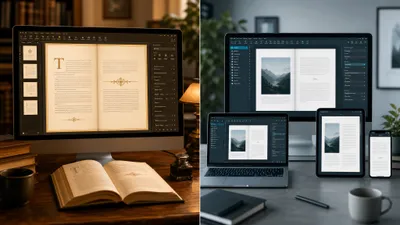
Kindle Create vs Vellum comes down to two questions: where will you sell, and what computer do you own? Kindle Create is free, runs on Windows and Mac, and makes clean Kindle books for Amazon only. Vellum costs $199.99 or $249.99, runs only on a Mac, and produces polished ebook and print files you can sell anywhere.
In this comparison, you’ll get:
- A side-by-side table of price, platforms, formats and print control, checked against Amazon’s and Vellum’s own documentation
- The specific books where free Kindle Create is genuinely enough, and the ones where it fails
- An honest section on where both tools beat Chapter, our own product
- A clear verdict for Windows users, Kindle-only authors and wide publishers
Here’s how the two formatters actually compare.
Kindle Create vs Vellum at a Glance
Kindle Create is Amazon’s free formatting app for KDP, while Vellum is a paid, Mac-only typesetting app built for authors who publish everywhere. The table below summarizes the differences as of November 2026.
| Feature | Kindle Create | Vellum |
|---|---|---|
| Price | Free | $199.99 (Vellum Ebooks) or $249.99 (Vellum Press) |
| Platforms | Windows 10+, macOS 10.15+ | macOS 14 or newer only |
| Ebook output | KPF for KDP; EPUB for reflowable books | EPUB 3 and EPUB 2 files for Kindle, Kobo, Apple Books and more |
| Print output | KDP paperback from the same project | Paperback or hardcover, 24 trim sizes plus large print, PDF/X-1a (Press only) |
| Sell outside Amazon | Not supported | Yes |
| Design options | Four fixed themes | Multiple ebook and print styles you can customize |
| Footnotes in print | Not supported in paperbacks | Supported |
| Full-bleed images | Not supported in paperbacks | Supported |
| Comics and kids’ books | Yes, with Guided View | Not advertised |
| Try before you pay | Free forever | Free download to build, style and preview; pay to export |
The short version: Kindle Create wins on cost and platform. Vellum wins on design, print control and distribution.
What Is Kindle Create?
Kindle Create — Amazon’s free desktop app that turns a finished Word manuscript into a Kindle ebook and a simple KDP paperback.
You import a DOC or DOCX file, let it detect your chapters, apply one of four themes, preview the book on simulated devices, and export a KPF file to upload to KDP. Amazon’s Kindle Create FAQ lists Windows 10 or later and macOS 10.15 or later, with 4 GB of RAM minimum.
KDP’s supported formats page says KPF files let your ebook “easily format and fit all Kindle devices.” For a deeper look at the app on its own, read our full Kindle Create review.
What Is Vellum?
Vellum — a Mac-only book formatting app that typesets a finished manuscript into professional ebook and print files for every major retailer.
You import your manuscript, choose a book style, adjust headings, ornaments and scene breaks, and generate files for Kindle, Kobo, Apple Books and print. According to Vellum’s homepage, its ebooks are ACE-approved for accessibility and its print files support paperback or hardcover.
Vellum has a loyal following because the output looks like a traditionally published book with almost no effort. Our Vellum review covers the app in depth.
Price: Is Kindle Create Really Free, and What Does Vellum Cost?
Kindle Create is completely free, with no paid tier. Vellum is a one-time purchase: $199.99 for Vellum Ebooks (unlimited ebooks) or $249.99 for Vellum Press (unlimited ebooks and paperbacks), before tax, per the Vellum store.
A few Vellum details matter before you buy. Vellum’s purchasing help page says updates are free, you can upgrade from Ebooks to Press later for $69.99, and you can cancel within 30 days for a refund.
The license belongs to one person, and you can restore it on one additional computer you own. You cannot share it with an assistant or co-author. Our Vellum pricing breakdown walks through which tier fits which author.
| Cost item | Kindle Create | Vellum |
|---|---|---|
| Software | $0 | $199.99 or $249.99 once |
| Print files | Included (KDP only) | Press tier only |
| Updates | Free | Free |
| Computer required | Any recent Windows PC or Mac | A Mac running macOS 14+ |
That last row is the hidden cost. If you do not own a Mac, Vellum’s real price includes either a Mac or a rented cloud Mac, which Vellum itself suggests for Windows users.
Platform: Can You Use Vellum on Windows?
No, Vellum does not run on Windows, and the company says it has no plans to build a Windows version. Its only suggestion for PC owners is renting a cloud-based Mac and using it remotely from your PC.
Kindle Create runs on both Windows and Mac, and it supports older Macs too. Vellum now requires macOS 14 or newer, so even some Mac owners will be locked out without an upgrade.
If you are on Windows and want Vellum-level polish, the usual answer is Atticus, which costs $147 once and runs on Windows, Mac, Linux and Chromebook. Our Atticus vs Vellum comparison and roundup of Vellum alternatives cover that route.
Design and Output Quality: Which Makes Better-Looking Books?
Vellum makes better-looking books, and it is not especially close. Kindle Create’s output is clean and readable. Vellum’s chapter openings, drop caps, ornamental scene breaks and front matter look professionally typeset.
Kindle Create gives you four built-in themes and no custom styles. Your book will look tidy, but it will look like many other Kindle Create books.
Vellum lets you choose and adjust styles for headings, first paragraphs and scene-break ornaments, then preview the book across devices before you pay to export. For a romance or thriller where the reader judges your professionalism in the first sample pages, that polish matters.
Print Books: How Much Control Do You Get?
Kindle Create handles simple paperbacks only, and you cannot customize their design. KDP’s own ebook and paperback guide says margins are calculated automatically, fonts, font size and line spacing cannot be changed, and full-bleed images are not supported.
The same guide states plainly that Kindle Create “doesn’t support paperbacks with tables, footnotes, or endnotes.” That alone rules it out for most nonfiction with citations.
Vellum Press gives you paperback or hardcover files, 24 trim sizes plus large print, full-bleed pages and PDF/X-1a output. Vellum’s footnote documentation shows print footnotes placed at the bottom of each page, with your choice of symbols or numbers.
If you plan a hardcover, an IngramSpark edition or a nonfiction book with notes, Vellum is the only one of the two that can do the job.
Distribution: Can You Sell Kindle Create Books Outside Amazon?
Mostly no. Amazon’s Kindle Create FAQ lists “publishing outside of Kindle” as unsupported. KPF files upload only to KDP, and there is no print-ready PDF export for other printers.
Kindle Create can export EPUB, but only for reflowable books, and Amazon notes EPUB does not carry every Kindle feature. You would still need to check that file carefully before sending it to Kobo, Apple Books or an aggregator.
Vellum generates retailer-ready ebook files for Kindle, Kobo, Apple Books and more from one project. If you are weighing exclusivity, our guide to Kindle Unlimited vs wide distribution explains the trade-off; your formatter should match that decision.
Where Kindle Create Beats Vellum
Kindle Create wins clearly in four situations, and in each one Vellum’s price buys you nothing.
- You have no budget. A free tool that KDP was built around is a sensible first-book choice.
- You use Windows or an older Mac. Vellum is not an option without new hardware or a rented Mac.
- You make comics, kids’ books or Print Replica titles. Kindle Create’s Guided View and Interactive Print Replica modes cover formats Vellum does not advertise.
- You sell only on Amazon. KPF supports Kindle-specific features like Enhanced Typesetting, and it rarely trips KDP’s upload checks.
For a text-only novel or memoir going exclusive to Kindle Unlimited, Kindle Create is genuinely enough. Our guide on how to format a book for Kindle covers the manuscript prep that makes it smooth.
Where Vellum Beats Kindle Create
Vellum earns its price when your book needs to look professional or travel beyond Amazon.
- Wide distribution. One project produces files for every major ebook store.
- Serious print. Hardcovers, custom trim sizes, large print, bleed images and footnotes.
- Design. Professional typography with no design skill required.
- Series and backlists. Unlimited books on one license, so the cost per title drops fast if you publish often.
If you plan to publish five or more books over the next few years, $249.99 works out to under $50 a book.
Where These Tools Beat Chapter
Both tools do something Chapter’s $97 writing software does not try to do: they typeset your interior. Chapter writes the manuscript with AI. It is not a formatter, and it does not replace either app.
Here is where they genuinely win:
- Kindle Create is free. Chapter costs $97 one time, and there is no free tier or free trial. If your book is already written and Kindle-only, Kindle Create costs you nothing at all.
- Vellum’s typography is the benchmark. Chapter’s writing software does not offer typesetting controls like ornaments, drop caps or trim sizes.
- They work on words you wrote yourself. If your manuscript is finished, an AI writing tool adds no value. You need a formatter, and either app is a better purchase than Chapter.
- Print-file control. Vellum Press gives you hardcover and 24 trim sizes in one app you own outright.
So be honest with yourself about where you are. A finished manuscript needs Kindle Create or Vellum, not Chapter.
What If Your Book Isn’t Written Yet?
Formatting is the last step, and both tools assume a finished manuscript exists. If you are still stuck on the draft, a formatter cannot help you yet.
Our Product — Chapter
Chapter is AI book writing software that takes you from an idea to a complete, structured manuscript in your own voice, for nonfiction or fiction. More than 10,000 authors have used it. You keep 100% of the rights, then format the finished book in Kindle Create, Vellum or any tool you prefer.
Best for: authors who have a book idea but no finished manuscript Pricing: $97 one time, 2 books included (fiction or nonfiction), 30-day money-back guarantee Why we built it: most authors never reach the formatting stage because the draft never gets finished
If you want the formatting handled too, Chapter Publishing AI prepares print-ready layouts for paperback, hardcover and Kindle, plus a cover and ISBNs, for any manuscript. As of November 2026 it costs $997 a year for unlimited books, so it suits prolific authors more than a one-book Kindle release.
The Verdict: Kindle Create or Vellum?
Choose Kindle Create if you are publishing a text-heavy novel, memoir or essay collection exclusively on Amazon, you use Windows, or you are making a comic or children’s book with Guided View. It is free and does that job well.
Choose Vellum if you own a Mac running macOS 14 or newer and you want hardcovers, footnotes, wide distribution or a book that looks traditionally published. Buy Vellum Press at $249.99 if you will print; Vellum Ebooks at $199.99 if you will not.
Choose neither yet if your manuscript is not finished. Format last. For the full list of options, see our guide to book formatting software and the step-by-step on formatting a book for KDP.
Kindle Create and Vellum both need a finished manuscript. If you do not have one yet, Chapter for nonfiction and Chapter for fiction write the complete book for $97 one time, with 2 books included, no subscription and a 30-day money-back guarantee.
FAQ
Is Vellum better than Kindle Create?
Vellum is better than Kindle Create for design, print control and selling beyond Amazon. It supports hardcovers, footnotes, bleed images and wide distribution. Kindle Create is better if you want a free tool, use Windows, or publish only a simple text book on Kindle.
Can I use Vellum on Windows?
You cannot use Vellum on Windows natively. Vellum is Mac-only and requires macOS 14 or newer, and the company says it has no plans for a Windows version. Windows users can rent a cloud-based Mac, or choose a cross-platform formatter such as Atticus instead.
Can I use Kindle Create files on IngramSpark or Kobo?
Kindle Create files are made for Amazon, and Amazon lists publishing outside Kindle as unsupported. KPF files upload only to KDP, and there is no print-ready PDF export. You can export EPUB for reflowable books, but you should check it carefully before using it elsewhere.
Is Vellum worth $249.99?
Vellum is worth $249.99 if you own a recent Mac and publish several books, especially in print or across multiple stores. Unlimited books on one license make the cost per title low. For a single Kindle-only novel, free Kindle Create usually does the job.
Can Kindle Create make a paperback?
Kindle Create can make a KDP paperback from the same project as your ebook. It sets margins and page numbers automatically, but you cannot change fonts or line spacing, and it does not support tables, footnotes, endnotes or full-bleed images in paperbacks.