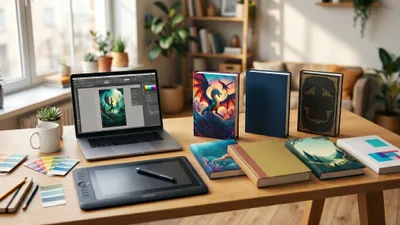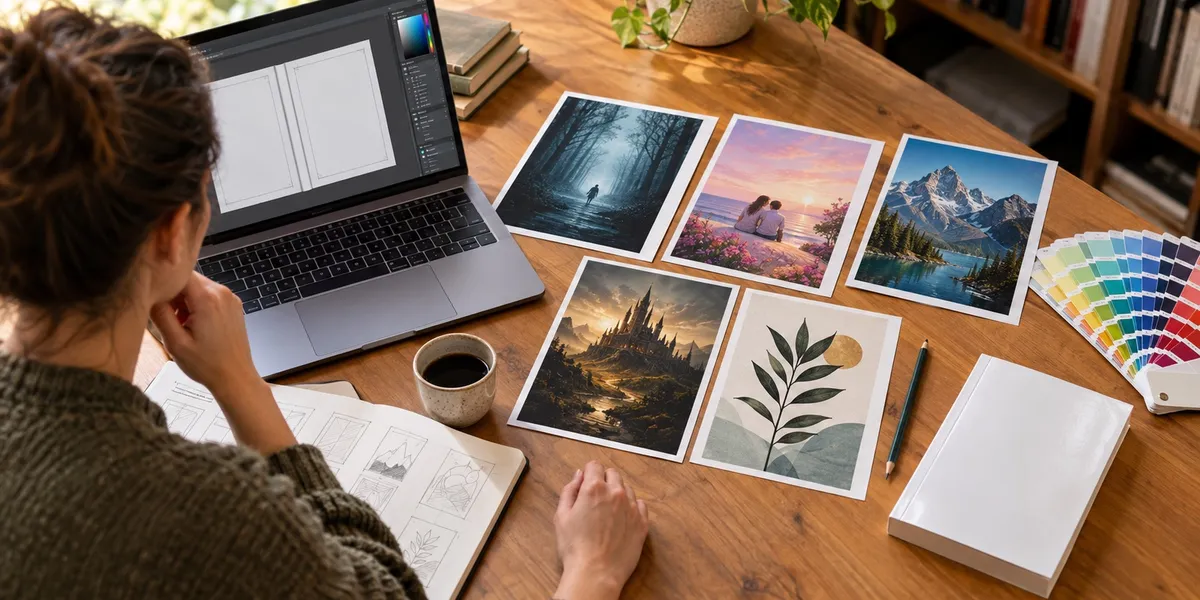
The best book cover design tools in 2026 are Canva for beginners, Book Brush for author-specific templates and mockups, Affinity for free professional-grade layout, and a hired designer when your genre demands a polished look. But a cover only sells a book that exists, so our #1 pick is the tool that gets the book itself finished.
In this guide, you’ll learn:
- Which book cover design software fits your budget, skill level and genre
- What each tool costs as of October 2026, including the two free options
- Where these tools beat Chapter, and where Chapter fits in your workflow
- The KDP specs your cover must hit no matter which tool you use
Here’s how the eight options stack up.
Quick Comparison: Book Cover Design Tools at a Glance
| Tool | Best for | Skill level | Price (as of Oct 2026) |
|---|---|---|---|
| Chapter (Our Product) | Finishing the book your cover wraps | Beginner | $97 one time, 2 books |
| Canva | Beginners who want templates | Beginner | Free plan; Pro is a paid subscription |
| Book Brush | Author templates, 3D mockups, ads | Beginner | Free plan (15 downloads); Plus $99/yr |
| Affinity | Pro layout and photo editing for free | Intermediate | Free (Canva account required) |
| Adobe Photoshop | Full creative control | Advanced | About $22.99/mo (annual plan) |
| KDP Cover Creator | Quick, free covers for Amazon only | Beginner | Free |
| AI image generators | Custom background art | Beginner to intermediate | Free tiers to ~$60/mo |
| Hiring a designer | Genre fiction that has to compete | None needed | ~$300 to $1,250+ |
Prices change often. Every figure below links to or names its source, and you should confirm the current price before you pay.
1. Chapter: Best for Finishing the Book Behind the Cover
Our Pick — Chapter
Chapter is our product, and we’ll be straight with you: Chapter is not a cover design tool. It writes and edits your book, fiction or nonfiction, in your voice. It earns the top spot here because the most common reason a cover never gets used is that the manuscript never gets finished.
Best for: Authors who are designing covers for a book that is still half-written, or not started Pricing: $97 one time, 2 books included (fiction or nonfiction), 30-day money-back guarantee Why we built it: Too many authors spend weeks on cover mockups for a book that stalls at chapter four.
Here’s the honest pattern we see. You open Canva, build three cover concepts, post them in a writers’ group for votes, and feel productive. Meanwhile the draft sits untouched.
Chapter fixes the part that actually blocks publication. It plans your outline, writes full chapters, runs its DoubleCheck pass for consistency and facts, and includes unlimited editing and revisions for your book. More than 2,147 authors have used it to create over 5,000 books.
What Chapter does not do: It does not design covers, create spine layouts, generate 3D mockups or produce print-ready cover PDFs. You still need one of the tools below for that. There’s also no free tier or trial, only the 30-day refund window.
The sensible workflow: finish the manuscript with Chapter (or Chapter’s fiction software for novels), then design your cover once you know your final page count, because your spine width depends on it.
2. Canva: Best Book Cover Design Tool for Beginners
Best for: First-time authors who want a decent cover in an afternoon
Canva is the default starting point for most self-published authors, and for good reason. Its drag-and-drop editor, huge template library and built-in stock photos let you make a clean ebook cover without any design training.
The free plan covers basic cover work. Canva Pro adds premium templates, more stock content, background removal and Magic Resize, which helps when you need the same design as an ebook cover, a social graphic and an ad.
Where Canva falls short is print. Paperback covers need a full wrap (back, spine and front) with bleed at exact dimensions, and Canva doesn’t calculate spine width for you. You can do it, but you’ll be importing a KDP template and measuring by hand. Our Canva book cover design walkthrough shows the exact steps.
Canva templates also get used by thousands of other authors. Change the layout, fonts and imagery enough that your cover doesn’t look like everyone else’s.
Pricing: Free plan available. Canva Pro is a paid subscription; Canva changed its US Pro pricing in September 2026, so check canva.com/pricing for the current figure.
3. Book Brush: Best for Author-Specific Templates and Mockups
Best for: Indie authors who want covers plus marketing images from one place
Book Brush was built by and for authors, and it shows. Beyond its Cover Creator, it produces 3D book mockups, box set images, social media graphics and ad creatives sized for the platforms authors actually use.
Its biggest strength is the marketing side. Once your cover is done, you need it on a phone screen, a paperback stack and a Facebook ad. Book Brush handles that faster than any general design tool on this list. If mockups are all you need, our book cover mockup generator guide compares other options too.
The cover templates are solid but less flexible than Affinity or Photoshop for anything truly custom. Think of Book Brush as the author’s version of Canva, with better marketing assets and a smaller general template library.
Pricing: Free plan with 15 image downloads. Plus is $99 per year ($8.25/month billed yearly) and Platinum is $20.50/month billed yearly, per Book Brush’s pricing page. A third-party listing puts Gold at $12.25/month billed yearly.
4. Affinity: Best Free Professional Design Software
Best for: Authors willing to learn real design software without paying for Adobe
Affinity used to be three separate paid apps (Photo, Designer and Publisher). In late October 2025, Canva merged them into one free Affinity app for Mac and Windows. You need a free Canva account to activate it, and the app works offline after that.
For cover design, that’s a big deal. You get professional typography controls, layers, masks, vector shapes and precise document setup with bleed, which is exactly what a print wrap cover needs. It’s the closest free equivalent to Photoshop plus InDesign.
The trade-off is the learning curve. Affinity assumes you understand layers and export settings. Its AI features, like generative fill and background removal, sit behind a paid Canva subscription.
Pricing: Free. AI features require a paid Canva plan.
5. Adobe Photoshop: Best for Full Creative Control
Best for: Experienced designers and authors who already pay for Creative Cloud
Photoshop remains the industry standard for photo-based covers. Professional cover designers use it for compositing, color grading and the polished, layered look you see on traditionally published thrillers and fantasy novels.
Its generative AI tools (Adobe Firefly) can extend backgrounds, remove objects and build elements inside your existing composition. Adobe positions Firefly as trained on licensed and public-domain content, which matters if commercial safety worries you.
The downsides are cost and complexity. It’s a subscription forever, and Photoshop isn’t a layout tool, so many pros pair it with InDesign for typography and the final print file. If you’re new to design, you’ll spend more time learning the software than designing.
Pricing: About $22.99/month for the single-app plan on an annual commitment, according to several 2026 pricing reviews. Month-to-month costs more. Check Adobe’s Photoshop plans page for your region.
6. KDP Cover Creator: Best Free Option for Amazon-Only Books
Best for: Authors publishing only on Amazon who want a simple, compliant cover fast
Amazon’s KDP Cover Creator is free and built into the KDP publishing flow. It supports ebook, paperback and hardcover covers with a choice of layouts and fonts, and it sizes your spine automatically once your interior file is processed.
That automation is the main appeal. You won’t fight spine math or bleed settings, and the tool blocks you from submitting with leftover placeholder text or text that overflows its box.
The limits are real, though. Covers built with its stock images can’t be downloaded for use outside KDP, so you can’t reuse them on IngramSpark, your website or ads. Spine text needs at least 80 pages. The layouts also look generic, which can hurt in competitive fiction genres.
Pricing: Free.
7. AI Image Generators: Best for Custom Background Art
Best for: Authors who need original artwork but can’t afford illustration
AI image tools like Midjourney, Adobe Firefly, Ideogram and Canva’s own Magic Media can produce custom cover art in minutes. We’ve tested ten of them in depth in our best AI book cover generators roundup, so we won’t repeat that here.
The short version: most AI generators make images, not covers. You’ll usually generate the art, then bring it into Canva, Affinity or Photoshop for the title, author name and final layout. AI is still unreliable at clean typography and consistent character faces.
Two things to check before you use AI art. First, Amazon requires you to disclose AI-generated images when you publish; our guide to Amazon KDP’s AI rules explains what counts. Second, the U.S. Copyright Office has said purely AI-generated material isn’t protected by copyright, which means you may not own the art outright. For prompt ideas, see our AI book cover prompt guide and the wider look at AI book cover generators.
Pricing: Free tiers exist on several tools; paid plans range from about $10 to $60 per month.
8. Hiring a Professional Designer: Best for Competitive Genre Fiction
Best for: Romance, fantasy, thriller and sci-fi authors whose covers must match bestseller conventions
Sometimes the best book cover design tool is a person. Genre readers judge covers in a split second against the books around them, and experienced cover designers know the conventions that signal “this is your kind of book.”
You have three main routes:
- Freelance marketplaces like Reedsy: Reedsy’s analysis of about 9,600 projects puts the average custom cover at around $880, with most falling between $625 and $1,250.
- Design contests like 99designs: You get concepts from many designers. Third-party pricing listings put book cover contests at roughly $299 to $1,199, plus platform fees and any stock images.
- Premade covers: Designers sell finished genre covers and add your title and name, usually far cheaper than custom work.
Our book cover design cost breakdown compares these options in more detail.
Pricing: Roughly $300 for contests or premades at the low end, up to $1,250 or more for custom illustrated covers.
Where These Tools Beat Chapter
We put Chapter first, so here’s the honest flip side. For the job of actually designing your cover, every tool on this list does something Chapter doesn’t:
- Canva and Book Brush give you cover templates. Chapter has none. If you want a cover today, open one of these.
- Affinity and Photoshop handle print-ready files. Full wrap covers, bleed, CMYK conversion for print and precise spine layout all happen here, not in Chapter.
- KDP Cover Creator calculates your spine automatically. Chapter doesn’t produce cover files of any kind.
- Book Brush makes your marketing images. 3D mockups, box sets and ad graphics are outside what Chapter does.
- AI generators create original artwork. Chapter writes words, not images.
- A professional designer brings genre judgment. No software, Chapter included, replaces a designer who knows exactly what sells in cozy mystery this year.
- Several of these tools are free. Affinity, KDP Cover Creator, and the free plans of Canva and Book Brush cost nothing. Chapter is $97 with no free tier.
So why is Chapter #1? Because a finished, well-written book is the thing the cover is selling. If your manuscript is done, skip Chapter and pick from #2 to #8. If it isn’t, finish the book first.
How Do You Choose a Book Cover Design Tool?
The right book cover design software depends on three things: your budget, your design skill and how competitive your genre is. Beginners on a budget should start with Canva or KDP Cover Creator; skilled DIYers should use Affinity; genre fiction authors should hire a designer.
Here’s a quick decision guide:
| Your situation | Best choice |
|---|---|
| Manuscript isn’t finished yet | Chapter first, cover later |
| $0 budget, Amazon only | KDP Cover Creator |
| $0 budget, wide distribution | Affinity or Canva free plan |
| Want templates plus marketing graphics | Book Brush |
| You already know Adobe | Photoshop (plus InDesign) |
| Need original art on a budget | AI generator plus Canva or Affinity |
| Romance, fantasy, thriller | Professional designer or premade |
Nonfiction gives you more room to DIY. A clean typographic cover with strong contrast often works for business and self-help books. Our book cover design ideas show patterns that work by genre.
What Specs Does Your Book Cover Need?
Every book cover needs high resolution (300 DPI), the correct dimensions for each format, and for print, bleed and a spine sized to your page count. Amazon recommends ebook covers of 2,560 by 1,600 pixels in RGB, under 5 MB.
These requirements apply no matter which tool you choose. According to Amazon’s ebook cover guidelines:
- Ebook size: 2,560 px tall by 1,600 px wide (a 1.6:1 ratio)
- Resolution: at least 300 DPI
- Color: RGB, since Kindle doesn’t support CMYK
- File: JPEG preferred, 5 MB or less
- Light covers: add a thin gray border so the cover doesn’t vanish against Amazon’s white page
Print covers add more. You need a full wrap with bleed, a spine width based on your page count and paper type, and space for a barcode. KDP’s free cover calculator and template generator gives you the exact dimensions. Our guides to bleed settings for book covers and barcode placement cover the details.
Can You Design a Book Cover Yourself?
Yes, you can design a book cover yourself with free tools like Canva, Affinity or KDP Cover Creator. DIY works best for nonfiction, simple typographic designs and ebook-only releases. Competitive fiction genres usually benefit from a professional designer.
The biggest DIY mistakes are predictable:
- Text that’s unreadable at thumbnail size (test your cover at about 100 pixels wide)
- Too many fonts; stick to one or two
- Ignoring genre conventions so readers can’t tell what kind of book it is
- Low-resolution images that pixelate in print
- Forgetting bleed, so the paperback trims with white edges
For a full process, read our step-by-step guide on how to design a book cover.
How We Evaluated These Tools
We judged each option on five criteria that matter to self-published authors:
- Output quality: Can it produce a cover that competes on an Amazon search page?
- Print readiness: Does it handle wrap covers, bleed and spine width?
- Ease of use: How long before a first-time author has a usable cover?
- Cost: Total cost for one book, including stock images and subscriptions
- Reuse: Can you use the cover outside one platform?
Pricing was checked against each vendor’s pricing page or, where those pages wouldn’t load, recent third-party pricing reviews, in October 2026. Chapter was assessed against its own product pages, and we’ve listed only features published there.
FAQ
What is the best book cover design tool for beginners?
The best book cover design tool for beginners is Canva, thanks to its drag-and-drop editor, free plan and large template library. If you publish only on Amazon, KDP Cover Creator is even simpler because it sizes your spine automatically. Both let you create a usable cover without design training.
Is there a completely free book cover maker?
Yes, there are completely free book cover makers. Affinity is now free professional design software after Canva merged its three apps in 2025, and KDP Cover Creator is free inside Amazon’s publishing flow. Canva and Book Brush also have free plans with limits on templates and downloads.
How much does a professional book cover cost?
A professional book cover costs around $880 on average for a custom design, according to Reedsy’s data from about 9,600 projects, with most between $625 and $1,250. Premade covers and design contests start lower, at roughly $300, while illustrated fantasy and romance covers often cost more.
Can I use AI to design my book cover?
You can use AI to design your book cover, but most AI image generators create artwork, not finished covers. You’ll typically add the title and layout in Canva or Affinity. Amazon requires you to disclose AI-generated images, and purely AI-generated art may not be protected by copyright.
What size should a Kindle book cover be?
A Kindle book cover should be 2,560 pixels tall by 1,600 pixels wide, according to Amazon’s guidelines. Use at least 300 DPI, save it as a JPEG in RGB color, and keep the file under 5 MB. Don’t include a spine, barcode or back cover on an ebook cover.
Once your cover is ready, our guide on how to self-publish a book walks you through the rest of the launch.